

Active installs
5K+
Product comparison
Subscription includes
Support
Add a quote button on specific products to let customers add products to a quote basket just like they add products to the cart and submit the quotation by filling a simple quote form. Create multiple rules to show the quote button for selected user roles, products, and categories.
You can also hide prices and replace the “add to cart” button with the quote button. This feature comes in handy when you want to hide prices for wholesale, retailers, and other B2B customers and force them to ask for price estimates. You can choose to enable the offered price column to let customers add their offered price for each product in the submitted quote.
WooCommerce Request a Quote extension provides a smooth way to deal with certain types of customers, orders, and products. Here are some examples where this plugin can be helpful:
B2B Sales
Enable B2B customers to request custom quotes by hiding prices, managing quotes, negotiating pricing, and converting approved quotes into orders with WooCommerce Request a Quote
Personalized Products
The merchants can force customers to ask for estimation for the products that do not have straight prices and needs to be quoted as per the requirements.
Endless Possibilities
The rule-based management enables you to configure different quotation options for different user roles. Here is an example use case,

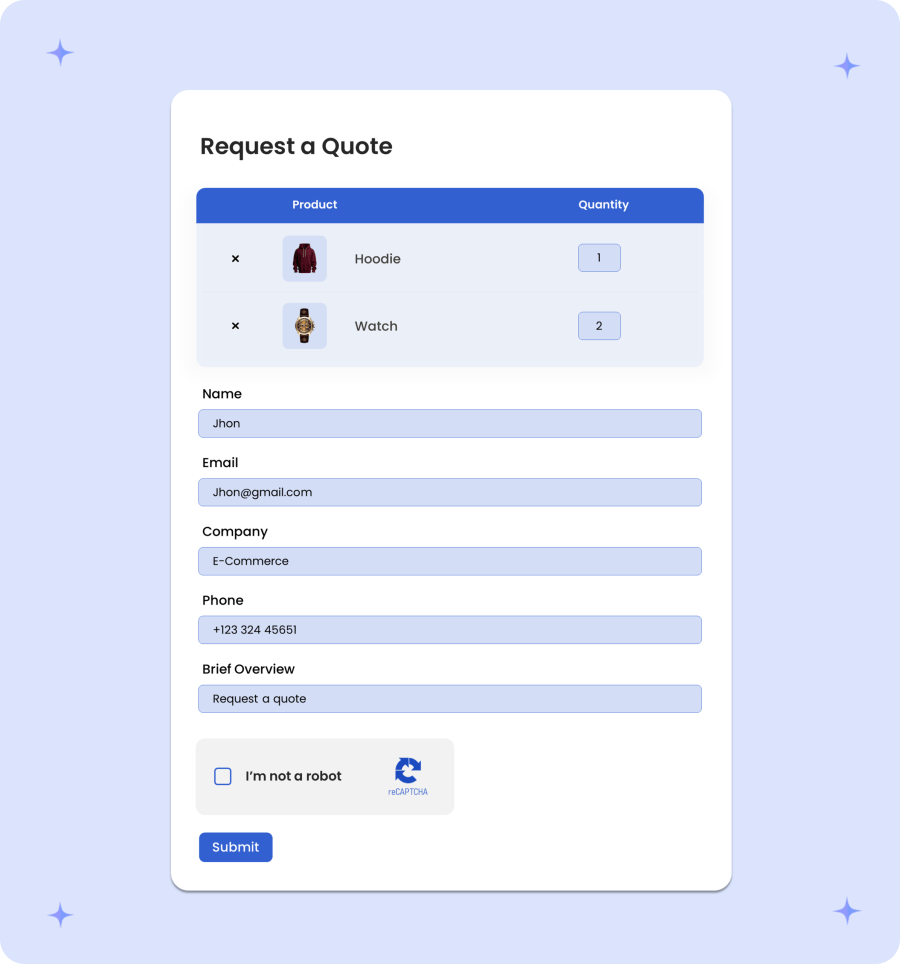
The quote submission journey is designed to be completely frictionless, guiding potential buyers from initial product selection straight through to request confirmation in four simple steps. Customers begin by selecting items using custom “Add to Quote” buttons placed directly on shop and product pages. They then review their selections, update quantities, and verify their choices inside a dedicated Quote Cart. Finally, buyers complete the customizable Quote Form, supported by unlimited custom fields like file uploads or project notes, allowing you to gather exact specifications while providing a smooth, effortless experience.

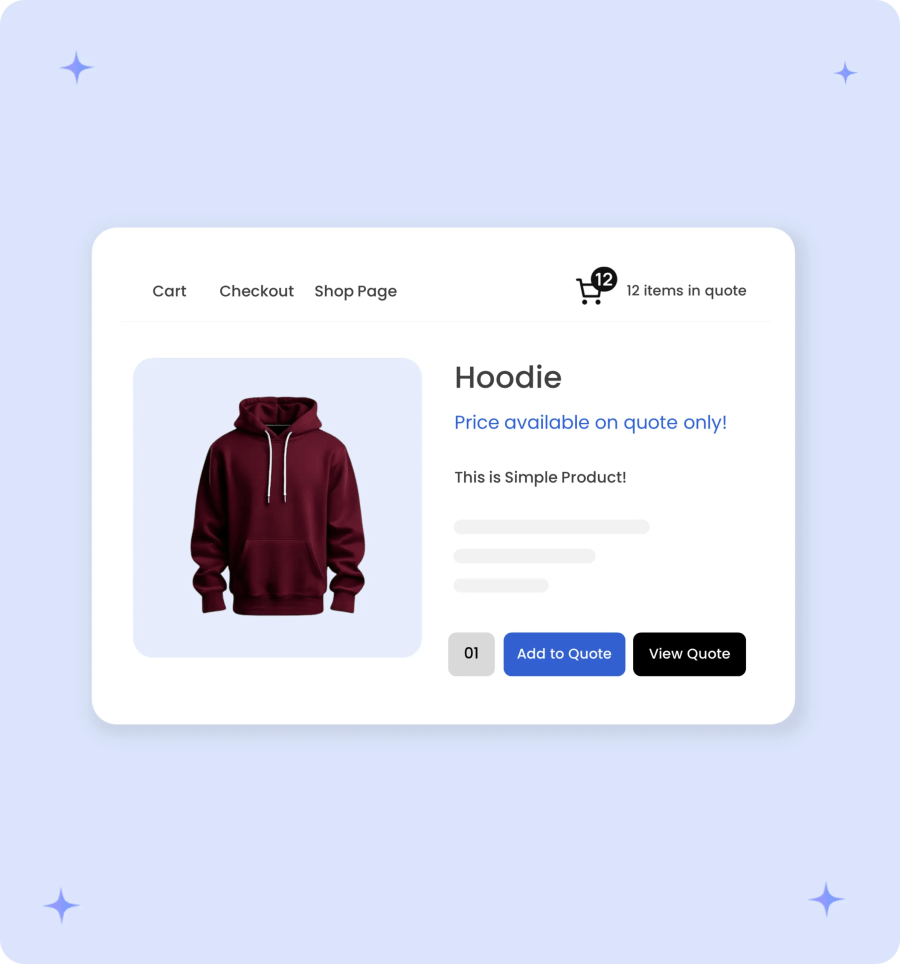
The “Add to Quote” button lets customers quickly add unlimited products and quantities to their basket directly from any page. It replaces standard purchase buttons, making it effortless for B2B and bulk buyers to build complete project inquiries in seconds.
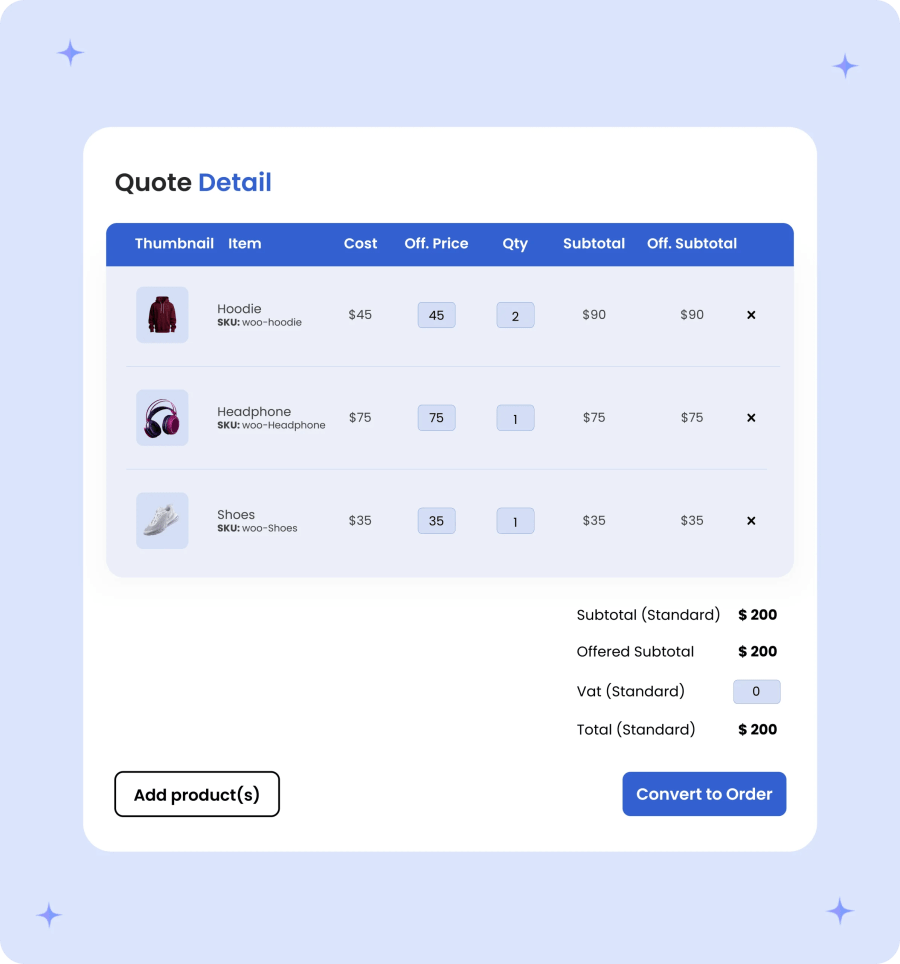
Just like your normal cart, this quote cart displays items added to the quote basket. Your customers can add, remove, and change the product quantity while submitting the quote form.
The quotation form gathers essential customer details and specifications in one smooth step. Buyers can easily input their contact information, add special requests, or upload relevant files before submitting their request, ensuring you get all the precise data needed to deliver an accurate quote.
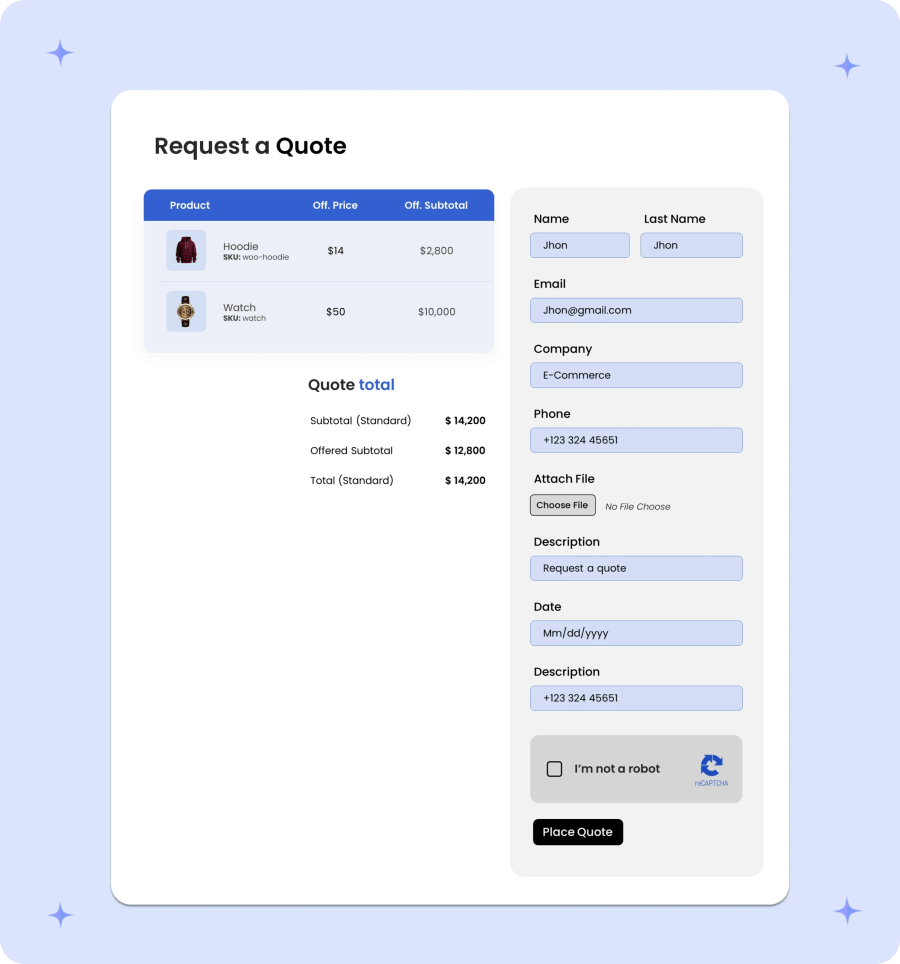
Empower your business with unlimited custom fields to capture every detail you need. Add text boxes, dropdowns, checkboxes, date pickers, or file upload options to your quote form, allowing customers to easily provide precise project specifications, designs, or requirements in a single step. You can add the following field types to the quotation form:
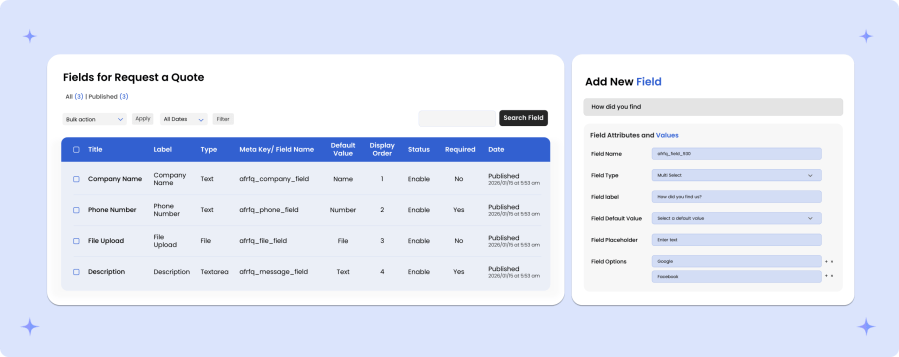
The rules-based management enables you to add different settings for different user roles. For example for guest users, you can hide price and replace add to cart with a custom button leading to login/signup page and for wholesalers, you can hide prices and replace add to cart with quote button and for retailers, you can keep prices, add to cart button and add quote button as well. While creating each rule, you can choose to select the following options:
You can choose to hide the price or add to cart button for the products where the quote button has been enabled. Hiding Add to Cart & prices forces customers to request a price estimation. You can choose to replace the price with custom text and add to Cart button with:
You can also choose to keep the add to cart button and price and add a new quote button or a custom button.

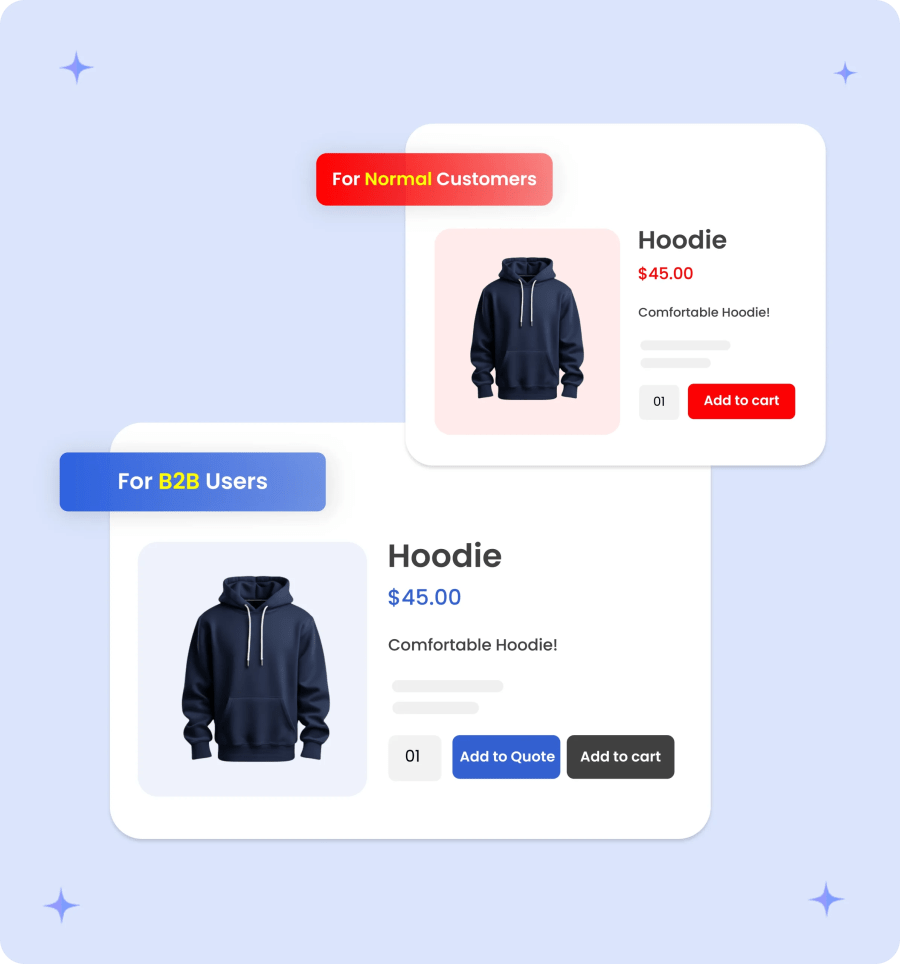
With this Request for Quote plugin, you can also choose to display the quote button for non-logged-in and specific user roles. Only the specified user roles will be able to add selected products to the quote basket and ask for price estimations and for the rest, the store will function normally.
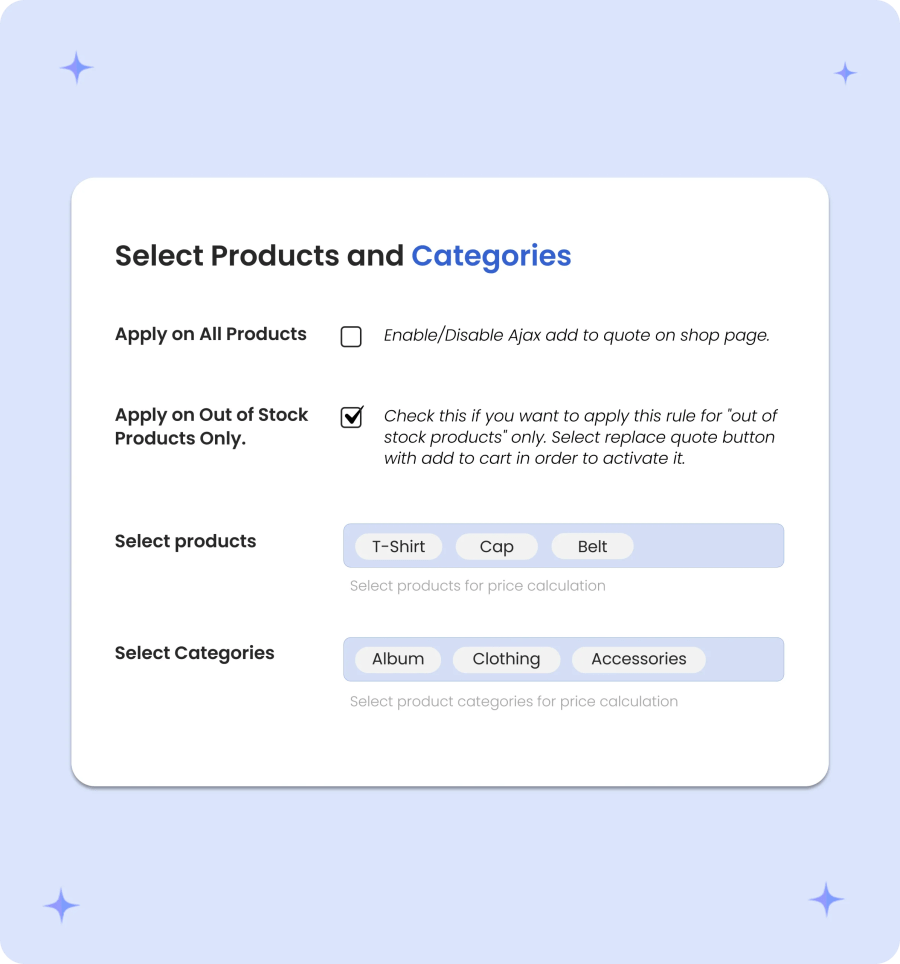
WooCommerce Request a Quote Extension empowers you to enable the quote button on specific products only. You can specify products individually or apply them to a whole category at once.
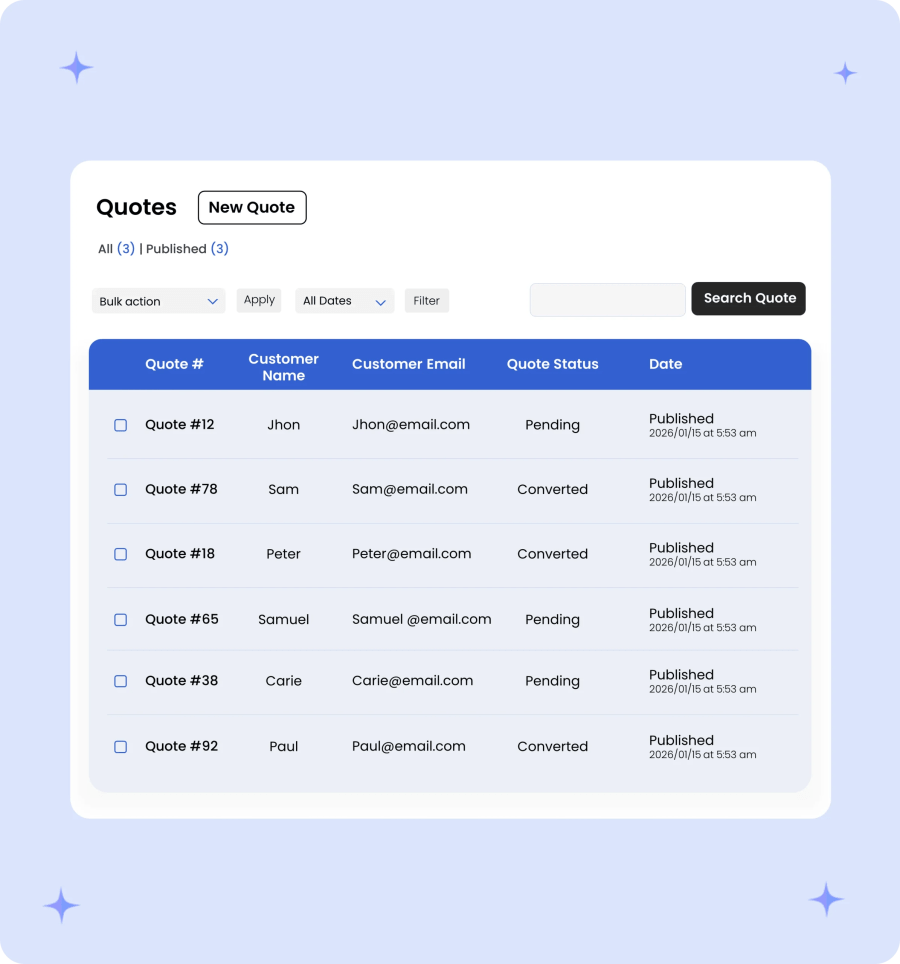
Streamline your backend operations with full control over submitted customer inquiries. Merchants can track and manage every inquiry through a centralized log of submitted quotes, assign custom statuses, and build new quotes directly from the admin panel. For faster closing, convert quotes into ready-to-pay customer carts or transform them into official WooCommerce orders with a single click.
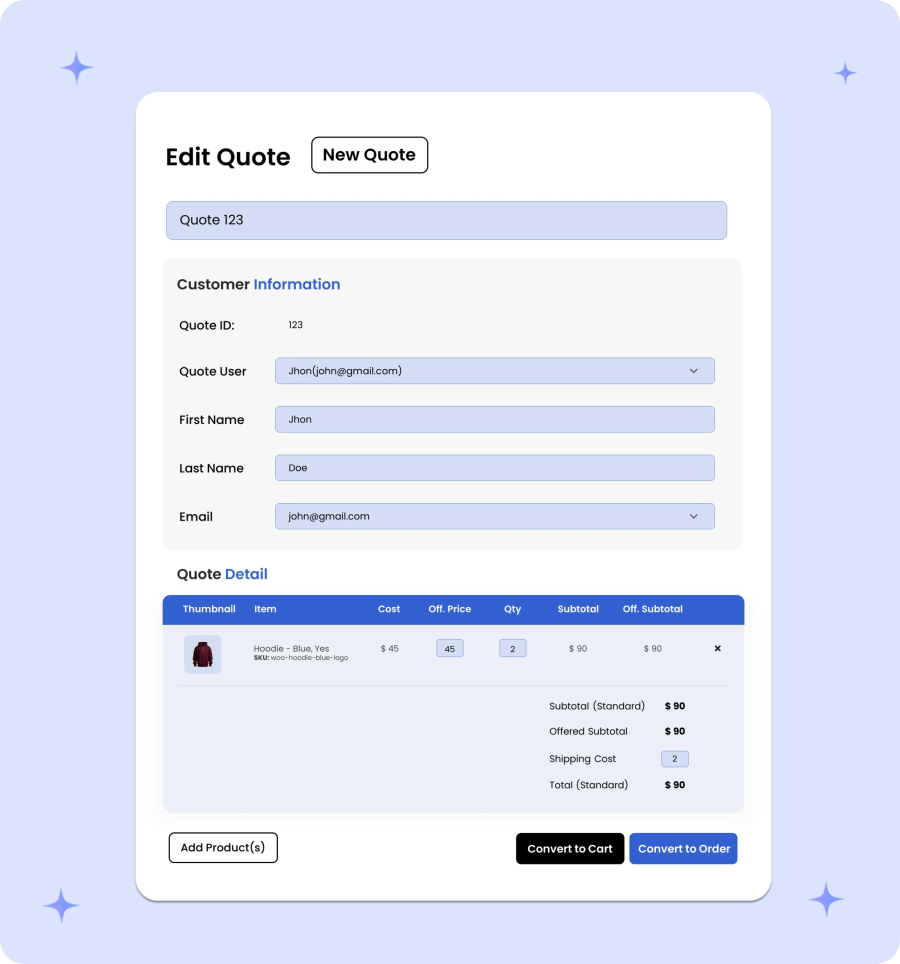
You can view the submitted quote details from the back office, which includes customer details, products, and the required quantity, offered price, and standard price total if they are enabled in settings. You can also add new quotes from the backend and send them to your customers via email,
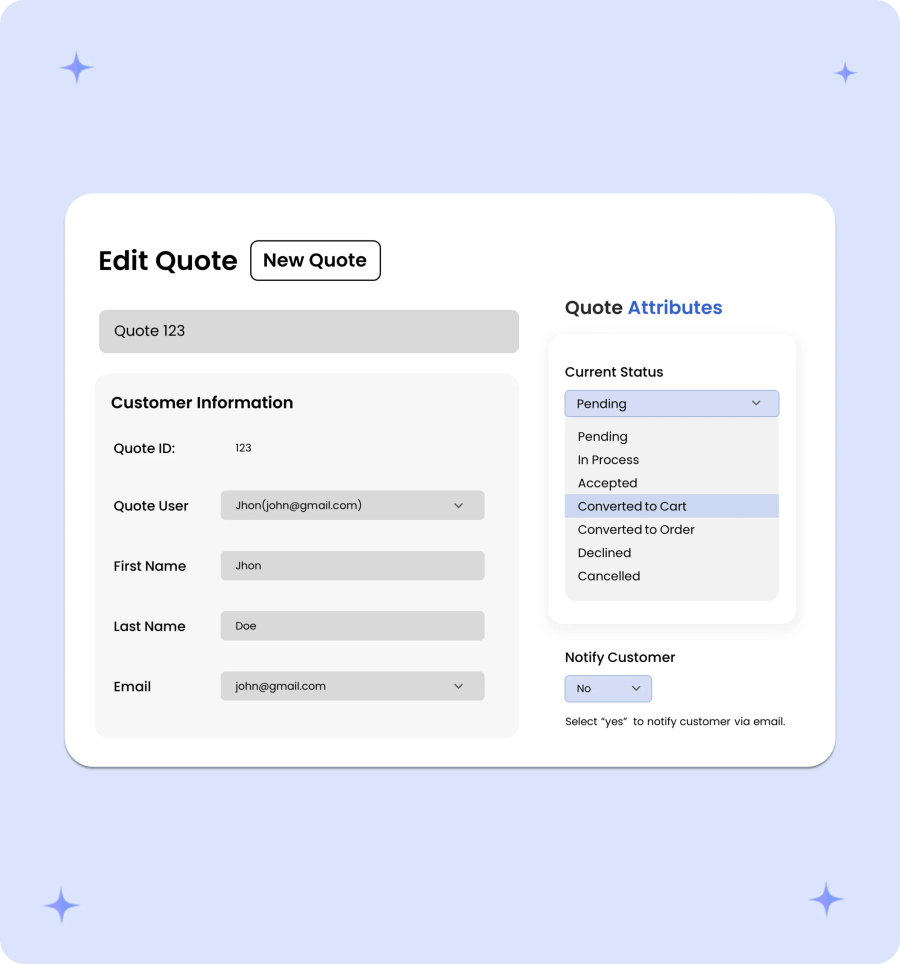
To better manage your quotes, the extension now offers multiple quote statuses and the ability to send email notifications to customers on status change. You can assign the following statuses to a quote:
Empower your sales team to create and send tailored quotes directly from the WooCommerce admin panel. Merchants can manually select products, set negotiated line-item pricing, apply custom discounts, and assign customer details to instantly generate and email official quotations for phone, email, or off-site inquiries.
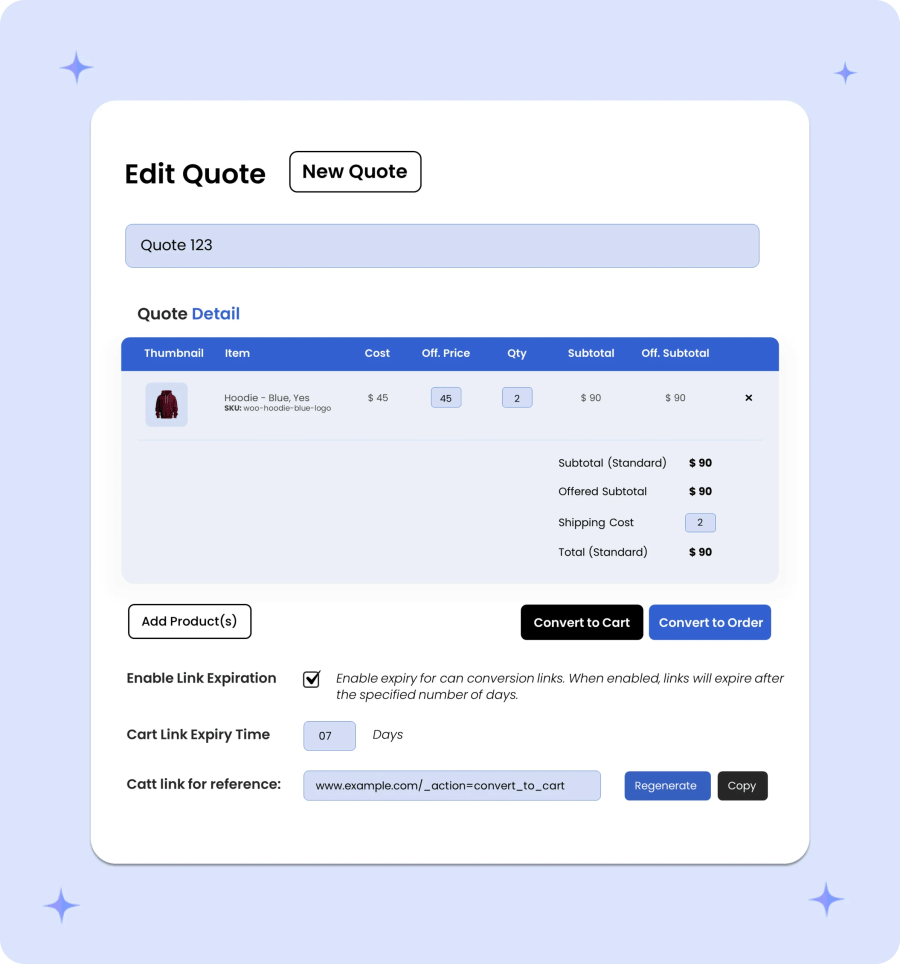
When a negotiation is complete, merchants can finalize the quote and convert it into a shareable cart link to send directly to the customer. To manage special pricing windows and drive faster closing, merchants can set a custom expiration limit on the generated link. Once clicked, the buyer is taken straight to a pre-loaded cart with their exact items and negotiated rates intact before the offer expires.
You can choose to convert the quote into an order. The quote will be converted to order using the offered price. You can edit the offered price and the same will be used as the product price in order. The customer will get an email about the status change.
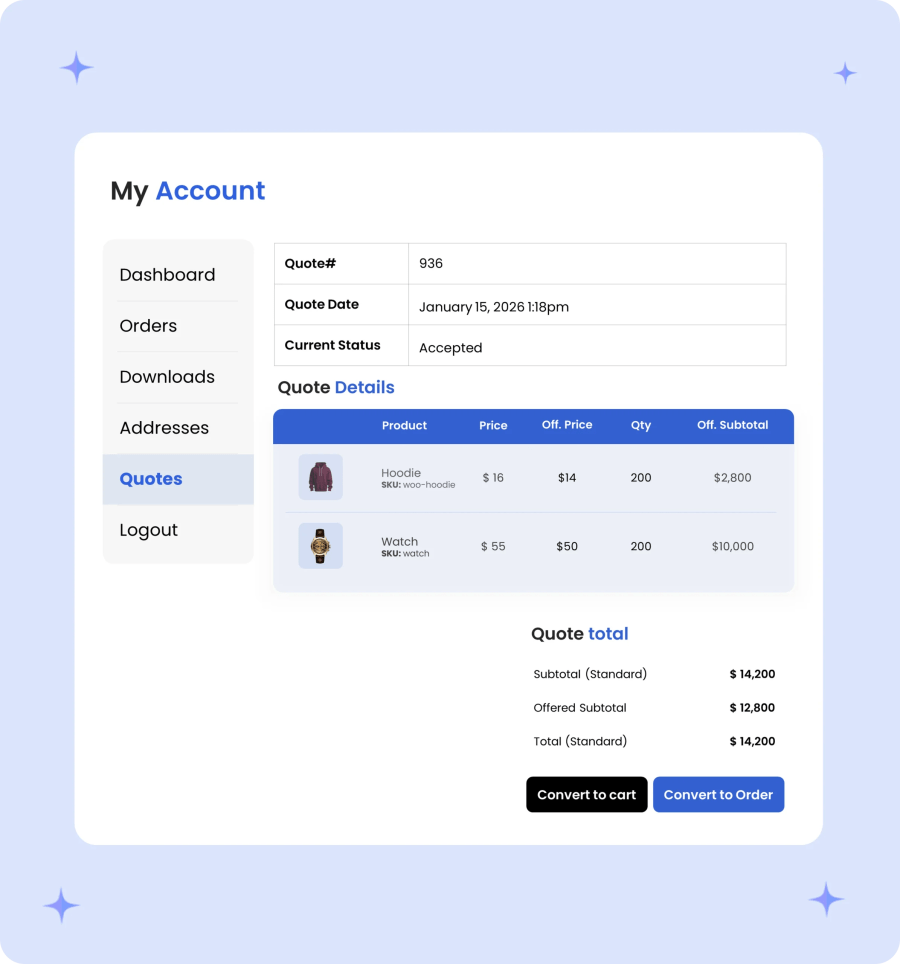
Empower buyers with a dedicated account log to monitor and manage all their quotation requests in real time. Customers can easily track status updates on submitted quotes, adjust product quantities and propose custom offered prices when creating new quote requests, and instantly convert finalized, approved quotes into official orders for direct payment.

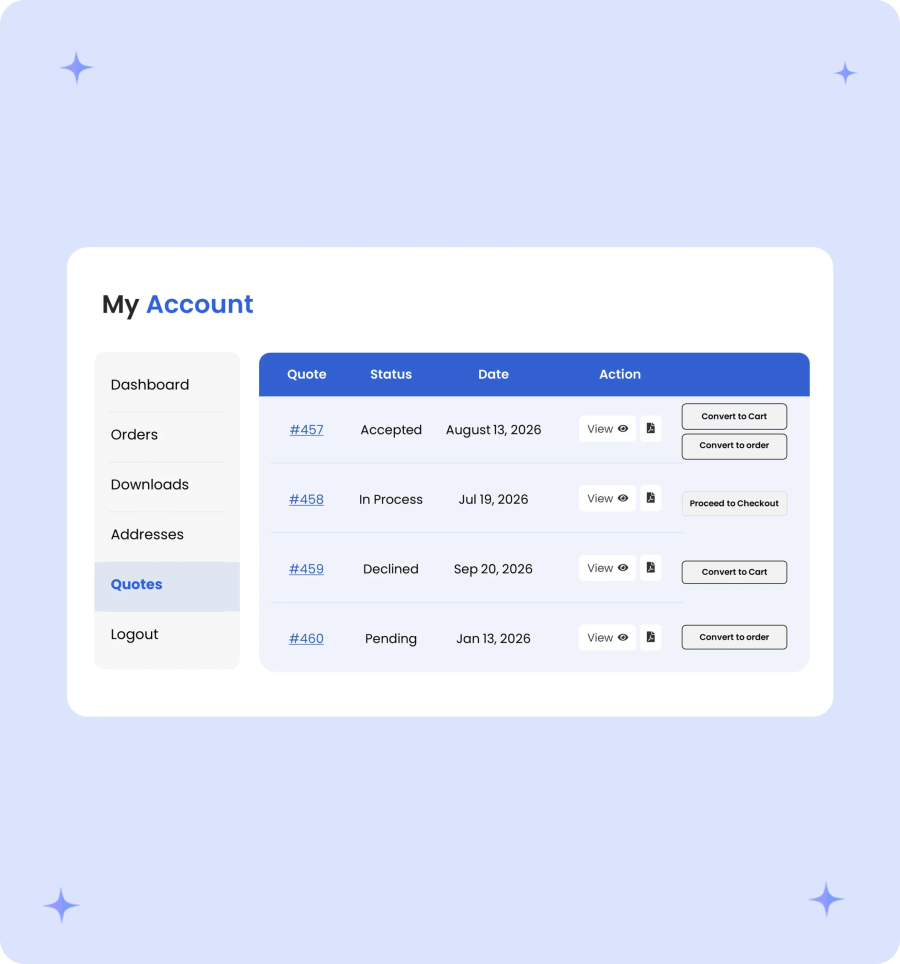
Provide buyers with a centralized quote log inside their account area to view all submitted inquiries at a glance. Customers can monitor real-time status updates, download professional PDF copies of their quotes for offline review, and instantly convert finalized quotes into a cart or official order for fast checkout.
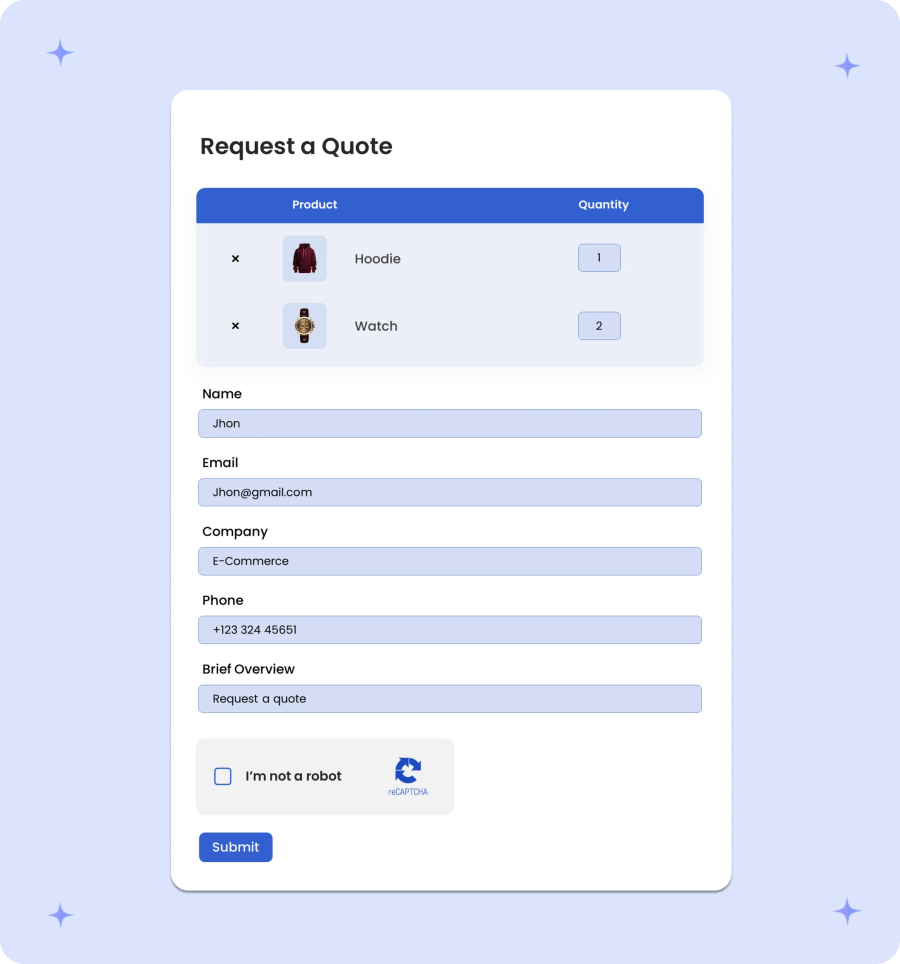
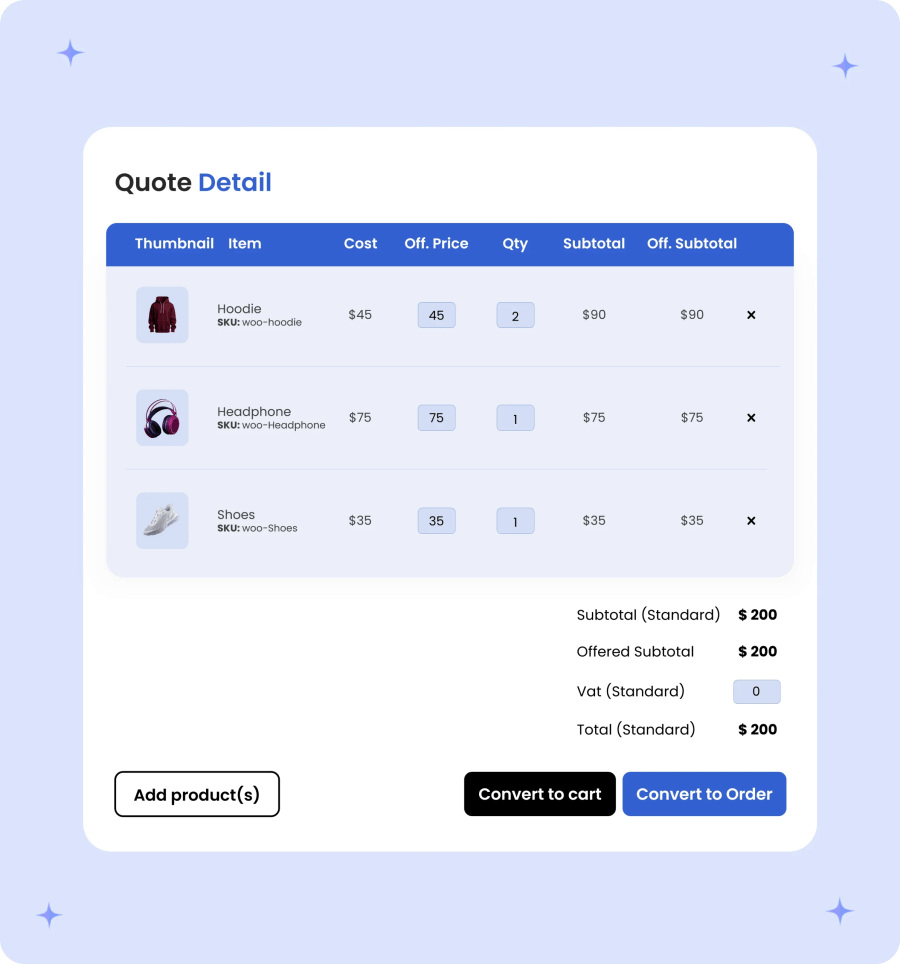
Give buyers complete control over their quote requests before submitting them for review. Customers can easily adjust product quantities and input target offered prices per line item directly within the quote basket, ensuring their initial inquiry reflects their exact bulk purchasing requirements and budget expectations before reaching your sales team.
Instead of converting the quote into order by yourself, you can change the quote status to accepted and let customers convert the quote into order from my account page and pay.
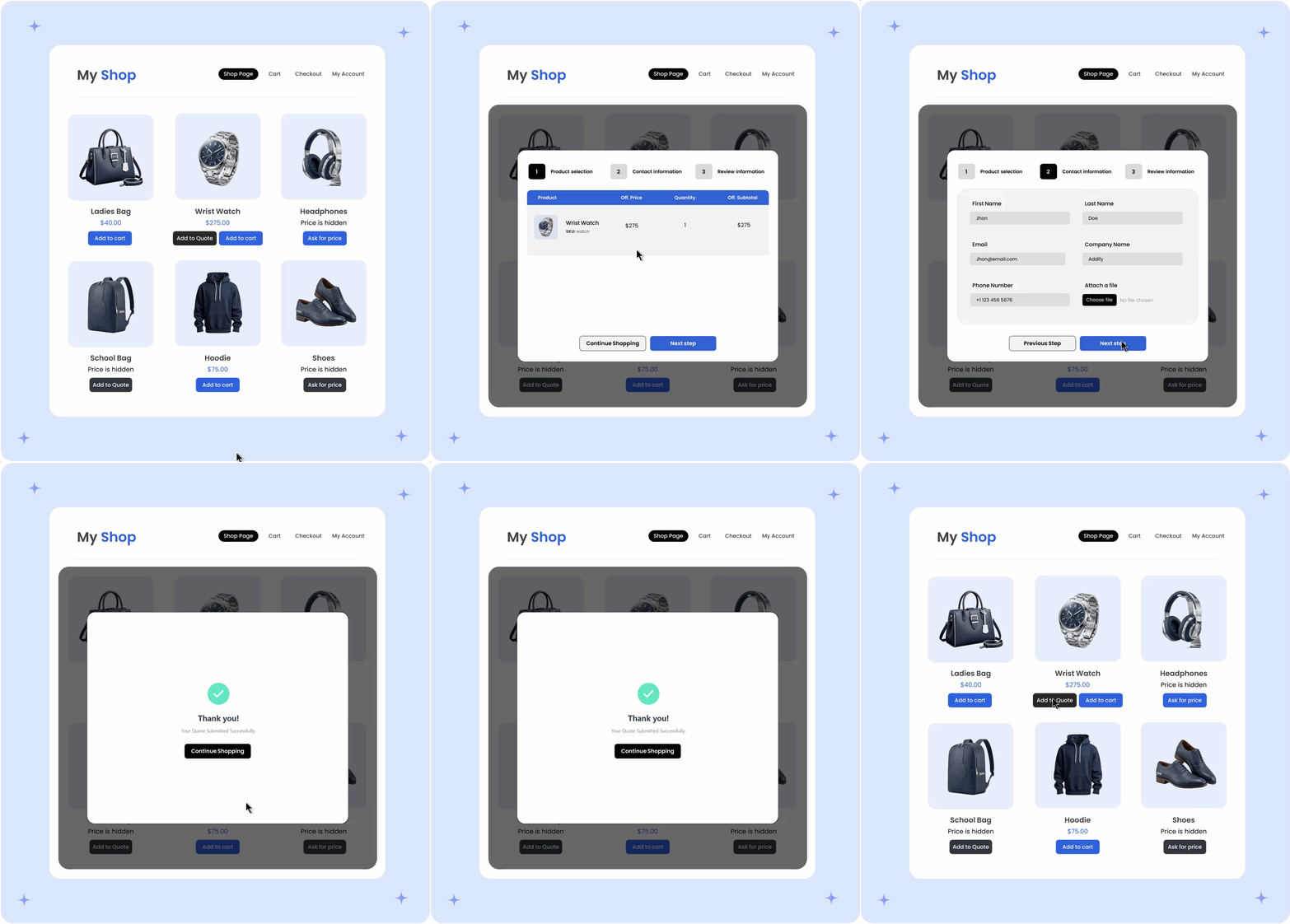
Tailor your store’s quotation experience with flexible layout and button controls. Choose between a multi-step popup that handles the cart, form, and submission in one interactive dialog, or a clean two-column page layout featuring the quote cart on the left and submission form on the right. Customize button behavior by keeping both “Add to Cart” and “Add to Quote,” displaying “Add to Quote” exclusively, setting custom button text, or redirecting “Add to Cart” clicks to target pages.

Simplify complex inquiries and boost form completions with an intuitive multi-step quote submission popup. This guided modal combines quote basket review, contact form entry, and final submission into a clear, step-by-step process, keeping users engaged without taking them away from their current page.
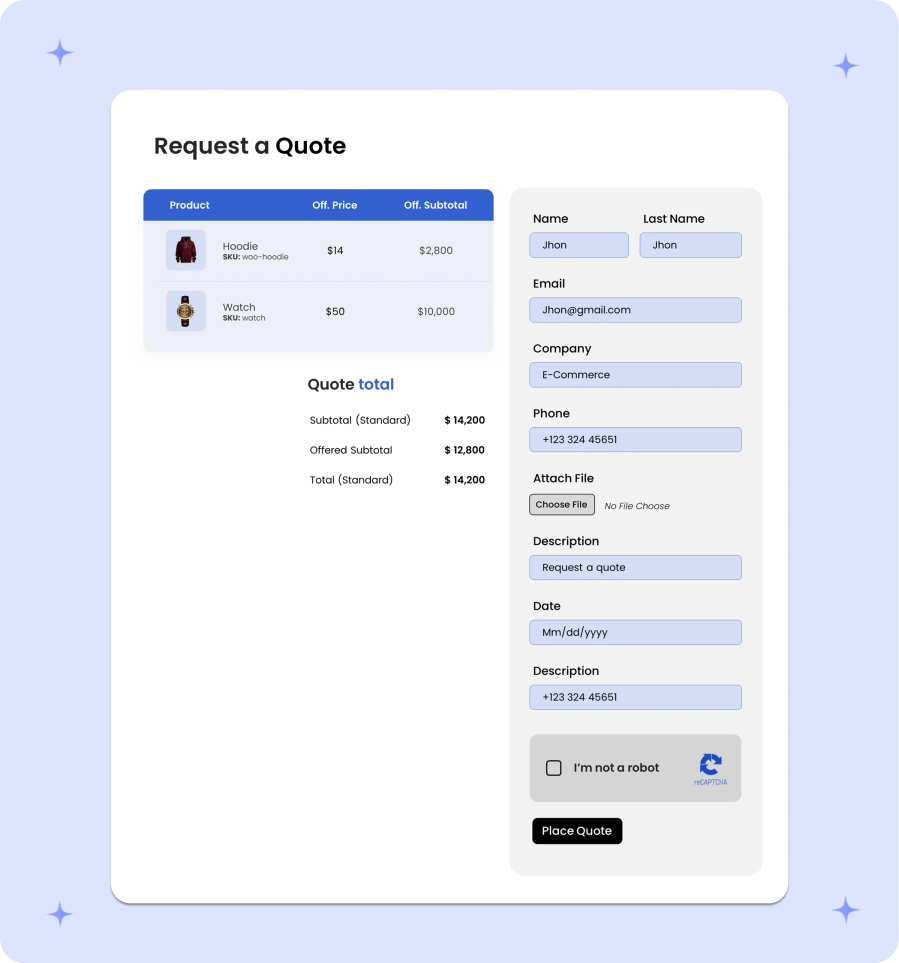
Streamline single-page quote submissions with a clean two-column layout. By displaying the quote cart on the left side and the inquiry submission form on the right, buyers can review their selected products, quantities, and custom offered prices while simultaneously filling out their contact details, eliminating extra navigation steps and speeding up the inquiry process.
A single-page submission template for request a quote enables customers to efficiently view quote basket items and fill out the necessary quote form fields to submit their quotes, all from a single page.

Take complete control over how quotation buttons appear and behave across your product catalog. Merchants can choose to display the “Add to Quote” button alongside the standard “Add to Cart” button, hide purchasing to make products quote-only, or replace default buy buttons entirely. Customize CTA button text, and configure custom redirect URLs for “Add to Cart” actions.
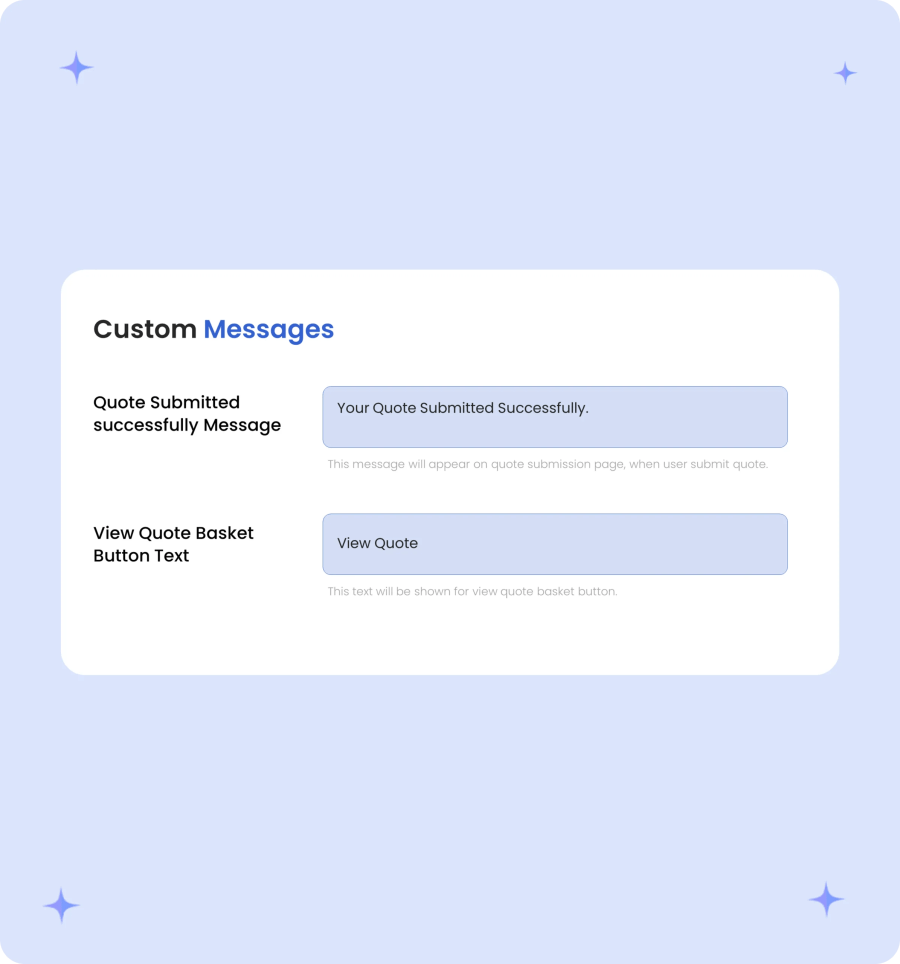
Deliver a polished, branded experience immediately after a customer submits an inquiry. Merchants can fully customize the on-screen success message displayed upon quote submission to provide clear next steps, contact details, or estimated response times. Additionally, customize the text on the “View Quote” button to seamlessly guide buyers to their quote basket or account dashboard.
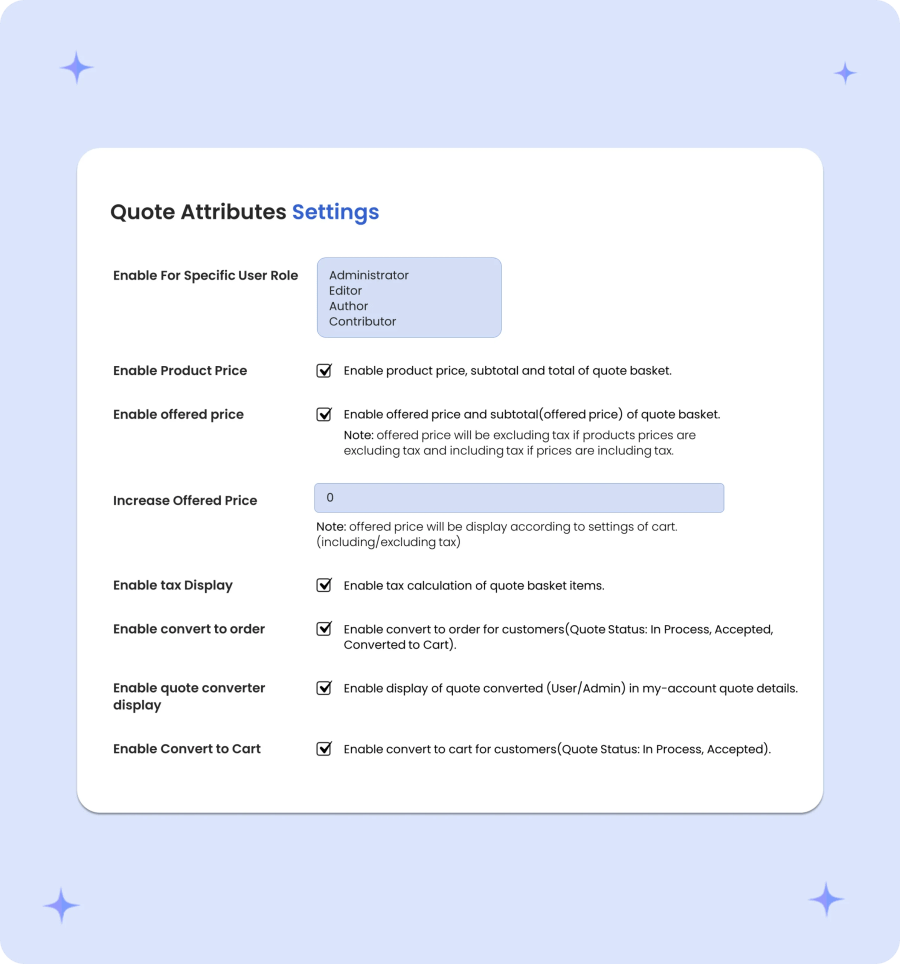
Fine-tune every aspect of your quotation workflow with flexible quote attribute controls. Merchants can restrict quote functionality by specific user roles, toggle the visibility of standard product prices and offered prices, and automatically adjust offered rates by a set percentage. Additionally, configure tax displays within the quote basket, give buyers permission to convert approved quotes directly into carts or orders, and control whether converted quote history is displayed in customer account portals.

Take full control over how prices are displayed and calculated throughout the quote request process. Merchants can hide standard product prices to encourage custom price inquiries or toggle the visibility of offered price fields to simplify submission forms. To protect profit margins and maintain target price floors, enable automated rules that increase buyer-offered prices by a set percentage during quote creation.
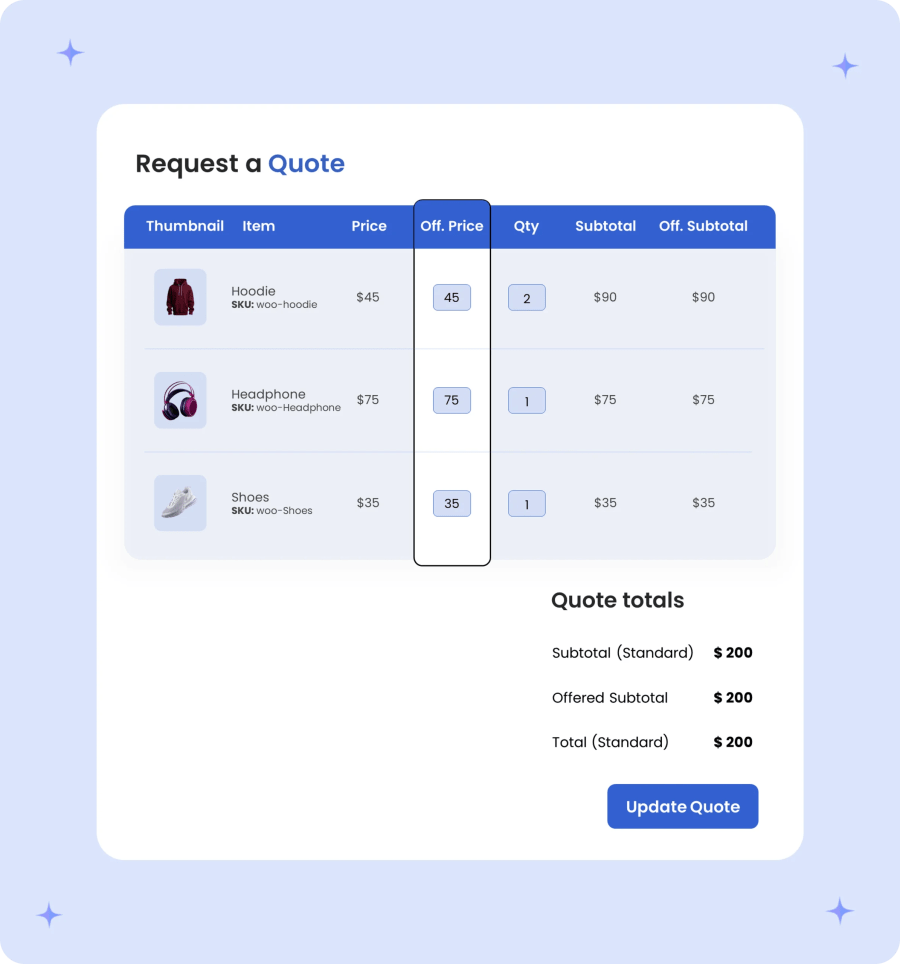
Empower buyers to propose their target cost on an individual product level rather than submitting a single total order estimate. Customers can input a custom offered price per unit directly inside the quote basket, making it simple to negotiate volume rates and tiered bulk pricing for specific items. This granular, line-item pricing breakdown gives your sales team exact visibility into buyer expectations so you can respond with accurate counter-offers and profit margins.
Give merchants full control over how taxes and VAT are presented during quote negotiation. Configure whether VAT is included, excluded, or itemized separately within the quote basket, and allow buyers to factor estimated taxes into their target offered price per unit. This ensures complete financial transparency for B2B buyers while maintaining accurate regional tax compliance throughout the quotation process.
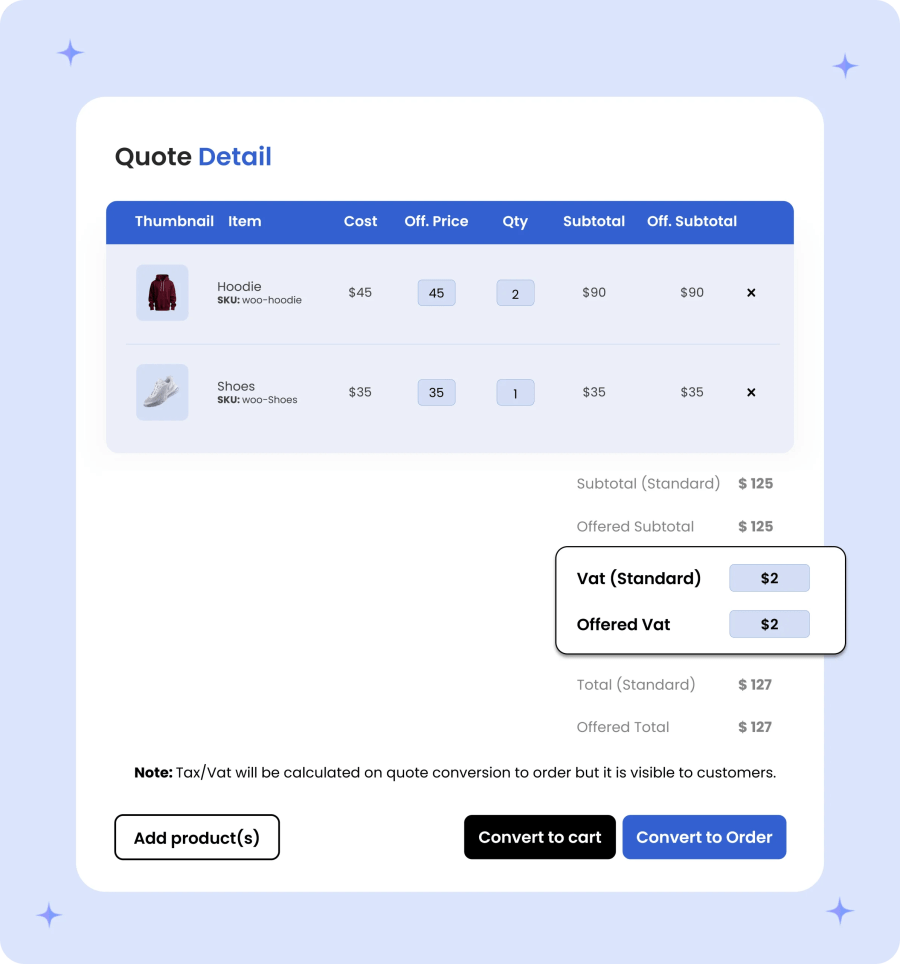
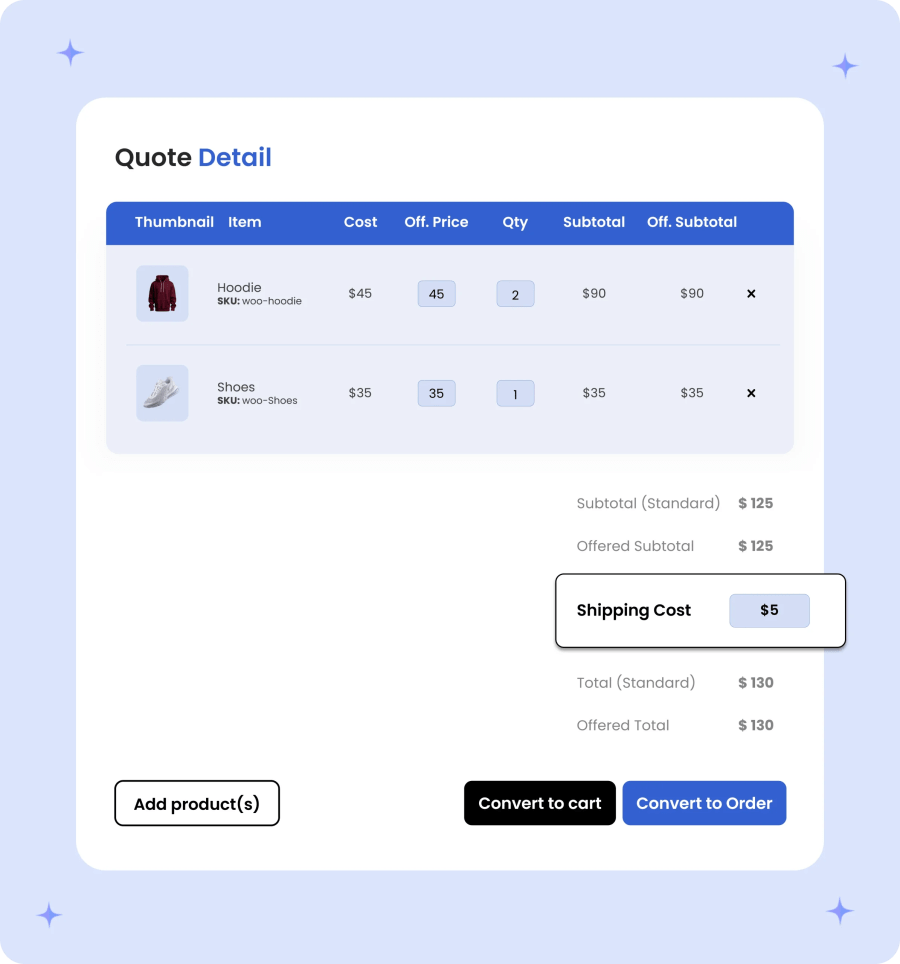
Streamline logistics negotiations by allowing both merchants and customers to propose custom shipping costs within the quotation workflow. Customers can request specific shipping estimates or offer target freight rates during quote submission, while merchants retain full authority to override, adjust, or waive shipping fees on the final proposal. This ensures freight charges are tailored to bulk order sizes, special delivery requirements, or regional agreements before the quote is converted into an order.
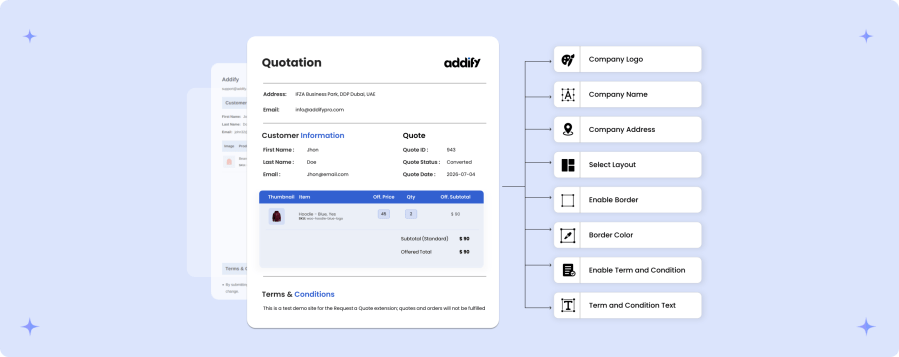
Instantly generate professional PDF quotes containing complete transaction details, including line-item descriptions, quantities, discounted rates, and total estimated amounts. Customers can easily download, review, or share their formal quotations offline for fast internal approvals.
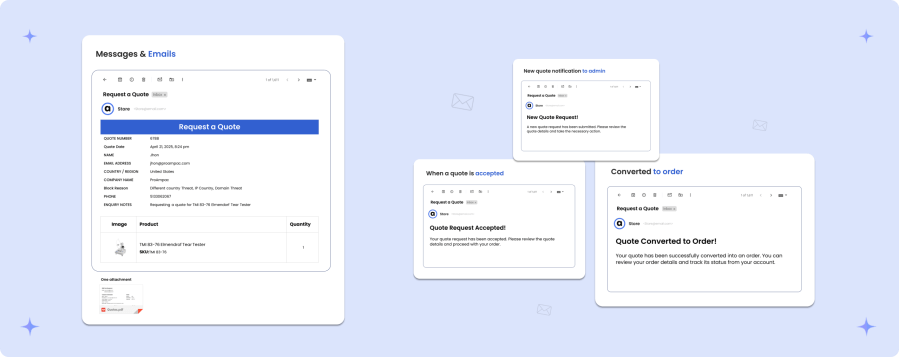
In order to keep merchants & customers up-to-date with the quotation flow, Request a Quote for WooCommerce offer serveral email notifications, which are:
Categories
Extension information
Quality Checks
Countries
Languages





