

Subscription includes
Support
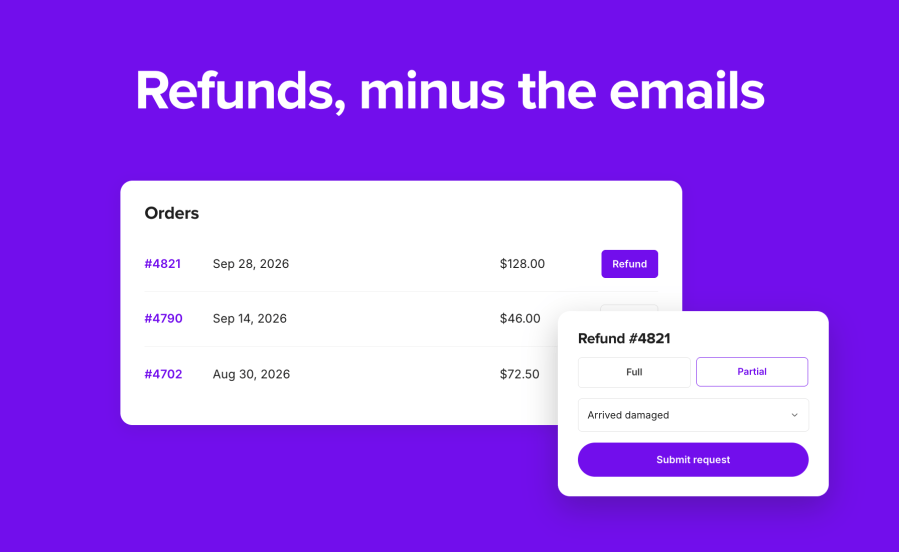
Self-Service Refunds for WooCommerce is a WooCommerce refund request plugin that puts a Refund button on your customers’ orders and a refund form on any page you choose. Customers pick the items, choose a reason, and submit. You decide what happens next: refund straight away through the payment gateway, or hold the request in a new Refund requested order status for you to approve or reject with one click. You stop chasing order numbers by email, and every request arrives with the details you need to decide.
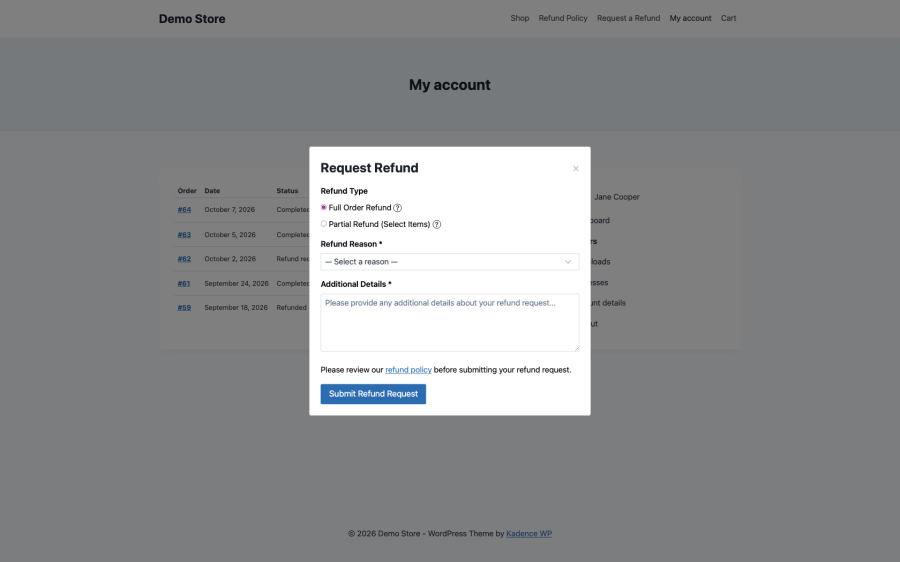
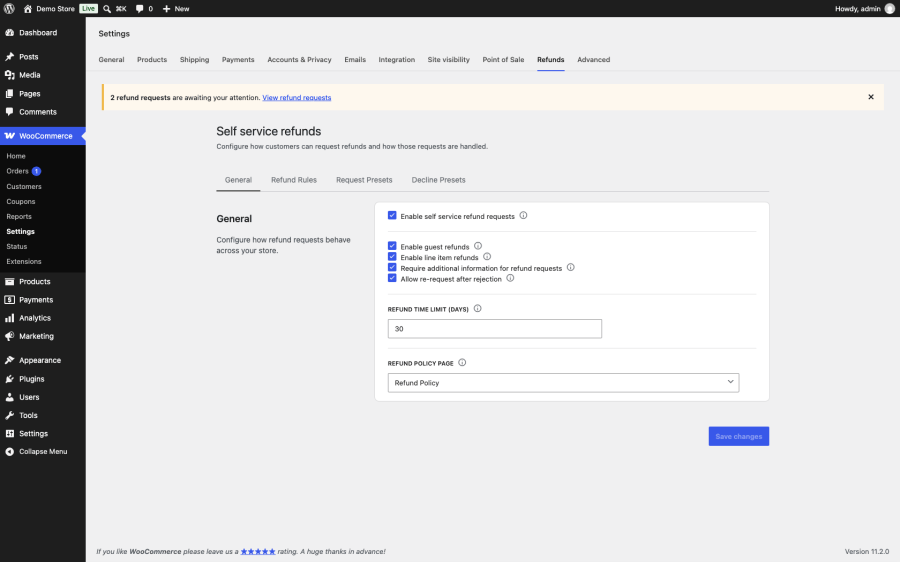
Eligible orders show a Refund button in My Account > Orders and on the order page. Customers choose a full refund or, if you allow it, specific items and quantities. They pick a reason and add details. While a request waits for review, the button becomes Cancel Request, and the order page shows the full history of requests and your replies.
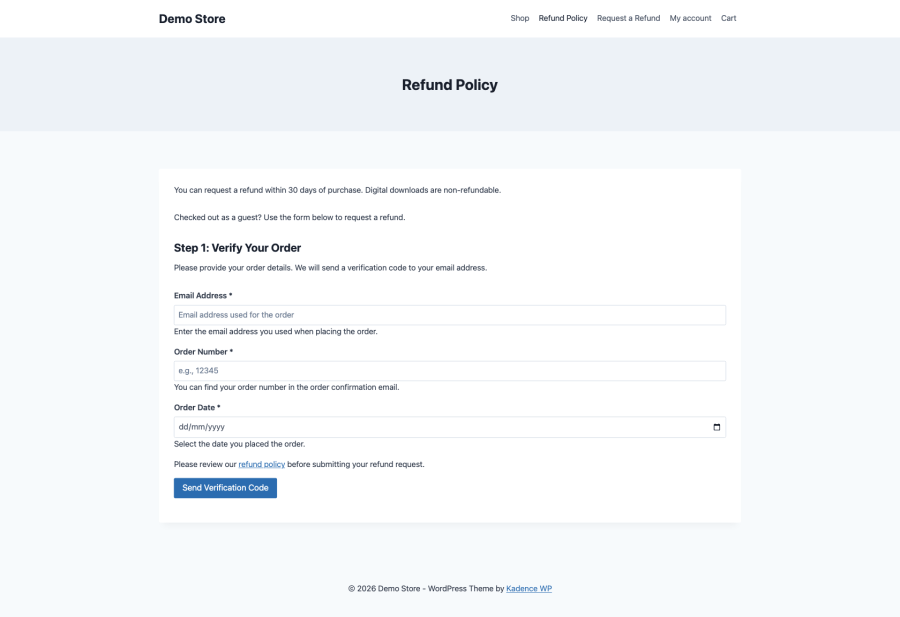
Guests enter their email, order number, and order date, then confirm with a six-digit code sent to the order’s billing email. The code expires after 15 minutes. Only someone with access to that inbox can request a refund. Add the form with the [ssr_guest_refund] shortcode or the Guest Refund Form block, usually on your refund policy page.
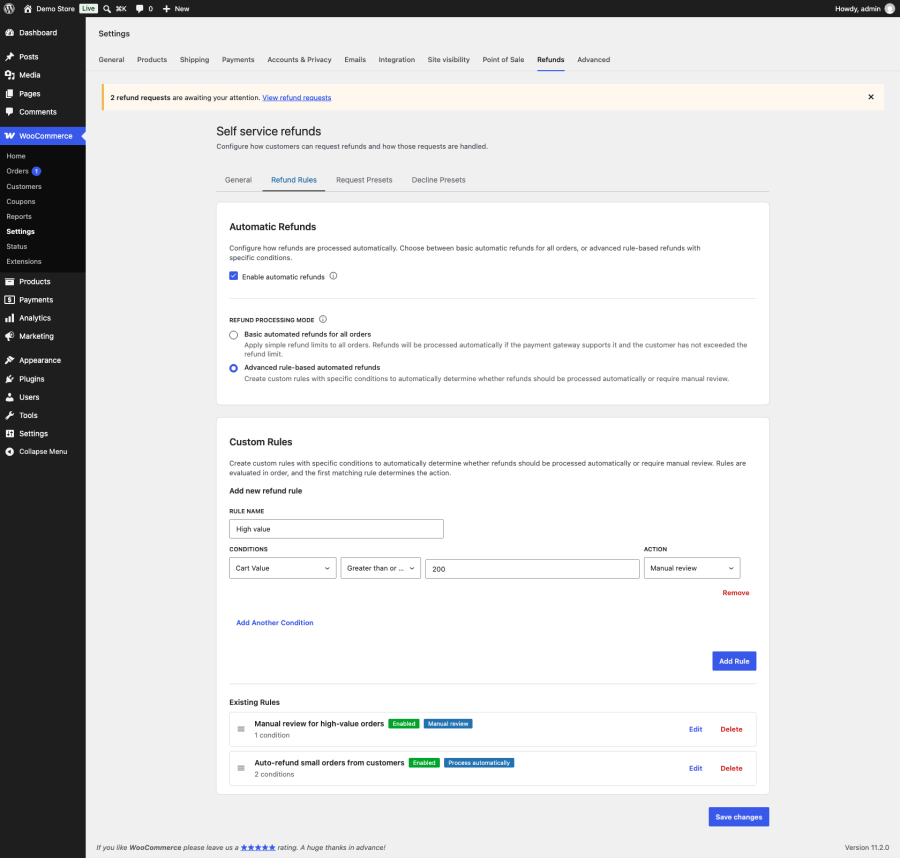
Choose one of two modes. Basic refunds every request automatically until a customer reaches the limit you set. Advanced lets your own rules decide each request. Requests on orders paid with a gateway that cannot refund automatically, such as bank transfer or cash on delivery, always go to manual review, so a customer never sees a gateway error.
Build rules from 14 conditions, including cart value, product category, tag, type, or brand, payment method, shipping method and zone, billing and shipping country, and customer role. Set each rule to Process automatically or Manual review, and drag them into the order you want. When a rule decides a request, the order gets a private note naming the rule, so you always know why.
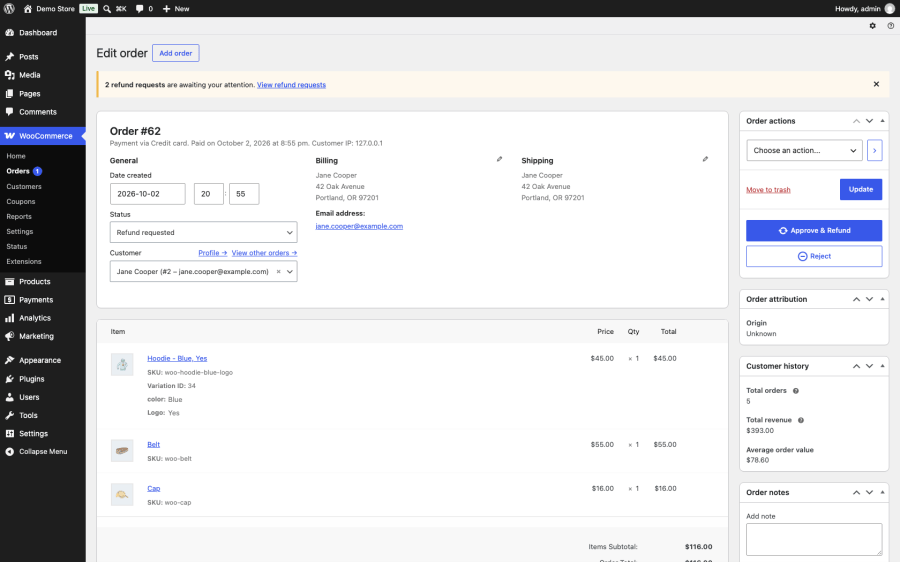
Requests waiting for review move the order to Refund requested, and a notice in WP Admin shows how many are waiting. Approve & Refund creates the refund through the gateway and restocks the items. Reject lets you pick a saved decline message or write your own, emails it to the customer, and returns the order to its previous status.
Mark any product or variation as Non-refundable. Customers can still refund the other items in that order. On a customer’s profile, turn off automatic refunds, block refund requests entirely, set a personal refund limit, or reset their counter.
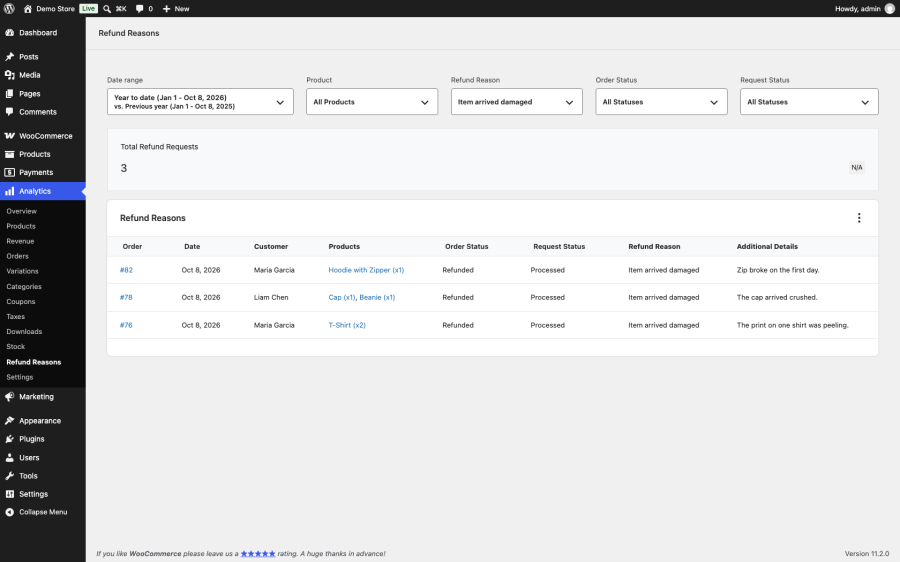
WooCommerce > Analytics > Refund Reasons lists every request with its reason, product, customer, and status. Filter by date range, reason, product, order status, or request status to find the products that cause the most returns.
Connect an AI assistant through MCP (Model Context Protocol) and work through your refund queue in plain language. Ask which requests are waiting, why one was held for review, and approve or reject it with a decline message. The tools use the WordPress Abilities API, they are off until you switch them on, and a read-only API key can look up requests but cannot approve or reject them.
Refunds on downloads and licenses are usually simple and should be fast. Use Basic mode with a limit of two automatic refunds per customer per year. Most customers get their money back straight away, and anyone asking for more lands in your review queue.
If you sell handmade, made-to-order, or high-value goods, turn automatic refunds off. Customers still request refunds without emailing you, and every request waits in Refund requested with the items, reason, and details you need.
When customers do not have accounts, the guest form gives them a way to request a refund that is still tied to the order’s email address. No account, no support ticket.
Advanced mode lets you auto-refund low-value orders while holding back anything above a set amount, from a particular country, or paid with a particular method.
From then on, eligible orders show a Refund button. Requests that pass your rules are refunded automatically. The rest wait for you in Refund requested, with an email to let you know.
Several extensions let customers ask for refunds. They differ in how much of the decision they automate, whether guests can use them, and whether they also handle returns or store credit. This table compares the features each vendor lists on its own product page.
| Self-Service Refunds for WooCommerce | Smart Refunder for WooCommerce | YITH WooCommerce Advanced Refund System | Returns and Warranty Requests for WooCommerce | |
|---|---|---|---|---|
| Vendor | W7S | StoreApps | YITH | Woo |
| Requests from My Account | Yes | Yes | Yes | Yes |
| Guest requests | Yes, verified by a code sent to the billing email | No | No | Yes, through a claim link in the Order Completed email |
| Partial refunds | By item and quantity | By amount | By product and quantity | No |
| Automatic refunds through the gateway | Yes | Yes, opt-in | Yes, not for physical products | No |
| Rules for automatic or manual handling | 14 conditions, plus per-customer limits | No | Order-total thresholds | No |
| Refund as coupon or store credit | No | Yes, store credit with Smart Coupons | Coupon instead of a refund | No |
| Returns, RMA codes, and warranties | No | No | No | Yes |
| Customer messaging and file attachments | Decline messages only | Message on accept or reject | Two-way messages with attachments | No |
| Refund reasons report in WooCommerce Analytics | Yes | No | No | No |
| AI assistant tools through MCP | Yes | No | No | No |
| HPOS compatible | Yes | Yes | No | No |
Pick Self-Service Refunds for WooCommerce when you want refund requests to resolve themselves wherever you trust them, with rules and limits that decide the rest, and when guest customers need a secure way in. If you want to offer store credit instead of money back, Smart Refunder for WooCommerce or YITH WooCommerce Advanced Refund System cover that. If you need a full returns process with RMA codes, return shipping, and product warranties, Returns and Warranty Requests for WooCommerce is built for it.
Categories
Extension information
Quality Checks
Countries







