

Subscription includes
Support
Take full control of your inventory with Stock Manager for WooCommerce. Manage stock, prices, SKUs, tax classes, shipping classes, backorders, and low-stock thresholds from a single, organized dashboard. Use smart filters to quickly find products by category, type, stock status, brand, or tag, and update everything in just a few clicks.
Track stock changes with detailed logs, import or export stock data via CSV for bulk edits, and manage products directly from the frontend using a quick pop-up editor. Color-coded stock buttons help you instantly spot in-stock, low-stock, and out-of-stock items, so you always stay on top of your inventory.
Skip the hassle of opening each product individually to update inventory with the WooCommerce Stock Manager Plugin. Use a clean table view to quickly change stock quantities, stock status, prices, product names, SKUs, and more from a single screen. Search, filter, and sort products by name, price, stock level, and other criteria to find what you need and update it in seconds.
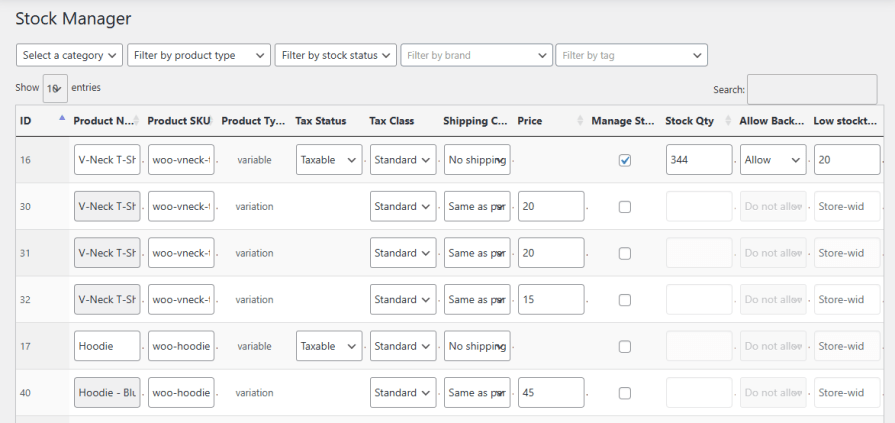
The WooCommerce Stock Manager plugin records every change made to the stock and keeps a log of it. Merchants can easily review recent updates and make corrections whenever needed. Use different filters, such as category or stock status, to find specific stock log data.

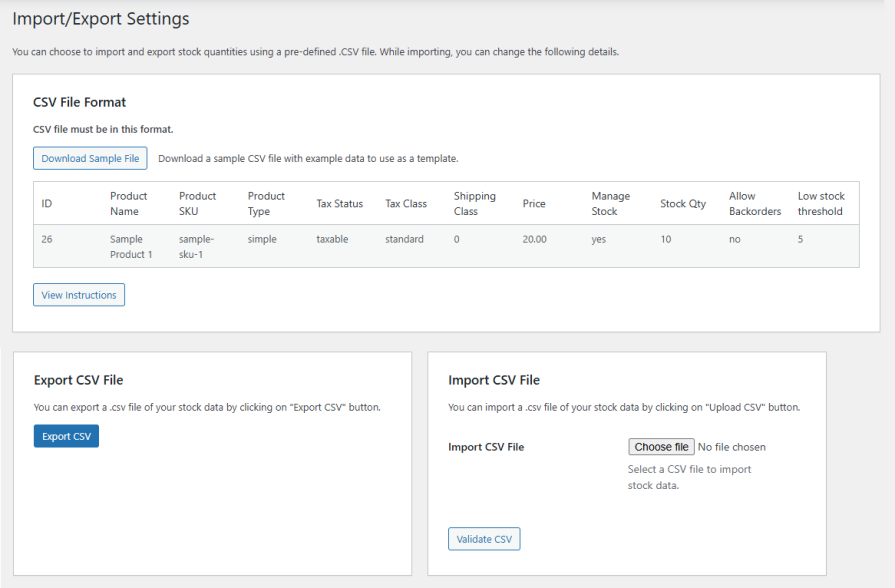
Import or export stock quantities using a pre-defined CSV file. During import, you can update the following details as needed.
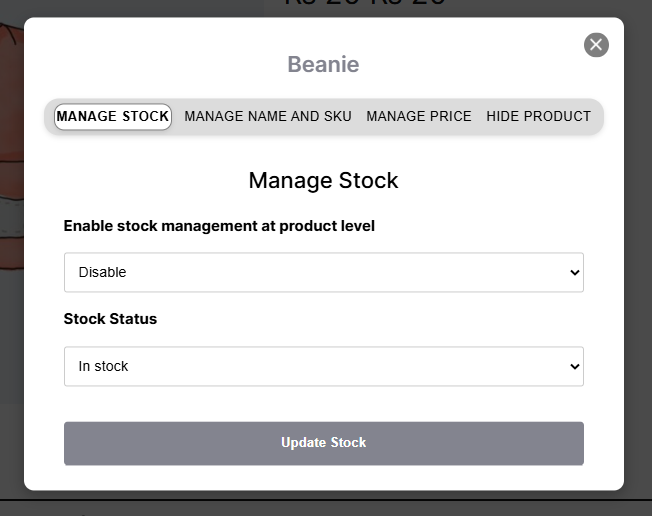
Simplify stock management with the WooCommerce Stock Manager plugin. Handle all product stock details directly from your store’s frontend without navigating to each product page. You can manage and view:
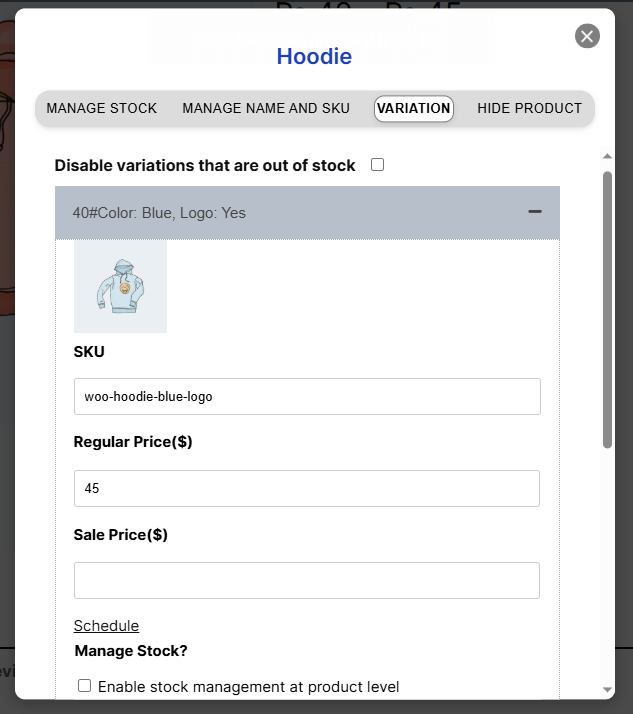
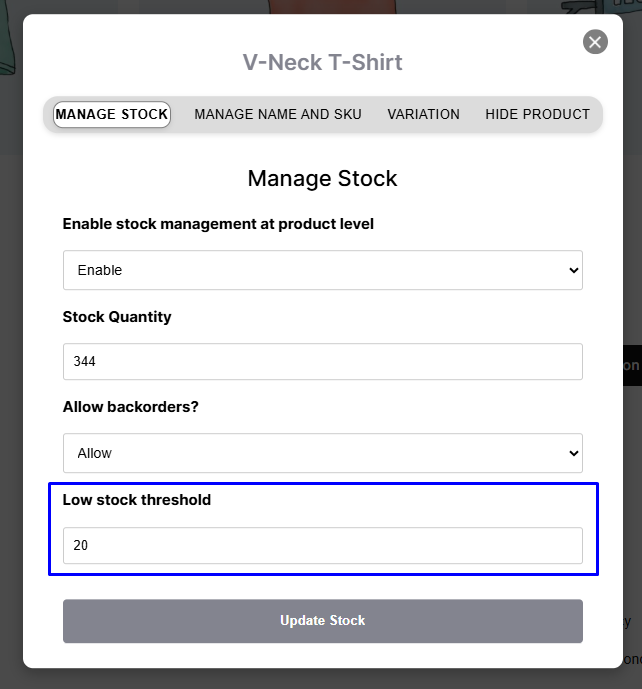
The WooCommerce stock management plugin allows you to customize the stock of variable products as well. Manage the stock of each product variation in a pop-up by adjusting details such as product name, SKUs, prices, backorders, and low-stock threshold.
Stay informed about product stocks so that you can restock them on time. The WooCommerce stock manager allows you to set a low stock threshold so that you can update the stock on time. This helps you to run your store smoothly without any interruptions in stock availability.
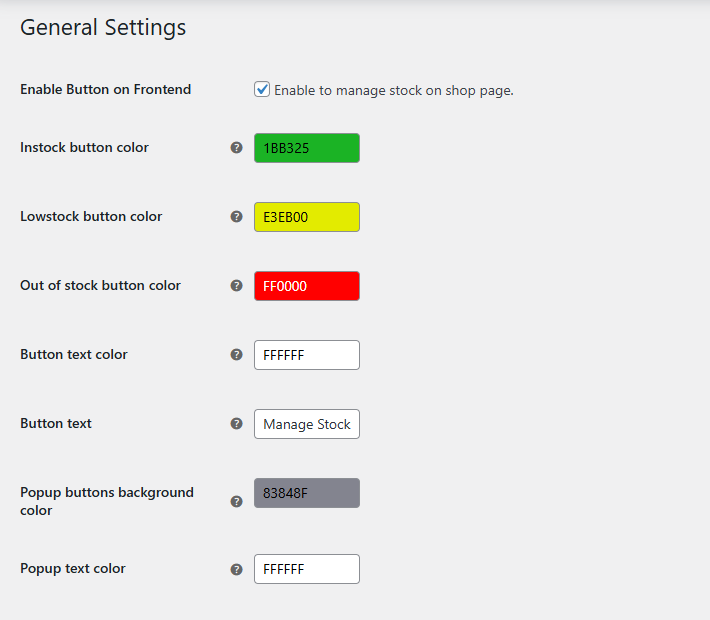
The stock management plugin allows you to modify the ‘Manage Stock’ button and stock manager pop-up. You can customize the following:
The WooCommerce Stock Manager plugin helps merchants manage their product inventory from a single dashboard. You can update stock quantities, prices, SKUs, tax classes, backorders, and low-stock thresholds for all products—including variable products—without opening each product page.
Yes! The plugin allows you to manage and view stock directly from the frontend using a quick pop-up editor. You can update quantities, backorders, prices, SKUs, stock status, and more, all without going to the backend product page.
The plugin provides a grid view table where you can manage product stock, names, SKUs, tax classes, prices, and more. You can filter, sort, and search products by category, type, stock status, brand, or tag, making bulk updates fast and easy.
Yes! Every stock change is recorded in a dedicated log. You can review recent updates, track adjustments, and filter by category or stock status to find specific changes.
Absolutely. You can import and export stock quantities using pre-defined CSV files. During import, you can update details like SKU, tax class, shipping class, prices, stock quantity, backorders, and low-stock thresholds. Product IDs and types are used for proper identification during the process.
Yes. The plugin allows you to manage each variation individually in a pop-up editor, adjusting product name, SKUs, prices, backorders, and low-stock thresholds.
Yes. The plugin lets you change colors for in-stock, low-stock, and out-of-stock buttons, as well as button text and pop-up colors, so your stock management interface is clear and easy to use.
Extension information
Quality Checks
Countries






