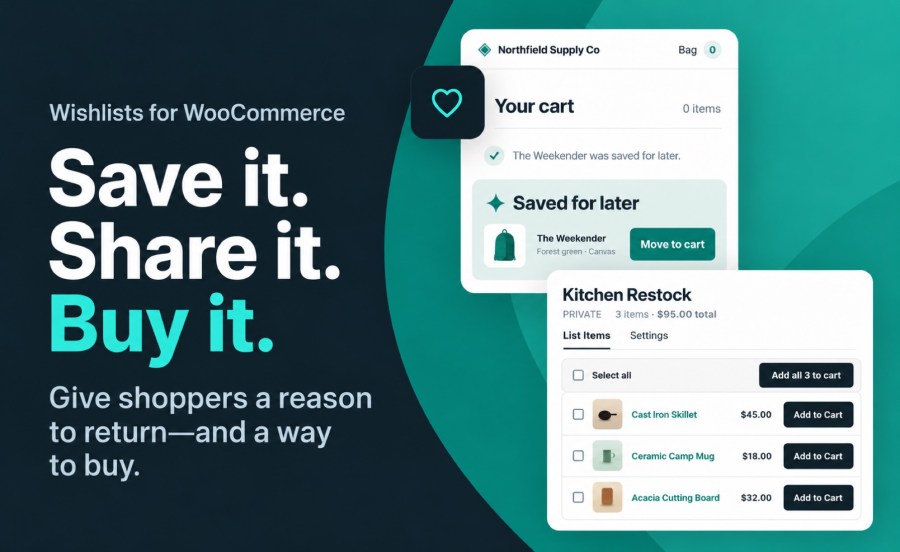
Shoppers save what they are not ready to buy, and come back for it—from a product page or straight from the cart. Unlimited lists, for guests and account holders, on classic and block themes.
WooCommerce Wishlists lets customers create, manage and share as many lists as they like—a gift registry, a wedding list, a shortlist for later—without losing their place in your catalog.
Increase conversions by letting customers save for later
Not every customer is ready to buy today. A saved list gives them a reason to come back, and a shared list puts your products in front of people who have never visited your store.
Save for later, straight from the cart
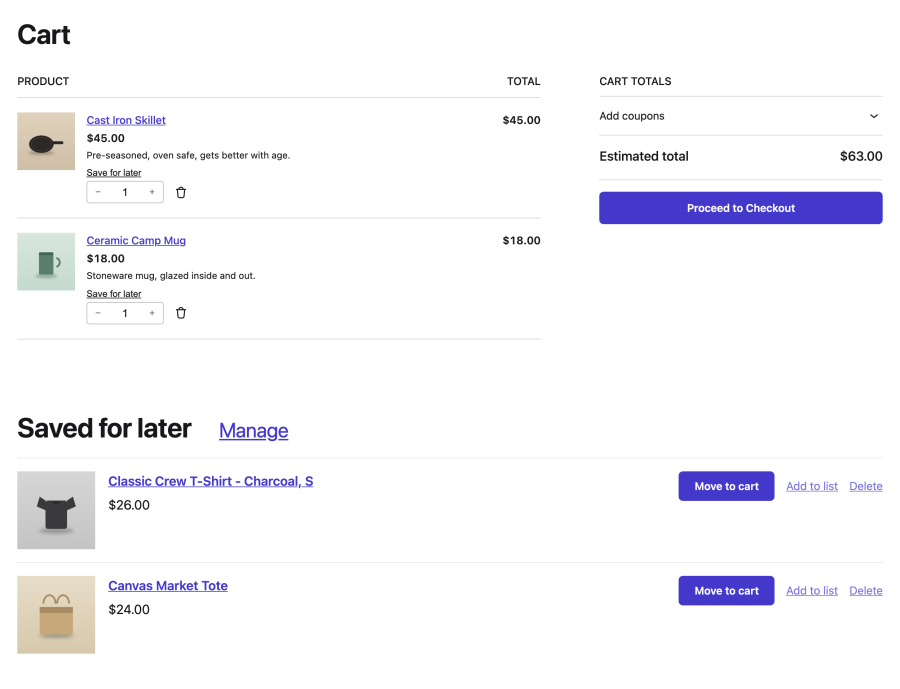
Not every cart turns into an order today. Save for later gives a shopper somewhere to put a line they are not ready to pay for, without losing it. Every cart line gets a Save for later link, on the classic cart page and on the Cart block, for guests and customers alike.
- The line moves to a real list called Saved for later, shown below the cart with its image, name, chosen options and price
- Move to cart puts it back with its quantity—added to the existing line if the product is already in the cart, not duplicated
- Stock is checked on the way back: a sold-out product stays on the list, and one that still needs options chosen says so
- A guest’s saved items are merged into their account when they log in or register
- Choose whether saving moves the line or leaves a copy in the cart, change the link’s wording, or switch the feature off
Saving happens on the page
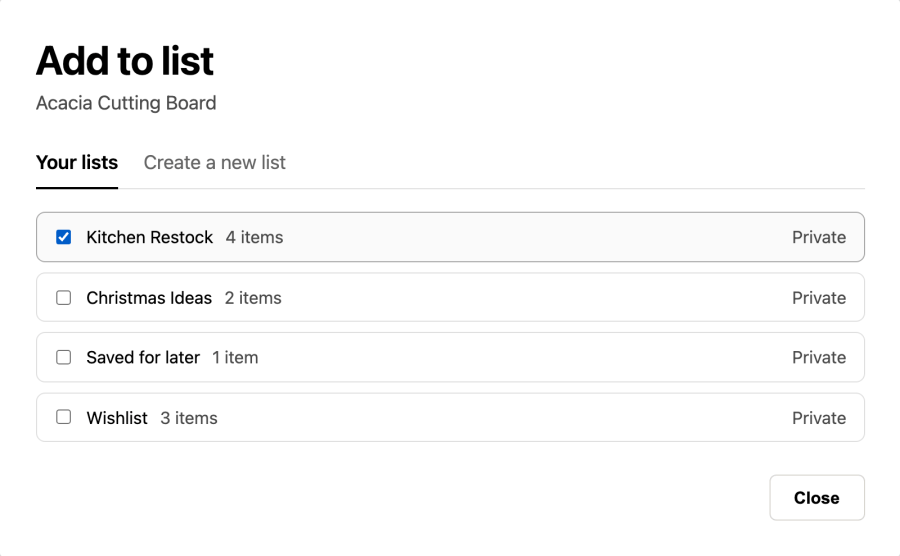
Click the button, tick a list, done. No page reload, no trip to a separate screen.
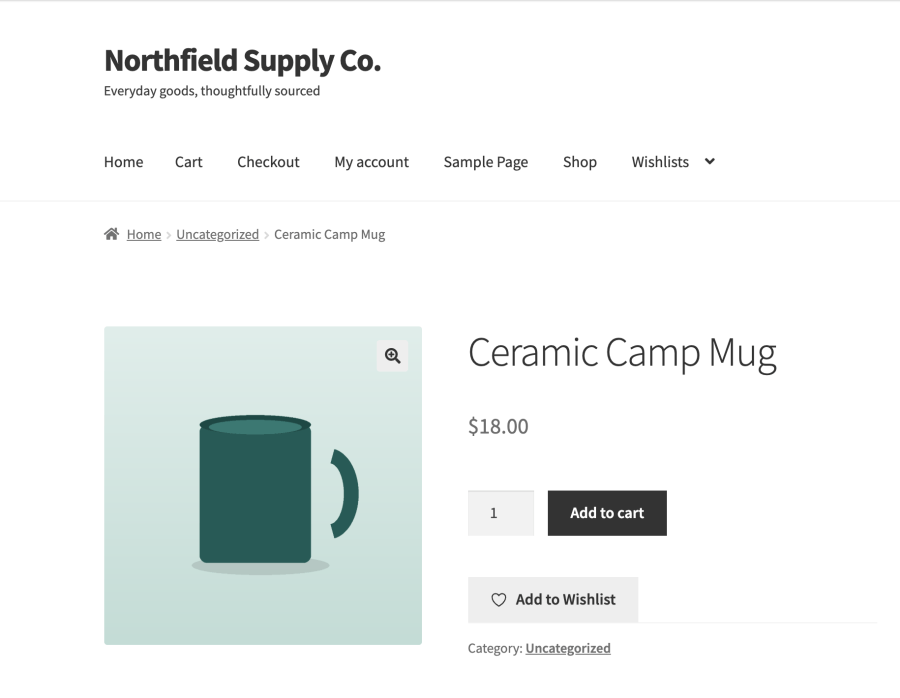
- The button shows whether the product is already saved—outlined when it is not, solid when it is—and the picker shows which lists it is on
- A dialog with a checkbox per list: tick to save, untick to remove, no confirm step. A second tab names a new list and saves to it, and the shopper’s default list comes first
- A confirmation appears afterwards with a link straight to the list
- On a variable product the button follows the chosen variation, so two colours of the same product can sit on one list and be removed one at a time
- Choose a heart, bookmark, star or gift icon, drawn in your theme’s own button colour
- Optionally let a shopper’s very first save skip the picker and go straight to a new list, for stores that would rather not interrupt a first-time saver
- Screen readers announce the saved state, and the wording is yours to set
The list pages are live
View a List and Edit My List respond immediately. Change a quantity, remove an item, or send it to the cart without a page reload.
- Add to Cart shows a spinner while it works and a checkmark when it lands, with a confirmation linking to the cart
- An item that still needs a choice—a variation not picked, add-on fields not filled in—offers “Choose options” instead of an Add to Cart that could not succeed
- Add All To Cart adds exactly what it can, and tells the shopper what it skipped and why
- Everything still works with JavaScript turned off
Lists that stay useful after the first save
Shoppers can change their minds without rebuilding a list.
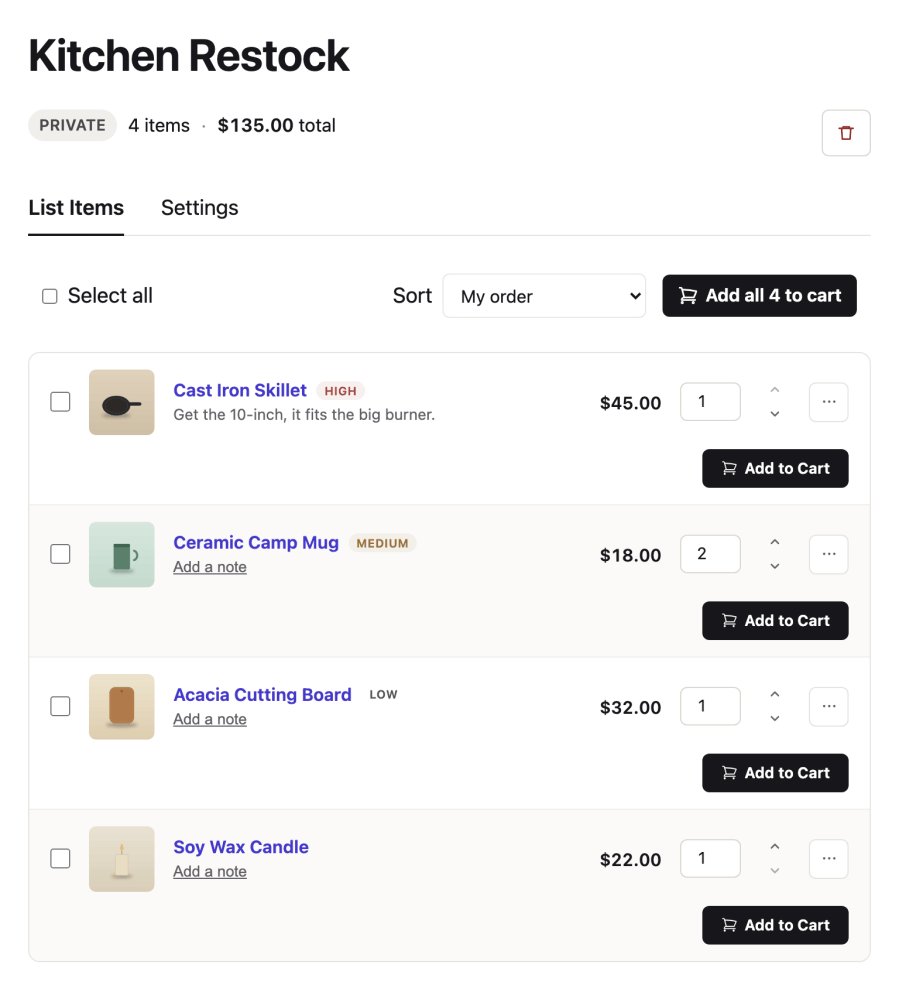
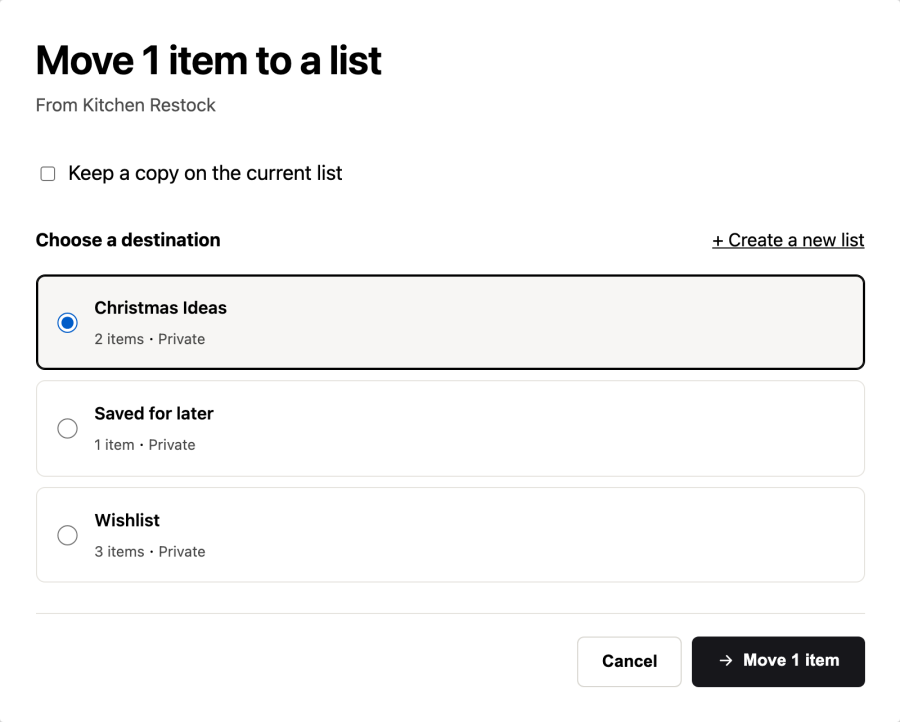
- Move or copy items to another list, one at a time or a whole selection, and create the destination list in the same dialog
- Notes and priority. A note of up to 200 characters on any item, and a Low, Medium or High priority you switch on in the settings. Sort a list by name, price, priority, or the order the shopper arranged by hand
- A default list. Shoppers choose it on My Lists, and the picker shows it first
- My Lists at a glance. Item counts and when each list last changed, with rename, privacy and delete in place
- Notes can stay private. A setting decides whether visitors to a shared list can read them
Built for block themes
“Add to Wishlist” and “Wishlist” are real blocks, not shortcodes in a wrapper.
- Style them in the editor—colour, spacing, typography, border—and they pick up your theme.json
- On a block theme the listing button is a real block in your product template: open the Site Editor, move it, restyle it, or delete it
- Works inside Product Collection and Product Template, so the control appears on every tile in a grid
- The Mini Cart count updates the moment an item goes to the cart from a list
Key features
- Create an unlimited number of wishlists
- Guest wishlists work without an account; abandoned ones are cleaned up automatically after 30 days
- Registered customers keep their lists indefinitely
- Privacy controls: public, shared, or private lists
- Share a list by link, by email, or to social
- Simple and variable products, down to the exact variation
- Works with Product Add-ons and Gravity Forms Product Add-ons—a configuration saved with an item comes back to the cart intact
- Save for later from the cart, on the classic cart page and the Cart block
- Move or copy items between lists, one at a time or in bulk, and add everything to the cart
- Item notes and Low, Medium or High priority
A heart on the product photo, if that is the look you want
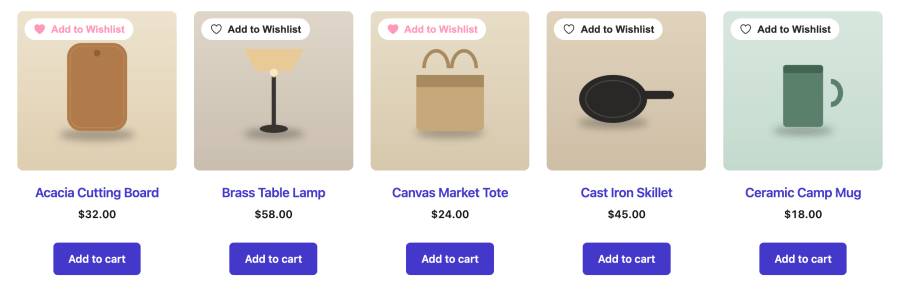
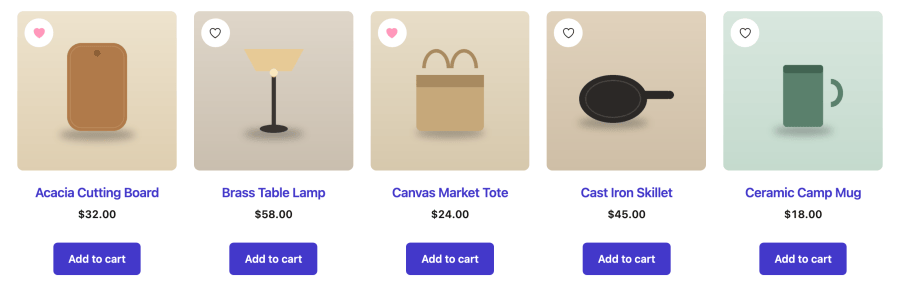
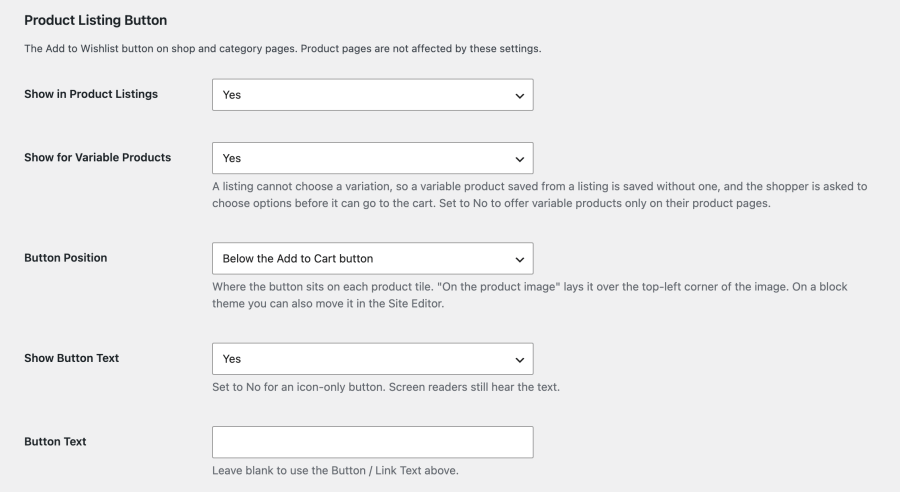
Set the position to On the product image and the control sits in the corner of every product photo, as a labelled pill or—with Show Button Text turned off—a round icon badge, the pattern shoppers already recognise from the big marketplaces. Or leave it as a labelled button under Add to Cart. A Product Listing Button section in the settings decides, with no snippet involved.
- Show in Product Listings — on by default, off with one setting
- Button Position — on the product image, above the Add to Cart button, or below it (the default)
- Show Button Text — off gives an icon-only button; screen readers still hear the wording
- Button Text — leave blank to inherit the product page’s wording, or set it separately, so listings can say “Save” where product pages say “Add to Wishlist”
- Show for Variable Products — on by default. A listing tile cannot choose a variation, so a variable product saved from one arrives without a variation and the shopper is asked to choose options before it can reach the cart. Turn this off to offer variable products only on their own pages
- Product pages are unaffected by all five, and per-product filters still override the settings
For store owners
- Abandoned guest lists clear themselves. A temporary list older than 30 days with nothing saved to it in 30 days is deleted, so empty lists left behind by crawlers and passing visitors do not pile up. Lists belonging to accounts are never touched, and the lifetime is filterable
- Gift-registry purchase tracking. The “previously ordered” column populates, and items are removed once an order reaches the status you configured
- Stays fast as the store fills up. A shopper’s lists come from an indexed, cached lookup rather than a scan, so load time holds steady whether the store keeps a hundred lists or tens of thousands
- Shared lists are never served stale. Wishlist pages send no-cache headers, so a page cache cannot hand a visitor an out-of-date list
For developers and agencies
- REST API at
wc-wishlists/v1 for lists and items, including notes, priority, ordering and moving items between lists, with guest support, share keys, and tombstones for deleted products
- Two blocks you can place, style and extend, rather than markup you have to override
- Filters that override the listing settings per product, plus hooks for listing priority, confirmation position, the icon set, the temporary-list lifetime, which cart lines may be saved for later, and whether a list row reaches the cart through the Store API or a classic reload
- HPOS compatible, and works on classic and block themes alike
Simple to configure
Wishlists adds its own tab to the WooCommerce settings, where you set behaviour, appearance and sharing.
- Customise button text, icon and saved-state wording
- Place or hide the button on shop and category pages
- Enable or disable sharing options
- Control guest and logged-in behaviour
- Adjust messaging and display settings
The button and list pages take their colours from your theme, so they fit your store without extra styling.
Admin tools for store owners
Wishlists also show you what your customers want before they buy it.
- View and manage every list from the admin
- Sort and filter lists to spot what keeps being saved
- Edit lists directly from the backend
Requirements
WordPress 6.8 or later, WooCommerce 10.4 or later and PHP 7.4 or later. Tested to WordPress 7.1 and WooCommerce 11.2.
Summary
- Customers save products without leaving the page they are on, and save cart lines for later
- Lists work for guests and account holders, and can be shared
- Real blocks, styleable in the editor, on classic and block themes
- A REST API for anything you want to build on top