


Subscription includes
Support
Use marketing science to increase your sales and conversions with the Sales Triggers for WooCommerce extension.
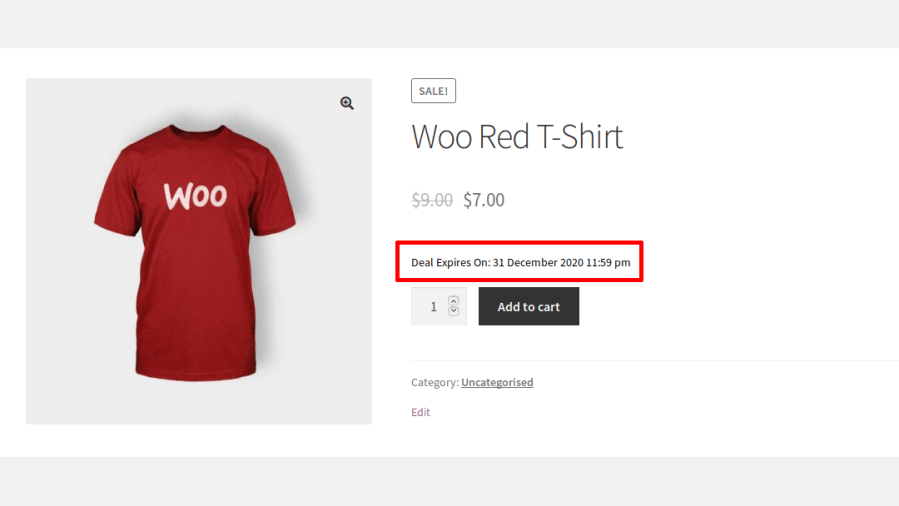
1. The deal expiration-date trigger
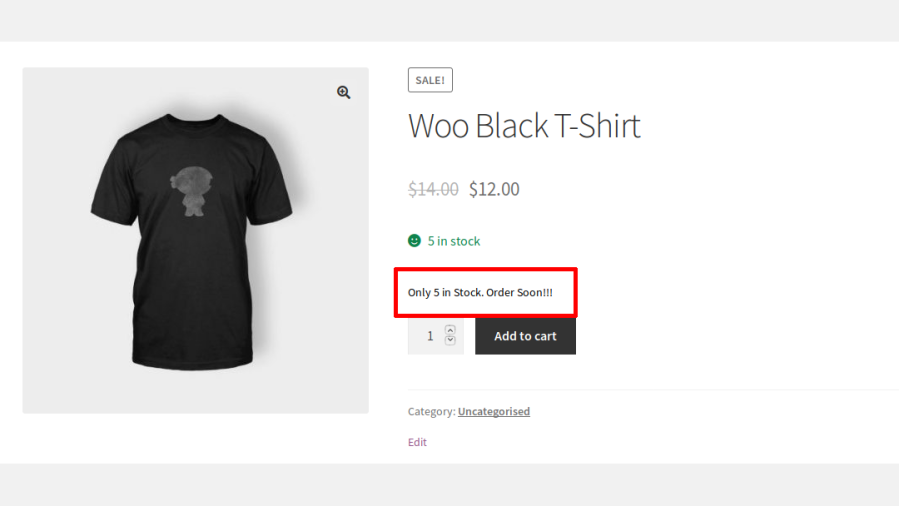
2. The low-stock trigger
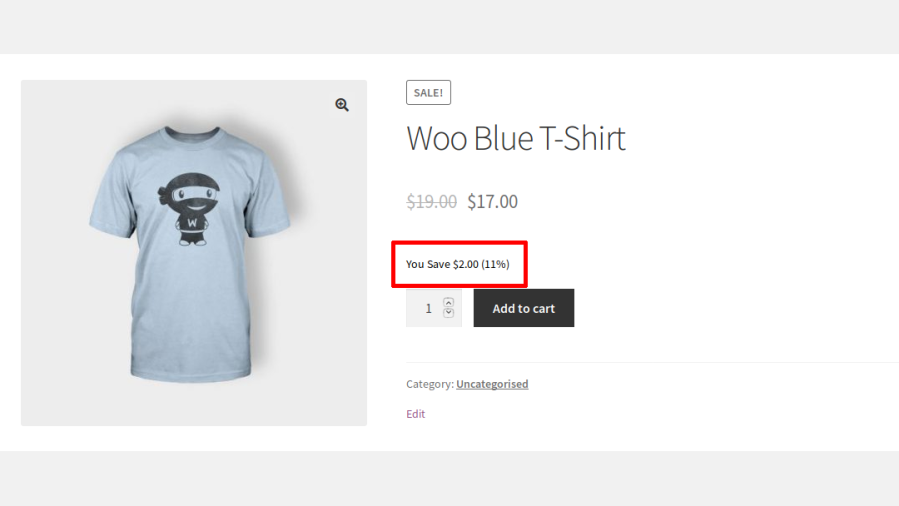
3. The savings-info trigger
4. The guarantee trigger
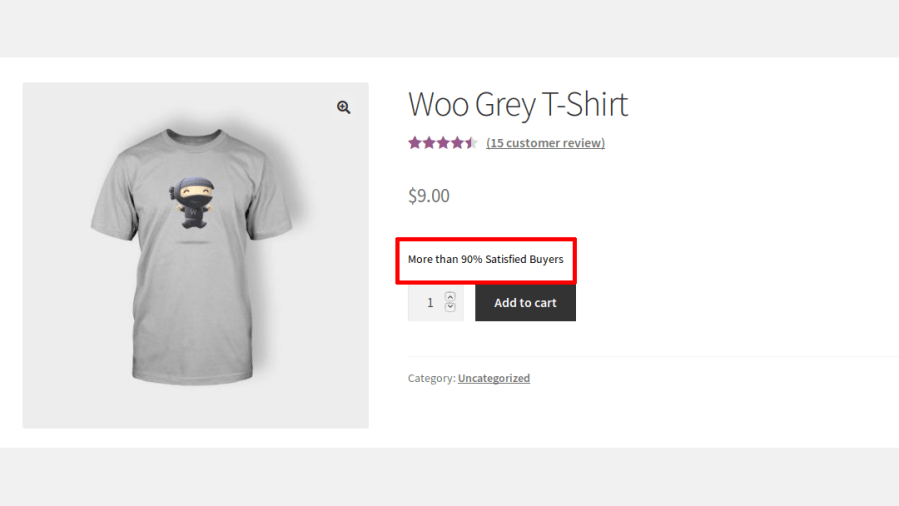
5. The best reviews trigger
Increase conversions
Seeing sales triggers encourages buyers to make purchases at that moment—no delays or items left abandoned in carts.
Increases trust and brand value
Displaying a savings trigger gives customers a sense of satisfaction. They know they will receive a financial benefit when they purchase from your shop.
Attracts new customers
Customers who respond to sales triggers and purchase merchandise are more likely to refer new users to your site.

Choose from six proven persuasion triggers Deal Expiry, Low Stock, Savings, Guarantee, Best Reviews, and Coupons each designed to nudge a hesitant shopper closer to checkout without you writing a single line of copy from scratch.
Deal Expiry triggers automatically read the WooCommerce sale end date on each product, so countdowns stay accurate without manual updating and you can set a countdown to only appear once the sale is within a specific number of hours remaining, keeping urgency messaging meaningful rather than constant.
Automatically show an “only X left” message once a product’s stock drops below a threshold you define, with a separate friendly “in stock” message above that threshold turning real inventory data into a genuine urgency cue.
Display exactly how much a customer saves both in percentage and currency calculated live from the regular and sale price, including a smart price range for variable products with multiple sale prices.
Automatically calculate a customer satisfaction percentage from a product’s existing star ratings and display it as a trust signal, with the option to hide it entirely if the rating falls below a quality threshold you set.
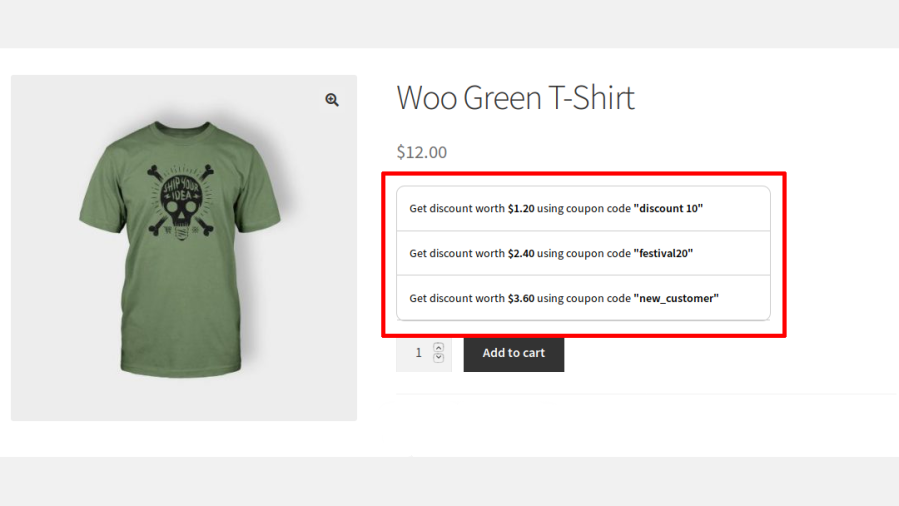
Automatically surface specific WooCommerce coupons directly on the product page, encouraging shoppers to apply a discount instead of abandoning their cart to hunt for one elsewhere.
Build your own set of guarantee icons like money-back guarantees or secure checkout badges each with its own title, description, and uploaded image, displayed together to reassure hesitant buyers.
Control exactly who sees each trigger using a multi-condition rule builder that supports both AND and OR logic, letting you combine product, customer, and scheduling conditions with real precision.
Show or hide triggers based on specific products or entire categories, so promotional messaging only appears where it’s actually relevant to the shopper.
Display different triggers to specific customers, user roles, guests, or logged-in shoppers, enabling personalized messaging for VIPs, wholesale buyers, or first-time visitors.
Set triggers to appear only on specific weekdays or within a defined start and end date, with automatic activation and deactivation perfect for weekend flash sales or planned promotions.
Insert triggers into multiple WooCommerce hook positions on the product page before/after the Add to Cart button, product meta, and more plus dedicated positions for shop and category listing pages.
Adjust colors, font sizes, and typography independently for each trigger type, so every message matches your store’s branding rather than looking like a generic plugin add-on.
Fine-tune the look of a single trigger with its own custom CSS panel, or apply site-wide custom CSS from the general settings giving you both granular and global styling control.

Increase conversions in your shop using marketing science and Sales Triggers for WooCommerce.
Minimum PHP version: 5.6
Categories
Extension information
Quality Checks
Compatibility
Countries
Languages







