

Active installs
300+
Subscription includes
Support
Carts that have been abandoned lead to loss of potential sales. Therefore, Share Cart URL for WooCommerce is a plugin that allows you to quickly and easily create a pre-filled cart link to share with your customers, your sales reps, or your customer service team so that they will be able to pass on the correct cart to the correct person at all times.
The Share Cart URL for WooCommerce will be helpful to you when you are creating a quote workflow template for your customers, running a promotion, helping your customer get back to their previous shopping cart, or anything else that requires you to pass on a cart link to someone.
This premium plugin is designed for helping store owners, supporting agents, or sales teams create unique cart links with pre-loaded products (along with any applicable coupons). These created links will open in WooCommerce with all of the products and discounts pre-covered by the user. So instead of having your customers search for the product, adding it to their cart, then manually applying the discount, you can simply provide them with a single link to click, and their cart will be pre-filled.
This plugin was created specifically for stores:
WooCommerce will build a cart URL for you. When the customer clicks on that cart URL, they will see a complete shopping cart with all items and quantities pre-populated in it. No more customers needing to build their own cart! They’ll go from click to “Checkout!” in just one click of their mouse.
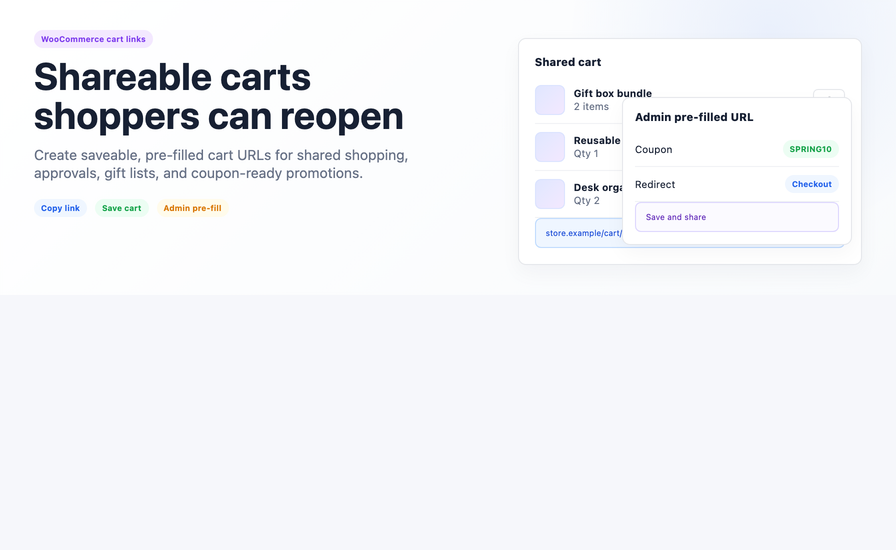
Customers and store admins have the ability to create and share cart links with others. Store administrators can put cart(s) together in the back office and email those to buyers while customers can save and share those same (pre-built) carts with others — perfect for ordering in groups or as gifts.
Embed discount codes directly into shared cart URLs. As soon as recipients access the URL, discount code(s) will automatically apply to purchases — this reduces friction in promotional campaign and reduce drop-off from the offer to the purchase.
Manage (by way of configuration) how long shared links remain usable, link visibility and create access limitations for your shared cart links to ensure they remain appropriate and secure.
Redirect (to: cart, checkout or a custom page) where the customer will land after the shared cart has loaded. Define redirect logic which dictates to the customer the exact flow you want them to follow through the transaction.
If a product becomes unavailable in the shared cart, the plugin will manage it without producing broken links and customer confusion.
Getting started takes less than 10 minutes. Follow these steps to go from install to your first shared cart link.
This plugin is a premium product available exclusively through the WooCommerce Marketplace. Head to the listing, review current compatibility details, and complete your purchase.
Download the plugin from your WooCommerce account, upload it to your WordPress dashboard, and activate it. The plugin follows standard WooCommerce installation steps.
Navigate to the plugin settings in your WooCommerce admin. Set your preferences for coupon inclusion, redirect destination, privacy controls, and unavailable product handling.
Add products to a WooCommerce cart, use the plugin’s link generator to create a shareable URL, and test it before sending it to a customer or using it in a campaign.
Use your cart link in emails, WhatsApp messages, SMS campaigns, quote PDFs, or any channel where your customers receive purchase guidance.For product guidance, store-specific questions, or next-step routing, email support@aicoso.com.
Share Cart URL in WooCommerce to take the hassle of cart building and closing sales. This plugin helps you manage your sales team, run targeted promotions, or assist customers in completing their orders — all in 1 link.
Before purchasing, be sure to check out the complete listing and documentation on the WooCommerce Marketplace, and contact the Aicoso team if you have any questions regarding your store’s configuration and how the plugin may be helpful.
Cart abandonment costs WooCommerce stores revenue every day. Customers who want to share their cart with a partner before buying, switch devices mid-session, save their cart for later, or ask a friend for input, all lose their cart and rarely return. The WooCommerce Share Cart plugin solves every one of these scenarios in a single plugin.
With a shareable and saveable WooCommerce cart URL, customers keep their cart across devices, share it with anyone across 7 platforms, save it with a custom title for later, or let admins create pre-filled promotional carts, all in one click.
The Share Cart URL for WooCommerce has existed on the WooCommerce Marketplace long enough (with over 300 active installs) to develop a reasonable installed user base. The following is what is being reported in the public record:
Share Cart URL for WooCommerce is documented to work with WooCommerce 6.0 and above. The plugin operates within standard WooCommerce architecture and does not require specialist server configuration or third-party dependencies.
That said, compatibility values change with each plugin update. Before installing on a live or staging environment, always open the current WooCommerce Marketplace listing and confirm the tested WooCommerce and WordPress version numbers shown there. Aicoso does not publish compatibility claims on this page that aren’t backed by the source channel — so the Marketplace listing is your most accurate, up-to-date reference.
Although 6 customer reviews are a small sample size, we recommend that future customers read through the product listing in the Marketplace to read the reviews that have been posted before making a purchase decision on the product. However, we believe that the statistics of the current install base demonstrate that over 300 merchants, at this time, have determined to keep the plugin active.
(How it works — 4-step process section)
Rushing a plugin into production without a proper evaluation is how stores end up with broken workflows and unnecessary support tickets. These four steps keep the process clean, from discovery to live use.
Start at the WooCommerce Marketplace product page. Read the full description, check the current tested version numbers, review the changelog for recent updates, and open the documentation before you do anything else. The listing is the single source of truth for what this plugin does and what it currently supports — treat it as your pre-purchase checklist.
Purchase, install, and activate the plugin exclusively through the WooCommerce Marketplace. Do not install from third-party sources. The Marketplace handles your licence key, automatic updates, billing, renewals, and the 30-day money-back guarantee. Keeping everything through the official channel means you always have access to the latest version and to Marketplace support if a billing or access issue arises.
Once activated, go to WooCommerce → Settings → Share Cart URL and configure the plugin to match your store’s needs. Set your URL prefix to align with your brand, choose your social sharing channels, write the message that appears above the share button on the cart page, and decide which sharing options your customers will see. Then test the full workflow on a staging or test environment before going live — share a cart, open the link, check the coupon applies, verify the redirect behaviour.
If something doesn’t work as expected, route your support request correctly to get a faster resolution. WooCommerce Marketplace support handles plugin bugs, installation failures, and billing questions. Aicoso (support@aicoso.com) handles product guidance, store-specific workflow questions, and help deciding what your next step should be when the documentation doesn’t answer it. Contacting the right team first saves time for everyone.
These are the verified, source-backed capabilities of Share Cart URL for WooCommerce. Everything listed here is confirmed in the WooCommerce Marketplace product documentation.
Generate a unique shareable URL for any WooCommerce cart — built by a customer from the cart page, or by an admin from the backend. The link loads that exact cart — products, quantities, configurations — directly on your store for anyone who clicks it. Customers can save their own link to return later on any device, eliminating the device-switching abandonment problem entirely.
Customer-side sharing happens from the native WooCommerce cart page via a share button with social media and copy-link options. Admin-side sharing happens from the WooCommerce dashboard, where store managers can create custom carts, apply coupons, and generate shareable links without going through the shop frontend. Both workflows are included in a single plugin installation.
Beyond the cart itself, the plugin gives you control over what the shared link carries and how it behaves. Apply coupons at the link level so discounts activate the moment the cart loads. Set privacy controls on individual links. Configure redirect behaviour for post-cart-load routing. Handle unavailable or out-of-stock products within shared links without exposing broken experiences to buyers. These are the controls that make shared cart links production-safe, not just demo-ready.
Create shareable, saveable, pre-filled cart links for quotes, customer handoffs, promotional campaigns, and saved carts that convert — all within your existing WooCommerce workflow. One plugin. One link. One fewer reason a cart goes abandoned.
Share Cart URL for WooCommerce is sold exclusively through the WooCommerce Marketplace — the official extension store operated by WooCommerce. That is where you purchase, manage your subscription, access documentation, and handle renewals. Do not purchase from unofficial sources, as you will not receive licence-gated updates or Marketplace support.
Yes. This is a premium plugin available on an annual subscription basis, starting at $29 per year for a one-year plan. A two-year plan is also available at a 20% discount. Your subscription includes product updates, improvements, and customer support through the Marketplace. A 30-day money-back guarantee applies to all purchases.
Support is split clearly between two paths. WooCommerce Marketplace is the right contact for anything related to your purchase — billing, licence access, renewals, installation errors, and plugin bugs. Aicoso (support@aicoso.com) is the right contact when you need help understanding whether this plugin fits your store, how to configure a specific workflow, or where to go next when the documentation hasn't answered your question. Both paths are available — use the one that matches your issue.
Always check the live WooCommerce Marketplace listing immediately before installing, not this page. Compatibility values — including tested WooCommerce and WordPress version numbers — are updated by the developer with each plugin release. The Marketplace listing reflects the current state. Any compatibility information on third-party pages, including this one, may lag behind the most recent update.
There is one correct path for purchasing and installing Share Cart URL for WooCommerce: the WooCommerce Marketplace. Before you click buy, take five minutes to review the listing, read the documentation, and confirm the setup matches your store's workflow. That step takes less time than a support ticket after a mismatched install.
Yes. Guest users do not need to be logged in to generate, share, or save a cart link. The full Share Cart and Save Cart functionality is available to all visitors regardless of login status.
The WooCommerce Share Cart plugin requires WordPress 4.6 or higher and WooCommerce 6.0 or higher. Tested with WooCommerce 10.6.1. Current version: 1.5.2. Rated 3.5/5 from 6 reviews. Supports English (UK) and English (US).
Yes. We welcome feature requests! You can share your idea through the feature request form, and our team will review it for future updates.
Categories
Extension information
Countries
Languages







