
Subscription includes
Support
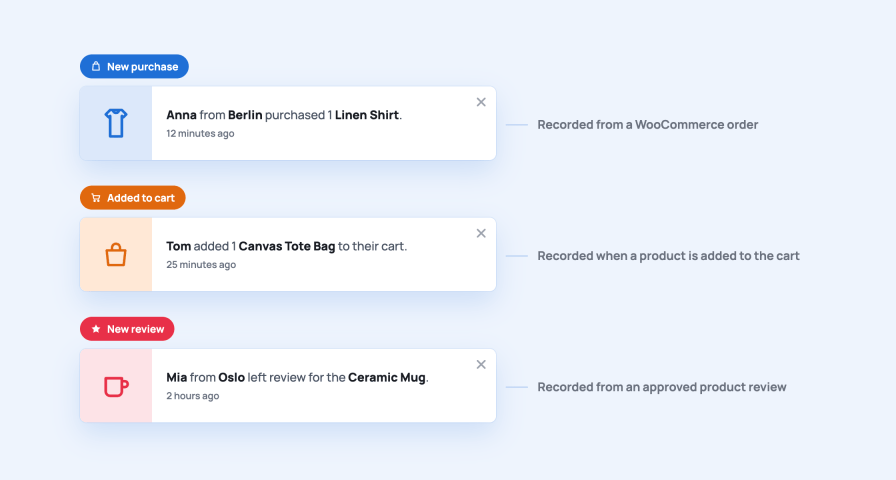
Visitors trust what other shoppers do more than anything you write. The plugin records three kinds of activity on its own and shows them as small pop-ups, so a hesitant visitor sees that people are buying, adding to their carts and leaving reviews right now.
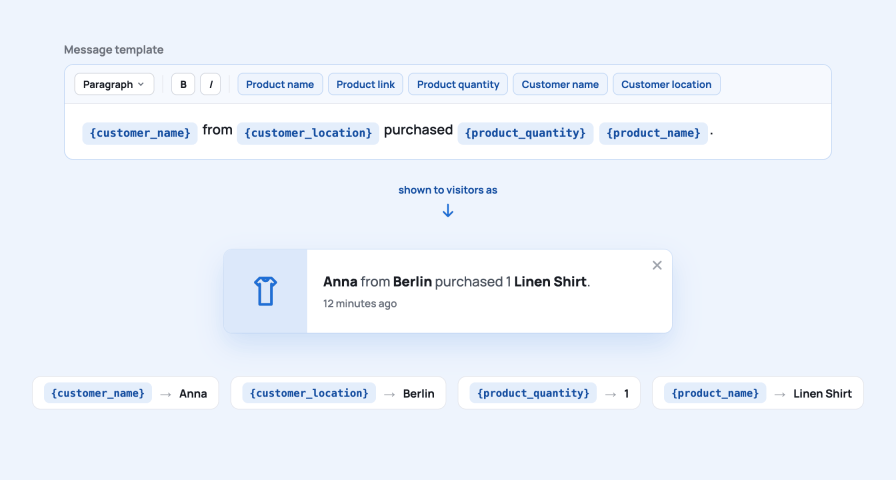
A pop-up only works when it sounds like your store. Each event type has its own Message template with a small editor, so you decide the wording, the tone and the language.
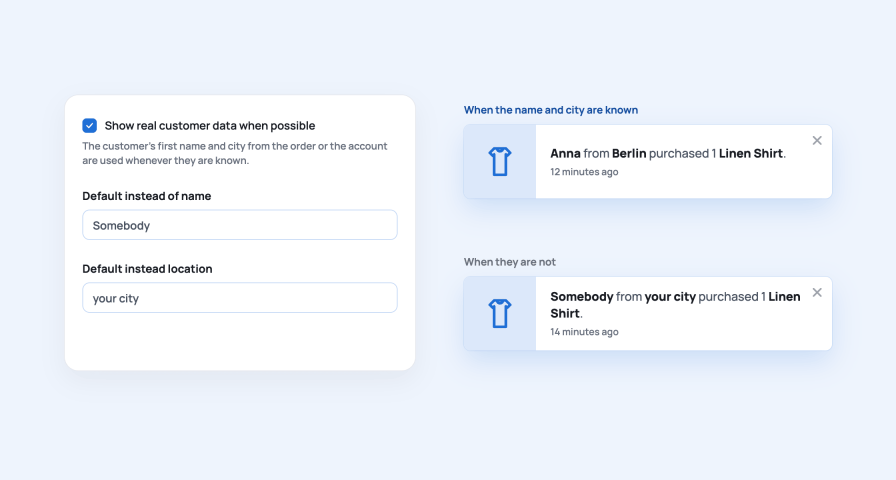
A first name and a city make a pop-up believable without exposing anyone. When they are unknown, the sentence still reads naturally.
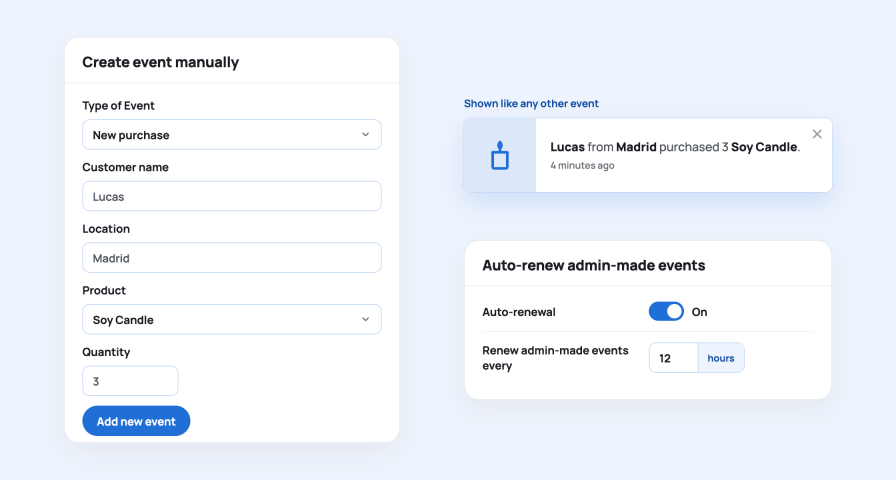
A new arrival, a sale item or a product that sells well in your other channels can get its own event before the first order arrives on the site.
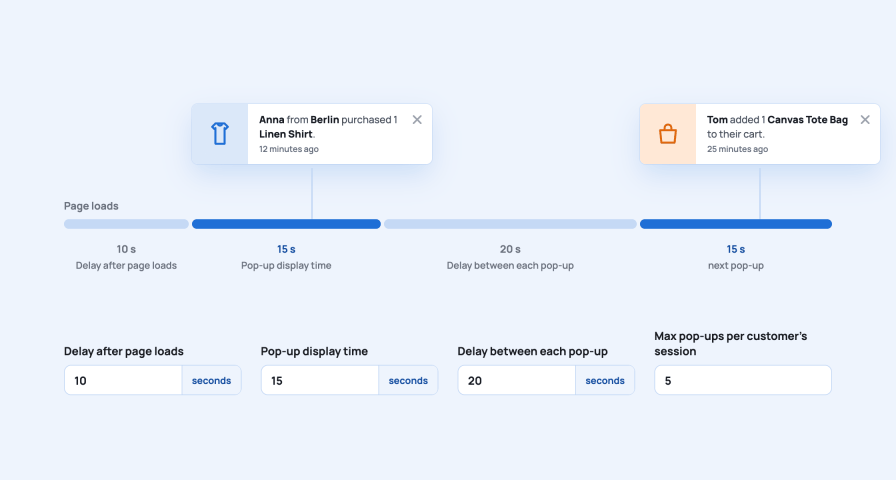
Social proof should feel like a glance at a busy shop, not a stream of alerts. Four settings define the rhythm, and a visitor can close a pop-up at any time.
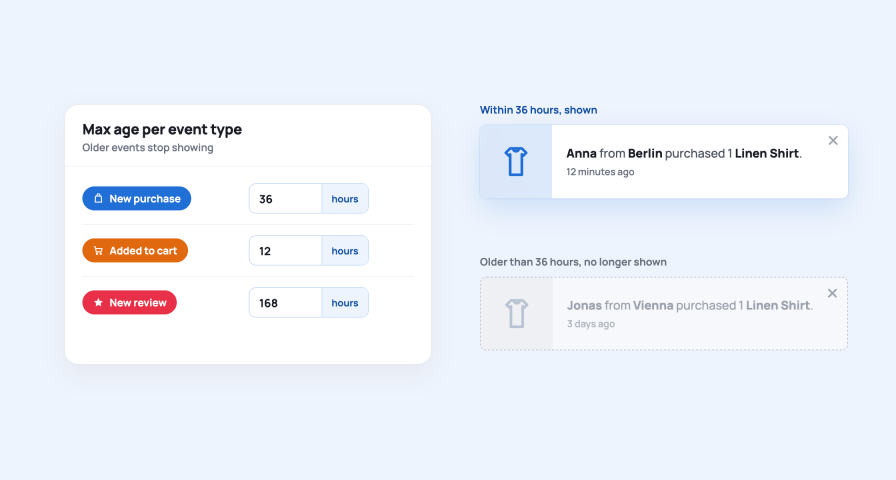
A purchase from last night is still good news. A cart from last week is not. Each event type has its own limit, so the pop-ups stay credible.
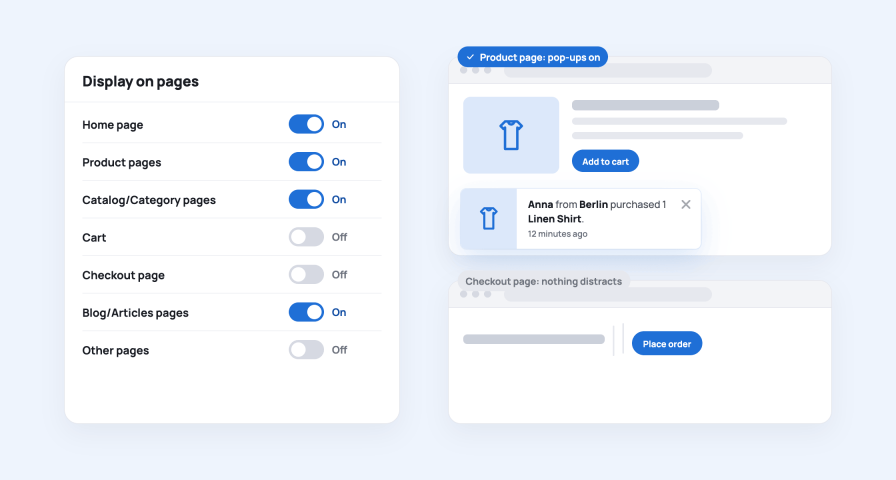
Show pop-ups where they build confidence and keep them away from the moments that need full attention.
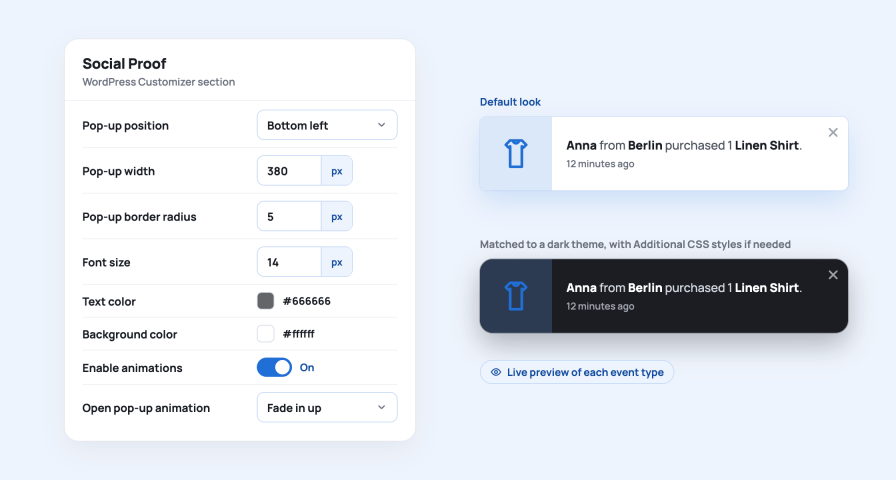
Every visual setting lives in the WordPress Customizer, with a live preview of the pop-up on your own store.
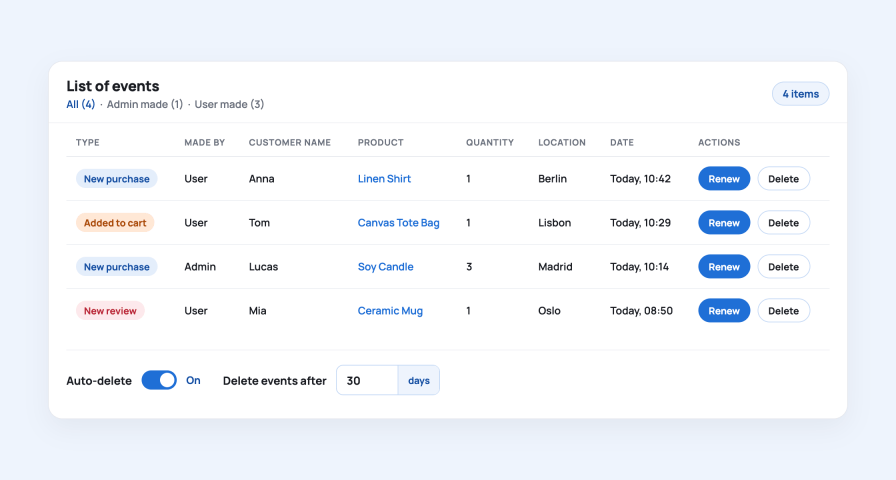
The Social Proof Events page under WooCommerce shows everything the plugin has recorded or you have created, so you always know what visitors may see.
The plugin reads orders, carts and reviews that WooCommerce already has and adds a small pop-up in the footer, so it fits into an existing store without changing products, checkout or themes.
Perfect for: new stores that need their first signs of life, stores with steady sales that nobody sees, and any shop where visitors hesitate before the first order.
Three kinds: Product purchase, Add to cart and New product review, each with its own switch in WooCommerce, Settings, Social Proof. Purchases are recorded when an order is placed, or only after a successful payment if you set Consider purchase as to Successful payment. Add to cart events are recorded the moment a product lands in a cart, and review events when a product review is approved.
Yes. Since version 1.3.1 the plugin records every approved product review, whichever way it was created: the standard WooCommerce review form, Customer Reviews for WooCommerce, the WooCommerce REST API or an import. Reviews held for moderation are recorded at the moment they are approved.
Only the first name and the city, and only when Show real customer data when possible is switched on. They come from the order or from the customer's account. Where they are unknown, or when the option is off, the pop-up uses your Default instead of name and Default instead location, for example Somebody from your city.
Yes. Each event type has its own Message template with a small editor, so you can write the sentence in any language and tone. The buttons Customer name, Customer location, Product name, Product link and Product quantity insert the variables, and Product link turns the product name into a link.
Yes. On the Social Proof Events page, Create event manually lets you add a purchase or an add-to-cart event with a Customer name, Location, Product and Quantity. Admin-made events look exactly like recorded ones, and Auto-renewal moves them back to the top of the list at the interval you choose, 12 hours by default.
Four settings define the rhythm: Delay after page loads before the first pop-up, Pop-up display time, Delay between each pop-up and Max pop-ups per customer's session. The defaults are 10, 15 and 20 seconds and 5 pop-ups per session. Every pop-up has a Close pop-up button, and you can choose to stop showing pop-ups for the rest of the session once a visitor closes one.
Each event type has its own Max age: 36 hours for purchases, 12 hours for add-to-cart events and 168 hours for reviews by default. Older events simply stop showing. Auto-delete removes events from the database after the lifetime you set, 30 days by default.
You choose in Display on pages: Home page, Product pages, Catalog/Category pages, Cart, Checkout page, Blog/Articles pages and Other pages, each with its own switch. Keep the Cart and Checkout page switches off and nothing distracts a visitor who is about to order.
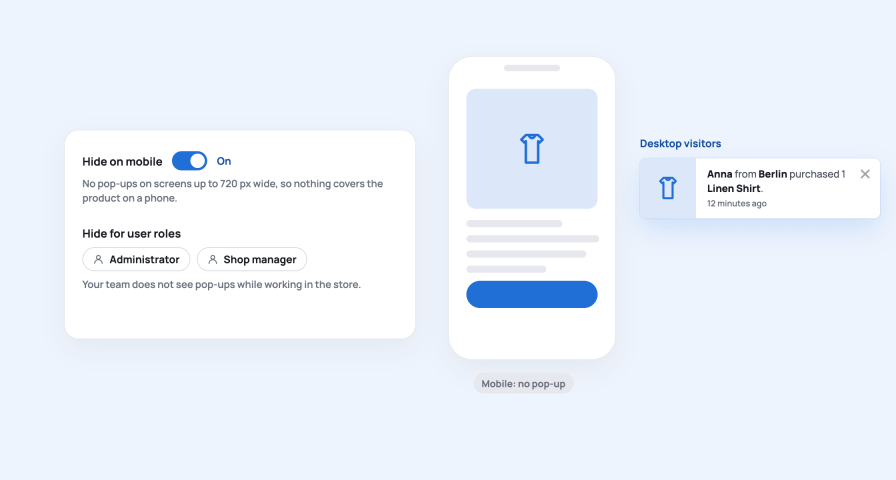
Yes. Hide on mobile keeps screens up to 720 px wide free of pop-ups. Hide for user roles stops the roles you select, for example administrators and shop managers, from seeing pop-ups while they work in the store. Excluded user roles additionally keeps the actions of those roles out of the recorded events.
Yes. Choose Excluded product categories on the Social Proof Events page and events are no longer recorded for products in those categories. Events you no longer want to show can be deleted from the List of events at any time, singly or in bulk.
Yes. The Social Proof section of the WordPress Customizer sets Pop-up position, Pop-up width, Margins, Image width, Font size, Text alignment, Text color, Background color, Pop-up shadow size, Shadow color and Pop-up border radius, with a live preview on your store. Enable animations adds a choice of Open pop-up animation and Close pop-up animation, and Additional CSS styles covers anything else.
Yes. A click anywhere on the pop-up opens the product page, and the Product link variable also turns the product name inside the message into a link. The pop-up shows the product image, or the WooCommerce placeholder when the product has none.
Yes. The plugin declares compatibility with High-Performance Order Storage and does not change orders, products or checkout. It works with classic and block themes alike, because the pop-up is added to the footer and styled independently of the theme.
Categories
Extension information
Quality Checks
Countries
Languages