I’m the product lead for agentic commerce at WooCommerce. This technology is moving faster than anything I’ve ever worked on. In the US, the share of AI users who completed a purchase with AI rose from 10% to 17% in a year, according to McKinsey. In just two months, since September 2026:
- Stripe opened Link to personal agents.
- Meta’s Muse passed ten million accounts.
- Agents like Muse, Grok Bot, Instinct and Claude Duet now pay for things on people’s behalf.
The question we’re getting most is some version of “can my store sell to these agents?”
The answer is yes, your WooCommerce store can accept AI agent orders (and could very well have already done so!). If your store takes card payments, an AI agent can already check out on it, the same way a customer does. You don’t need a separate extension or any new settings.
This post provides a quick overview on where things stand today: how agents buy, what to check on your store, and what we’re working on next. Most of the agents with real reach pay with Link, Stripe’s wallet, so I’ll also explain how that works on Woo stores.
As an Open Source ecommerce platform, WooCommerce lets you own your store and decide who can buy from it. We’re not making any decisions on merchants’ behalf about which agents can reach your customers or which wallet they pay with, and we don’t add a fee on top of agent orders. We’re building the infrastructure that means WooCommerce will be open to all future possibilities.
Two ways an agent can buy
↑ Back to topToday, there are two ways that AI agents make ecommerce purchases:
1. Through your checkout
The agent opens your store in a browser, adds products to the cart, and checks out like a customer. It pays with a card credential from the customer’s agent wallet.
This works on Woo stores today, and it’s what the rest of this post covers.
2. Through a commerce protocol
The agent reads your catalog and places the order over a direct connection, without loading your storefront. Two protocols work this way:
- Google’s Universal Commerce Protocol (UCP) launched in January 2026. UCP checkout is available in the US to eligible merchants through Google Merchant Center and select commerce platforms. Expansion to other countries is planned.
- The Agentic Commerce Protocol (ACP) from OpenAI and Stripe was published as an open standard in September 2025. Checkout through ACP is live with a limited number of merchants.
Neither protocol is available broadly to WooCommerce stores yet. We’re piloting UCP checkout with Google and a small group of Woo merchants, and we’re working with Stripe on ACP support. We have plans to enable UCP on all Woo stores by version 11.4.
Link’s agent wallet in practice on Woo stores
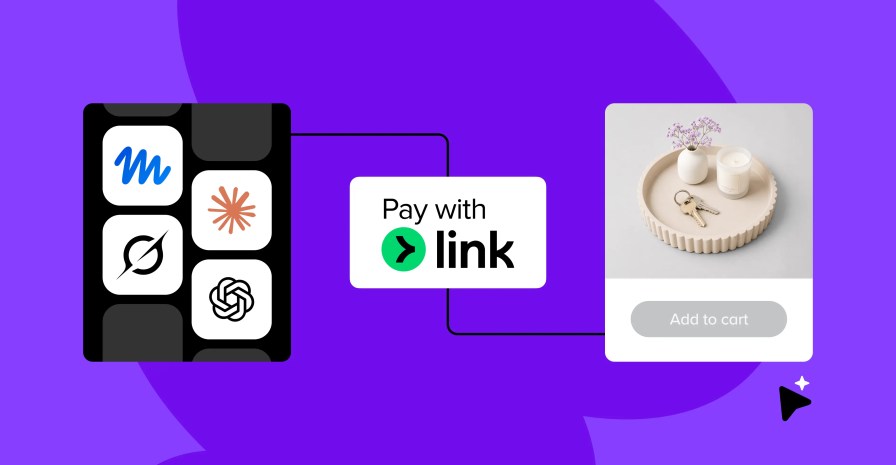
Muse, Grok Bot, Instinct, and Claude Duet all pay with Link, and Link has more than 300 million users. Agentic purchases with Link grew 38x in a month, so it’s a well-tested agentic shopping flow.
Here’s how a Link-paid agent order works on a Woo store.
How a purchase works via Link’s agent wallet
An agent checkout takes about two minutes. Before it starts, the customer saves a card at link.com and connects Link to their agent. After that:
- The customer asks their agent to buy a product from your store.
- The agent checks out as a guest. It opens your store in its own browser, adds the product to the cart, and goes through the guest checkout with the address saved in Link.
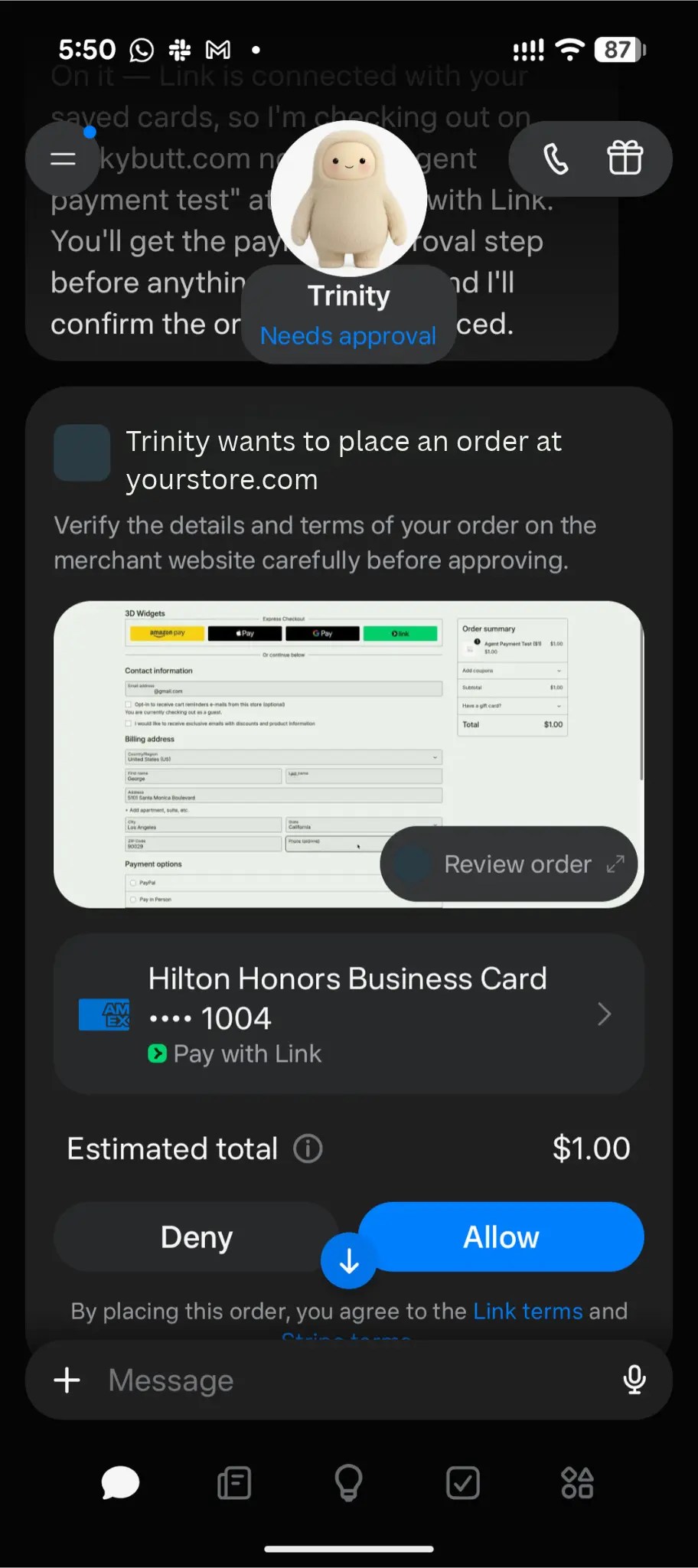
- The customer approves the purchase in the agent. The agent shows your store, the total, and the payment method, then waits for approval.
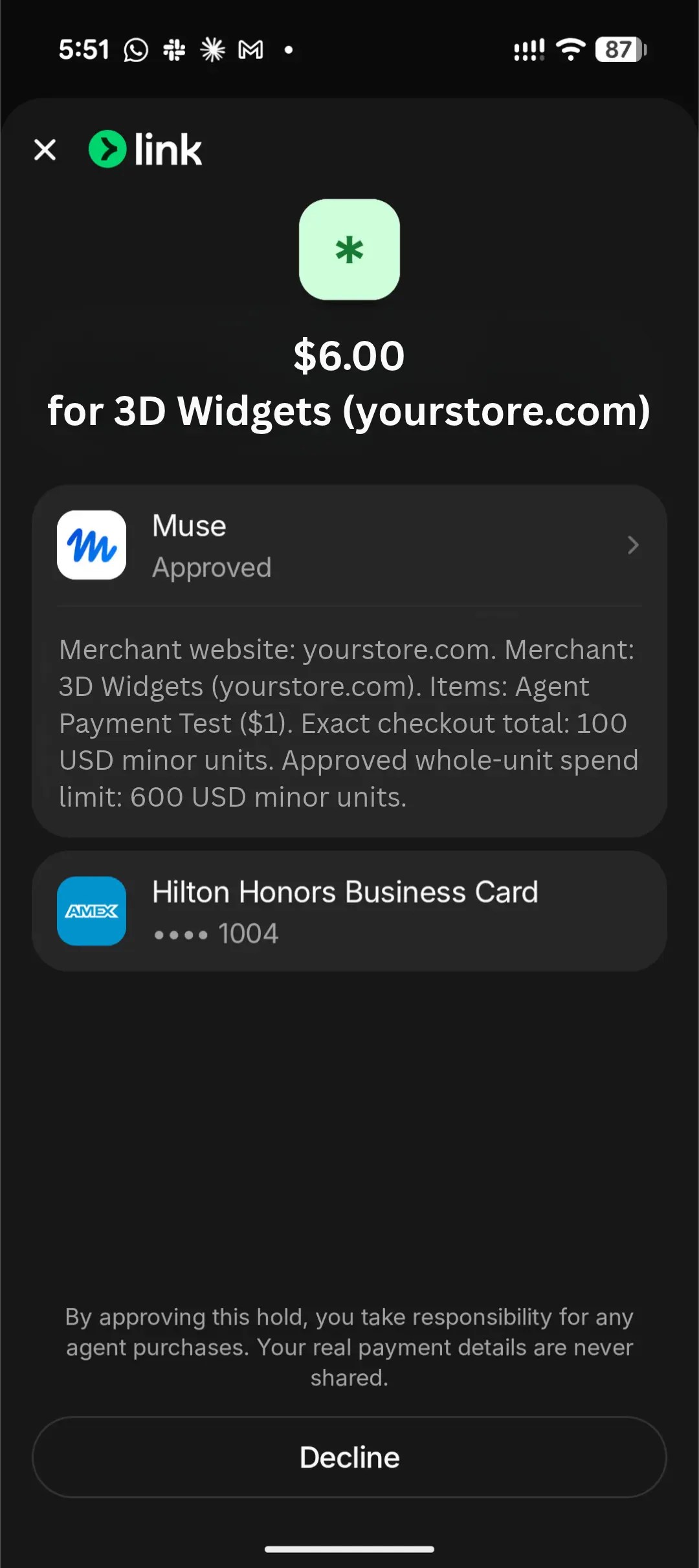
- The customer approves a hold in Link. Link names your store and asks the customer to approve a hold. The hold can be more than the order total.
- Link gives the agent a one-time card number or payment token that works only for that purchase. The agent enters it at your checkout like any card, and you receive the order.
Link gives the agent one of two credentials:
- A one-time card at any card checkout. The agent types it in like a customer would. This is what agents use on most Woo stores, and it works whether or not Link is turned on at your checkout.
- A payment token at checkouts where Link is turned on. The agent pays with the customer’s payment token without a card number being revealed. The token is valid for up to 30 minutes.
Right now, agent orders look like any other order. Nothing marks an order as placed by an agent yet — something we’re actively working on changing. Most are guest checkouts paid by card, and order attribution records them as direct visits, the same as a customer typing in your URL.
How Link agent orders show up in WooCommerce currently
Agent orders come through as normal card orders. How the payment method is labeled depends on your payment setup. Here's how agent orders might appear in a few common setups:
| Your setup | Credential | Payment method on the order |
| WooPayments (Link on) | Link payment token | "Payment via Link" |
| WooPayments (WooPay on, Link off) | One-time Link card | "Visa credit card" (or other card brand) |
| Stripe for WooCommerce | One-time Link card | "Credit/Debit Card" |
What your customers may notice
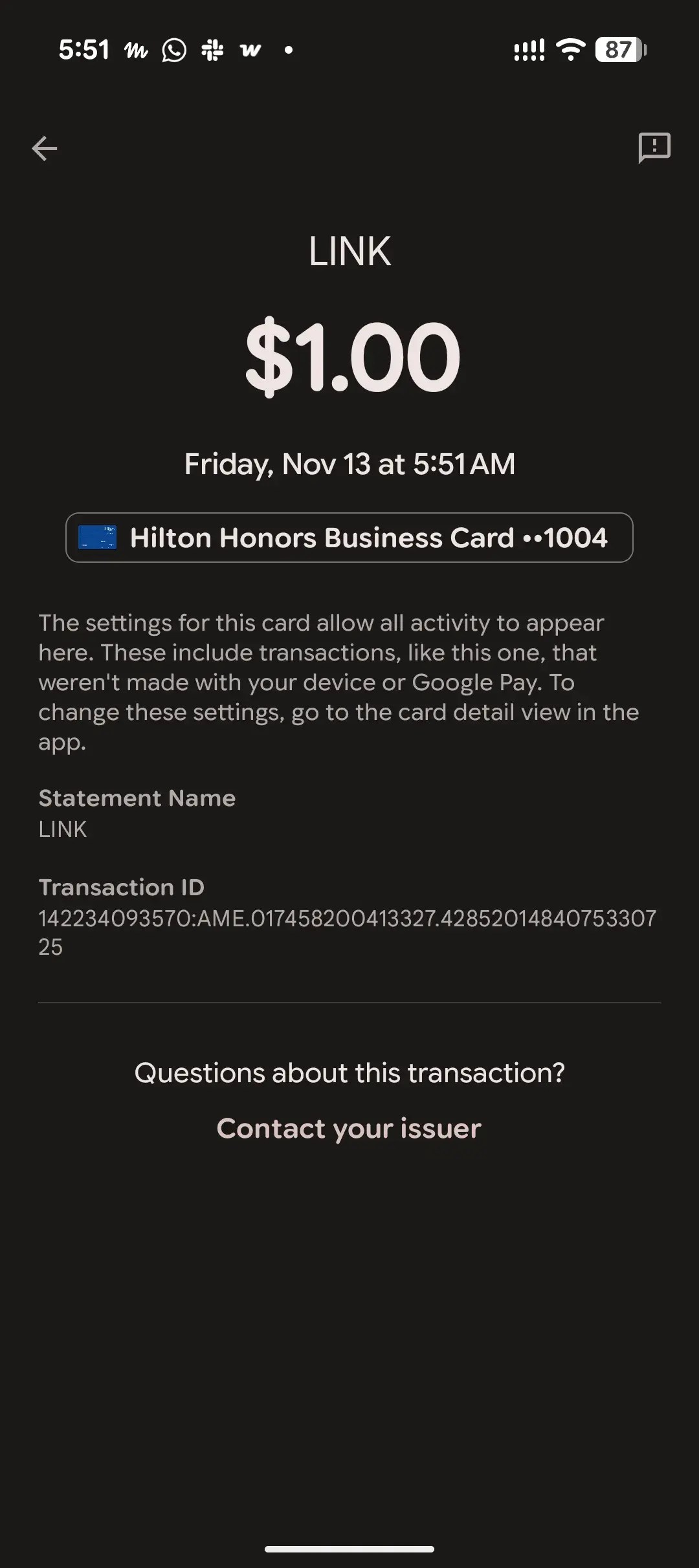
- The hold can be larger than the order. Link may hold more on the customer's card than the order total. In one test purchase, Link held $6.00 for a $1.00 order. Your store only charges the order amount. The temporary hold matches the exact purchase total a shopper approves (or the custom spending budget they set).
- The statement says "LINK." The charge shows as Link, not your store name. If a customer asks about a charge they don't recognize, this may be why.
- US and Canada only, for now. Link's agent payments are open to customers in those two countries.
Try it on your store
↑ Back to topThe best way to understand this is to watch an agent check out on your own store. For the agent to pay on its own, it needs a card it can use, like one from a connected Link wallet. Without one, an agent like Muse opens your checkout page and asks the shopper to type in their card details.
You'll need to be a Link customer in the US or Canada, since Link’s agent payments are only open to shoppers there. Some agents are narrower.For example, Muse with Link is US-only.
- Enable live card payments. Turn on WooPayments or the Stripe extension in live mode. Link gives the agent a real one-time card and a store in test mode declines real cards.
- Create a test product. A low-priced virtual product works well, such as a $1 PDF download. It needs no shipping and it's easy to refund. Publish it so it's visible on your storefront.
- Turn on guest checkout. Go to WooCommerce > Settings > Accounts & Privacy and check Enable guest checkout.
- Set up Link. Save a credit card at link.com.
- Connect Link to an agent. We’ve tested Muse and Instinct. Grok Bot and Claude Duet also support Link payments, but we haven’t tested them yet.
- Ask the agent to buy. Give it the product name and your store's URL, for example: "Buy the 'Agent test product' from yourstore.com." The agent opens your store and fills in the guest checkout itself, using the address saved in Link.
- Approve twice. Approve the purchase in the agent, then approve the hold in Link. The hold can be more than the order total. In our test, Link held $6.00 for a $1.00 order, but the store only saw $1.00. This is set by the total purchase amount you grant the agent.
- Check the order. Go to WooCommerce > Orders. The payment method shows as an ordinary card transaction, like “Visa credit card” or “Credit / Debit Card”, and order attribution reads “Direct.”
- Refund the test order from the order screen. This was a real charge. The refund should go back through the one-time Link card to your card, but we haven’t tested refunds yet. Your payment processor usually keeps its fee, even on a refund, so be sure to use a small amount when testing a live transaction.
Then try it against your real setup: a physical product with shipping and your normal fraud and bot settings. If the agent can't finish, note where it stops. That's the part of your checkout an agent can't get through.
What we’re working on next
↑ Back to topHere's what we're working on next to make agent orders easier to see, more reliable, and possible through more channels.
- Showing which orders came from an agent. We’ll tag agent-placed orders in order attribution so you can see and count them. This needs a reliable signal that an agent paid, from Stripe and the card networks or from the agent itself.
- Transaction fraud rules that let agents through and still stop attacks. We're testing how transaction fraud rules treat agent checkouts, so legitimate agent orders have a better chance of completing.
- More ways for agents to pay. We're looking at how Woo stores can support future payment methods alongside the options you already offer.
- Protocol-based checkout. Support for UCP, so agents can buy from your catalog over a direct connection. We’re also continuing to explore ACP. We’ll also continue to evaluate new protocols as they launch, as part of our commitment to keep agentic commerce open.
We’ll share another update when agent orders show up in order attribution. In the meantime, if you try this on your store and the agent gets stuck, tell me where in the comments.
For setup details, holds, card statements and what can block an agent, see Accepting orders from AI shopping agents.
FAQ
↑ Back to topDo I need to do anything to let agents shop my products?
You don't need to change anything. If your checkout takes cards, agents can use it. That includes stores using WooPayments, Stripe for WooCommerce, and other payment gateways.
Is there anything that can prevent an agent from completing a transaction?
Some checkout settings can stop agents. Agents transact the way a person does, so CAPTCHAs, required account login, and some fraud rules can stop them. If you require accounts, allowing guest checkout gives agents the best chance of completing an order. We're testing how fraud and bot protection treat agent checkouts and will share guidance when it becomes available.
How is tax and shipping handled?
Tax and shipping should be predictable. An agent gets approval for an amount before it checks out. If tax, shipping, or fees change the total late in checkout, the agent has to go back to the customer for approval, and the order may stall.
How do refunds work when an agent makes the purchase?
Refunds and disputes work the same as any card order. Customers still make refund requests directly and file disputes through their card issuer. Refunds will be credited back through your payment processor to the card used for purchase.


About