
NOTE
This product is no longer available on WooCommerce.com. This document has been left available for existing users, but will no longer be updated.
Easy Check allows your WooCommerce store to quickly verify all recent product changes from a single screen.
Installation
↑ Back to topTo start using a product from WooCommerce.com, you can use the “Add to store” functionality on the order confirmation page or the My subscriptions section in your account.
- Navigate to My subscriptions.
- Find the Add to store button next to the product you’re planning to install.
- Follow the instructions on the screen, and the product will be automatically added to your store.
Alternative options and more information at:
Managing WooCommerce.com subscriptions.

Setup and Configuration
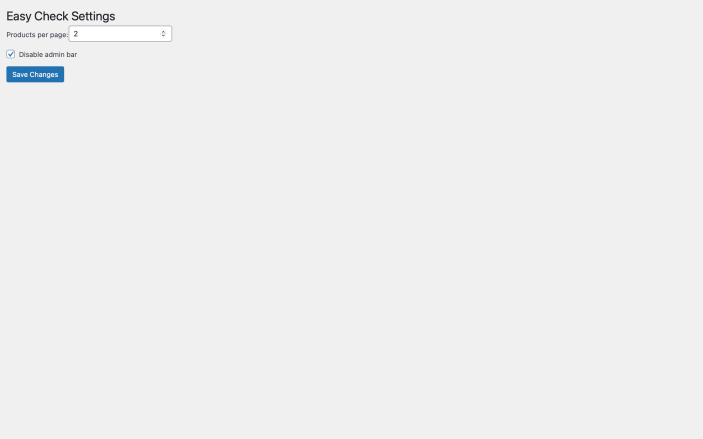
↑ Back to topUpon installation and activation, the plugin’s functionality is available via the Easy Check admin menu item. The Settings submenu contains the option to configure the number of products displayed per page.

Advanced configuration
↑ Back to topThe Settings page allows you to configure the following options:
Disable admin bar: Hides the WordPress admin bar when checked.
Products per page: Sets the number of products to display on each page.
Troubleshooting
↑ Back to topSend email to support@obenie.com in case of error.
FAQs
↑ Back to topHelp customers by answering commonly asked questions.
Can I disable automatic pop-up on my website?
We don’t support this feature right now.