
Having a negative balance on your WooPayments account is undesirable, since it may delay customer refunds. In order to prevent negative account balances, you may wish to proactively add funds to your future refunds or disputes (FROD) balance.
What is the FROD balance?
↑ Back to topThe future refunds or disputes (FROD) balance is a special bucket of funds inside your WooPayments account. It’s purpose is to help prevent a negative account balance.
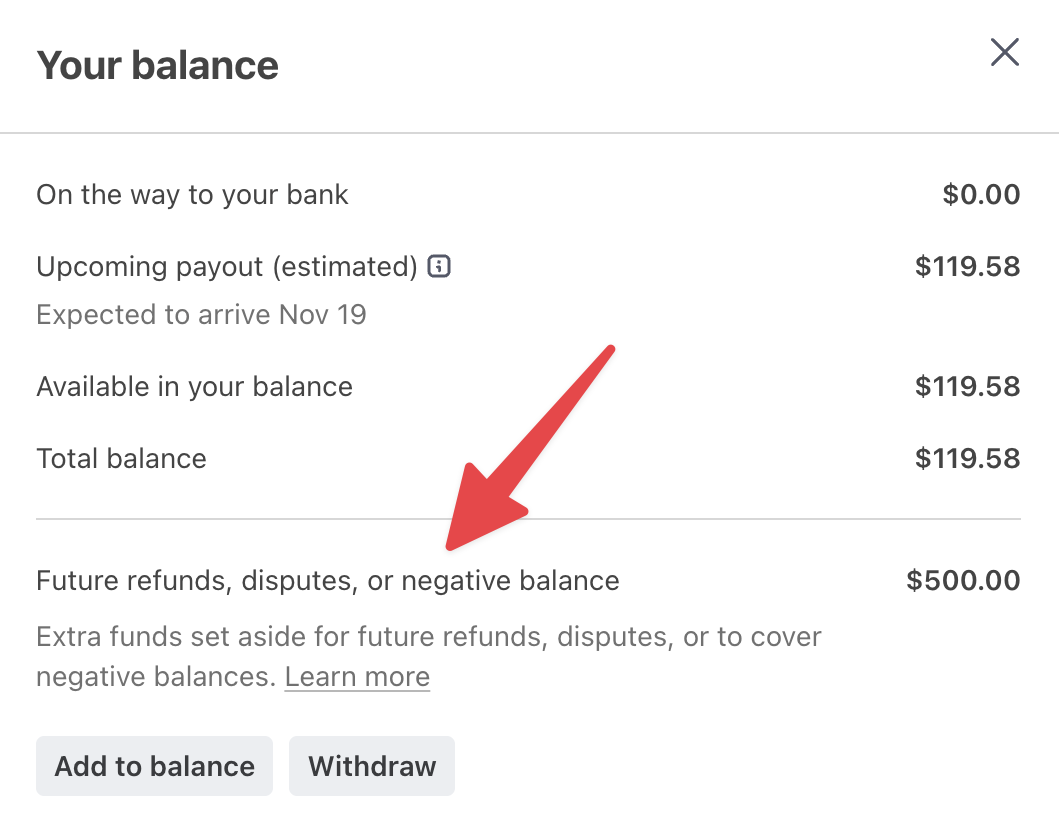
To do that, we use the FROD balance first when processing a refund, or if a customer disputes a payment. If no funds remain in the FROD balance, we process any incoming refunds or disputes from your regular account balance.
Money can only be added to the FROD balance manually. So unless you’ve purposefully added funds to it, the FROD balance will remain at zero and never be used.
Why should I use the FROD balance?
↑ Back to topAdding funds to your FROD balance may be helpful in certain scenarios, for example:
- You expect a large number of upcoming refunds or disputes.
- You want to prevent any delays in refunding customers.
- You’re trying to recover from a negative account balance.
NOTE: We suggest adding funds to the FROD balance if your account is less than 6 months old and you take high-value orders ($500 USD or more) using BNPL methods. This is the most common scenario in which failed refunds can occur. Proactively funding the FROD balance is a good way to avoid this.
Supported countries
↑ Back to topUse of the FROD balance is supported in all WooPayments countries except for:
- Hong Kong
- Singapore
- United Arab Emirates
How do I add funds to the FROD balance?
↑ Back to topYou can add funds to the FROD balance by following the steps below.
NOTE: Keep in mind that adding funds is a manual action, noted in Step 9! The amount you choose to add will not be automatically withdrawn via your chosen payment method. (For example, if you add funds via ACH, you must proactively log into your bank’s system and initiate an ACH transfer.)
- First, log into your Stripe Express account.
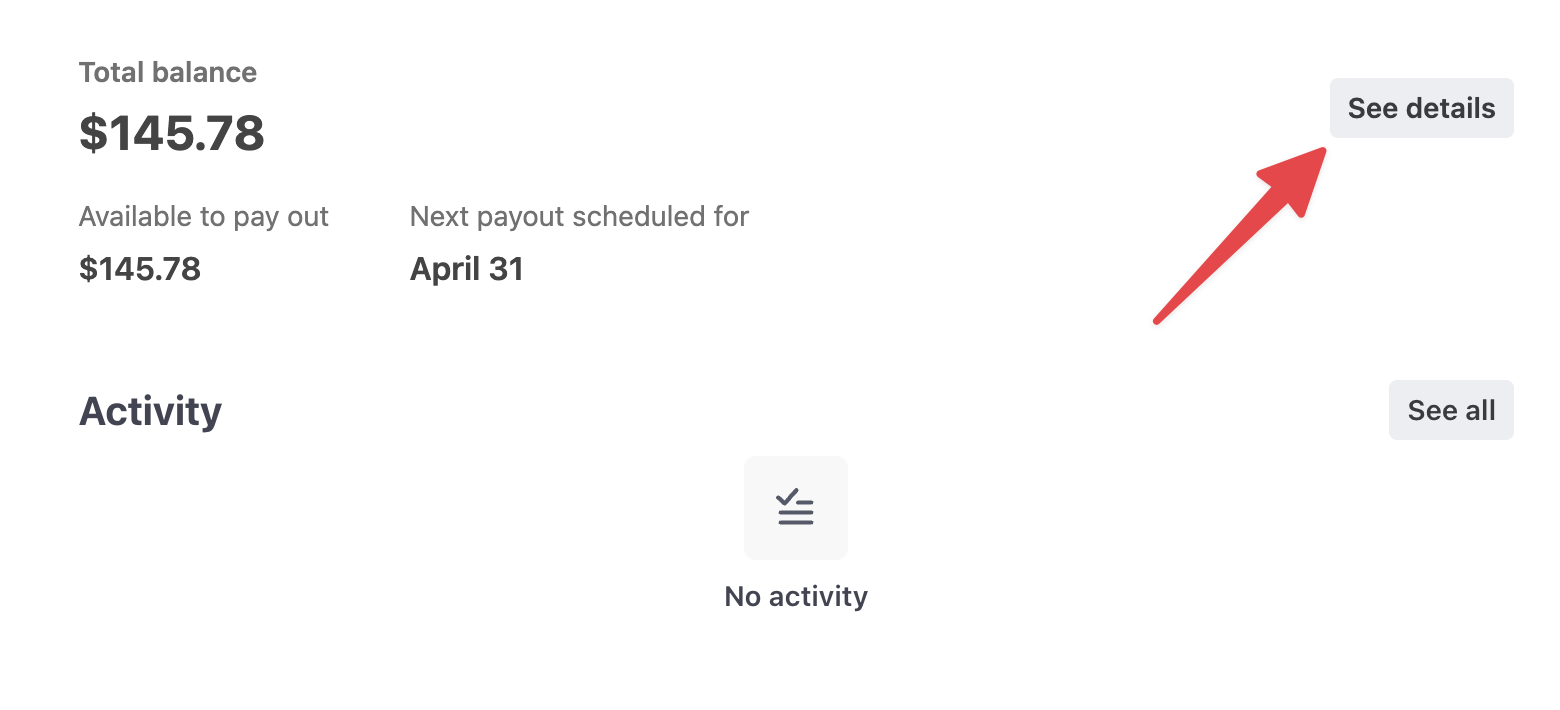
- Click the See details button.
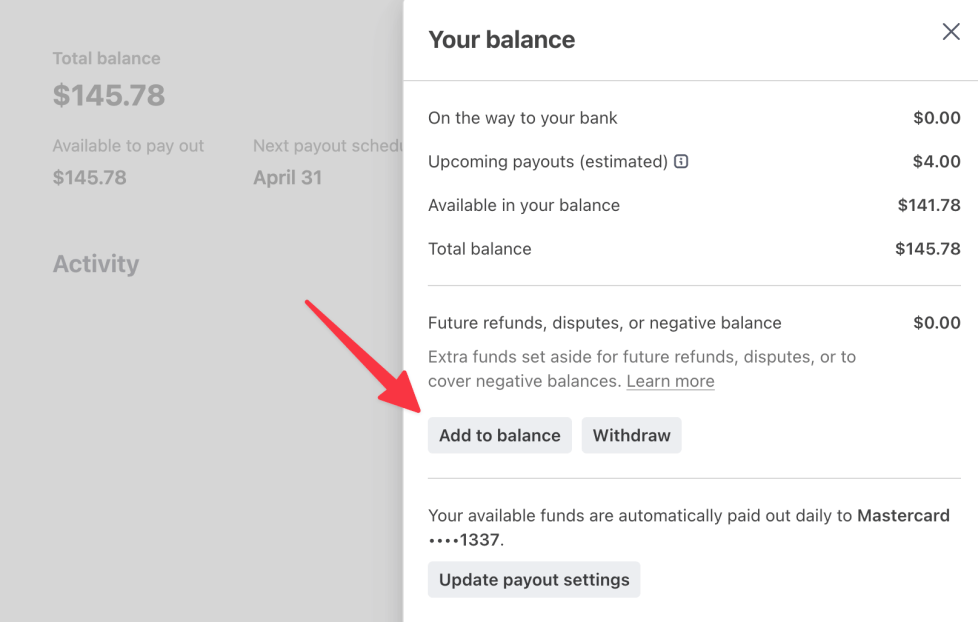
- In the right sidebar that appears, click the Add to balance button.
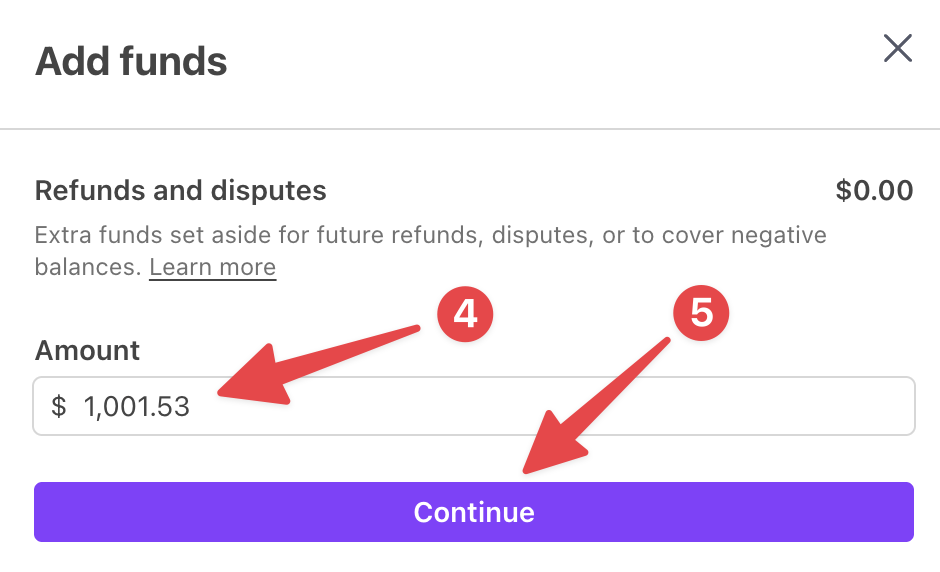
- Enter the amount you’d like to add to your FROD balance.
NOTE: Additions to the FROD balance are reconciled manually by our payments partner. As such, it may be a good idea to slightly adjust the amount in order to make it unique. For example, adding $1001.53 instead of an even $1000.00 will decrease the chances of a reconciliation error.
- Select the Continue button.
- Select the payment method you want to use. The available methods vary by country.
- Save or write down the details from the Stripe bank information section. You will need these to send the funds.
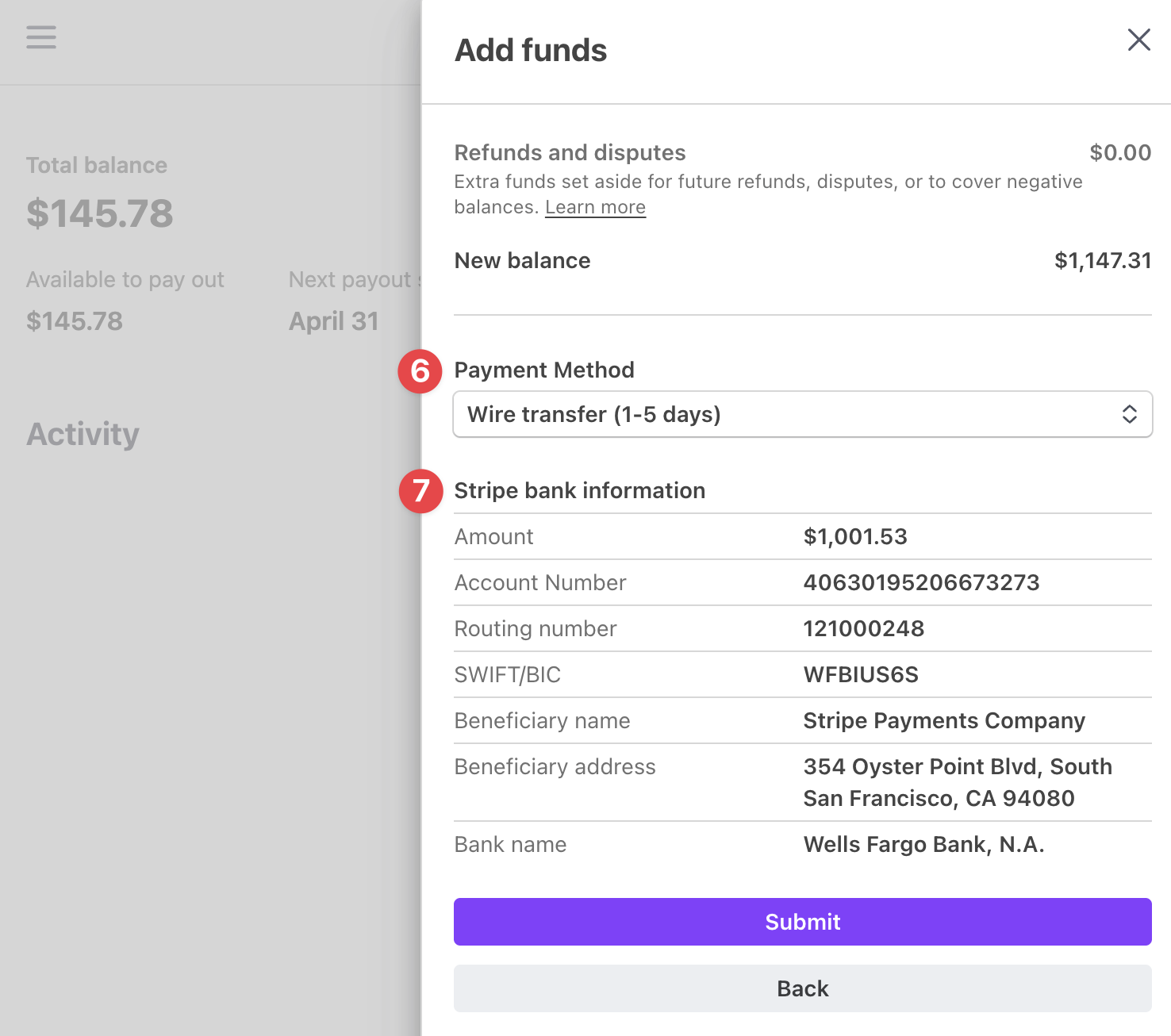
NOTE: If the Stripe bank information section displays the “Reason, memo, or reference” field, copy that unique ID number and include it in your payment details when you send the funds.
- Select the Submit button.
- Send the funds via the method you indicated in Step 6. Again, it’s important to note that YOU MUST MANUALLY SEND THE FUNDS using your select method.
NOTE: If you’re a U.S. merchant sending funds via ACH, you may need to specify that Stripe’s bank account is of the type Business Checking.
- If the Attach your receipt section is shown, upload a screenshot or PDF of your proof of transfer after you have sent the funds.
- If the Confirm Transfer box is shown, check it.
- Click the Done button when you’re finished.
NOTE: Funds typically show up in your FROD balance within 1 to 7 business days, depending on the method used to add funds.
What happens to extra FROD funds?
↑ Back to topUnlike your regular account balance, FROD funds will not be paid out automatically. They will remain in your FROD balance until they are used to fund incoming refunds or disputes in the future.
If you wish to pay out a FROD balance manually, you can do so like this:
- First, log into your Stripe Express account.
- Click the See details button.
- In the sidebar that appears, click the Withdraw button.
- Select the payout account where you’d like the funds to be sent and specify how much of the available FROD balance to pay out.
- You can also add a description and adjust the statement descriptor if desired.
- Click Pay out to initiate the payout.
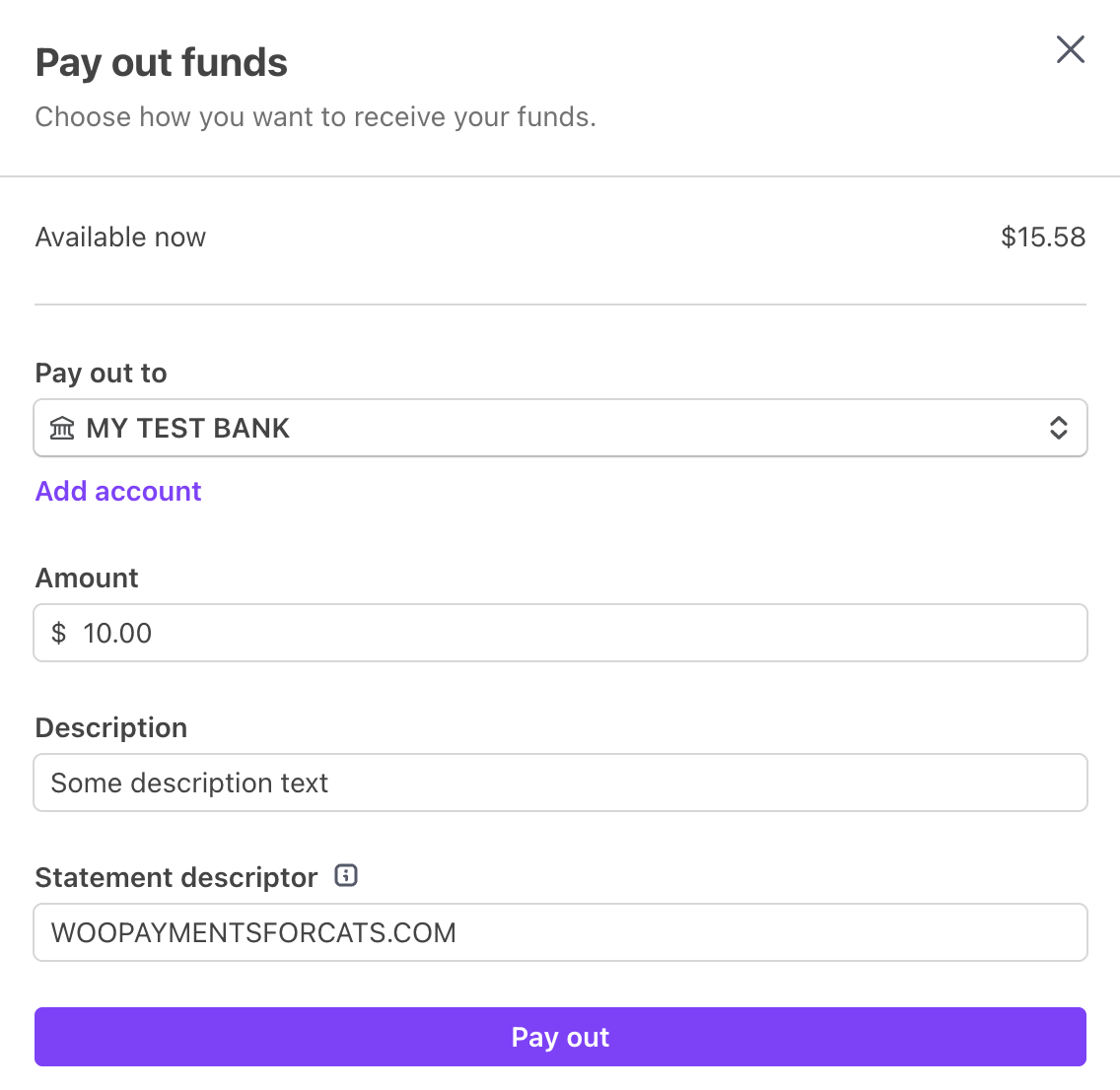
When you’ve finished the process, the FROD balance will be added to your regular account balance and then be paid out according to your payout schedule.
What if I don’t use the FROD balance?
↑ Back to topIf you incur a negative account balance but do not have funds in your FROD balance to cover it, we may debit your payout method.
Can I add funds to my regular balance?
↑ Back to topNo, you can only add funds to your FROD balance.
Is there a way to test the FROD balance?
↑ Back to topNo. FROD balances cannot be added to or used in test mode.
Are there any fees for this?
↑ Back to topNo. Adding money to the FROD balance, using it, or paying it out does not incur a fee.
That said, your bank may charge their own fee(s) to send funds, e.g. a wire fee.

