
This section explains how often your WooPayments account balance is paid out as well as how to manage those payouts. For information on how to view a list of your payouts or download them, please see our Managing Money page.
Payout methods
↑ Back to topWooPayments can send payouts to a bank account (all countries) or a debit card (U.S. only). We recommend using a bank account in every country, including the U.S.
A bank account is better than a debit card for four reasons:
- Debit cards do not work outside the U.S.
- Debit cards have a maximum amount of money ($9,999 USD) that can be paid out at once, whereas bank accounts have no such limit.
- Debit cards cannot be debited if your account balance goes negative, which could prevent you from issuing timely refunds to your customers.
- If your debit card expires while it’s being used for payouts, any further payouts will be paused until you update the card information in your account.
Debit cards outside the U.S.
↑ Back to topAlthough Stripe, our payments partner, might allow you to add a debit card even if your account country isn’t the U.S., what they will not do is send payouts to such cards. That is only supported for U.S. accounts. Thus, if your account is not in the U.S. and you add a debit card as your default payout method, no payouts will be issued to you.
If your account is not in the U.S. and you’ve added a debit card as your default payout method, your WooPayments account balance will simply and silently be held until you add a bank account and make it the default payout method.
Payout timing
↑ Back to topThe main page to review on payouts is our payout schedule document. It explains how often your balance will be paid out depending on your business location, as well as other important details to keep in mind when it comes to getting your money.
We also have a document on why your payouts might be paused or suspended and what to do about it.
Payout emails
↑ Back to topSince July 2026, WooPayments sends an account notification email whenever a payout is scheduled. The email includes a summary with up to four items:
- Sales is the sum of successful customer payments included in the payout.
- Refunds is the sum of funds returned to customers, if applicable. This value is deducted from the Sales figure when determining the Payout total.
- Fees and adjustments is the net total of all other deductions and credits included in the payout. It includes processing fees, and will also include other adjustments, like dispute fees and Stripe Capital loan repayments, if applicable. This value is applied to the Sales figure when determining the Payout total.
- Payout total is the amount of the payout that will settle in your bank after considering the Refunds and Fees and adjustments values.
Transactions, refunds, and adjustments included in a payout can be reviewed from the Payments > Payouts menu as described on the Managing Money page.
NOTE: Because Fees and adjustments combines several kinds of deductions and credits, it can represent a larger percentage of your sales than your card processing rate alone.
Managing these emails
↑ Back to topPayout emails are sent to the Communications email associated with your WooPayments account, which can be updated at any time.
If you’d prefer not to receive these emails, select the Unsubscribe from future payout schedule emails link at the bottom of the email.
Managing payouts
↑ Back to topIn some cases, it is possible to change your payout schedule to better suit the needs of your business. You can also change the bank account that payouts are routed to.
If your store accepts multiple currencies, you might also be able to accept payouts in multiple currencies as well, in order to avoid currency conversion fees.
NOTE: If you use Chase, PNC, or U.S. Bank, the last four digits shown for your payout account might differ from your actual bank account number. This is a normal result of those banks using tokenized account numbers (TANs).
Once a payout is scheduled, the funds for it are set aside for transfer to your bank and can no longer be used for anything else, e.g. refunds.
Failed payouts
↑ Back to topIf a payout fails, you can click into it from the main payouts list to see the reason. You may need to contact your bank for more info, or change your payout account.

Missing payouts
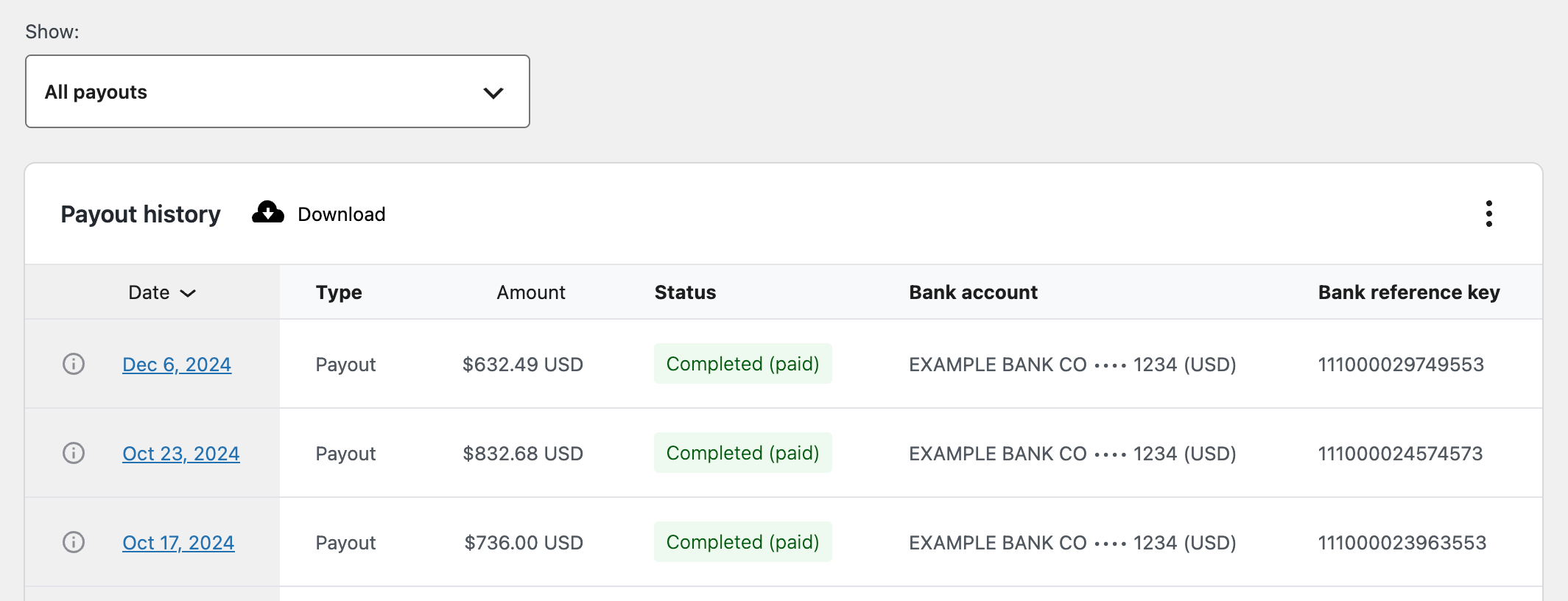
↑ Back to topIf you suspect that a payout is missing from your bank account, you can contact them and provide the bank reference ID to see if they can help find it. It may be best to wait 5 working days before doing this, since internal bank processes may face delays.
Instant payouts
↑ Back to topInstant payouts are a way of getting even faster access to your money. Our Instant Payouts guide provides an overview of the feature and who is eligible for instant payouts. Additionally, this page explains the differences between Instant Payouts and scheduled payouts.
Balance report
↑ Back to topAs of July 2026, WooPayments also provides a detailed breakdown of any activity that affected your account balance in a given time period. To learn more, including how to enable these reports, please see our Balance and fees reports document.