

Running your ecommerce business on a custom-built platform can make scaling with flexibility and control a real challenge. At some point, your current setup may start to limit growth — and that’s when it’s time to consider a change. If you’re ready to explore other options for scalability, you’re in the right place.
Whether you’re looking to achieve more stability, simplify custom workflows, or tack back control of costs and technical debt, WooCommerce has the flexibility to make it happen.
Changing ecommerce platforms can be a big step, but it’s worth the effort. And, we’re here to support you, should you need help while moving your products, customers, and orders to WooCommerce.
High-volume WooCommerce stores qualify for unique benefits like dedicated support and discounted extensions. Learn more about how our team can help your business grow.
Below, you’ll learn why WooCommerce is a great choice for your online store and how to seamlessly migrate from your custom build to WooCommerce.
What is WooCommerce?
↑ Back to topWooCommerce is an open-source ecommerce platform built specifically for WordPress. Powering 4.4+ million online stores, it includes everything needed to run an online business, like the ability to build customer accounts, implement custom checkout processes, and serve customers from around the world. There are nearly endless extensions available for any functionality you can imagine.
With WordPress and WooCommerce, site owners gain access to unparalleled ecommerce tools and integrations, alongside flexibility and customization.
Why choose WooCommerce over a custom build
↑ Back to topThere are a lot of reasons why WooCommerce is a better choice for businesses, no matter their size or industry.
If you’ve grown tired of the limitations, maintenance headaches, and hidden costs of your custom-built platform, you’re certainly not alone. Many growing businesses looking for a more flexible, scalable, and cost-effective solution choose WooCommerce.
Migrate to Woo and save
For a limited time, get up to six months of free hosting when you move to WooCommerce and see what it’s like to sell with no platform fees and 0% revenue share.

Let’s take a look at why so many successful brands are making the move to Woo:
1. Full ownership and control over your business
WooCommerce gives you full control over your website and tech stack without leaving you to build every update and integration. As an open source ecommerce platform, you have complete access to the source code and can customize it to unique business requirements.
Its established history in the industry also offers a global community of developers who constantly improve and support WooCommerce behind the scenes. You can create exactly the store you want, without limitations.
With WooCommerce, you have full control over:
Search engine optimization
While your search engine rankings are largely based on the work that you put into your site and content, WooCommerce allows you to edit every single aspect of your SEO, no matter how technical. This is just one great example of the flexibility that open source code provides.
WordPress was originally designed as a blogging platform, so content is always a priority. For ecommerce, this means optimizing product pages, categories, and all other site content to give your business the best chance of being found by consumers. The block editor makes it easy to enhance your page content with highly-engaging elements like images, videos, and media galleries — all by simply dragging and dropping them into place.

The block editor can also be used to build completely custom templates for every page on your website, ensuring your brand is present on every page of your website.
With WooCommerce, you get more than just an ecommerce platform. You get a content powerhouse that helps with search engine optimization, brand awareness, and conversion.
Payment gateway integrations
WooCommerce integrates with major payment solutions and also supports niche or local gateways, which can be essential for international stores or restricted goods like cannabis products.
Explore the payment gateway providers partnered with WooCommerce.
Or, choose WooPayments, a seamless solution that simplifies the entire process for you. Manage payments, disputes, deposits, and recurring revenue from the same place you handle the rest of your site. Reduce cart abandonment by accepting payments directly on your site, along with Apple Pay for one-click checkout.
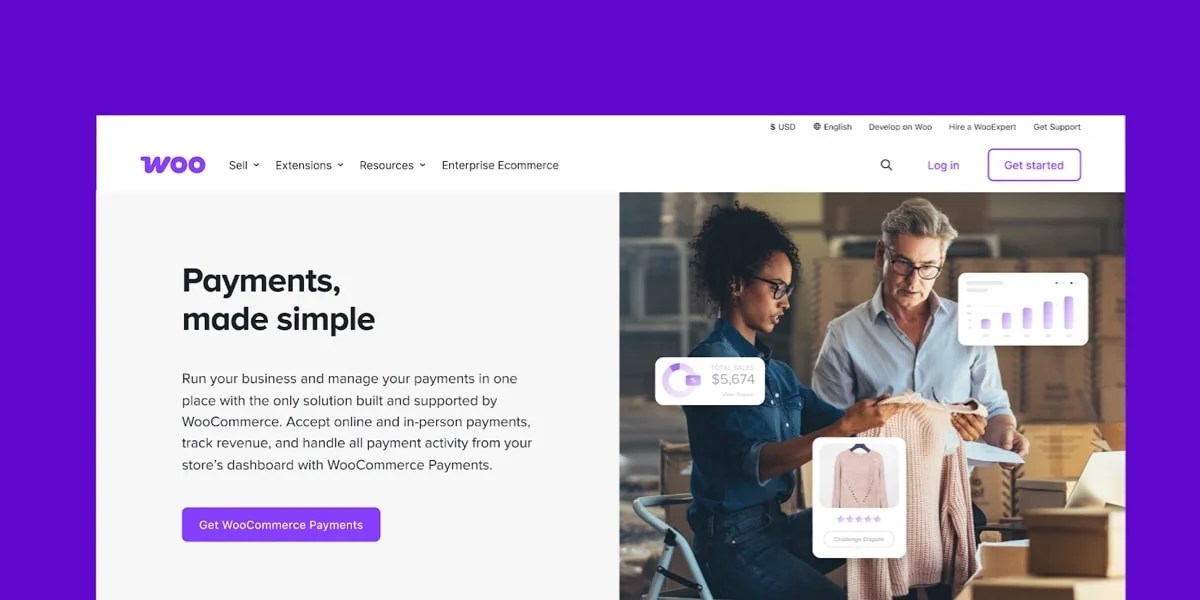
With WooPayments, you can take advantage of instant deposits, so revenue reaches your bank account within minutes — unlike some platforms that enforce a two-day minimum.
And WooCommerce never charges additional transaction fees for the use of third-party gateways.
After working hard to create fantastic products and attract new customers, the last thing you want is to shrink your profit margins. Even for small stores, the extra fees other platforms charge can add up to thousands of dollars in lost revenue.
Backups
With WooCommerce you own your customer data and have access to a variety of free tools to back it up along with your website design and settings.
Jetpack Backup is a great choice for businesses that can’t afford downtime or missed sales. It protects your store 24/7, saving all of your sales, changes, and content in real time so that, no matter what happens, you always have the latest copy available.
Plus, it stores your files separately from your website for extra protection and allows you to restore a backup in one click, even if you’re on the go, from the Jetpack mobile app.
It’s important to maintain as much control as possible so that you can make the best decisions for your business and customers. For example, when scaling your store, you may need to upgrade to a host that can handle more traffic, offer faster site speeds, or provide advanced security options. With WooCommerce, you can choose any hosting provider that fits your requirements and budget.
2. Limitless flexibility and customization options
One of the biggest benefits of WooCommerce is its flexibility. Both WordPress and WooCommerce are open-source software, which means that anyone can copy, modify, or change the source code however they’d like.
An open-source content management system, like WordPress, also means that there are endless customization options. Why? Because, with access to source code, developers can create custom plugins or themes to serve any number of specific functions.
Take Kellox, for example: Their agency team at Maksimer created a custom API integration between WooCommerce and their enterprise resource planning (ERP) software. The integration allows Kellox to deliver custom pricing and product recommendations on over 800,000 SKUs for their wholesale business.
With WooCommerce, flexibility comes standard: The WordPress plugin repository has more than 54,000 options that help with everything from design to functionality and marketing. WooCommerce stores can access an additional extension marketplace with over 800 add-ons built specifically for ecommerce.
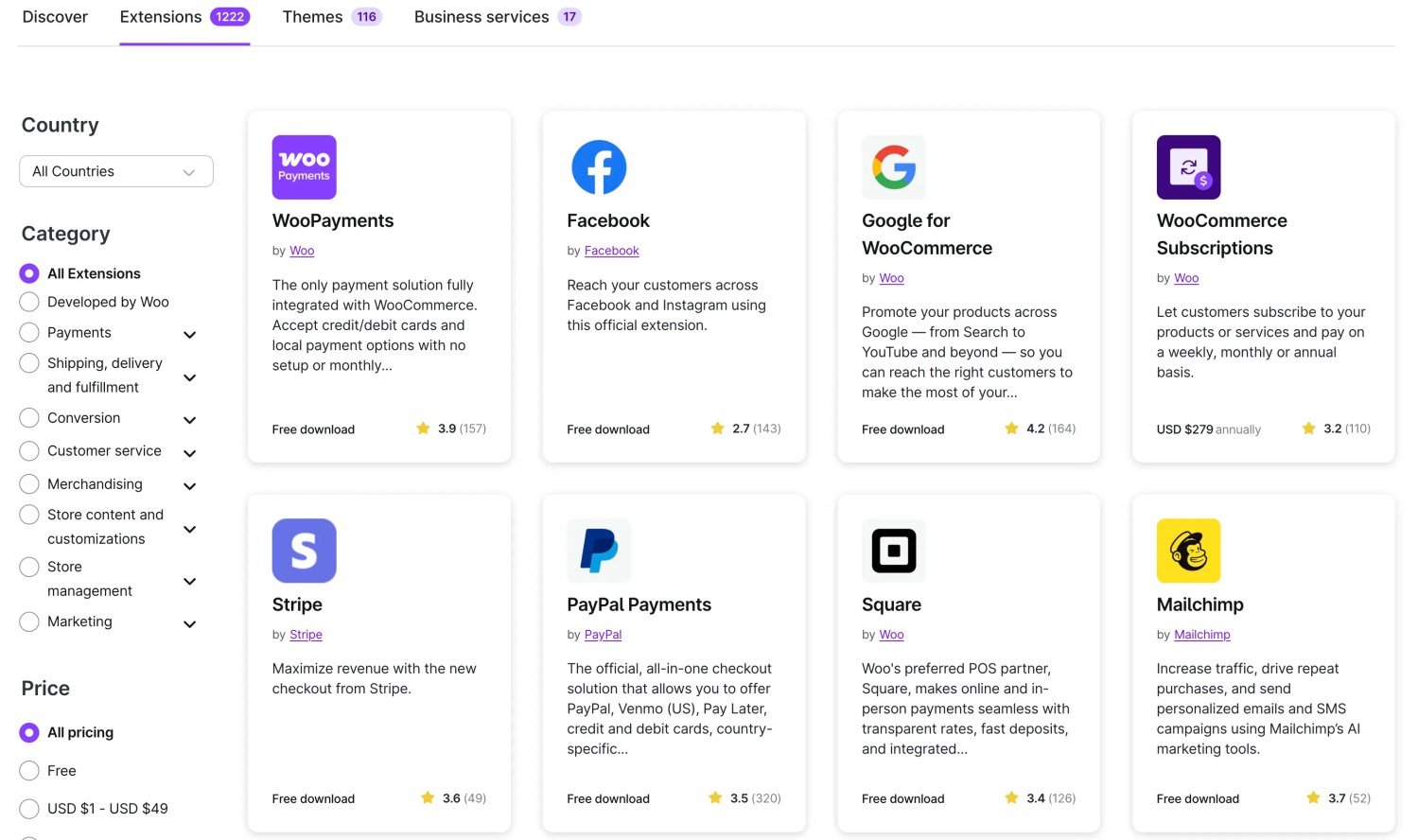
Don’t see a plugin or extension that meets your needs? You can hire a developer or agency to create custom functionality thanks to the WordPress REST API.
There are more than 80,000 freelance developers, creatives, and builders supporting merchants worldwide. Whether you need to bring on a contractor or full-scale development team, there’s always someone nearby and in your budget who’s able to help.
And if your products are complicated or unique, you can set up your WooCommerce store however you’d like. You can create something completely custom to accommodate absolutely any need.
For example, Universal Yums is a subscription food box business that involves complicated and time-sensitive importing and shipping processes. They took advantage of the open source nature of WooCommerce to custom code a labeling process for their boxes. Each variation is defined with availability dates, whether it contains perishable items, etc. so that Universal Yums can better identify expiring products.
They also added a custom shipping date selector to their checkout process that integrates with their warehouse, marketing, and tracking tools. And thanks, in part, to the endless flexibility of WooCommerce, they’ve successfully sold more than ten million boxes, with peak sales periods seeing up to 30 orders per minute — without their site crashing or buffering.
Ways to enhance your WooCommerce store:
- Accept deposits from your customers or offer payment plans.
- Allow shoppers to mix and match products.
- Sell your photographs online in a visually-pleasing way.
- Add, edit, and remove fields on the Checkout page.
- Offer product add-ons, like upgrades, gift wrapping, and customization.
Of course, you can also sell everything from products and services to downloads, subscriptions, memberships, and bookings.

Examples of businesses using WooCommerce:
- Dan-O’s Seasoning. A large seasoning business that sells with Woo, on channels like Walmart and Amazon, and in more than 40,000 retail locations.
- ScrubDaddy. A cleaning supplies company with a unique, smiley sponge (among other fun household goods).
- PHLearn. A membership program that gives subscribers access to a library of design templates and tutorials.
- Sticker Ninja. A company that sells fully custom stickers — material, shape, design, and quantity.
- It Gets Better Project. A nonprofit that sells physical products and accepts online donations.
When it comes to designing your ecommerce site, the block editor allows for fully custom design on landing pages, product page templates, checkout, blog posts, categories, and more.
The block editor offers a drag-and-drop interface, allowing your team to make quick edits to marketing and product pages without touching a line of code.
There are also endless website themes that range from customizable designs to drag-and-drop layouts for niche stores. Twenty-Twenty Five, for example, is the perfect blank slate for a bespoke development experience. Check out the WooCommerce Marketplace for an up-to-date list of supported themes — or, install your own.
No matter what functionality or design you need, no matter what industry you’re in, and no matter what your budget is, you’ll find a top-notch WordPress theme. After all, WordPress boasts thousands of free and premium themes.
With WooCommerce, your site design can be as simple or as complex as you’d like it to be.
Examples of WooCommerce stores with innovative designs:
- Entrepiedras Harina Selecta has a unique, grid-based design that feels very natural, like their flour.
- Cipher uses lots of movement and interactive scrolling to create a hyper-engaging experience.
- Wild Souls has bright colors, fun shapes, and interactive hover states that showcase their food.
- Mount Sapo has an interactive homepage design that catches the eye (and cursor) for a memorable experience.
3. Full control over cost of ownership
As open-source software, WordPress and WooCommerce are free to download and install with your hosting provider, which means your platform costs are customized according to the hosting and functionality your business needs. Alternatively, you can choose a managed hosting service, like WordPress.com or Pressable, who will take care of installs for you — allowing you to focus on the wide breadth of customization options available with WooCommerce.
You can choose any provider and mix and match tools at different usage tiers — such as subscriptions, bookings, marketing automation, and analytics — as the business grows. This flexibility prevents you from paying for functionality that you don’t use.
Read our WooCommerce pricing post for a clear idea of how much it costs to run a WooCommerce store.
4. Access to more (and better) shipping costs and tools
WooCommerce offers a free extension — WooCommerce Shipping — that allows for easy label printing from your dashboard and negotiated discounts with USPS and DHL. In addition, you can display real-time shipping rates on your WooCommerce store for only $9.00 per month.

Plus, you have many more shipping options with WooCommerce. Sync your store with any number of international shipping carriers, including niche providers. You can also create very intricate, conditional shipping prices based on everything from cart total and distance to individual item categories — or any combination of factors.
One of the biggest bonuses to note is that WooCommerce is all about supporting their community of business owners, from entrepreneurs to enterprises. Though the core platform is completely free, they still offer additional resources and tools at tiered costs, to ensure there’s software for every budget.
Whether you’re starting or scaling your ecommerce business, it’s important to allocate ecommerce overhead effectively. WooCommerce helps you invest your money in the areas that will grow your business and make it the most successful.
5. Unlimited variations
Product variations are the options offered to customers for each product. For example, if you sell T-shirts, you might offer red, blue, green, and yellow in sizes XS through 3XL. This combination of colors and sizes would create 28 variations.
Depending on your products, variations can quickly add up. After all, you want your customers to have the ability to choose exactly what they need.
Unlike some platforms that limit the number of variations per product, WooCommerce lets you offer as many variations as you need.
6. Access to a close-knit community and top-notch support
Using WooCommerce means that you’ve joined a community of people who want to learn and grow with you. Every year, hundreds of thousands of developers and business owners meet up virtually and in over 400 cities around the world.
Find out about WooCommerce meetups in your area.
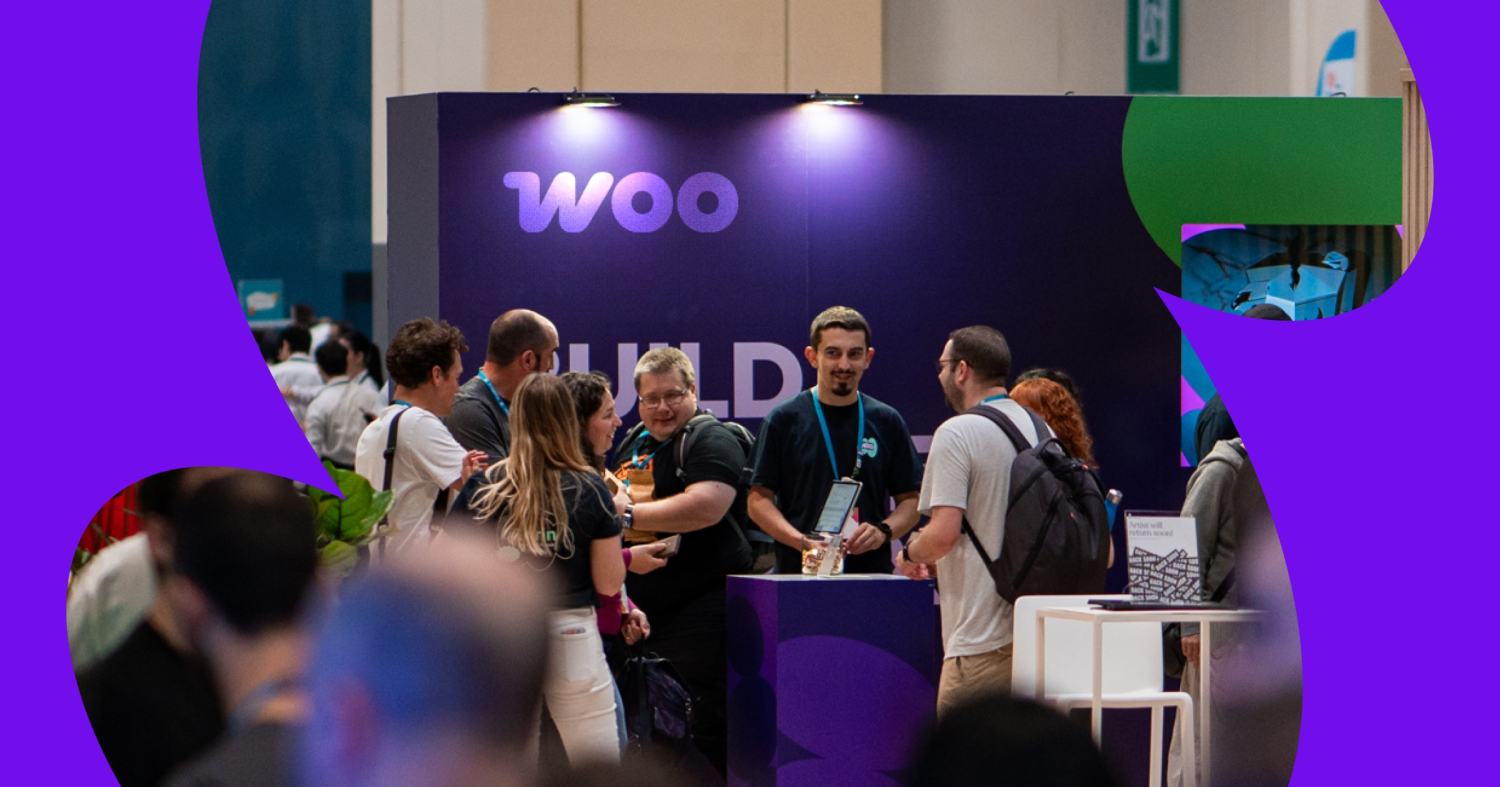
For each WordPress update, hundreds of people voluntarily contribute their time to WordPress core, simply because they’re passionate about creating great software that powers the web. There are frequent Contributor Days, both online and in person, where developers and users work together to constantly improve the platform.
This community is also behind the excellent support forums for both WordPress and WooCommerce. There, you can submit a question and get responses from a variety of perspectives. It doesn’t matter how basic or complicated your situation is; someone’s there to help you out!
WooCommerce offers several official options to get help with your store: free assistance for Woo-built products, premium support for complex issues, and business consulting for higher-volume merchants.
Need advanced help? Woo Agency Partners can assist with everything from small changes to full site builds and ongoing maintenance. They’re vetted by WooCommerce and are sorted by language, price, services offered, and more.
And if you have an enterprise-level store, Woo Enterprise is for you. With this program, high-volume businesses can take advantage of a dedicated customer support manager, migration assistance, priority support, and discount hosting. And that’s in addition to all the other great options WooCommerce offers to help you scale.
No matter the size of your store, WordPress is all about community over competition — they all want one another to succeed. So welcome to the WordPress family. You’ll love it here!
How to migrate to WooCommerce
↑ Back to topIf you want to move your online business to WooCommerce, don’t worry — the process is straightforward and you have several options. After all, you want to import customer data and orders without losing anything, and you want the process to be as easy and seamless as possible. Let’s dive in.
First, determine the level of support your business will need. If you run a high-volume business but have limited developer support, we recommend connecting with the Woo team to get matched with an agency expert tailored to your business.
If you’re ready to manage this migration in house, you’ll want to start by choosing a hosting plan, installing WordPress, and setting up WooCommerce. If you don’t have a development team or agency on staff but still want to manage the migration, you can learn how to do this in our getting started guide.
It’s important to note that none of the methods below recreate your current store design and content. However, many free and premium themes are available to help you build anything that you want.
There are a few ways that you can migrate your store to WooCommerce safely and securely: manually, with a developer, or with an extension (don’t worry — there’s a free demo migration!).
Let’s take a closer look at each one.
1. Woo Enterprise
As we mentioned a moment ago, Woo Enterprise is a service for enterprise ecommerce stores. In addition to powerful features like a customer success manager and priority support, it includes store migration assistance.
A dedicated team member will help with both data migration and setting up your store with a block theme so you can easily make customizations from there. This is the perfect way to get started with WooCommerce seamlessly, without having to worry about downtime or losing data.
2. Hire a certified agency
For any high-volume business without an in-house development team, an agency-supported migration is one of the best choices.
We’ve put together a database of Woo Agency Partners, all of whom are hand-selected, high-quality developers that work with WooCommerce regularly. You can filter by country and view a profile for each expert, where you’ll find samples of their work and information about their pricing and experience.
This is an excellent option, as these developers can help with everything — they can export data, migrate data, and recreate your online store on WooCommerce. Or, they can create a completely new design unique to your business and brand.
3. Manual import/export
If you prefer a hands-on approach, WooCommerce includes built-in tools that let you migrate your products and other store data for free. This method assumes your WooCommerce store is already set up — if not, you can follow the steps in our getting started guide to handle hosting, WordPress installation, and WooCommerce setup.
How to manually import your products into WooCommerce

- Export and download your product data from your website (using your platform’s exporter tool). You’ll need this export file on hand to import data into WooCommerce.
- In your store’s WP Admin dashboard, navigate to WooCommerce > Products.
- Select Import at the top. There, you’ll find a built-in product CSV importer that will make the process easier.
- Click Choose File and select which of the CSV files you want to import. Click Continue.
- You’ll see the Column Mapping screen, where WooCommerce automatically attempts to match the column name of your generated CSV file to WooCommerce product fields. You may need to map some of these on your own; do so using the dropdown menus to the right of each row.
Select Run the Importer and wait until the process is finished.
Want to migrate everything at once?
If you’d also like to perform all-in-one data migration to WooCommerce — such as customers, orders, subscriptions, coupons, tags, and reviews — we recommend using the Import Export Suite for WooCommerce extension. It’s a migration tool that allows you to bulk import WooCommerce products (all product types), product reviews, product categories, product tags, orders, coupons, subscriptions, and customers.
Start the WooCommerce migration process
↑ Back to topReady to move to a platform that can support your long-term growth and improve the experience for you and your customers?
Whether you migrate your site and import products yourself, hire an expert, or use an extension, you can quickly and efficiently move your store to WooCommerce. It’s a good choice that your new and existing customers (and your wallet) will appreciate.
And if you’ve already finished the WooCommerce migration process, welcome! We’re excited to help you grow your new WooCommerce store and provide a seamless experience for your customers.
View the full WooCommerce feature list or explore our documentation.
Migrate to Woo and save
For a limited time, get up to six months of free hosting when you move to WooCommerce and see what it’s like to sell with no platform fees and 0% revenue share.

About