
Active installs
2K+
Product comparison
Subscription includes
Support
Sell to customers worldwide — in their own currency. Multi-Currency automatically converts your WooCommerce prices using live exchange rates, so shoppers see familiar pricing and you get more sales.
Exchange rates are updated automatically from your chosen provider. A free account with one of the supported
services is all you need to get started.
We’ve tested Multi-Currency with many themes, plugins, and WooCommerce extensions — but we can’t cover every combination.
Please check the Compatibility and Integration documentation. If you notice any issue, contact us with details and screenshots — we’ll do our best to help!
| TIV Admin Tools | A set of utilities for WooCommerce shop owners, administrators, and developers to secure, tune, and debug their store. |
| TIV Globus | Makes WooCommerce multilingual – translate product descriptions, categories, attributes, and tags. |
| TIV Multi-currency | Lets customers pay in the currency of their choice. |
| TIV Paywall | Enables the monetization of various types of content, including videos, documents, etc., by allowing the sale of access to it. |
| TIV Sales Assistant | Manage store-wide sales from one place – schedule discounts by category, tag, and country instead of editing products one by one. |
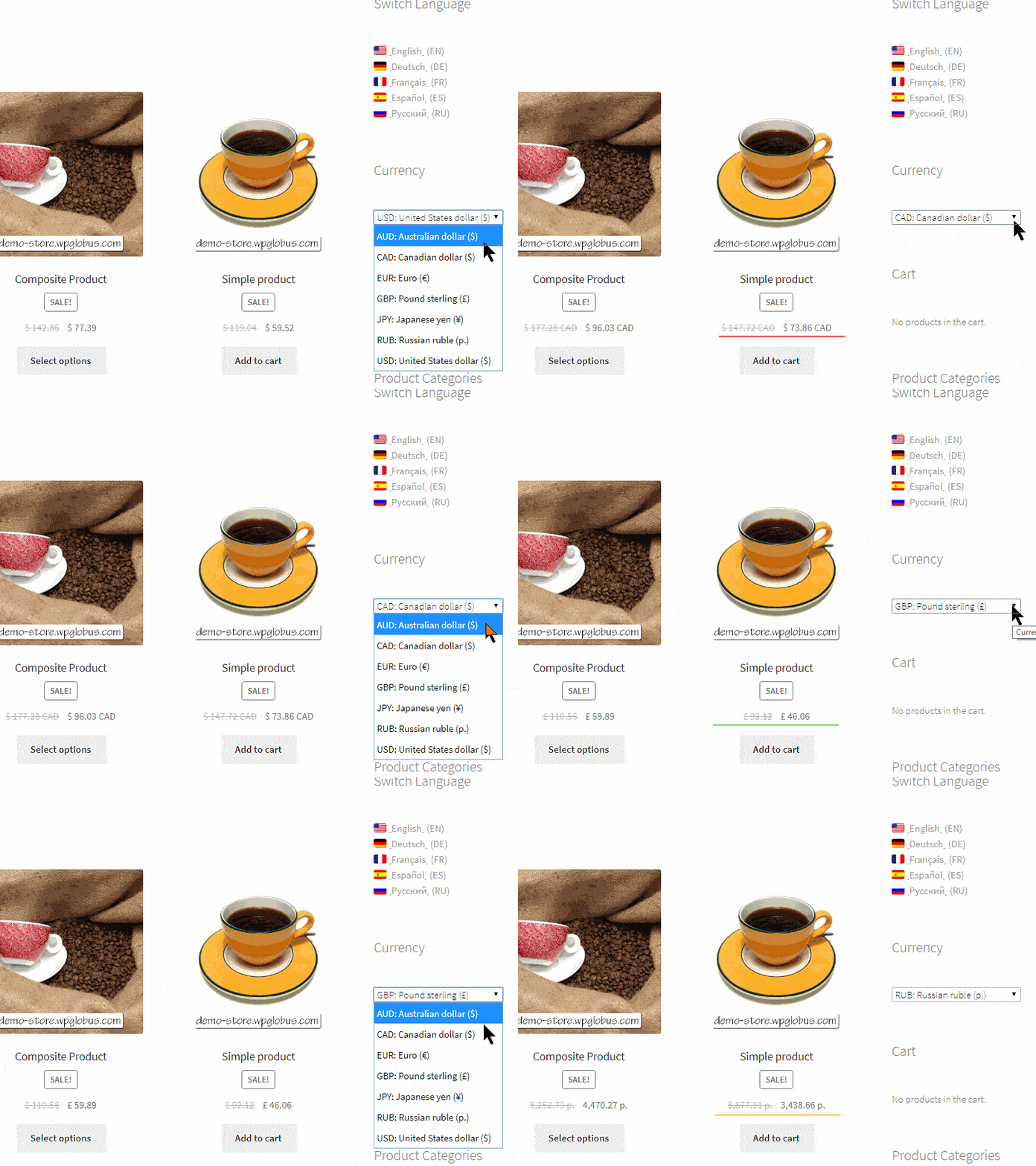
They can switch currency at any time using a switcher widget or a menu item you add to your store. Multi-currency can also detect a visitor's country automatically and show the matching currency on their first visit.
Rates are fetched automatically from the provider you choose. A free account with one of the supported services is all you need. They refresh on a schedule, so your prices stay current without any manual work.
Products, cart, checkout, and the order total are all shown and calculated in the selected currency, and the order is placed in that currency. The final charge is handled by your payment gateway, so the customer is billed in the selected currency whenever the gateway supports it.
Yes. You can set a specific price for a product in any currency - handy for round numbers or market-specific pricing. Where you do not set a custom price, the base price is converted automatically using the current exchange rate.
Yes. Multi-currency integrates with the popular page-caching plugins - WP Rocket, WP Super Cache, W3 Total Cache, Jetpack Boost, Hummingbird, WP-Optimize, and more - so each visitor sees cached pages in their own currency, never the currency saved for an earlier visitor.
Yes. You can link each site language to a currency, so the currency follows the visitor's language - for example euros for French and dollars for English. This works together with the TIV Globus multilingual plugin. Shoppers can still switch currency manually at any time.
Any currency that WooCommerce supports can be added, while your base prices stay in the store's default currency. Multi-currency is also tested with 15+ WooCommerce extensions, including Subscriptions, Bookings, Product Add-ons, and Name Your Price, and it supports WooCommerce HPOS (High-Performance Order Storage).
Yes. You can round converted prices to friendly numbers such as 9.99 or 9.95, and add a markup or fee on top of the exchange rate to cover conversion costs.
Categories
Extension information
Quality Checks
Works with
Countries
Requirements