Active installs
1K+
Subscription includes
Support
A visitor lands on your store from Berlin, Lagos, or São Paulo, and the first thing they see is a price in a currency that isn’t theirs. That tiny moment of friction is enough to make them bounce.
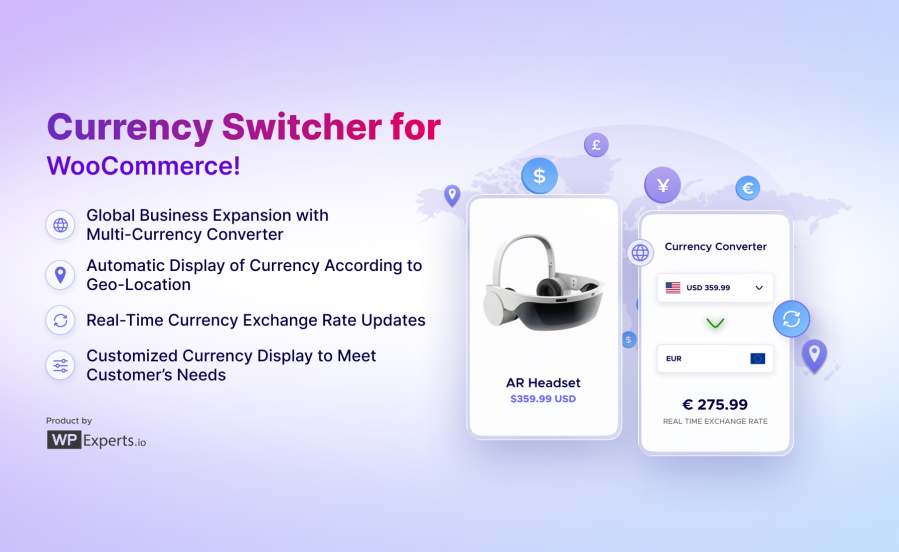
Our WooCommerce Currency Switcher plugin removes that friction completely. It’s the all-in-one multi-currency switcher plugin that detects where your customers are and shows prices in their local currency from the first click. Its multi-currency converter widget supports 190+ currencies, with live exchange rates and no coding required.
Choose the best WooCommerce currency converter plugin and let your customers pay in their currency at checkout.
Expand your global reach with the auto multi-currency switcher system for your WooCommerce store. Our WooCommerce currency switcher automatically displays prices in your customers’ local currencies and provides a convenient widget for quick browsing.
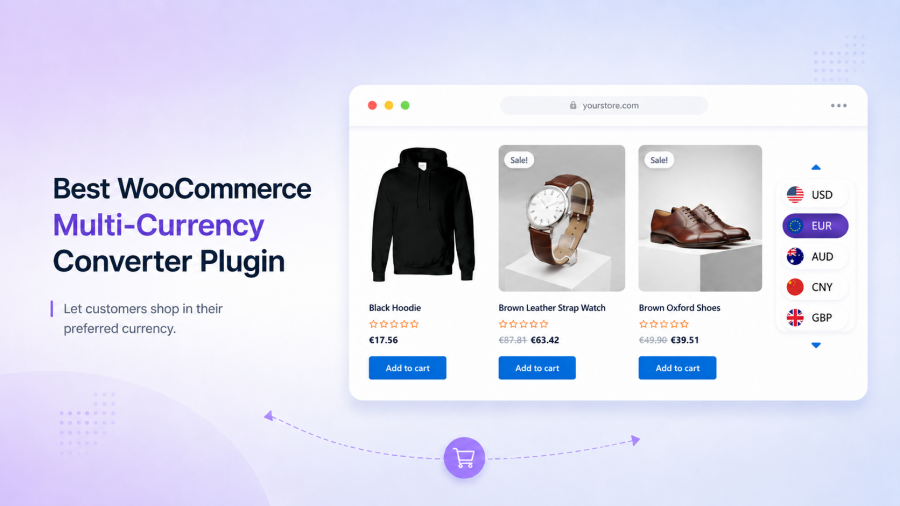
Our WooCommerce multi-currency converter plugin is packed with powerful features to enhance your store’s global reach and customer experience.
| Feature | What it does |
| 190+ currencies | Serve customers from virtually any market worldwide |
| Live API exchange rates | Keep conversions accurate with automatic real-time updates |
| Fixed manual rates | Lock in stable, predictable pricing on your schedule |
| Scheduled rate updates | Refresh rates hourly, daily, or weekly automatically |
| Geo-location detection | Show local currency based on the visitor’s IP address |
| MaxMind integration | Enhanced accuracy for automatic currency display |
| Pay in selected currency | Charge customers in the currency they actually chose |
| Checkout currency switch | Auto-switch by billing or shipping country |
| Multi-zone pricing | Set custom rates for specific regions or countries |
| Per-currency product pricing | Override conversion with exact strategic prices |
| Product-based zone pricing | Customize individual product rates per zone |
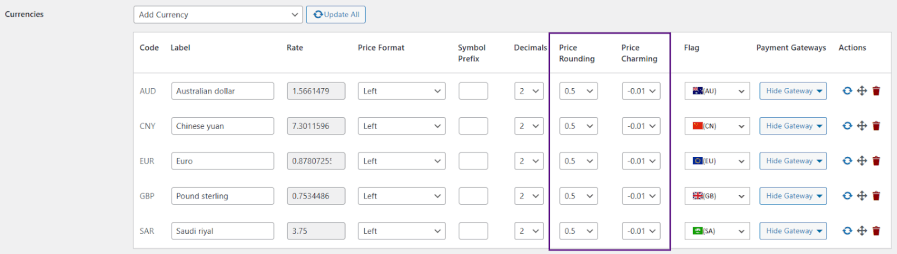
| Price rounding | Display clean, professional converted amounts |
| Price charming | Apply .99 / .95 psychological pricing automatically |
| Hide payment gateways | Show only relevant payment options per currency |
| Currency flags | Help shoppers identify currencies visually |
| Sticky switcher | Keep currency options visible while scrolling |
| Converter widget placement | Add a multi-currency switcher widget anywhere in WooCommerce |
| Currency display type | Show symbols (£) or ISO codes (GBP) |
| Product page switcher | Let shoppers compare currencies before buying |
| Order sync for Analytics | Report all sales in your base currency |
Support customers from around the world by adding any combination of the 190+ available currencies. From major currencies like USD, EUR, GBP, and JPY to regional currencies across Africa, Asia, Latin America, and beyond, you can customize your store to serve any market.
Adding currencies is straightforward through the intuitive dashboard. For each currency, you can customize the display name, symbol, position, thousands separator, decimal separator, and number of decimal places. Supporting multiple currencies transforms your store from a local shop into a global marketplace, making international customers feel welcome.
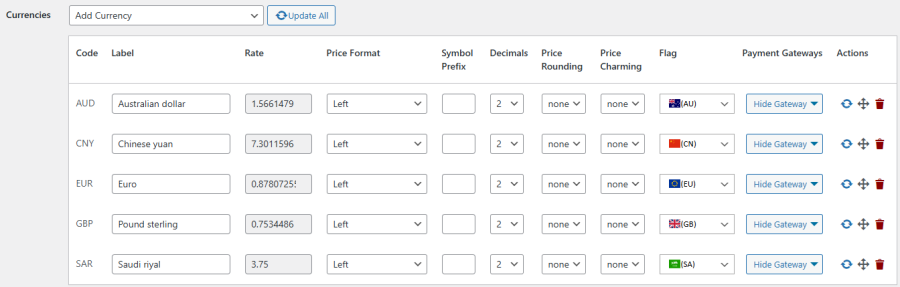
Choose the exchange rate management approach that works best for your business. Currency Switcher supports two flexible options to keep your pricing accurate and competitive.

1. Fixed Exchange Rate: Set manual exchange rates that remain consistent regardless of market fluctuations. This option gives you complete pricing stability, perfect for businesses that need predictable margins or have negotiated specific currency rates with payment processors. Update rates on your own schedule when market conditions warrant changes.
2. API Exchange Rate: Connect to leading exchange rate providers for automatic updates at intervals you define. Currency Switcher integrates with multiple trusted sources:
Schedule updates hourly, daily, or weekly based on your needs. Rates update automatically in the background, ensuring customers always see current conversions without any manual intervention.
Give customers easy access to currency options through flexible placement options that work with any theme or layout. Currency Switcher can appear wherever your customers need it most.
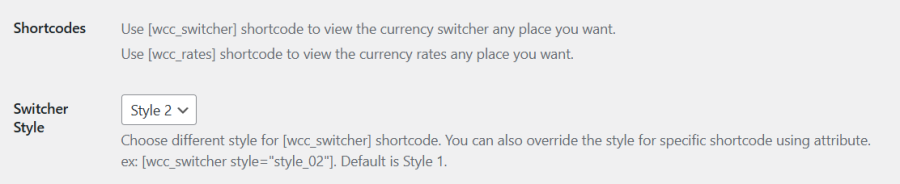
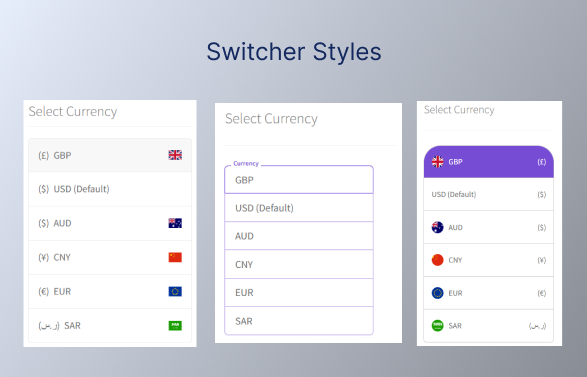
Choose the placement strategy that works best for your store’s layout and customer behavior patterns. You can even use multiple placement options simultaneously if your store benefits from redundant access points.
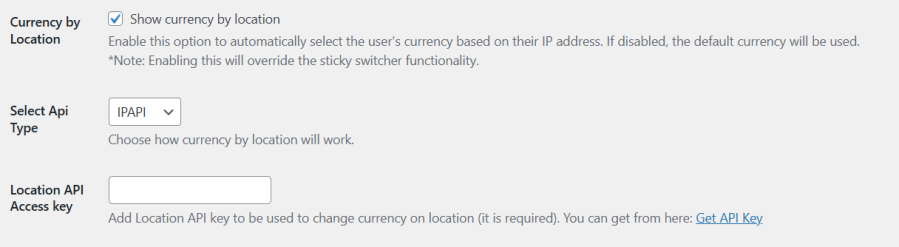
Deliver an instantly personalized experience by automatically detecting visitor locations and displaying their local currency from the moment they arrive. Using Geo-Location IP detection, this Currency converter identifies where your customers are browsing from and immediately shows prices in the appropriate currency.
This powerful WooCommerce currency automation system eliminates the first barrier to international sales—customers don’t need to search for a currency switcher or manually select their currency. They see familiar pricing instantly, creating an immediate sense of welcome and reducing the load that causes international visitors to bounce.
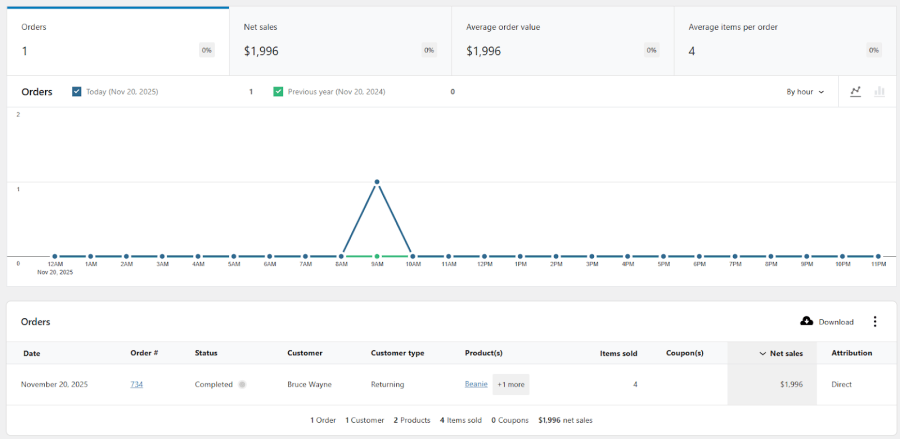
Maintain accurate revenue reporting across all currencies with automatic order synchronization. When customers purchase in different currencies, Currency Switcher automatically converts all orders to your store’s base currency for WooCommerce Analytics.
This essential feature ensures your sales reports, revenue tracking, and performance metrics remain accurate regardless of how many currencies you support.
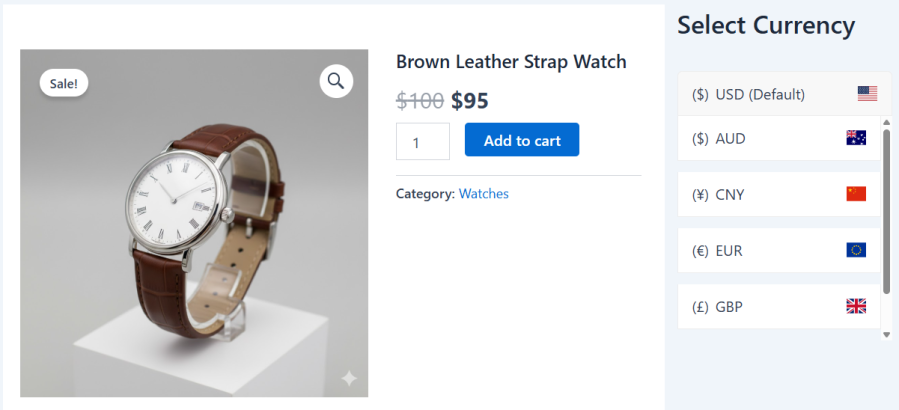
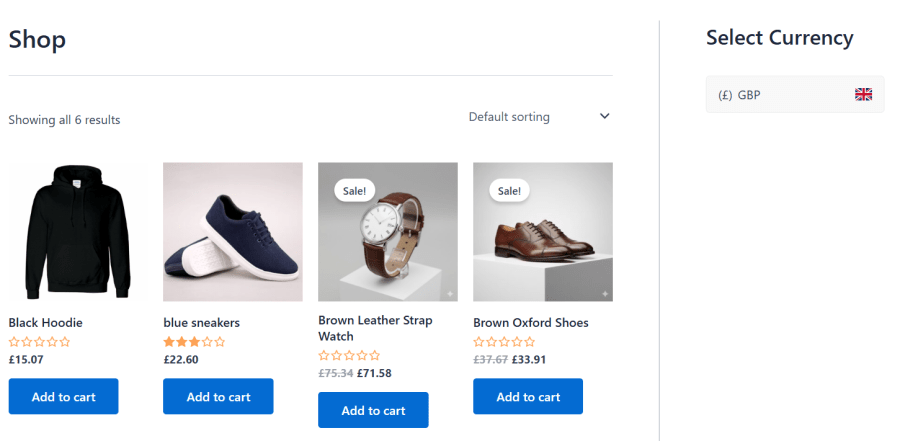
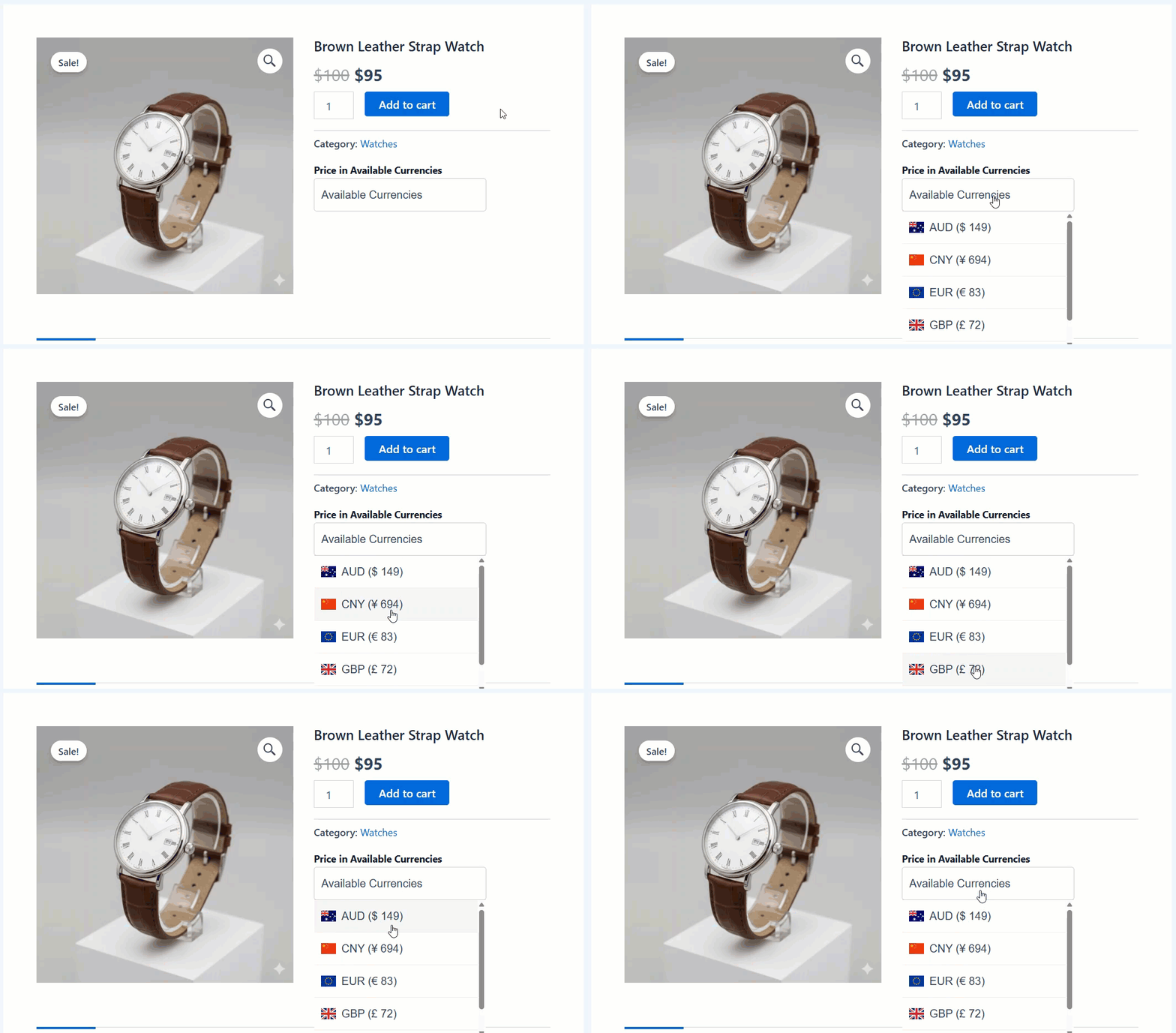
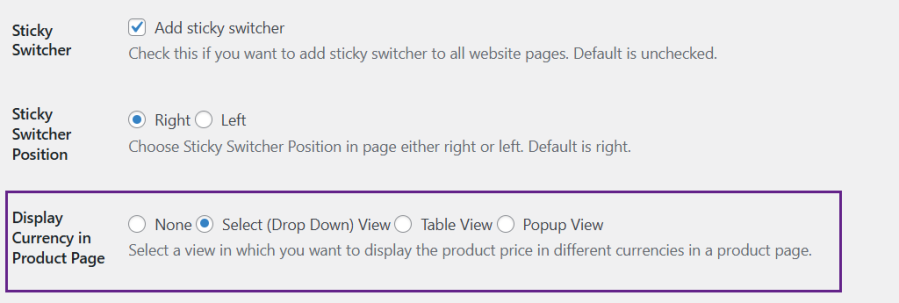
Offer a currency switcher widget directly on product pages to enable customers to compare prices across currencies. The Currency Converter for WooCommerce plugin ensures transparency and helps international shoppers make confident purchasing decisions before adding items to their cart.
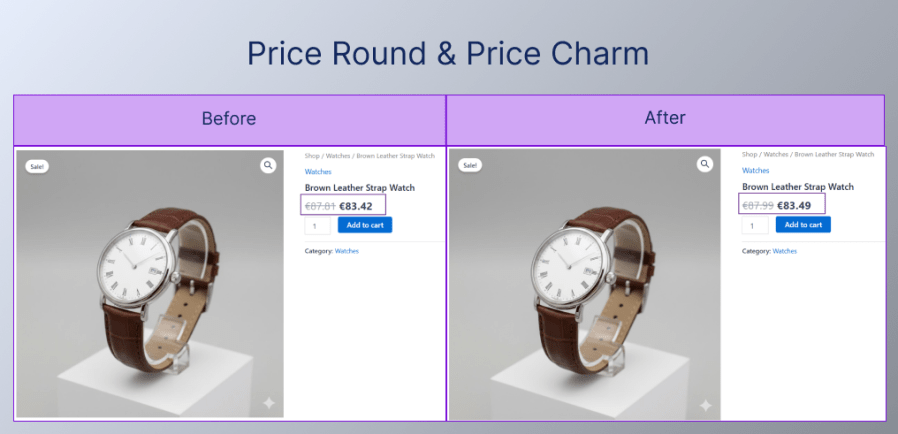
Present clean, psychologically appealing prices with automatic rounding and price charming features. When automatic currency conversion creates prices like €47.23 or £89.67, these tools help you present more professional and persuasive amounts.
Together, these features ensure your converted prices look intentional and professional rather than mechanically calculated, while leveraging pricing psychology to encourage purchases across all your currency options.
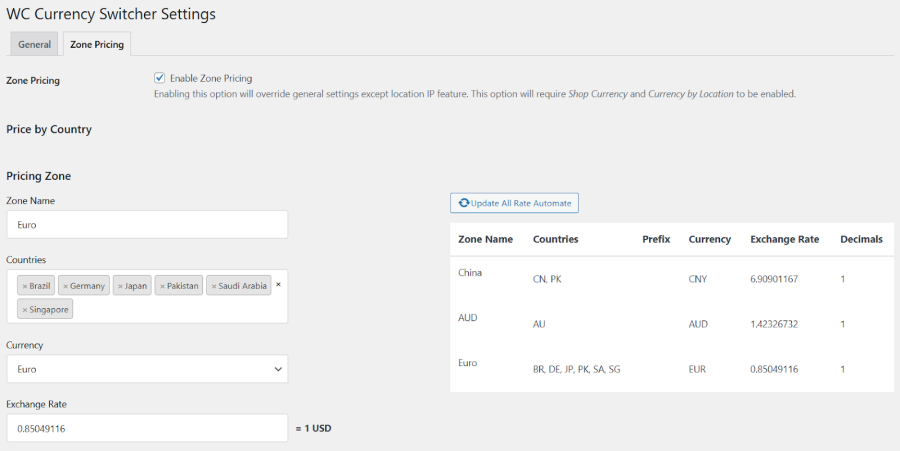
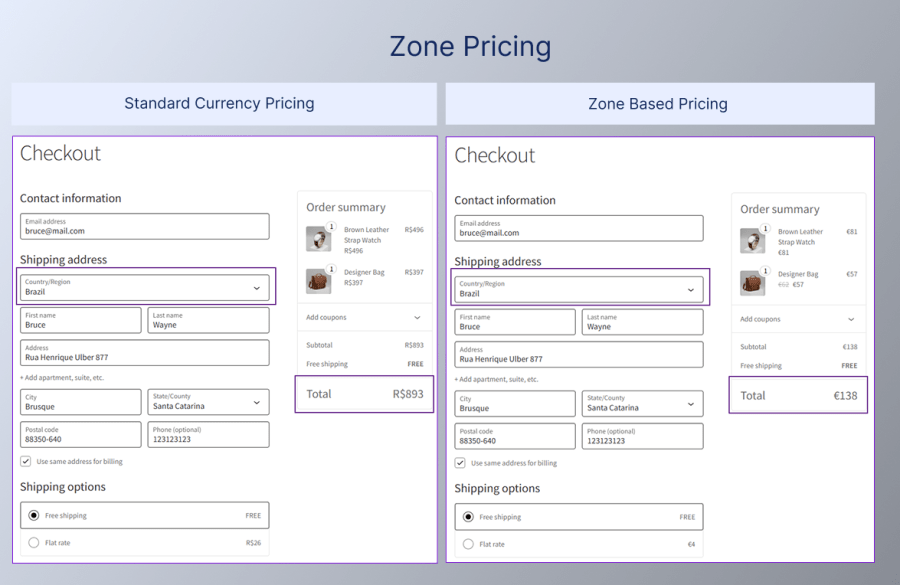
Create sophisticated regional pricing strategies with zone-based pricing rules. Define pricing zones for specific countries or regions, assign currencies to each zone, and set custom exchange rates that reflect local market conditions. Zone pricing lets you optimize for different markets strategically.
Price products competitively in price-sensitive markets, maintain premium positioning in high-value markets, and adjust for local competition—all from a centralized dashboard. Each zone can have its own exchange rate that overrides the standard conversion rate, giving you surgical control over pricing by geography.
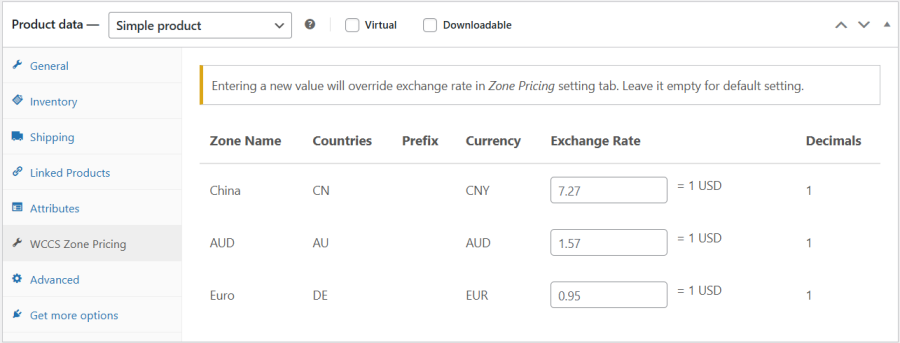
Override zone exchange rates for individual products, giving you product-level pricing control within zones. Perfect for adjusting margins on premium items or creating competitive pricing for specific products in particular markets without affecting zone-wide rates.
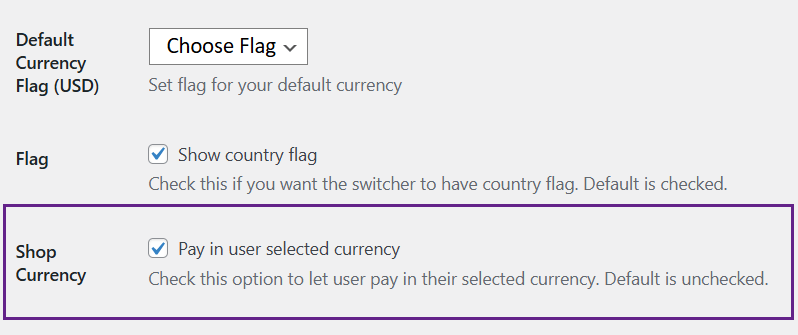
Go beyond displaying converted prices—let customers complete their entire purchase in their chosen currency. When enabled, customers can select their preferred currency and pay in that currency at checkout, not just view converted prices.
The pay in user-selected currency feature creates a fully localized shopping experience. The currency customers see on product pages is the same currency they pay with, eliminating confusion and unexpected conversions. There are no surprises about final costs or concerns about currency conversion fees from their bank.
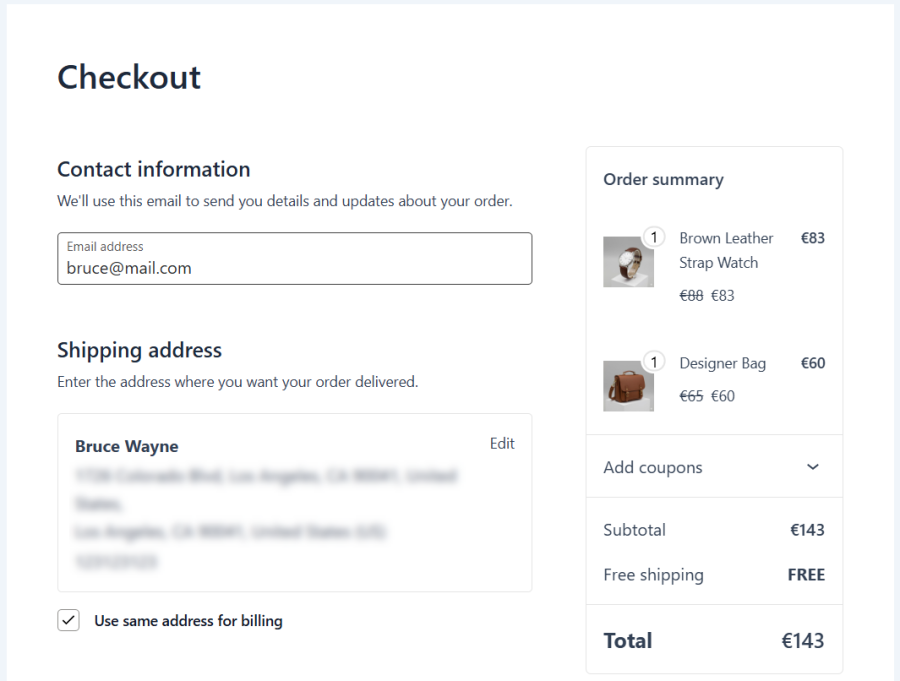
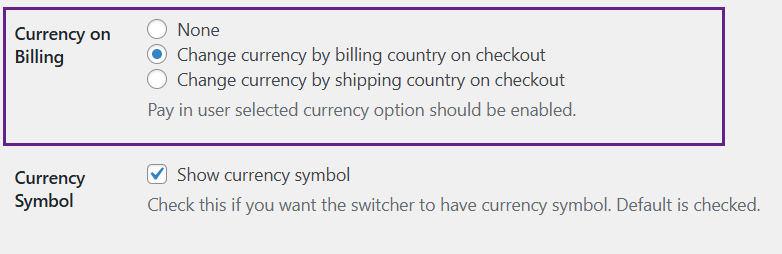
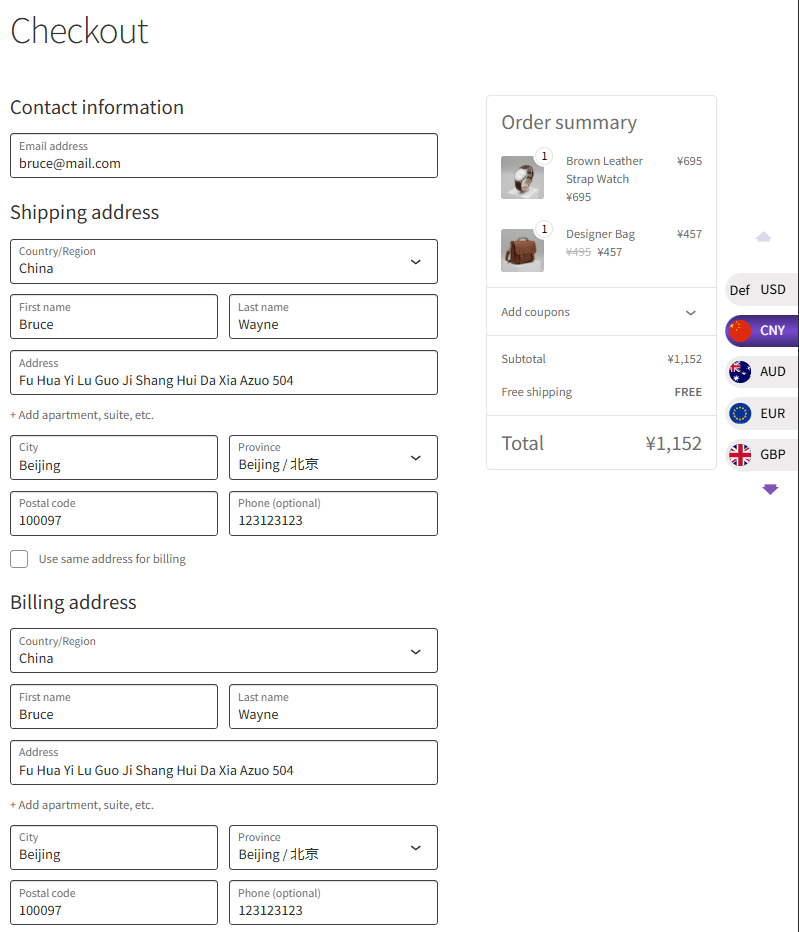
Eliminate checkout confusion with intelligent currency detection during purchase. As customers enter their address information, Currency Switcher intelligently switches to the appropriate currency for their location.
This smart automation ensures customers see prices in their local currency at the moment of purchase decision, even if they browsed your store in a different currency initially. It reduces checkout abandonment by eliminating currency confusion at the critical moment when customers are ready to pay.
This WooCommerce money converter plugin is purpose-built for any store selling beyond its home market. If your traffic crosses borders, this is for you.
| Business Type | How They Use Currency Switcher |
| International Retail Stores | Automatic currency localization and zone pricing for every market. |
| B2B & Wholesale Businesses | Local-currency options for distributors and corporate buyers. |
| Course Creators & Digital Sellers | Localized course pricing that hits optimal price points globally. |
| Booking & Reservation Services | Localized rates for hotels and tours, with booking compatibility. |
| Subscription Businesses | Consistent local-currency billing for recurring products. |
| Multilingual & WPML Sites | Multi-currency paired with multilingual content for full localization. |
| Agencies & Developers | Developer-friendly hooks and filters for clean custom integrations. |
Any store with international visitors can use Currency Switcher to expand reach, reduce bounce, and grow cross-border revenue, all from one dashboard.
Setting up this WooCommerce multi-currency converter plugin doesn’t have to be complicated. Here’s how our WooCommerce currency converter plugin makes it simple:
Our currency converter for WooCommerce integrates smoothly with popular WooCommerce extensions and plugins:
| Plugin | What It Adds to Your Store |
| WooCommerce Bookings | Localized pricing for bookable services, with details carried into orders. |
| WooCommerce Subscriptions | Consistent local-currency pricing across recurring billing cycles. |
| WooCommerce Product Add-ons | Accurate conversion across every product option and add-on. |
| Donation for WooCommerce | Let donors give in their preferred currency. |
| Wholesale for WooCommerce | Combines wholesale pricing with multi-currency for B2B buyers. |
| Most WooCommerce Themes | Adapts to your styling automatically with no code changes required. |
Every day without multi-currency support, you’re losing sales to international competitors who provide localized pricing. Currency Switcher for WooCommerce transforms your store into a global marketplace in minutes, not months.
Join thousands of WooCommerce stores using Currency Switcher to serve international customers with confidence. Your global expansion starts today.
After installing the Currency Switcher for WooCommerce, go to WooCommerce → WCCS Settings. From there, you can add multiple currencies, configure labels, exchange rates, display formats, and flags, all from a centralized and user-friendly dashboard.
Yes. Our WooCommerce multi-currency plugin allows customers to complete their purchases in their chosen currency. When the Shop Currency option is enabled, and the selected payment gateway supports that currency. It ensures a smooth, transparent checkout experience.
Yes. With Multi-Zone Pricing feature in this WooCommerce currency plugin, you can create pricing zones for specific countries or regions, assign currencies, and define custom exchange rates to tailor pricing strategies based on regional market conditions.
The multi currency switcher for woocommerce plugin uses IP-based geolocation through services like Ipapi or MaxMind to detect a visitor’s location and automatically display prices in the appropriate local currency when the feature is enabled and properly configured.
In this WooCommerce currency switcher plugin, exchange rates are updated automatically at predefined intervals—hourly, daily, or weekly—depending on your settings. You can also use fixed rates if you prefer full manual control over currency conversions.
No. All orders placed in different currencies are automatically converted to your store’s base currency and synced with WooCommerce Analytics, ensuring accurate revenue tracking, reporting, and performance analysis across all currencies.
You can display the currency switcher in navigation menus, widgets, product pages, or as a sticky floating switcher. Multiple layout styles are available, allowing you to match the switcher placement and design to your store’s layout.
Categories
Extension information
Quality Checks
Works with
Compatibility
Countries
Languages
Requirements