

Active installs
100+
Subscription includes
Support
Phone Number Validation for WooCommerce adds a country flag and dial code selector to your checkout phone field and checks each number against that country’s numbering rules as the customer types. Valid numbers are saved in E.164 format, like +14155552671, so your couriers, SMS tools, and staff all work from the same clean number. On the admin side, you get one-click Call, WhatsApp, SMS, and Copy buttons on every order, phone numbers in your order emails, and a warning when the same number turns up on orders from different customers.
It works on the classic checkout and the Checkout block, and it’s built for stores that ship to real people who need to be reached.
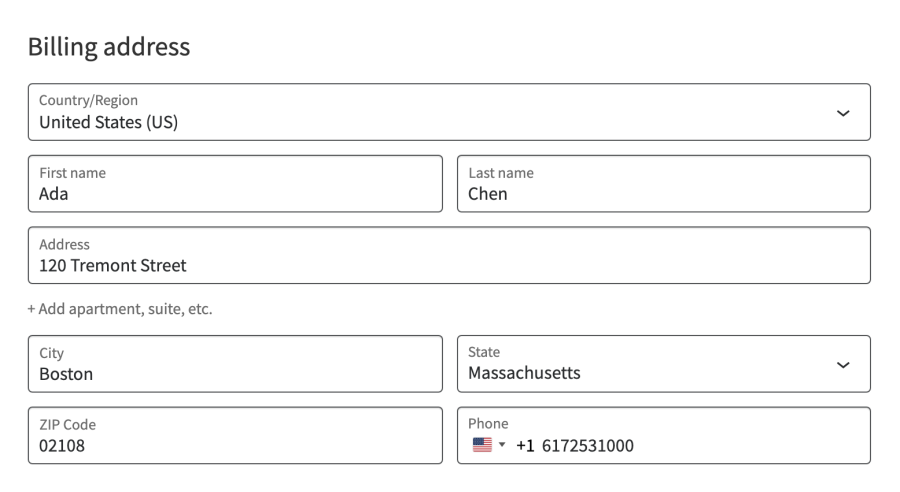
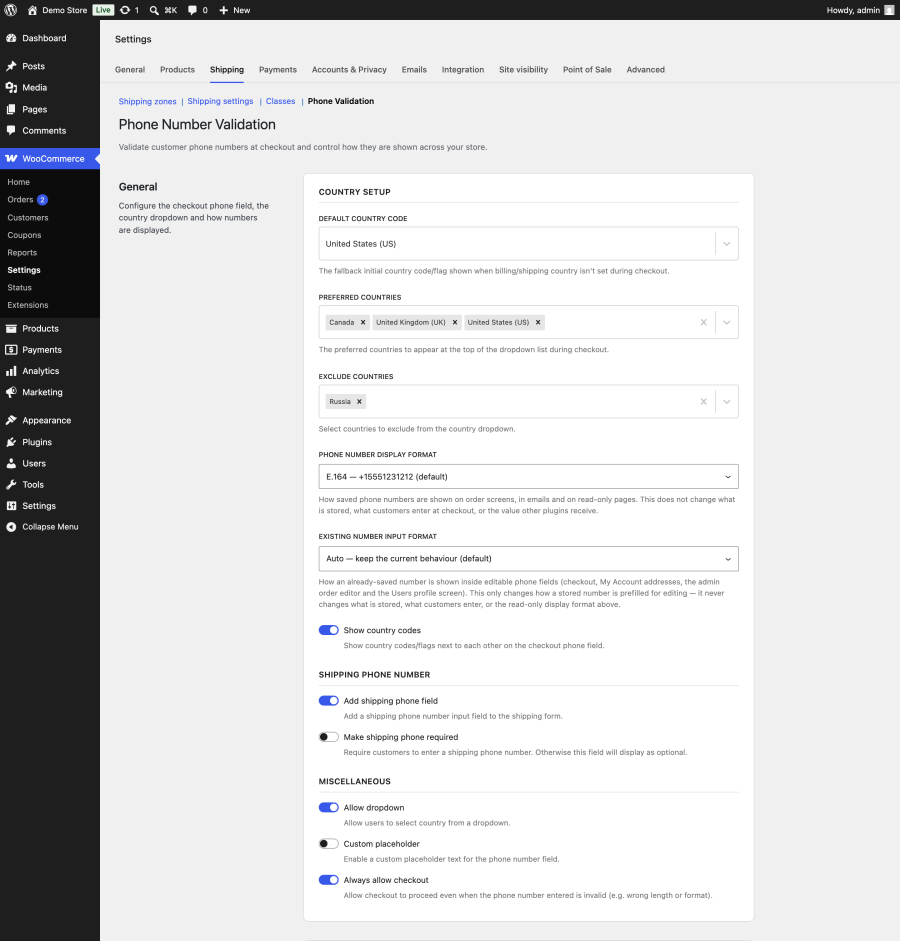
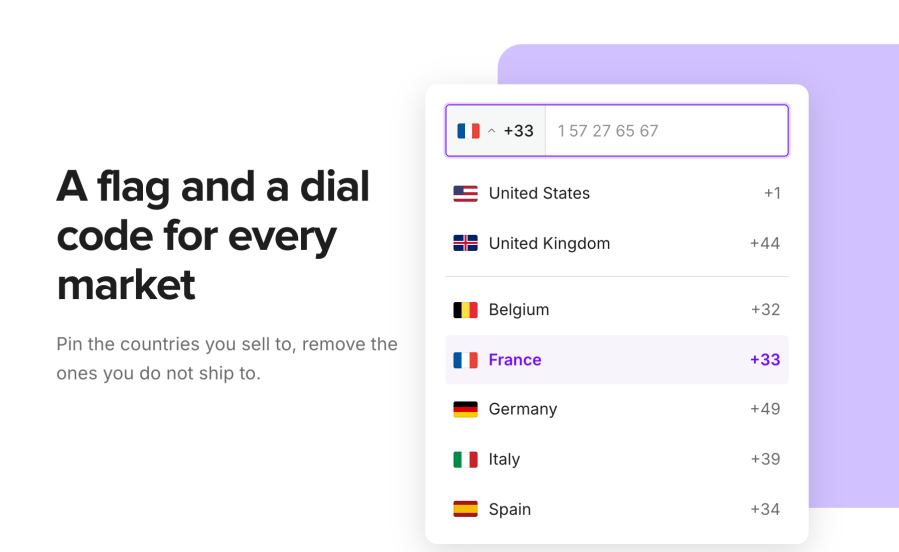
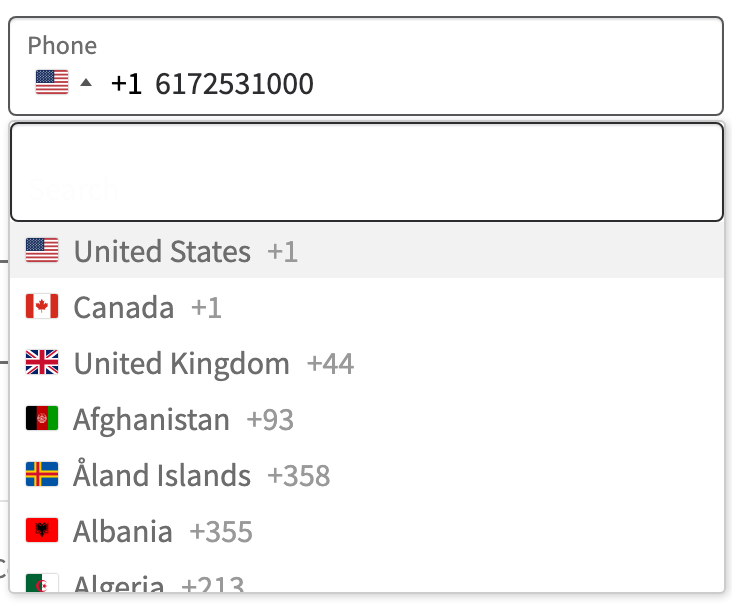
Customers pick their country from a flag dropdown and type their local number. The field starts on the country from the customer’s saved billing address, or on a default country you choose. You can pin your main markets to the top of the list, remove countries you don’t serve, hide the dropdown entirely for single-country stores, and replace the example placeholder with your own text.
The same field appears on the My Account address forms, so returning customers keep their numbers valid when they update an address
By default, customers see a validation message but can still place the order, so a typo never costs you a sale. Turn off Always allow checkout and invalid numbers stop the order: the classic checkout shows an error notice, and on the Checkout block the Place Order button stays disabled until the number is fixed. The same rule applies when customers save an address in My Account. 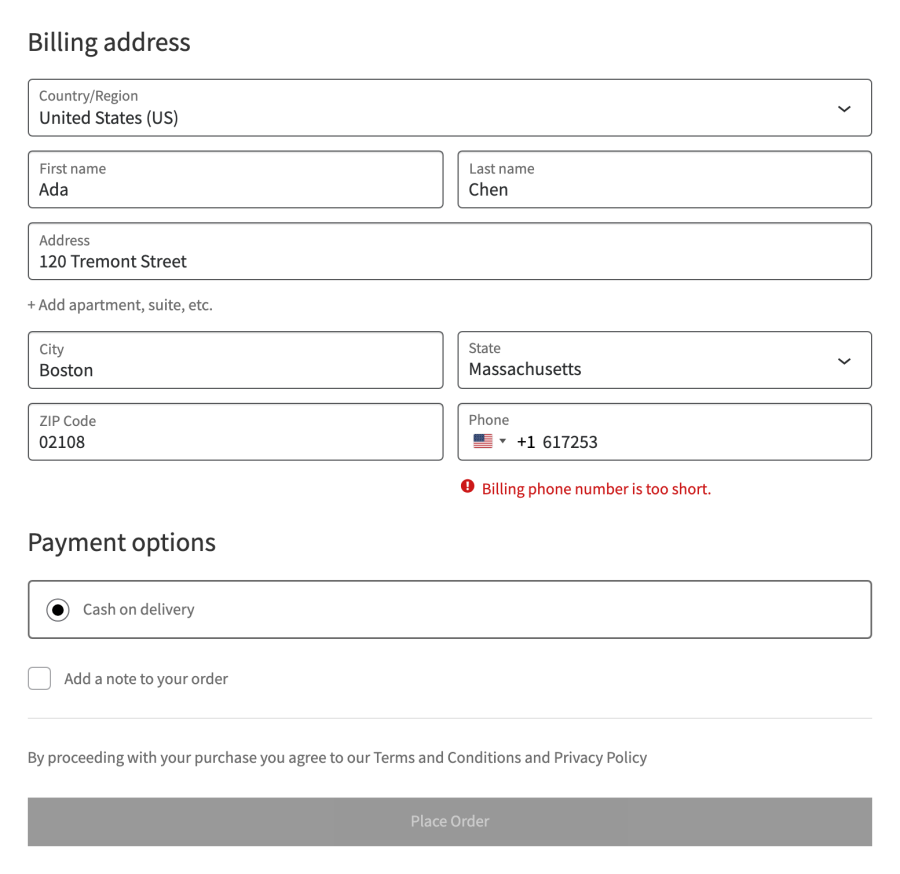
Whatever the customer types, whether +1 617-253-1000 or 6172531000 with the United States selected, the order stores +16172531000. Anything that reads the order phone, from a shipping label to an SMS service, gets a number with the country code attached.
You choose separately how numbers look to people. Show them in E.164, in international format (+1 555-123-1212), or in national format ((555) 123-1212) on order screens, in emails, and on the customer’s order pages. The stored value never changes, so your integrations aren’t affected.
Every order edit screen shows action buttons under the billing and shipping addresses. Call and SMS open your phone or messaging app, WhatsApp opens a chat with the customer, and Copy puts the number on your clipboard. The order preview in the orders list gets Call, WhatsApp, and SMS icons too. 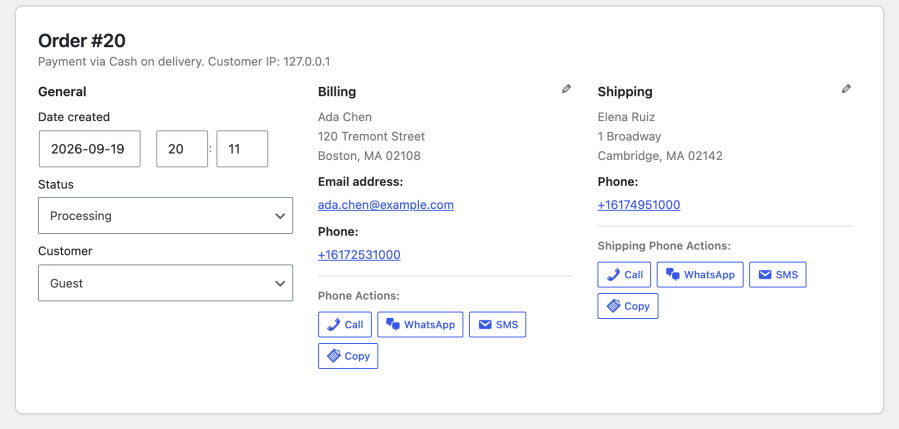
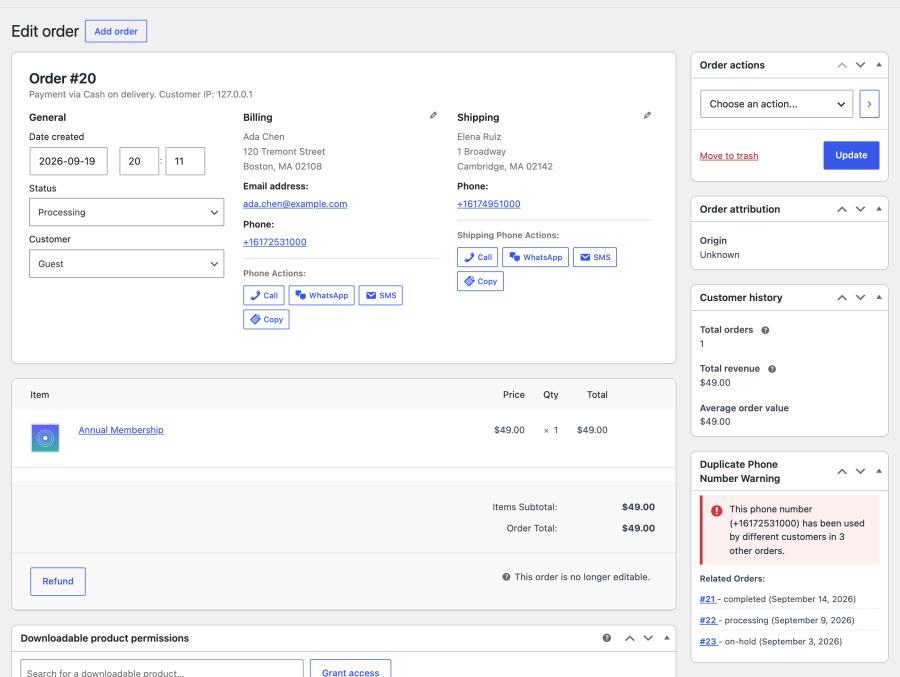
When an order’s billing phone matches orders placed by other customer accounts with other email addresses, a Duplicate Phone Number Warning box appears on the order screen. It lists up to 10 related orders with their status and date, linked so you can check them before you ship. It works with both High-Performance Order Storage (HPOS) and legacy order storage.
Order emails get a Phone Numbers section with a tap-to-call link for the billing phone, and for the shipping phone when it’s different. Emails sent to the store admin add WhatsApp and SMS links, so whoever handles the order can reach the customer from their inbox.
On the classic checkout, add a shipping phone field for gift orders and deliveries where the recipient isn’t the buyer, and make it required if your courier needs it. The field is validated and saved in E.164 like the billing phone, and it’s added to the My Account shipping address form too.
The flag phone input also appears in the admin order editor and on WordPress user profiles, so numbers your team enters by hand are checked and stored in the same format as checkout numbers.
The extension publishes five tools through the WordPress Abilities API. Connect an assistant through MCP (Model Context Protocol) and you can ask it to:
Access follows the WooCommerce API key you connect with, so a read-only key can look things up but never change anything.
Stores that deliver to the door. Furniture, groceries, flowers, and same-day local delivery all depend on reaching the customer on the day. Validation at checkout means the driver gets a number that rings.
Stores selling across borders. If your customers are spread across countries, the flag selector and E.164 storage stop numbers from arriving without a country code. Your team always knows where a number dials.
Stores that talk to customers on WhatsApp or by SMS. The action buttons turn a customer contact into one click, and E.164 is the format messaging services expect.
Stores watching for fraud. The duplicate phone warning points out numbers shared across different accounts and emails, a common pattern in repeat fraud attempts.
Several extensions validate phone numbers at WooCommerce checkout. They differ in where the check runs, what they add around the order, and how much they cost. Here’s how Phone Number Validation for WooCommerce compares with two of the most common alternatives, based on each product’s own listing.
| Phone Number Validation for WooCommerce | Phone Validator and Formatter for WooCommerce | Phone Validator with Flags for WooCommerce | |
|---|---|---|---|
| Where to get it | WooCommerce.com Marketplace | WooCommerce.com Marketplace | WordPress.org, free |
| Country flag selector | Yes, always on | Optional; hidden by default | Yes |
| Classic checkout and Checkout block | Yes | Yes | Yes |
| My Account address forms | Yes | Yes | Yes |
| Admin order editor and user profiles | Yes | Yes (formats on save, never blocks) | No |
| Where validation runs | In the browser as the customer types | On the server, always | In the browser before submission |
| Invalid numbers | Warn only (default) or block checkout | Blocks checkout, or format-only mode | Block checkout |
| Stored format | E.164 | E.164, international, or national | No |
| Display format separate from storage | Yes | No | No |
| Flags invalid numbers in the orders list | No | Yes | No |
| Call, WhatsApp, SMS, and Copy buttons on orders | Yes | No | No |
| Duplicate phone warning across customers | Yes | No | No |
| Phone numbers section in order emails | Yes | No | No |
| AI assistant tools (Abilities API) | 5 tools, including order lookup by phone and settings changes | Validate and standardize | No |
| Bundled translations | 17 languages | 9 languages | 3 locales |
Where the alternatives are genuinely strong: Phone Validator and Formatter checks every number on the server, so its validation holds even when a browser blocks JavaScript. It can run invisibly with no change to the checkout field, it flags bad numbers already in your orders list, and its Excellence verified badge reflects Marketplace review. Phone Validator with Flags is free, has a large install base, and covers the core flag-and-validate job well.
Phone Number Validation for WooCommerce is the pick when you want more than the checkout field: contact buttons and a duplicate warning on each order, phone numbers in your emails, a display format your team prefers, and AI tools that can look up orders by phone.
Yes. Phone Number Validation for WooCommerce supports both the Checkout block and the classic shortcode checkout. On the Checkout block, the phone field must be turned on in the block settings. If it's off, the extension shows a notice in WP Admin with a link to the block editor.
Categories
Extension information
Quality Checks
Compatibility
Countries
Languages







