
The pet industry is growing rapidly, and there’s no holding it back. People love their pets, and they’re willing to spend good money for quality products and services for their furry, feathered, and even scaly companions.
The industry is on course to reach 500 billion by 2030, which is great news if you’re considering starting a pet business.
Whether it’s opening a doggy daycare, starting a boutique pet supply ecommerce store, or becoming a trusted pet groomer, learning how to start a pet business is the perfect way to combine your love for animals with a career.
A pet business is definitely rewarding, but that doesn’t mean it’s always easy. You’ll have to put in the work to succeed.
From choosing the right niche to understanding marketing and working out efficient fulfillment operations, this guide will walk you through how to start a pet business.
When you’re ready to start your business, WooCommerce is your best choice to sell online. You can sell everything from products and services to subscriptions, online courses, and bookings — all while benefiting from a flexible, powerful ecommerce solution.
Steps for starting a pet business
↑ Back to topStarting a pet business all begins with some comprehensive market research to determine if there’s a gap in the market.
1. Conduct market research
By conducting market research, you can understand the competition and formulate a plan to differentiate your company and compete on an even playing field. Here’s how to do it:
1. Analyze the competition. Identify similar businesses. What are they doing well, and what could they do better? Reading reviews is helpful, as they often highlight a business’s weaknesses.
2. Find your ideal audience. Who are you selling to? Perhaps it’s high-income pet owners who demand only the most premium food. Or maybe it’s busy professionals who feel bad leaving their furry friends home alone all day. It could be budget-conscious pet owners who love the latest cute outfits or toys. Figure out who you want to reach before stressing about how you’ll do it.
3. Explore trends. Things like personalized pet nutrition, high-end products, and oral hygiene are all hot right now.
4. Collect data. Online research, surveys, consumer groups, and forums will all give you a picture of customers’ preferences, needs, and habits.
5. Identify a market gap. What can you offer that’s different from others? Is it a niche problem you can solve? A special bonus you can include with your services?
By conducting market research, you can have confidence there’s a demand for your pet business and start moving forward.
2. Determine your products, offerings, and audience
If you’re undecided about what pet business you’d like to run, the above steps will help you narrow down a concept.
Here are a few pet business ideas:
- Pet grooming
- Pet sitting and dog walking
- Blogging
- Keepsakes and artwork
- Pet care online courses or dog training
- An animal kenneling or your own pet boarding business
- Photography
- Cleaning or waste management
- Subscription boxes
- A pet supply store or pet food business
- A dog park management company
- Health and wellness (personalized nutrition plans, exercise therapy classes, etc.)

Steps to identify your audience
Knowing your audience is critical for crafting the right pet products and marketing strategy. Think about:
- Who, specifically, will benefit from your offerings?
- What are their pain points? Do they need convenience, premium products, or solutions to unique challenges?
For more guidance on identifying your audience, check out this helpful resource: Finding Your First Ecommerce Customer.
3. Set up the business foundations
You’ve identified a niche and you’ve found your audience. Next, you’ll need to get all the paperwork sorted. Some of the steps include:
Choose a business name
It’s a vital part of your identity, so your business name is something you’ll want to get right. Like your domain name — which we’ll discuss in a moment — your pet business name must be short, relevant, and memorable for pet lovers. Pick something consistent with your brand, and check that the name isn’t already trademarked or similar to a competitor.
Your business name goes hand-in-hand with your domain name, so consider that next (or even before making a final decision on your company name).
Research and purchase a domain name
Ideally, your domain name and company name will be the same. So it should be short, memorable, and related to your product or service.
The perfect domain name, however, can be hard to find or expensive to purchase. So, you might have to get creative in your approach. If you serve a local area, you could add the name of the city or state. You could try using a variation on .com and go with .net, but be sure the .com version won’t go to a direct competitor.
The best domain name is short, ends in something familiar (like .com), is straightforward to spell, doesn’t include a hyphen or number, and is simple to remember. Learn more about how to choose a great domain name.
Decide on a business structure
Here are four common business structures in the U.S.:
- A sole proprietorship. This has a single owner and is unincorporated. While this is the simplest way to start a business, it also offers the least amount of legal protection.
- A partnership. This is similar to a sole proprietorship when it comes to liability, but involves more than one person who has ownership in and contributes to the business.
- A limited liability corporation (LLC). You can choose between one or multiple partners and, while it’s still flexible, there’s more legal protection for the owners.
- A corporation. This offers the most protection, legally separating the owners from the business itself, instead setting them up as employees. It does, however, also require the most amount of paperwork, along with ongoing work and fees.
Each structure has advantages, disadvantages, and implications, so take the time to investigate each to determine the best fit for you. You may also want to consult legal counsel.
Register your business
This will vary by jurisdiction. In the United States, you’ll need to apply for an Employer Identification Number (EIN) via the IRS website and contact your state government about a state tax ID. This step is crucial to operate legally and avoid complications later.
Draw up a business plan
Your business plan outlines your goals, strategies, marketing ideas, and projected income. It also keeps you focused and can help you secure funding. Be sure to include actionable steps and realistic timelines to keep things on track.
Apply for licenses
The type of licenses required is very dependent on your business. For example, you might need an animal welfare license, a pet dealer license, an import/export license, a local permit, or a pet sitting license. Or you may not need a license at all. Research your local and state requirements or find a business advisor who can help you.
Set up a business bank account
You can use your personal account, especially when you first start, but a dedicated business account is your best choice to keep things simple, protect your assets, and make your company look professional. This is especially important if you plan to scale your operations or need a business loan. Learn more about accounting for ecommerce.
Get business insurance
You may want (or need) professional indemnity, public liability, liability, or product indemnity insurance. Research the options tailored to your industry. For example, pet sitting businesses may need coverage for injuries or property damage.
Get a tax ID
Retail businesses may need a unique tax ID to help with remitting sales tax (or VAT in many non-U.S. countries). Sales tax is a complicated subject and varies dramatically based on where you operate, who you sell to, and how much you sell. Thankfully, tools like Avalara AvaTax and TaxJar can automate the process of charging the correct sales tax to customers and filing reports with applicable jurisdictions. Learn more about ecommerce tax essentials or how to set up taxes on WooCommerce.
4. Determine your pricing and structure
Pricing your pet products and services can be quite tricky, and you’ll likely have a very different model after five years of experience than when you first launch.
While pricing products may seem simple (charge more than it costs to make or acquire them), you’ll also need to factor in your overhead, fulfillment costs, returns and customer service, and a profit or salary for yourself. But it’s important that you make your pet business profitable.
Subscription boxes, memberships, or any other type of recurring revenue is a fantastic way to maximize the value of each customer and create a more predictable income stream.
WooCommerce has you covered if you want to dig deeper: How to price your products. It’s worth your time to do the research.
5. Decide how to ship your products
If you sell physical goods, you have a variety of options for fulfillment. You could store inventory, package, and ship items yourself. Or you might partner with a fulfillment company to handle all of this for you. You could even dropship products so that you essentially act as a marketer and the manufacturer actually produces and ships the items on demand.
All of these options come with their own set of strengths and weaknesses. If you’re starting small and want to keep the most control over the process, you’ll probably start by shipping items yourself.
WooCommerce shines yet again in this area with WooCommerce Shipping. It will help you determine shipping rates, charge customers, print labels, and send customer notifications. Even better, you can save up to 67 percent on shipping from USPS, DHL, and UPS.
Want to learn more? Check out our guide to ecommerce shipping, overview on how to start shipping internationally, shipping methods and fulfillment resources, or our product packaging guide.
6. Build your online store
Your online pet store is the heart of your pet business. It’s where pet owners find your products, learn about your brand, buy an item or book services, and become loyal customers.
Whatever you’re selling, a good-looking, user-friendly online shop is crucial. Setting up your ecommerce store shouldn’t be difficult — you’ll need to start by finding the right platform.
Choose an ecommerce platform
An ecommerce platform is the software that enables you to sell online. It allows you to list pet products or services, securely collect payments, charge for shipping, run sales, and more. Since this is the heart of your online business, choosing the right one is incredibly important.
WooCommerce is the top choice for the majority of online stores, offering the perfect balance between usability and functionality. It’s the ecommerce leg of WordPress, and the core plugin is completely free.

One of the biggest benefits of WooCommerce is its flexibility. Want to sell simple products or services? Done. What about pet grooming appointments or kennel bookings? No problem. Online pet courses or memberships? Yep, those too.
There’s also a huge extension library full of free and premium tools that can help you with everything from merchandising and shipping to growth and marketing. You’ll have complete freedom to work with and modify your site however you’d like and will always maintain full control over your business. And the community support? Unrivaled.
Find a host
Your first step is to find a host. This is the company that will store your website files and display them for visitors whenever they type in your domain name.
Your host serves as the foundation of your site and can dramatically impact how quickly your site loads, whether it’s always there when people look for it, and how secure you and your customers are from hackers.
That’s why it’s a good idea to choose a WordPress-focused host with a proven track record. WooCommerce has a specific set of recommended hosts that ensure you’ll make a great choice.
Install WordPress and WooCommerce
Your next step is to install WordPress. Many hosting providers either offer this pre-installed or have a simple, one-step installation process. Check with your host for details.
Then, you’ll need to install WooCommerce. To do this, go to Plugins → Add new in your WordPress dashboard. Search for “WooCommerce,” then choose Install now → Activate. A Setup Wizard will appear to walk you through your initial site settings.

We’ll also go through a few of these steps in more detail momentarily.
Choose a theme
A theme is essentially the base of your site, impacting your design, layout, and functionality. There are both free and premium themes available, but it’s important that you choose a theme from a reputable source. Here are a few trusted options for pet businesses:
- The Nelly theme, which is specifically designed for pet fashion.
- The Pet Accessory Store theme, which is perfect for any type of product.
- The Pet House theme, which is a good option for animal boarding and kenneling.
- The Puplaza theme, which is a great all-in one choice.

There are many more options as well. Learn more about choosing a theme.
Add any extensions you’d like
Extensions are add-ons for your WooCommerce pet store that provide additional functionality without having to work with custom code.
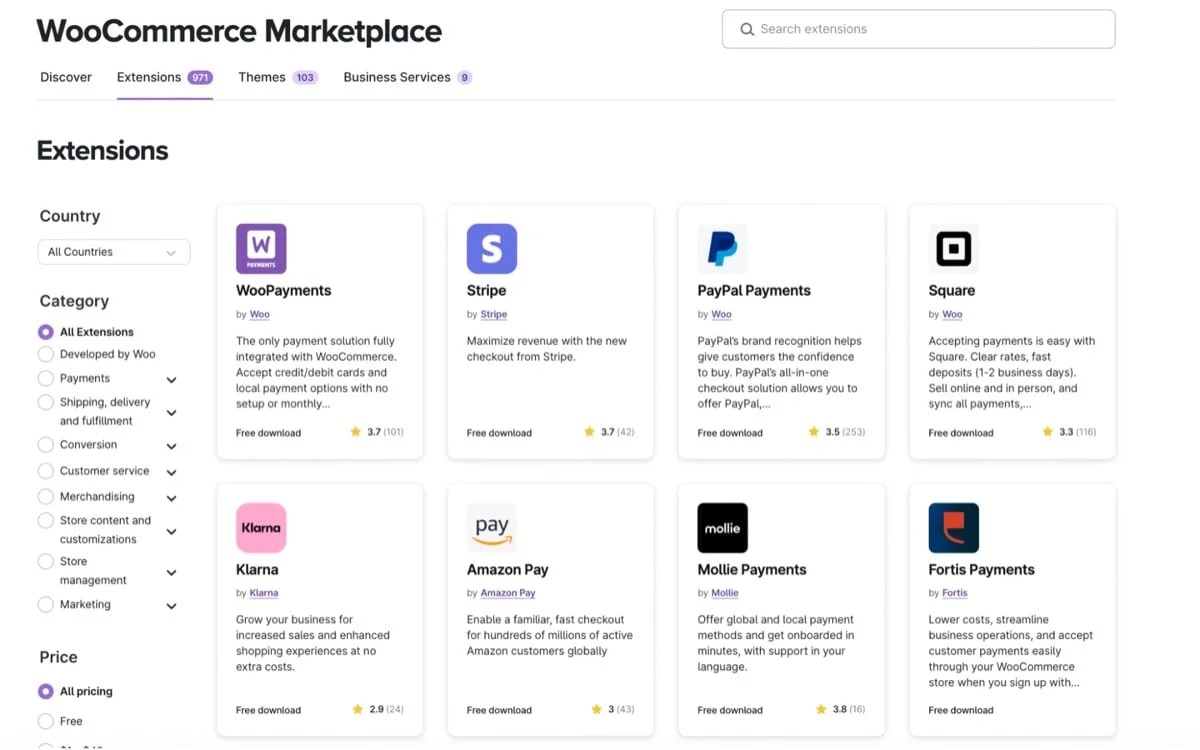
There’s an entire library of great options, but here are a few that your pet business might particularly benefit from:
- WooCommerce Subscriptions. Charge for subscription boxes or services on a recurring basis.
- WooCommerce Bookings. Allow customers to make online bookings for kenneling, pet grooming, and other services.
- Sensei LMS. Create and sell online courses based on your animal knowledge.
- WooCommerce Memberships. Offer membership programs for your customers, like pet health resource libraries.
- Live Chat. Quickly answer shopper’s questions and encourage them to make a purchase.
- Product Add-Ons. Provide additional product options like gift wrapping and personalization.
- WooCommerce Product Bundles. Sell items as bundles for a simpler shopping experience and higher average order value.
- Printful. Design your own merchandise and let Printful fulfill orders as a print on demand service.
Create your products
Now it’s time to create your pet products. By default, there are five types of products you can add:
- Simple products: Individual items without options, like books.
- Variable products: Products with multiple choices, like color and size.
- Grouped products: Collections and sets.
- External/affiliate products: Items that are part of an affiliate program.
- Virtual/downloadable items: Services or downloadable files like eBooks.
If you’re using certain extensions, you’ll also gain access to more product types, like memberships or subscriptions.
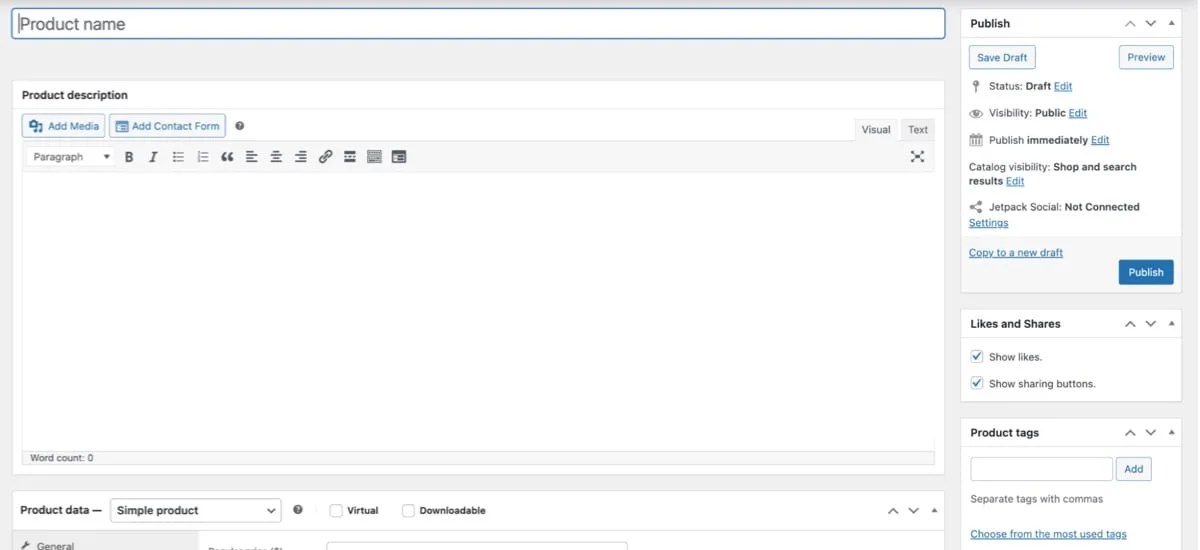
You’ll create a new product by going to Products → Add new in your WordPress dashboard. There, you can create a product name and description, add images, set prices and stock levels, categorize your items, and more. You can compare product types in more detail and get full instructions in our product documentation.
Choose a payment gateway
A payment gateway allows you to securely collect payments and transfer them to your bank account. This is a critical step before launching your online store. Before you decide on which payment gateway to go with, consider the following:
- Transaction fees. Every provider will charge transaction fees, though some are higher than others.
- Supported payment methods. Credit and debit cards are a minimum, but you may also want to offer digital wallets, PayPal, Tap to Pay, or Buy Now, Pay Later.
- International features. If you sell to a global audience, you’ll need a payment gateway that enables you to collect payments in other currencies.
- Recurring payment support. Selling subscriptions? Your payment gateway needs to be able to collect recurring payments.
- Support and reliability. Look at customer reviews, along with the type of support the gateway offers.
While WooCommerce supports a wide range of payment gateways, WooPayments is an excellent all-in-one solution. Not only does it allow you to manage everything from payments to returns directly in your WordPress dashboard, it also enables you to:
- Charge in-person payments using card readers.
- Accept a wide range of payment types, including Apple Pay, Google Pay, and global payment methods.
- Collect recurring payments.

It’s simple, but powerful, and the perfect partner for your online store.
Set up shipping and taxes
We discussed shipping a bit earlier, but now it’s time to actually configure it on your store. WooCommerce allows you to charge basic shipping rates or get super granular with how you charge for delivery. Check out the shipping documentation for full details on creating shipping zones and classes.
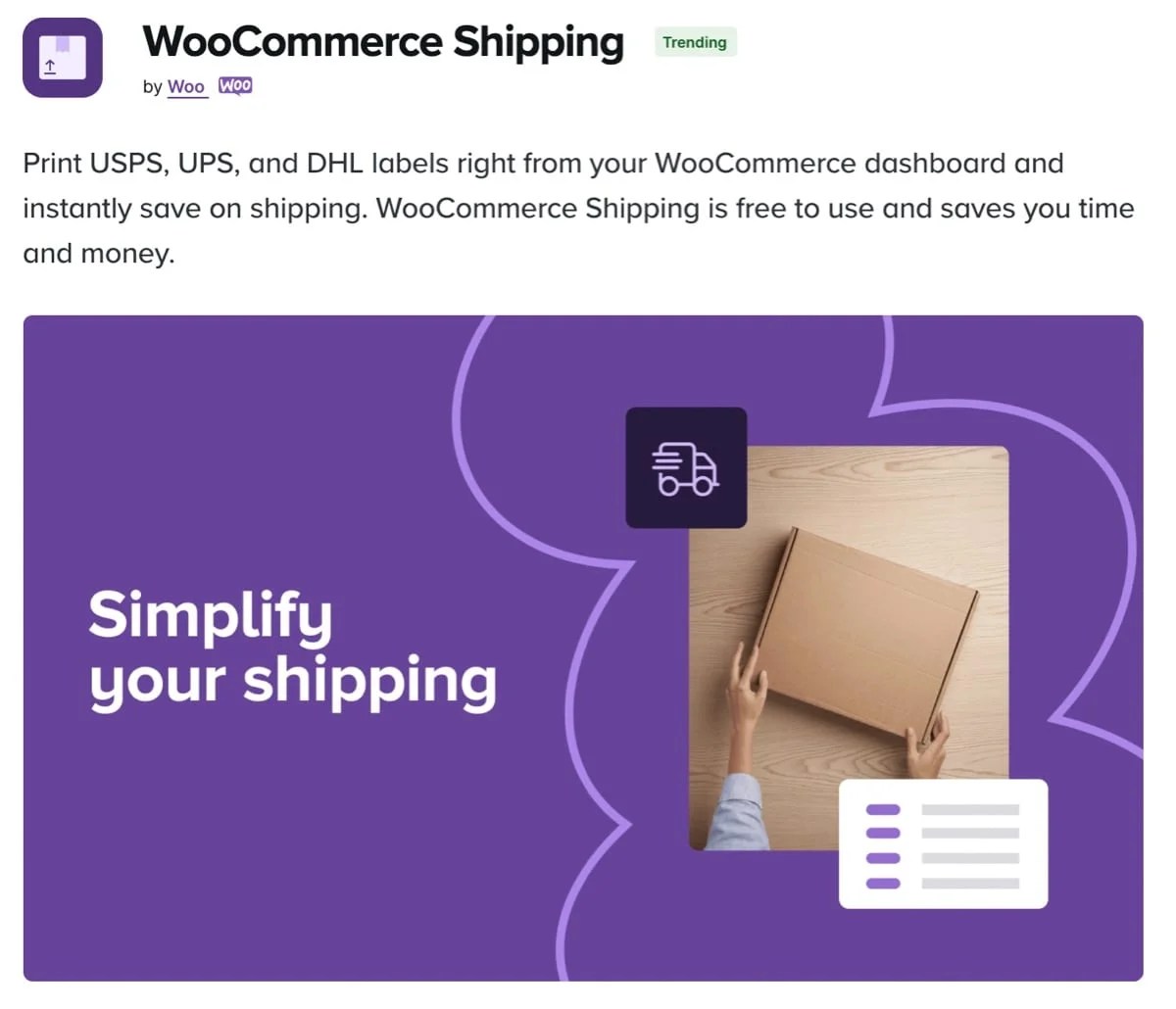
You can also enhance the default shipping functionality with extensions. WooCommerce Shipping, for example, gives you discounts on shipping labels and allows you to print labels directly from your dashboard so that you can schedule pickups right at your front door.
Do you have very specific shipping rules? Try the Table Rate Shipping extension. It enables you to build tables with complex shipping configurations based on everything from cart total and location to weight and number of items.
You’ll also need to configure your tax settings. This can get a bit complicated, so see our full article on how to set up sales tax.
Review technical details and launch
Now it’s time to take a look at a few technical aspects of your online store so that you’re ready to launch.
Customers don’t like waiting around. If they have to wait for more than a few seconds, they’ll leave your site and shop elsewhere. To get an idea of where your site currently stands, use tools like Google PageSpeed Insights or GTmetrix. They can also provide actionable tips for improvements you can make.
Jetpack is an excellent tool for improving your site speed without putting in a ton of time or work. It offers several plans with performance features like:
- Caching: Enable browsers to store copies of your site so that it will load faster for returning visitors.
- Core Web Vitals optimizations: These settings optimize your code to better meet the requirements of Google’s speed metrics.
- An image CDN: Resize, compress, and optimize images for different devices.
- Video hosting: Load videos from secure WordPress servers so they take the heavy load off of your own.
For more information, read our post about speeding up your WooCommerce store.

Finally, the security of your hard work and your customers’ personal details isn’t something you can put off. You need tools to keep hackers away and recover if something goes wrong (even if it’s a mistake on your part). Security basics include:
- Regular updates. Software updates (to WooCommerce core, extensions, and other tools) patch security vulnerabilities and fix bugs.
- Use an SSL certificate. This is no longer optional in most cases. It facilitates the secure transmission of data. You can often get a free SSL certificate from your host.
- Regularly scan for malware and vulnerabilities. Hackers are looking for entry points. Find and patch them before anyone else.
- Defend against brute force attacks. These attacks attempt to gain entry by guessing thousands of username and password combinations in seconds. Automated tools can detect and stop attacks before they’re successful.
- Use a firewall. This powerful tool blocks suspicious traffic before it even gets to your site.
- Fight against spam. Use tools like Akismet to prevent dangerous and annoying spam from invading your comment and contact forms.
- Keep secure backups. Make sure that you always have a full backup of your site. Find a tool that takes care of this for you automatically and, ideally, saves your site in real time so you never lose a single order.
- Practice proper user role hygiene and require secure login. Require your users to set secure passwords and only allow the minimum permissions for each person to do their job.
Many of these security best practices can be taken care of, behind the scenes, with a single high-quality security extension. Jetpack is an excellent choice that offers real-time backups with one-click restores (even on the go with a mobile app), real-time malware and vulnerability scanning with quick fix suggestions, brute force attack protection, spam prevention, and much more.
Market your store
You’ve put a lot of work into your dream. Now it’s time to invite the world. Marketing is constantly changing, and finding success is all about experimenting, improving, and growing.
However, there are some tried and true marketing methods that will establish a strong foundation to reach pet lovers and attract your ideal customers. These include:
Search engine optimization (SEO)
When people are looking for pet products you sell, make sure they can find you by helping search engines understand the purpose of your site and trust it as a valuable resource. This is the basic premise of search engine optimization.
SEO is a competitive and long-term effort. The advantage is that organic traffic stemming from search engines is “free.” Focus on getting the basics right and commit to consistent improvement.
Check out these free SEO tools for your site.
Paid digital ads
With paid ads, you can get instant placement on search engines when someone looks for a term related to your business. But unlike ranking organically through search engine optimization, you’ll pay every time someone clicks through to your site. This can still be quite profitable once you refine your efforts and if you can turn these first-time customers into loyal fans.
You can also run paid display ads that show on websites based on the topic of the content (so sites that are likely to be browsed by pet owners) or ads that are intended to reach specific people based on their indicated individual interests.
These are just two of the most common digital paid ad practices. Consult with a marketing professional and invest into ongoing marketing education to improve your efforts, and your profits, every day.
Get a jumpstart on paid ads (including free credit and listings): Google for WooCommerce.
Social media and influencer marketing
Often lauded as “free” marketing, social media does present an opportunity to establish a profile and engage your target audience without direct costs. However, it’s far from free.
Beyond the time commitment of consistently creating content and interacting with other posts to gain attention, you’ll likely need to dedicate an advertising budget for your posts to reach any sort of a substantial audience (especially in the beginning).
Check out the list of super-helpful social media extensions for WooCommerce to see how they can extend your reach with less work.
One way to instantly boost your reach and credibility with your target audience is by partnering with influencers. These accounts have existing, often very niche-focused, followings. For a fee, or sometimes in exchange for a free product, influencers may agree to share your business with their fans. It’s essentially a celebrity endorsement on a smaller scale.
Learn more about influencer marketing.

Email and SMS marketing
The best marketing reaches your target audience one on one, in their homes or on the devices they hold and use. This is why email and SMS marketing is so valuable.
These tools allow you to reach pet owners with personalized, custom messages based on their past purchases, recent browsing activity, and more.
Better yet, both of these are fairly cost effective, with some email marketing platforms even offering free services for businesses starting to build their lists.
Start pursuing your dreams
↑ Back to topStarting a pet business is an exciting, fulfilling journey that allows you to combine your love for animals with your entrepreneurial spirit. If you’re willing to put in the work and commit to getting a little better each day, your life could be radically different a year or two from now.
You control most of your destiny. The rest? It depends on the right tools and community. WooCommerce and the open source community empowers you with complete ownership over your future (both literally and figuratively). There are endless possibilities for customization and improvements, thousands of global professionals ready to help, and a group of like-minded entrepreneurs standing by to offer support.
Want some inspiration? Take a look at Woof and Wiggle and Scratch Pet Food.
Ready to get started? Begin here.


About