Active installs
5K+
Product comparison
Subscription includes
Support
With WooCommerce Deposits, your customers can put down a deposit or use a payment plan for products you specify. Nice, huh?
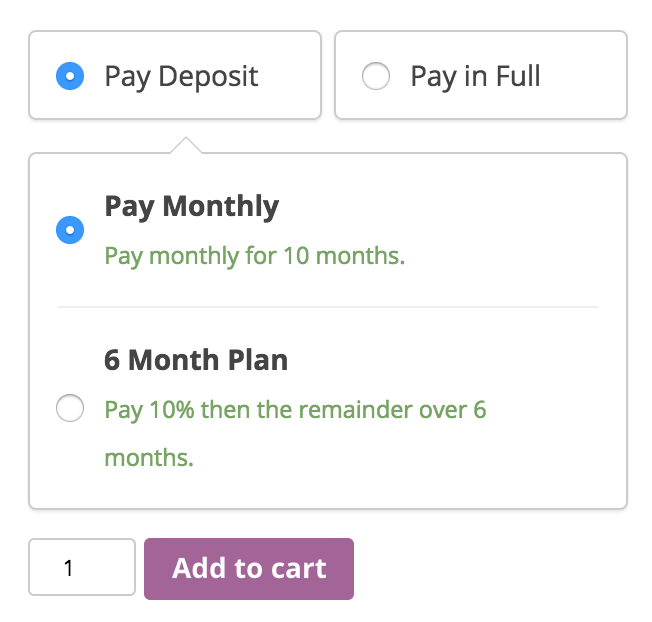
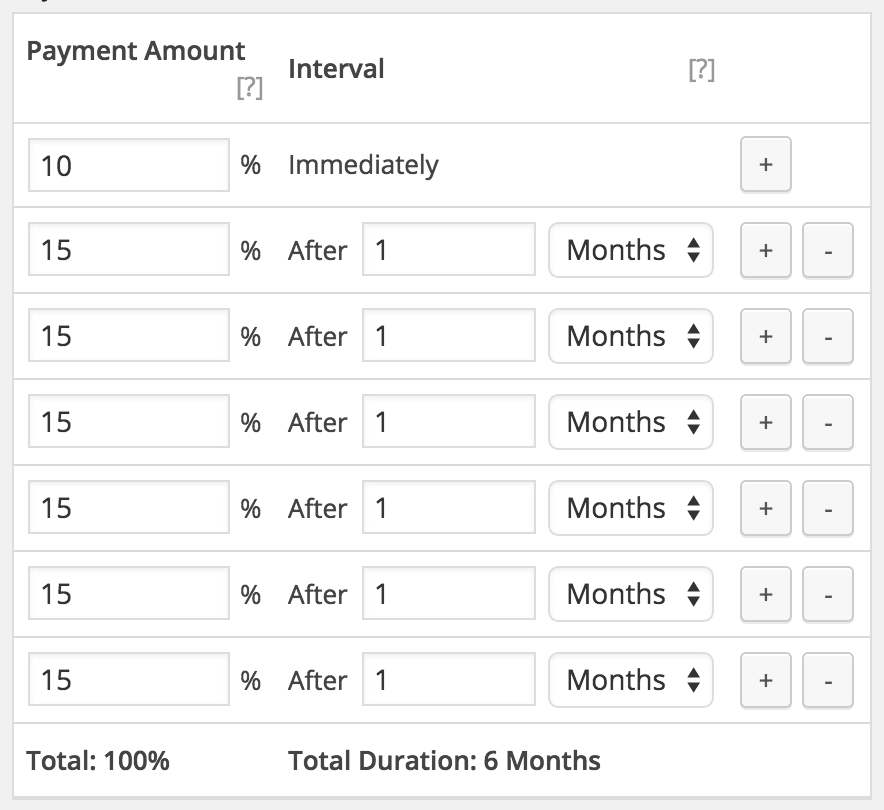
This robust and flexible tool allows you the ability to create custom payment plans, with variable percentages and intervals. Customers are guided through the process of paying for items as they browse and checkout, with easy-to-follow visuals.
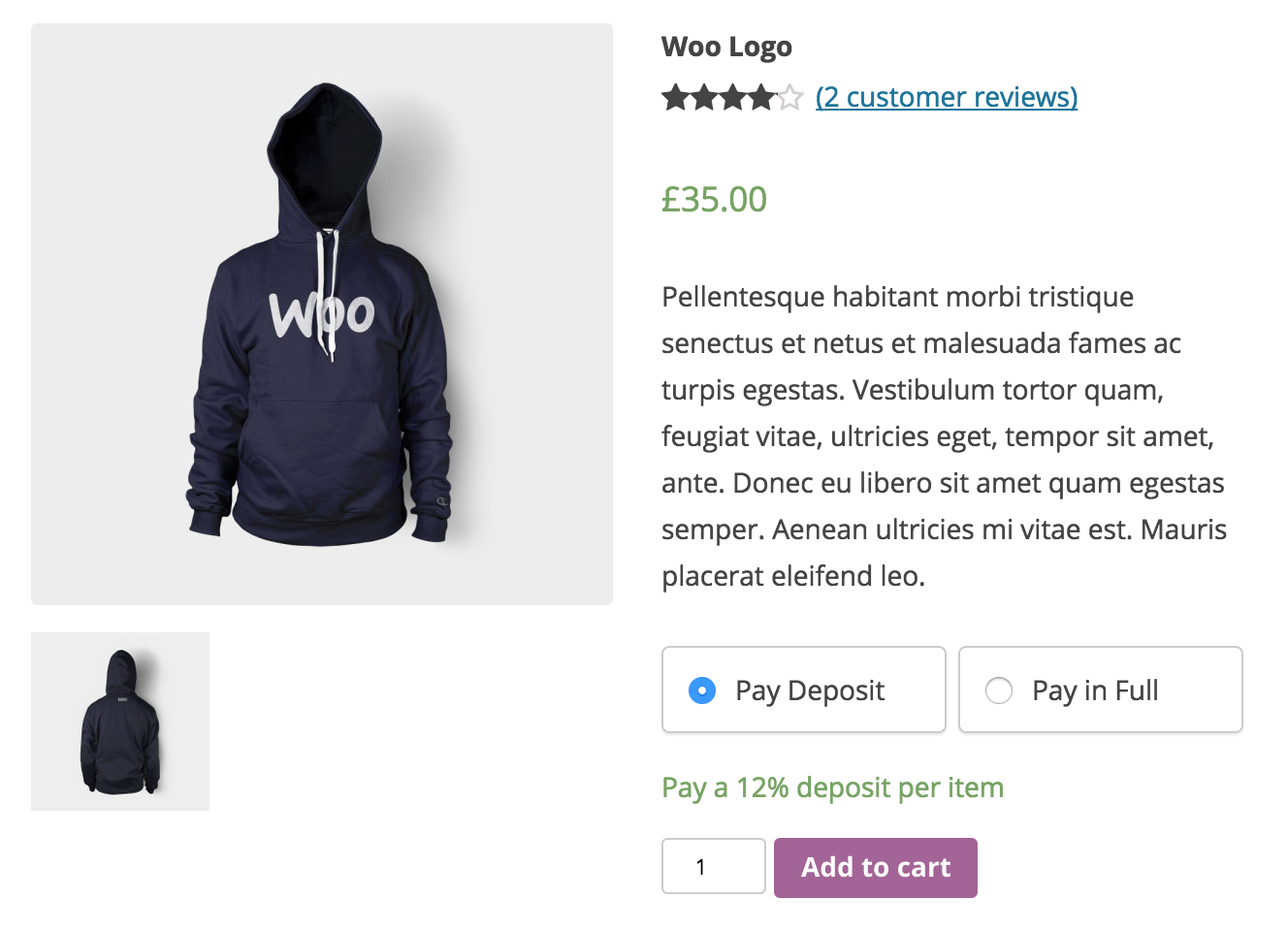

Yes. WooCommerce Deposits lets shoppers put down a deposit on the products or services you choose, then pay the rest later. You can offer the deposit as an option alongside paying in full, or require a deposit on specific products. Deposits can be set as a percentage of the price or as a fixed amount, giving you control over how much customers pay upfront.
WooCommerce Deposits lets you build custom payment plans so customers pay an upfront amount and the remainder over time. You set the schedule using days, weeks, or months, with your own percentages and intervals for each payment. This works well for layaway-style purchases, structured installments, or any staged payment approach you want to offer, similar to a layaway or credit plan.
No. WooCommerce Deposits does not store card details or automatically collect follow-up payments. When a payment plan is used, each future payment is created as a scheduled order that the customer pays when it is due, and customers can view upcoming payments from their account. If your store needs automatic recurring billing from a saved card, a recurring billing tool like WooCommerce Subscriptions is a better fit for that specific job.
Yes, it can help. By letting shoppers reserve an item with a smaller upfront deposit, WooCommerce Deposits can make expensive products, custom orders, and services feel more attainable, which may help you capture sales that would otherwise stall at checkout. You decide which products offer deposits and how much the upfront amount is, so you can keep cash flow predictable while giving buyers flexible payment options.
Both. WooCommerce Deposits includes storewide settings that apply a default deposit rule across all products, plus product-level settings that let you override the default for individual products. For each product you can inherit the storewide setting, make deposits optional, require a deposit, or turn deposits off entirely. This gives you room to offer deposits where they make sense and full payment everywhere else.
Yes. You can set deposits as optional, so customers choose between paying a deposit or paying in full, or required, so a deposit is the only way to buy that product. This can be configured storewide or per product, which is useful for custom or made-to-order items where you want a commitment before starting work.
Yes. WooCommerce Deposits works independently of payment gateways because it does not automatically collect payments, so you can use it with any gateway you have set up. You can also choose to disable specific gateways when a deposit is in the cart, giving you control over how deposit orders are paid.
Yes. WooCommerce Deposits works with bookable products created through WooCommerce Bookings, so customers can reserve a booking with a deposit and pay the balance later. With that integration, you can also multiply a fixed deposit amount by the number of people on the booking, which suits tours, classes, and group reservations.
Not on its own. WooCommerce Deposits does not include built-in payment reminder emails, so to send reminders before a balance is due you would pair it with a separate automation tool such as AutomateWoo or WooCommerce Zapier. This is worth planning for if timely reminders are important to your payment workflow.
Yes. Along with standard simple products, WooCommerce Deposits supports variable products, so you can offer deposits on items with multiple variations. It is also compatible with the WooCommerce Cart and Checkout blocks, so the deposit options display within a modern block-based checkout.
Yes, deposits can be refunded, but the refund is handled manually from the order rather than automatically. This gives you final say over each refund, which is helpful when deposits are tied to custom work, bookings, or restocking considerations.
No. WooCommerce Deposits is designed to collect partial payments toward a purchase, not to hold and return a refundable security deposit for rentals or damage. If collecting a returnable security deposit is your goal, this extension is not built for that use case.
WooCommerce Deposits is a partial payment extension for splitting a single purchase into a deposit plus a later balance or a set payment plan. WooCommerce Subscriptions is a recurring billing extension for products customers pay for on an ongoing basis, such as memberships or monthly boxes, and it can automatically charge a saved card. Choose Deposits when you want an upfront payment toward one order, and Subscriptions when you need ongoing, automatic recurring payments.
WooCommerce Deposits is a good fit for stores selling higher-priced goods, custom or made-to-order items, services, and bookable products where an upfront deposit helps secure the sale. It suits merchants who want to offer layaway-style plans or staged payments and who are comfortable collecting balance payments through scheduled orders rather than automatic card charges.
WooCommerce Deposits may not be the right choice if you need balances charged automatically from a stored card, since it does not save card data or collect follow-up payments on its own. It is also not designed for refundable security deposits. In addition, it is not compatible with some extensions, including Composite Products, so if your store relies on those, confirm your setup before purchasing.
When an order includes a deposit, the original order is marked as processing or partially paid, and you can adjust it as needed. For payment plans, each follow-up payment is created as its own order with a scheduled status, and customers can see upcoming payments and amounts on their account page. This keeps deposit and balance activity visible from your WooCommerce orders screen.
Extension information
Quality Checks
Compatibility
Countries
Requirements