
To change your payout method, follow these steps:
- Log into your WooPayments Stripe Express account.
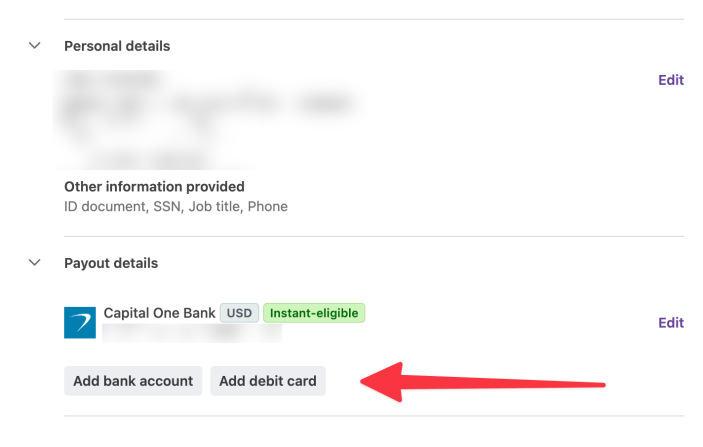
- Scroll down to the Payout details section.
- Click Add bank account or Add debit card.
NOTE: If your account country is not the United States, do not add a debit card even if the Stripe Express account interface allows you to do so!
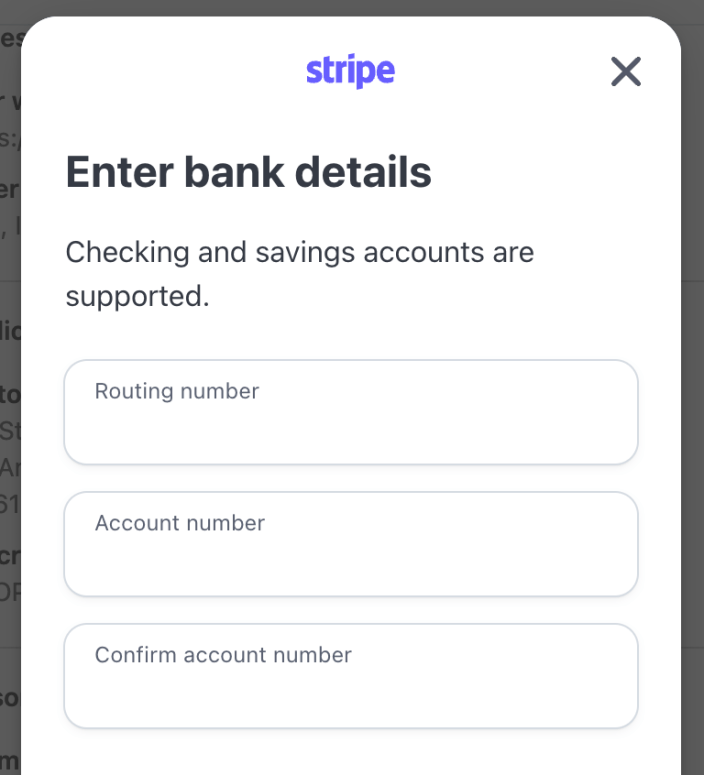
- Enter your bank account or debit card information as prompted.
- If you wish to use instant payouts, you must directly connect to your bank when adding an account, instead of manually entering the account details.
- You may also be asked to verify your old bank account number or debit card number for security purposes.
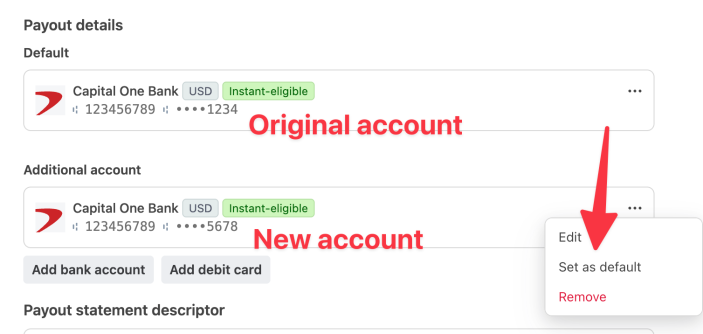
- When you’re done, your new account will be shown in the Payout details section as an “Additional account.”
- Click the three dots menu for the additional account.
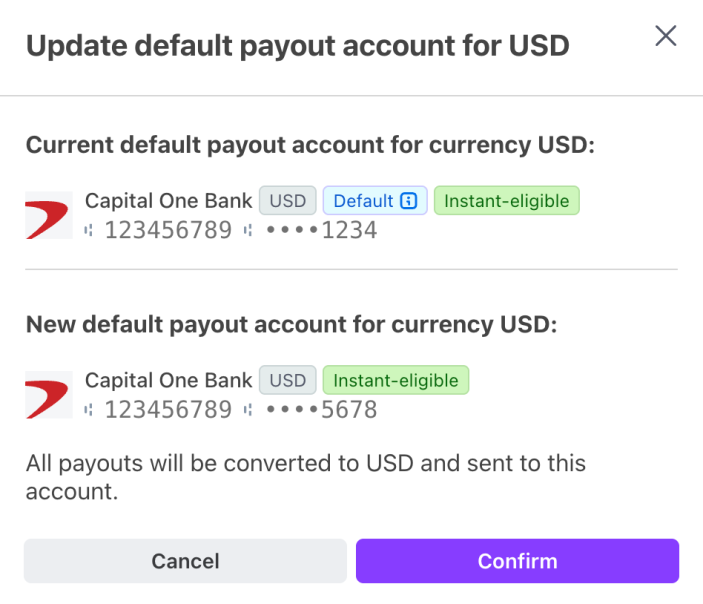
- Click Set as default to make the new account the one that will receive payouts.
- You will be asked to confirm the switch from the current account to the new one.
- After confirming, click the Sign Out button at the top to sign out of the Stripe Express dashboard.
Why are the last four digits wrong?
↑ Back to topIf the last four digits shown for your payout bank account don’t match your actual bank account number, your bank may be using tokenized account numbers (TANs). This is normal for certain U.S.-based banks and does not affect your payouts.