There’s no one-size-fits-all formula for the perfect landing page design. Converting visitors into customers is an ongoing process that. One that accounts for demographic needs and behavior, and keeps the purchase path as simple as possible.
Whether you’re using a free page builder, a premium WooCommerce theme, or coding from scratch, your landing page should be engaging, user-friendly, and optimized for conversions.
In this guide, we’ll cover the key elements of a well-designed landing page. We’ll show you how to create pages that drive results with WordPress and WooCommerce. And we’ll include real landing page examples for design inspiration.
What is a landing page?
↑ Back to topA landing page is a single-focus web page that encourages visitors to take a specific action. Unlike other pages, landing pages eliminate distractions (like headers and footers, navigation elements, outbound links, related product suggestions, etc.) so that the focus is on conversions for a particular product or specific action.
Good landing page design makes a powerful first impression and keeps visitors engaged. Using a clear value proposition, compelling visuals, and strong call-to-action (CTA) buttons, a landing page should stick, holding a prospective customer’s attention on the singular sales pitch before them.
Landing pages can be used for just about any product — subscriptions, memberships, shippable goods, services, and courses — or as part of a lead generation funnel.
Eight key features of a successful landing page design
↑ Back to topMany elements go into creating a good landing page. Here are some of the key features you should include:
1. A strong hero section
The hero section is the first place visitors’ eyes land, appearing above the fold (the first section of your website that’s viewable without scrolling). It serves as a visually engaging summary of your product with an immediate call to action. Your hero section’s basic anatomy should include:
- A clear headline that communicates the value proposition.
- A supporting subheading that explains why it matters.
- A high-quality picture or video that creates an emotional connection.
- CTA buttons that stand out with contrasting colors.
Take Sencha‘s Ext JS product landing page hero section, for example. It includes their product logo, a clear headline, and a brief synopsis of what their framework does. They’ve included a video with an engaging cover image and two CTA buttons — one that takes visitors to a free trial sign-up form for Ext JS and another that takes visitors to a free trial sign-up form for ReExt JS.
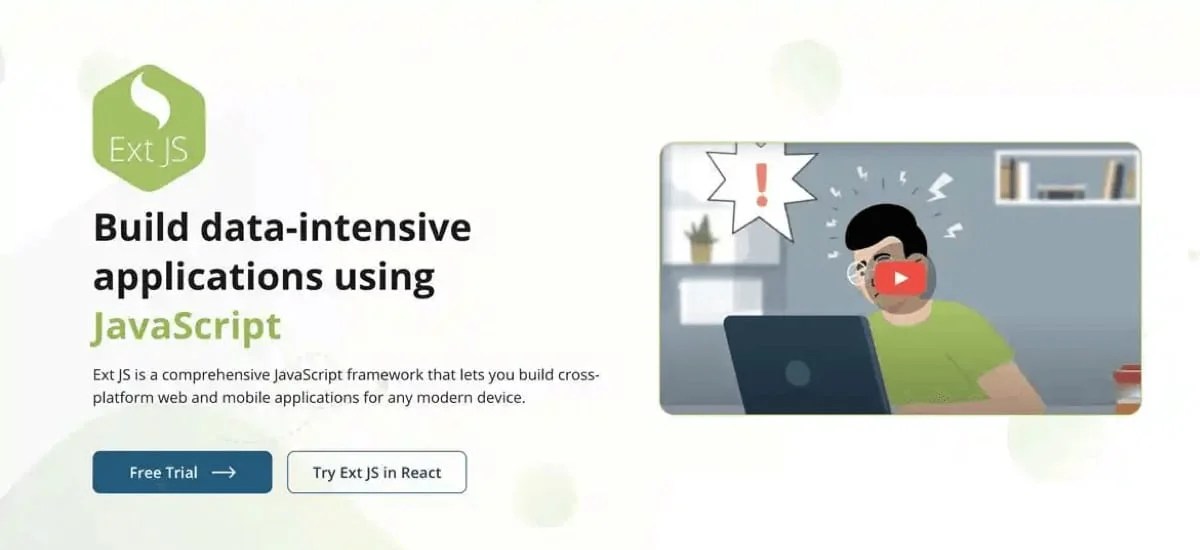
If visitors don’t feel like digging into the details of your website or are already intent on making a purchase, these above-the-fold CTAs can capture leads or take shoppers directly to checkout as soon as your landing page loads. The less friction you have getting potential customers to convert, the better.
2. A clean and branded layout
Your landing pages should be free from clutter and distraction. Walls of text, image grids or galleries that go on forever, links to other products or pages, search bars — anything that could take someone off your page, cause confusion, or overwhelm them can cause your landing page to lose effectiveness. There may be times when you do want to keep site navigation or other elements on your landing page, but you should minimize distractions as much as possible.
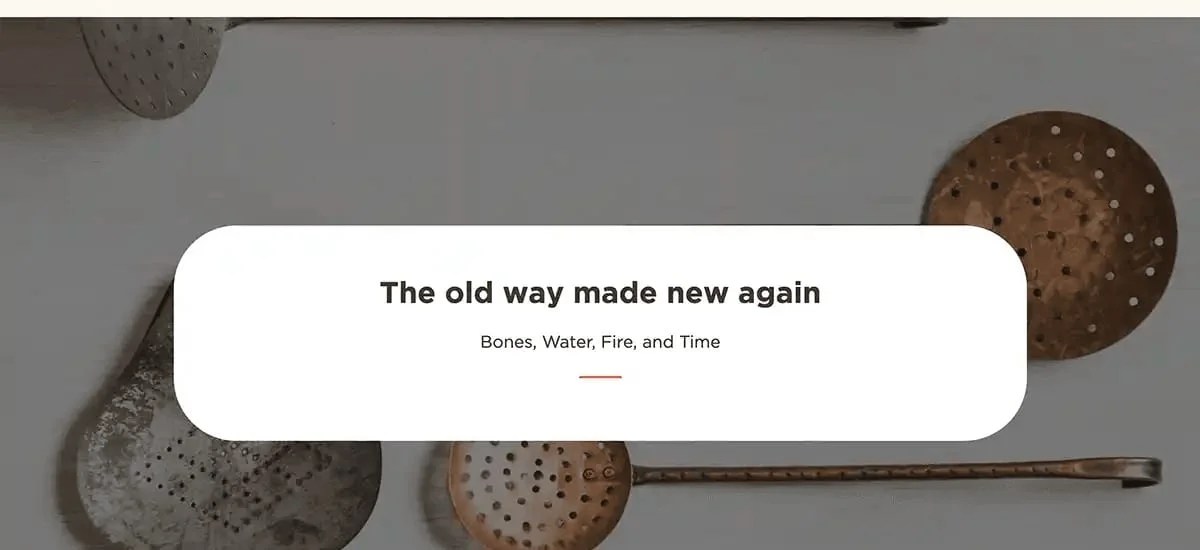
Use the same colors, typography, image style, and writing voice your brand uses elsewhere. If you have a brand style guide, let it inform your landing page design.
No brand guide yet? Use this as an opportunity to create one. If you’re creating the landing page for a client site and they aren’t budgeting for a brand guide as part of the project, you should at least create a brand cheat sheet for yourself to work from so that everything remains consistent across all projects.
Choose bright colors with clear contrast and easily-readable fonts that reflect your brand’s attitude. If you need a tool to help you make a shareable brand identity guide, try using Canva Teams. For brand identity design inspiration, Canva also has some brand guide examples and themes that might be helpful.
3. Responsive design
A web page that flows effortlessly and is easily readable across different screen sizes ensures a user-friendly experience for your visitors. Your responsive landing pages should adjust content and layout conditionally and automatically depending on a device’s screen width.
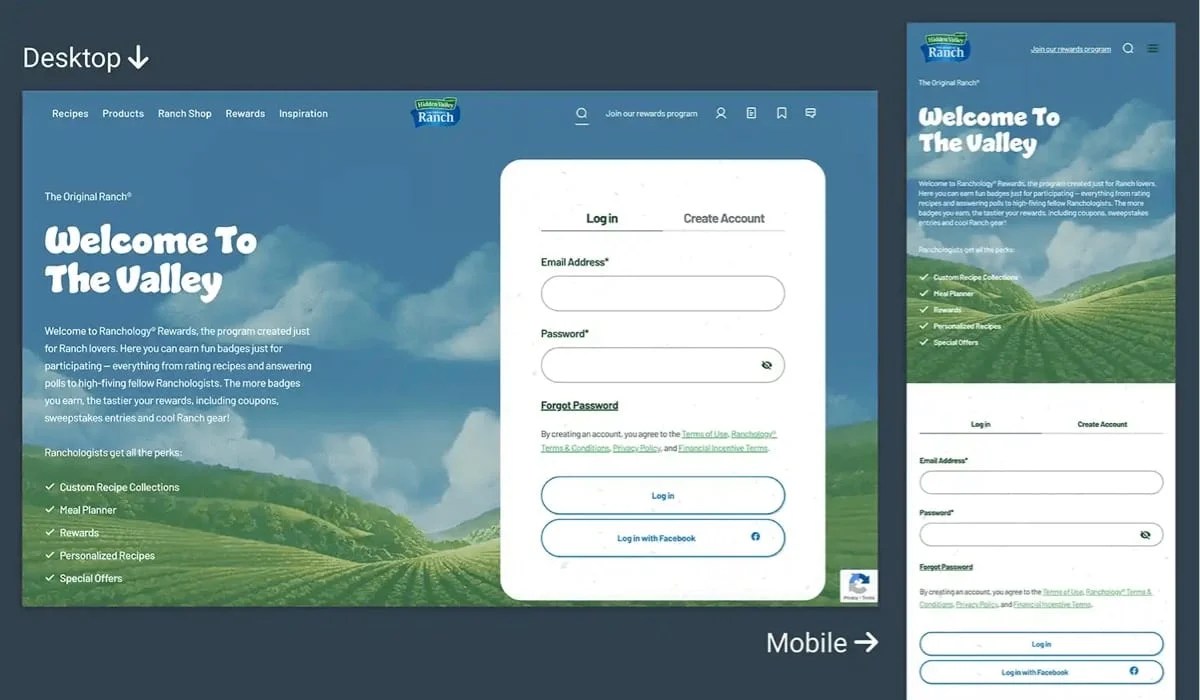
If you’re using WordPress with WooCommerce, one of the easiest ways to ensure your landing page design is responsive is to start with a theme designed for responsive display. You can find many such themes in the WooCommerce Marketplace, or you can create custom themes.
Whether you use a ready-made responsive theme or are coding your landing page from scratch, double-check how your page displays on mobile, tablet, and desktop before going live. For example, on mobile devices, you might display smaller heading text, reverse the content order, and limit image carousels to showing one image at a time.
For more detailed information on designing responsive landing pages in WordPress, read WordPress.com’s article, Creating Mobile Responsive Websites, or check out the Learn WordPress tutorial How to build a responsive WordPress website.
4. Engaging imagery and visual elements
Use high-quality photographs of your product or service, and consider adding supporting illustrations for instructions, brand reinforcement, or conveying concepts or feelings that aren’t easily captured in photos.
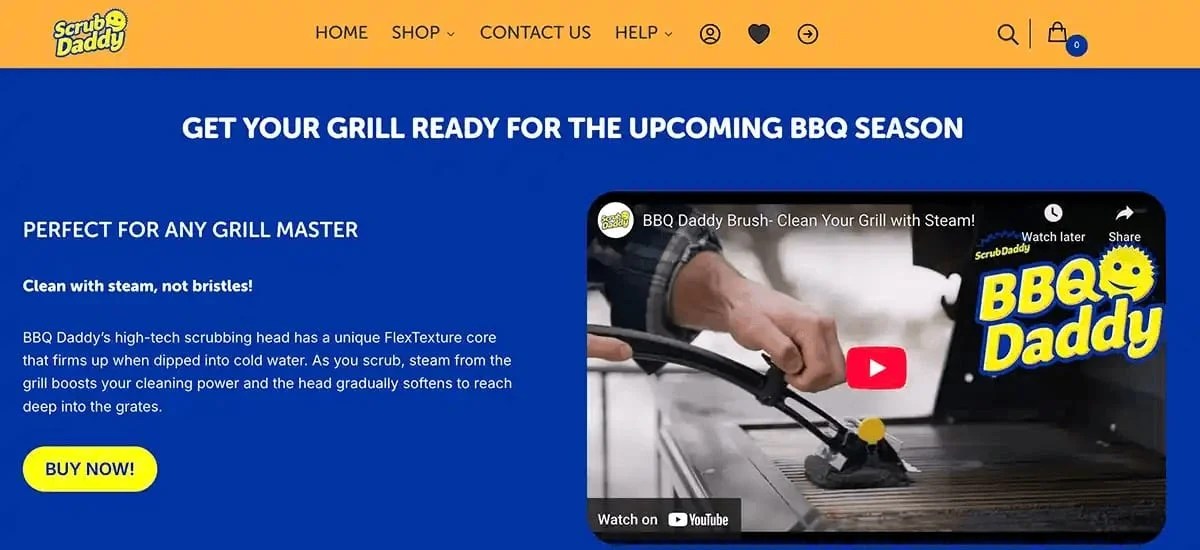
Product demonstration videos can also help people better understand how your item works and help them feel more comfortable clicking the Buy Now button. Videos from 30 seconds to two minutes in length are usually the most effective for a landing page, but this varies depending on the product you’re selling, so don’t be afraid to experiment with some A/B testing.
Use bold, colorful icons or other elements to guide visitors through the sections of your landing page, such as arrows, directional chevrons, and step-by-step numbers. Interactive elements like accordions and before-and-after comparison sliders can conserve space on your landing page and encourage visitors to engage more actively with information about your product.
5. A single focus and clear CTAs
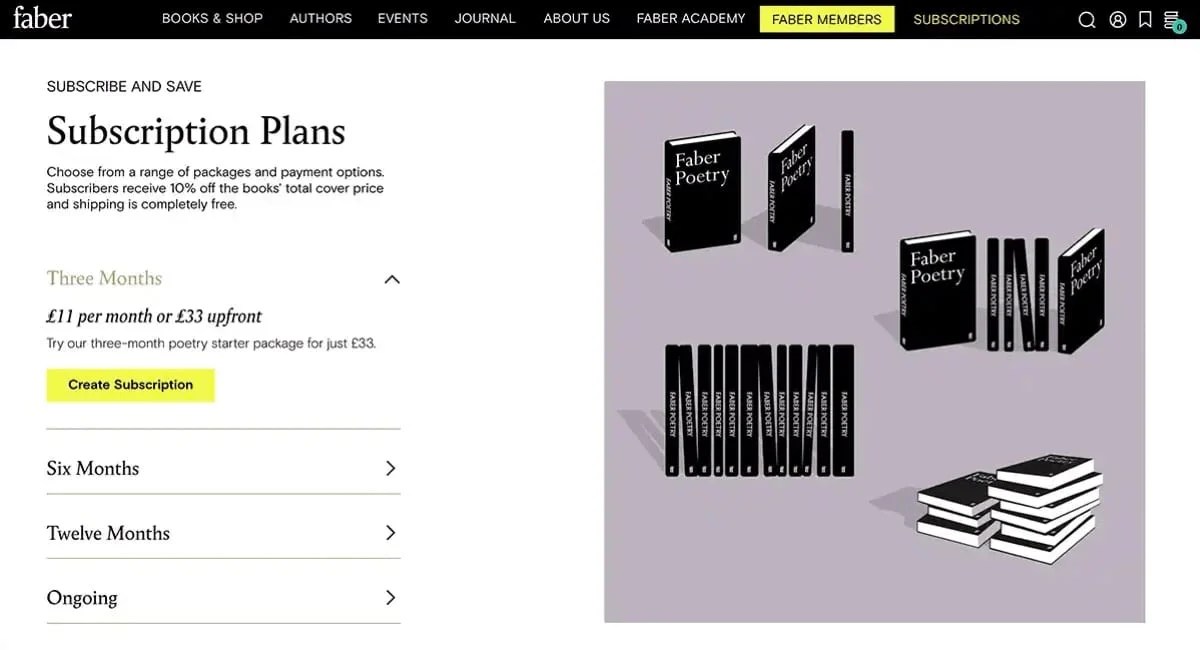
Your landing page should have one goal and guide visitors toward taking action. You should offer a single product, though you can experiment with add-ons or product variations at checkout. For example, choosing between monthly and annual subscriptions or selecting among starter, standard, and pro packages.
Don’t offer too many choices, or you may lose sales due to buyer confusion or indecision. Keep package offerings and variations to a minimum (two or three options will do).
CTA buttons should use action-oriented language like “Get Started,” “Claim Your Free Trial,” or “Buy Now.” Ensure it appears a few times on your landing page — at the top, somewhere in the middle of your content, and at the bottom.
You could even set up a floating Buy Now button so that no matter where a shopper is on your landing page, they can click to buy your product.
6. Social proof and compelling data
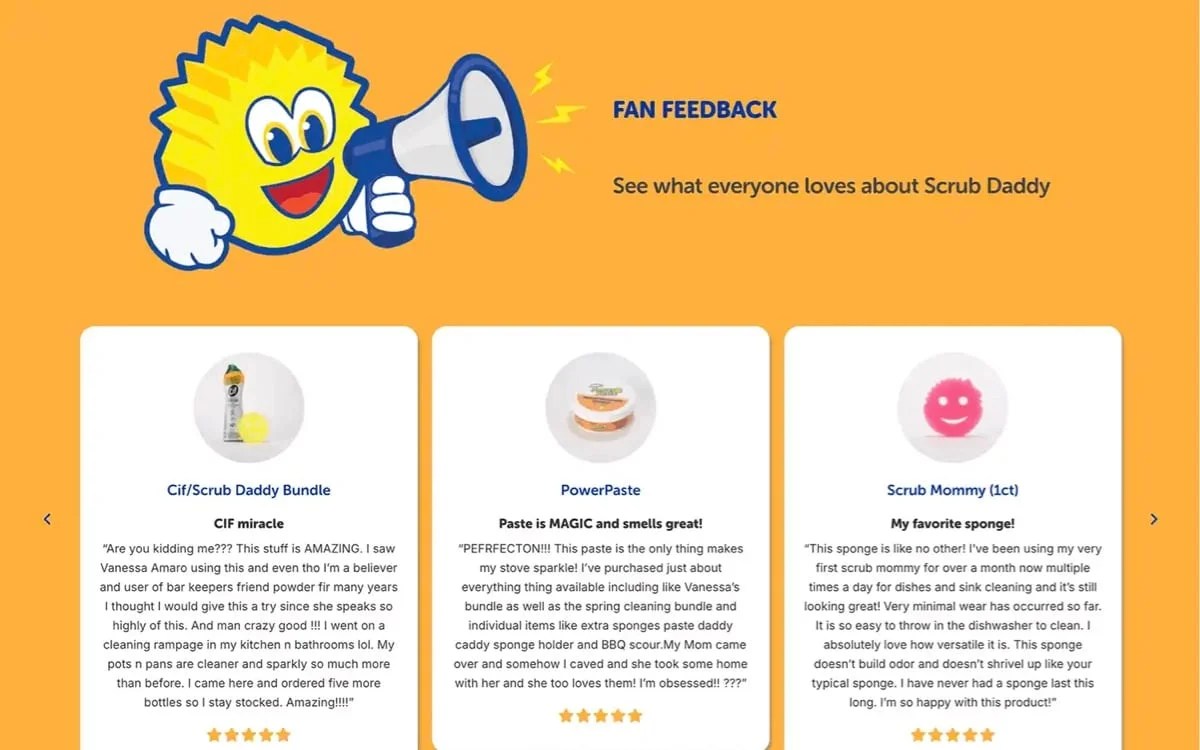
Social proof is a key component of a great landing page. You can describe your product’s features in rich, glowing detail, but ultimately, shoppers want to hear from actual users and see real results. If they know you have loyal customers and avid fans, they’re more likely to become one themselves.
Consider including:
- Customer testimonials and reviews: Positive feedback and five-star ratings from real customers can build trust. Limiting reviews to verified purchasers ensures that your store doesn’t get brigaded by fake reviews from competitors or spambots.
- Influencer videos: If a popular social media figure or respected expert makes a video showcasing your product and explaining its benefits, adding that video to your site can help validate your product and inspire confidence in shoppers.
- Case studies and success stories: Some products, especially service-oriented ones, may benefit from including case studies or success stories on the landing page. Case studies may be downloadable PDF reports, a slideshow of specific statistics, or documentary-style videos that showcase how your product benefitted certain individuals or businesses.
- Number of customers served: If you’ve sold thousands of units to happy customers, it might be worth mentioning those numbers. You can even display notifications of products being purchased in real time (e.g., “John from Alabama just purchased a 3-year subscription!”) to boost excitement and conversions.
- Professional endorsements: If your product is used or certified by a professional organization, adding their logos or seals (aka “trust badges”) to your site helps add credibility to your product.
7. A secure shopping experience
Online shoppers are inherently cautious about sharing sensitive payment information. In fact, one of the top reasons visitors abandon carts is uncertainty regarding payment security. So, make sure your website and any landing pages are secure.
Serve your landing page over SSL, ensure you’re PCI-DSS compliant, and follow consumer privacy laws in the countries you serve (e.g., GDPR in the European Union and CCPA in California).
Leverage secure payment gateways like WooPayments, Stripe, or PayPal, and trusted digital wallets like Apple Pay, Google Pay, Venmo, etc. Display their logos and icons for accepted payment methods (e.g., Visa, MasterCard, Discover) so your customers know their information is secure and that you accept their payment methods.
Include clear messaging like “Secure checkout protected with 256-bit encryption,” and add familiar visual trust signals, like padlock icons or a badge from your security certificate provider.
For privacy assurance, include compliant privacy policies and a consent pop-up so visitors can opt in (or out) of information collection.
When using trust badges and assurance messages, don’t go overboard. Remember that a clutter-free design is essential. Prioritize what you must display for legal compliance, then use one or two other visuals. If you use too many, you risk having the opposite of your intended effect.
8. Fast load times
The longer your landing page takes to load, the less likely visitors are to stick around. Web pages should ideally load within two seconds. Since lower page speed performance will negatively affect your search rankings (as well as annoy visitors), it’s well worth your time to optimize your site.
Here are some tips for improving landing page speed
- Choose quality hosting Low-cost shared hosting can be slow and not offer the server resources as you need for the traffic you’re expecting. Opt for a managed WordPress plan optimized for WooCommerce. Not sure how to select a hosting company? Check out our detailed guide to choosing the right WooCommerce hosting.
- Optimize images and videos: Make sure your image files aren’t any larger than needed. If you’re displaying an image at 500px wide, don’t upload a 5,000px-wide image. Compress photos using tools like ImageOptim and upload them in lightweight file formats like WebP or AVIF. Video files can take up a lot of server space and slow things down. Host videos off-site using Jetpack VideoPress, YouTube, or Vimeo.
- Minimize HTTP requests. Reduce the number of page elements (e.g., scripts, style sheets, and images) on your website to speed up load times. Code minification, asynchronous and deferred script loading, and lazy-loading images are all great ways to reduce HTTP requests on initial page load.
- Enable caching on your website. Caching speeds up website performance by temporarily storing frequently accessed data so it can be quickly retrieved and served to visitors. Leverage browser, page, object, and server-side caching to improve load time. Your host may provide caching options, or you may want to use a plugin like WP Super Cache.
- Use a content delivery network (CDN). CDNs also utilize caching, but they go a bit further by storing your site’s content on a globally-distributed network of servers so that content is served from the server nearest to the person accessing your website. Using services like Jetpack CDN can help you quickly serve image files, video, and other static content to site visitors.
- Choose a lightweight theme. Select a theme that doesn’t rely on bundled plugins that you may or may not need. An over-engineered theme can slow down your website and make managing it more cumbersome. The WooCommerce marketplace has some excellent themes to choose from.
These are some of the fundamental principles for ensuring a fast-loading landing page. Read Ten Ways to Improve the Speed of Your WooCommerce Store for a detailed guide to boost your page speed.
Design inspiration: Real landing page examples
↑ Back to topLooking for landing page inspiration? Here are a couple of landing page design examples from other websites using WooCommerce:
Francis Ford Coppola Winery
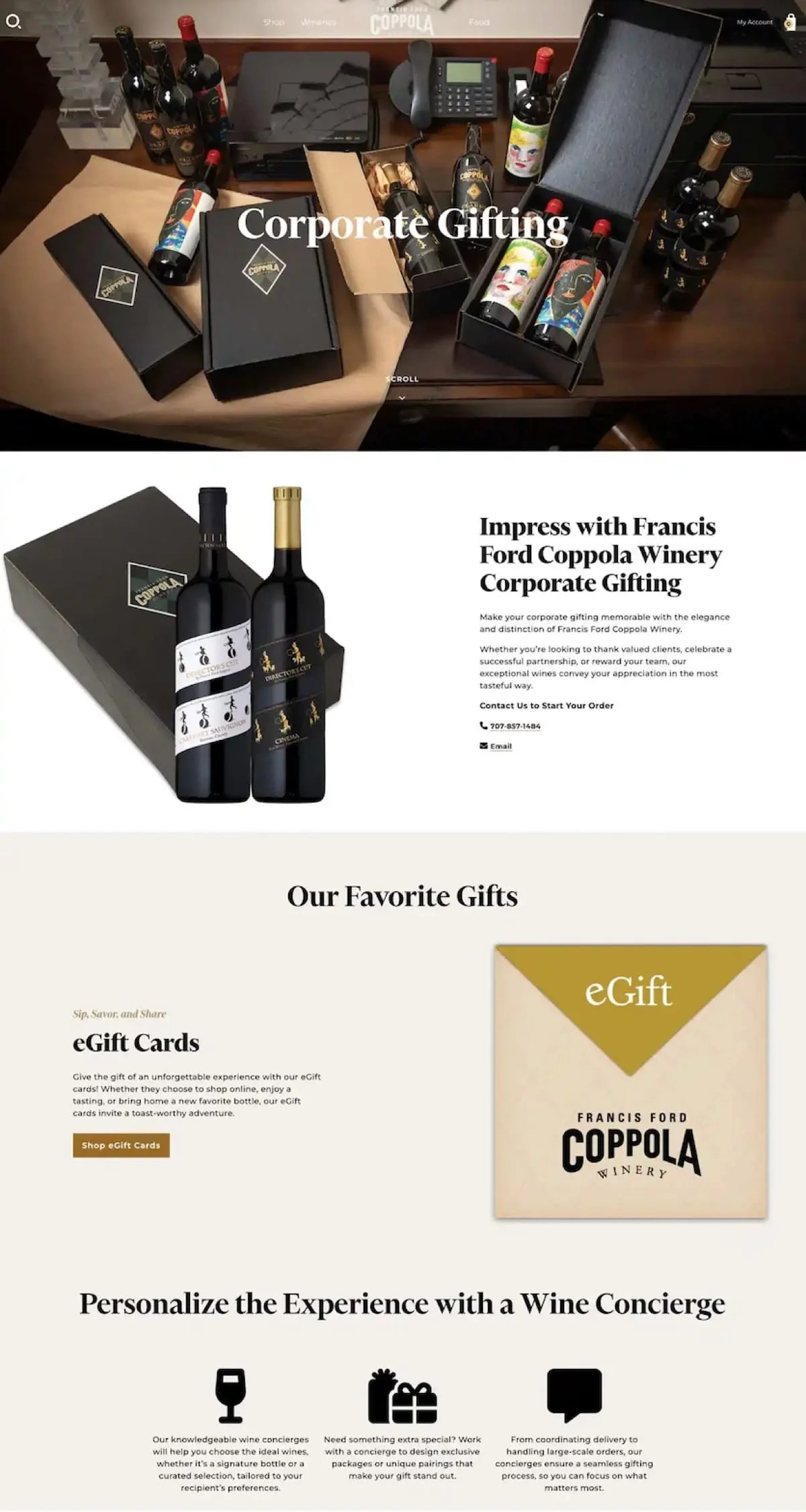
Francis Ford Coppola Winery’s landing page for their Corporate Gifting program is short and sweet. Their goal is to drive visitors to contact them directly to create a custom corporate gift experience. The hero section showcases examples of products and packaging in dramatic lighting. The second section is an immediate call to action. If the customer is looking for something simpler, they can scroll down to the next section, which promotes eGift Cards.
Unlike Caribou Coffee’s landing page for its perks program, Francis Ford Coppola Winery’s offering requires little explanation. However, it does need a more personalized connection. This is why they get straight to the point with the CTA “Contact us.” This communicates that they value human connection when creating the perfect gift experience for a client or business partner.
Nutribullet
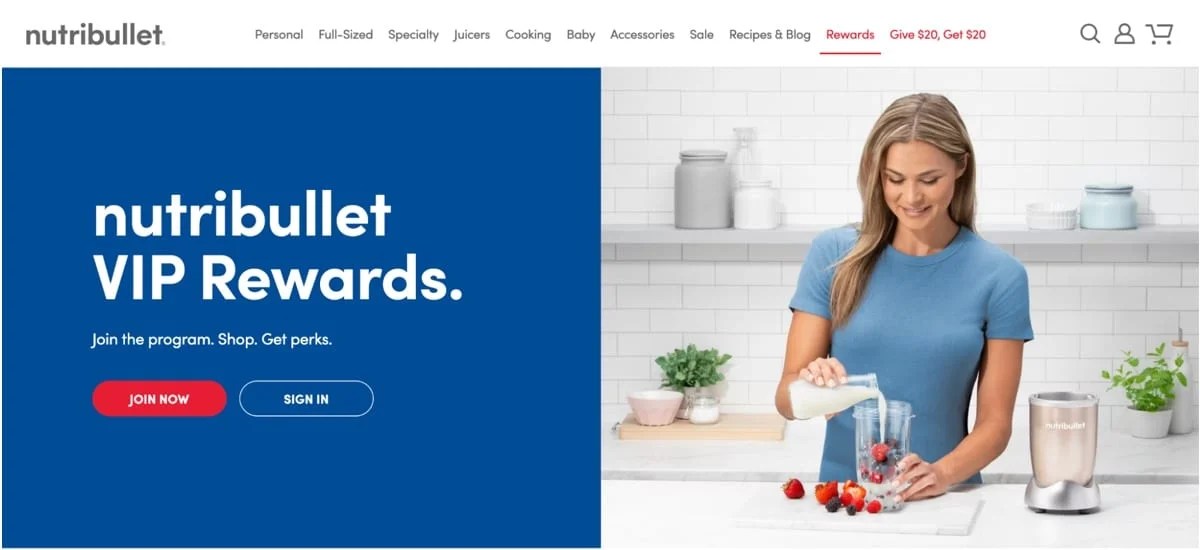
Nutribullet’s rewards program follows a similar flow of information as Caribou Coffee’s perks page — a strong hero section with a two-option CTA (Join Now and Sign In). Their program is less complex, so they don’t need to use as many sections to convey program details. In fact, where Caribou Coffee relies heavily on rich imagery of its products on its landing page, Nutribullet uses a short and tidy list of benefits.
The Join Now CTA is presented at the end of each section. Customers don’t have to scroll up or down to act.
How to build landing pages with WordPress and WooCommerce
↑ Back to topYou can use several methods to develop your landing page layout with WordPress and WooCommerce. The WordPress block editor, pre-made themes or patterns, and even custom code are all great options.
Your choice will depend on the extent of your previous WordPress and WooCommerce development experience. And whether you are working with skilled developers (in-house or freelance) to build out your site and landing pages.
- The block editor: The WordPress block editor provides drag-and-drop functionality for creating effective landing pages without coding.
- Themes and patterns: WordPress themes often include customizable page themes that you can alter to match your brand. Block-based themes may also include a variety of patterns (pre-grouped, pre-styled arrangements of different blocks) that can be used to create landing pages.
- Custom code: For developers, coding from scratch allows complete control over layout and design elements.
Enhance your landing page design further with sales-boosting features. In addition to your page builder or theme themes, WooCommerce includes modular components that work seamlessly with the WordPress block editor. Let’s look at some of the areas where WooCommerce extensions can help add value and create landing pages that convert.
1. Product photos and videos
A good landing page uses a combination of photos, videos, and even illustrations (when appropriate) to help shoppers make decisions quickly. Stock photos can seem inauthentic. Opt for real photos of your product or services when possible. Original illustrations and video content can also grab your target audience’s attention.
Showcase your product in greater detail and provide some interactive fun with the following tools:
- WooCommerce Additional Variation Images: If your product includes a few variations, this extension will let you add more than the default single variation image for your product so you can showcase variation differences in greater detail.
- WooCommerce 360 Image: Effortlessly incorporate interactive, fully controllable 360-degree product photos into your WooCommerce store. Simply upload multiple photos into a product gallery, and this extension transforms them into an engaging, rotating product view that replaces the standard featured image.
- Jetpack VideoPress: The only native WordPress video player, this tool hosts heavy video files off-site so you can add them throughout your pages. The video player itself is completely customizable. And unlike platforms like YouTube, it won’t ever show ads from your competitors (or anyone else).
2. Feature-rich reviews
You can use WooCommerce extensions like Product Reviews Pro to collect feature-rich reviews that include customer-submitted photos and videos and verification badges. This ensures your reviews come from legitimate customers. If you use third-party review sources, you can include them in your page design with extensions for Trustpilot, Google Merchant Center, and others.
Don’t let shoppers get lost in the weeds of hundreds of product reviews. Use a review summary instead. Product Review Summary and Feedback for WooCommerce shows visitors an overall summary of all your reviews and a star-rating breakdown. Shoppers can quickly understand, on average, how satisfied customers are with your product.
3. Special offers and urgency
If you want to test promotional offers and product configurations, or emphasize time sensitivity on your landing page, WooCommerce extensions can help. Create a sense of urgency around your offer. Add a top bar to your pages using Notifications for WooCommerce to highlight discounts, display a countdown timer, or report on sales in real time.
Give shoppers choices and test the popularity of different add-ons with Product Add-Ons for WooCommerce. Add options such as personalization, material upgrades, or custom finishes with this extension. It’ll give shoppers more control and a more personal connection to your product.
Try to capture visitors before they leave your site by offering them an incentive when they attempt to navigate away. The Last Minute Offer extension helps reduce cart abandonment. It does this by using exit-intent technology that tracks a user’s cursor movement in real time and displays a pop-up when they try to exit the page. You can customize that pop-up with a limited-time discount, BOGO offer, or any incentive you like.
4. Customer service
Let’s not forget the importance of customer service. Don’t let shoppers get lost in the weeds of your FAQ pages. Ensure shoppers’ questions are answered instantly, without leaving the page.
Chatbot tools like LiveChat for WooCommerce, WhatsApp Chat for WooCommerce, or AI-assisted chatbots like Kestrel AI for WooCommerce can help you answer questions in real time. When shoppers feel confident in their understanding of a product or service, they’re more likely to buy. If they can’t get those answers in the moment, they might not come back or wait around for an email reply.
Test your landing page design
↑ Back to topAfter you’ve built your landing page, don’t forget to test it for effectiveness, functionality, and user experience. Doing the following ensures that your design is optimized for maximum conversion:
- A/B tests on content or promotions.
- Usability and accessibility tests.
- Page speed testing.
- Reviewing landing page functionality regularly.
A/B testing for optimization
A/B testing compares two variations of your landing page to determine which one performs better. Experiment with key elements like headlines, images, CTAs, pricing, and layouts. Use a plugin like Nelio A/B Testing to create and manage tests directly in your WordPress dashboard.
Test changes to one element at a time to clearly identify the impact. Allow sufficient time and traffic for meaningful results before declaring one version of your landing page design the winner.
User experience and usability testing
Test your landing pages on a variety of devices or use a responsive design checker like the Pixefy Chrome add-on. Google’s PageSpeed Insights also helps check your page’s usability on mobile devices, evaluate load times, and diagnose areas for improvement.
Collect real-time data on how users interact with your landing page with software like Hotjar and Crazy Egg. These tools provide heat maps and user session recordings to see what visitors click on most or skip. Look for friction points in your user interface, like unclear CTAs, confusing navigation, or checkout complications.
Functionality testing
Regularly check the technical functionality of payment gateways, subscription forms, coupons, and checkout processes. Create test orders to ensure all WooCommerce extensions are functioning correctly. Check that transactional and follow-up emails are delivered. And, that customers are imported into any off-site marketing funnels you’ve connected to your store.
Track analytics
↑ Back to topBefore looking at your analytics, you’ll want to establish conversion goals, like completed purchases, form submissions, or newsletter sign-ups. Then, use WooCommerce Analytics or Google Analytics for WooCommerce to gather detailed data on those goals.
In addition to tracking specific goals, use your analytics tools to monitor visitor behavior, conversion rates, and revenue. Analyze conversion rates by source (e.g., organic search, social media posts, ads, etc.) and demographics.
Monitor your bounce rates and identify exit points to improve visitor retention. Optimizing content, layout, or page load time will reduce cart abandonment and bounce rates. Your analytics also help you hone in on specific problematic elements that A/B testing or heat mapping tools may not have identified.
Lastly, review your revenue analytics to see how profitable your landing pages are. Then, allocate resources to campaigns and strategies that provide the highest ROI.
Final thoughts on effective landing page design
↑ Back to topCreating the best landing page design for your product goes beyond mere aesthetics. It should employ proven strategies to guide visitors to take action. No matter what tools you use, be sure to:
- Focus on one product or offer.
- Use a strong CTA message that stands out.
- Prioritize security and privacy, include engaging visuals and social proof to build trust.
- Keep your layout clean, responsive, and on-brand.
Follow these best practices, and take advantage of the wealth of features offered by WooCommerce. You’ll end up with a landing page design that makes a lasting impression and drives more conversions.


About