



We just kicked off a large effort, and I want to post about it here because you’re going to see it happen in the open. For the next three months, most of our product and engineering teams will focus exclusively on the WooCommerce core plugin, the software at the center of every Woo store.
When we started this push, the WooCommerce repository on GitHub had over 2,300 open issues and 500 open pull requests. Some are bugs, some are enhancement ideas. Most came directly from merchants, developers, and agencies who took the time to write up what they were seeing.
That backlog is, in a real sense, a to-do list this community wrote for us. And we haven’t moved it forward fast enough. We’re now re-reviewing every item on it. Each issue gets a look from a product person and gets a response, and is either:
- Added to a prioritized list that a small cross-functional team owns and drives to closure, or
- Closed with a clear reason and an open invitation to reopen it if we got the call wrong.
Why spend a whole quarter this way? WooCommerce sits in the middle of everything. Your store runs on it, your extensions hook into it, your theme renders content from it. Time invested here pays off across the entire platform, setting us up to ship what comes next faster and with more confidence. So we’re deliberately holding off on most major new initiatives until this work is done. That being said, work on the critical areas of WooPayments and Woo AI will continue in parallel. We’ll share the work on those releases separately.
There’s one more idea guiding it all: WooCommerce integrates deeply with WordPress; that’s our superpower. Every Woo store is also a full website, with everything that comes with it. We’re leaning into that so the two feel like one coherent product rather than neighbors, and we’re working closely with WordPress teams to drive improvements across the entire combined system.
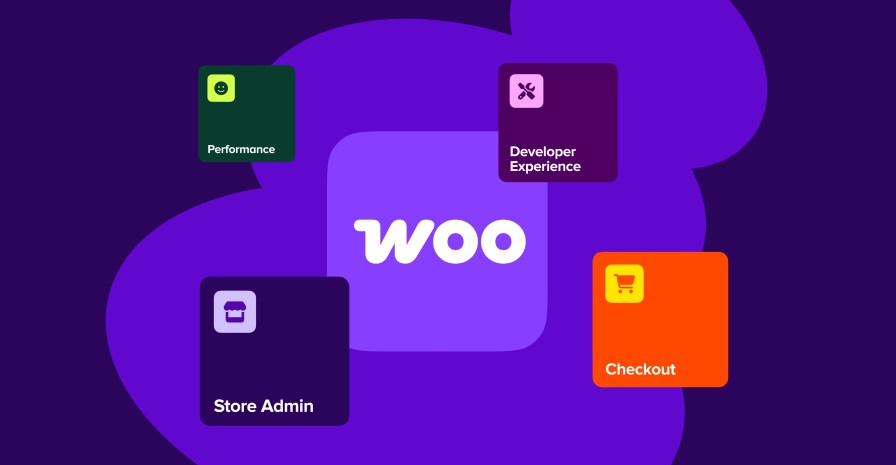
Based on what we’ve heard from customers and developers, the work is grouped into four areas:
- Making Woo faster and more reliable. The foundation has to feel solid, and that includes performance and release quality. Updating your store should be a non-event: you install the WooCommerce update, and you keep selling. That’s the bar we’re holding ourselves to.
- Modernizing the builder/developer experience. Woo should be easier and more predictable to build on. We’re focusing on APIs, documentation, dev tools, extensibility, backwards compatibility, and clear guidance as things change.
- Improving the store-owner/admin experience. We’re working through product management, order management, settings, and setup in WP Admin so those interactions feel quick and coherent.
- Strengthening the checkout engine. The core commerce jobs need to be dependable: cart, checkout, payments, subscriptions, tax, shipping, product data, inventory, orders, and accounts. These are the systems your revenue flows through. That includes making them work well wherever you sell, with better support for regional tax, shipping, and payment structures around the world.
If you’ve filed an issue on WooCommerce: thank you, and you’ll be hearing from us if it’s still open. If we close something you think we shouldn’t have, comment to help us consider reopening it. Your feedback is directly shaping what we build, and we want to prove that in public, issue by issue.
You can watch the whole effort unfold on the WooCommerce GitHub repository, and folks from the team will be sharing progress along the way. If something in WooCommerce has been irking you for years — a bug, a workflow, a missing hook — now is a great time to file it or bump it.
WooCommerce was built by this community. Over the next few months, your feedback will accelerate it even more.


About
Great initiative, but let’s address the elephant in the room: when are products getting dedicated custom tables, just like orders did with HPOS? Keeping product data and variations in wp_posts and wp_postmeta remains the biggest performance bottleneck for scaling stores. Is a dedicated product schema actually on the near-term roadmap?
My biggest concern with Woo and WordPress is how the database username and password is exposed in an easily hackable wp-config file, and Woo exposes Stripe API secret keys in the Options table. If Woo is designed in part to appeal to the DIY shop owner without tech experience, is there a way to change this? I know some web hosts like Pressable do the right thing and fix the wp-config file, but most hosts don’t, and DIYers don’t know how. And the Options table seems like it needs improvement. Aloha for reading =)
Are newly added issues being addresses as well as the backlog?
I received an order where the customer used his email address as the physical mailing address and it was processed as a valid order within woocommerce. How in the world was this even allowed since the product is a physical 3D printed object that needs to be mailed out and not a file or electronic document? Shouldn’t a physical address validation be a standard requirement for an address field without having to purchase a plugin subscription? Really unbelievable when I saw that the order was processed. This really makes me want to go back to shopify if a simple basic feature like proper address validation is not available for an ecommerce store.
Recently we have had a few buyers place an order and have chosen the incorrect product or quantity. It would be nice if we could adjust their order or allow them to after the initial order has been placed.
I am struggling a bit with collection and remittance of taxes collected on my digital download. It doesn’t appear that VAT are being added to sales in the EU, and haven’t found a report that helps me submit to various authorities the taxes that have been collected on sales in those US states that tax digital downloaded products. Is there a report or better, an automated way to handle this?
Order Reporting –
Finding information about upcoming orders is hard to find. You have to click on the eye button or go in the order to find details. A more detailed orders table with proper filters can help manage orders.
Order Reports and Analytics are also weak since filters are very limited.
I would love it if I could just click next product while in one without having to go back to all products and searching for the next one if I am making small changes. Same with orders. Once I am in one order, I would love to be able to click next order and see it
Will WooCommerce publish an official plugin submission checklist similar to the one available for WordPress plugins?
I have a bespoke EORI/EU VAT plugin that we actively use to support B2B exports from the United States to the EU while complying with the relevant EORI requirements. I haven’t yet had time to explore the WooCommerce submission process.
Is there—or will there be—a separate process for WooCommerce extensions that could make submission and review more streamlined?
Hi team woo،
I am from Pakistan Punjab Fasilabad Tehsile Sammundri ۔
My name is Gulshan Tanveer I am 45 years old lady Homeopathic lady Doctor ۔ I also work online base of commission as affiliate program and working ۔ how I get started the my own account at this Woo platform ۔
There are certain things I cannot do because I don’t have permission to work in plug-ins. Sorry for being vague but I can’t remember what tje certain thing is. All I can remember is it has to do with plig-ins and not having permission.
A few critical features that WordPress and WooCommerce require to compete effectively with modern ecommerce platforms, bringing to core capabilities that are already free on Shopify, PrestaShop, etc and featured prominently on emerging roadmaps like Cloudflare’s DashCommerce.
1) Web-Native ePOS (Plugin & Browser-Based) (Shopify, EmDashCommerce)
The Gap: The current Woo POS app ecosystem is basic and lacks native compatibility with critical product add-on plugins (like Optional Extras). It is also heavily restricted to WooPayments (Stripe).
The Solution: A web-native ePOS GUI accessible via any standard desktop or mobile browser, rather than a locked-down mobile app. It should seamlessly connect to external card readers and barcode scanners.
The Impact: A browser-native POS would give Woo a massive tactical advantage. It ensures that complex products utilizing third-party layout and configuration plugins can actually be sold in person. I raised these exact compatibility limitations two years ago during pre-launch Slack testing, and they remain a major friction point.
2) Core Product Subscriptions (Shopify, EmDash)
The Gap: Subscriptions are now a baseline expectation for modern store owners, offered out-of-the-box by Shopify and DashCommerce.
The Solution: Introduce a streamlined, entry-level version of Subscriptions into WooCommerce core.
The Impact: I recognise that the official premium Subscriptions plugin generates massive annual revenue for Automattic (estimated well over £20M). However, a freemium core model, similar to YITH’s approach of limiting free users to one gateway or fixed monthly intervals, would serve as a powerful conversion funnel to upsell users to premium extensions.
3) Plugin Isolation & Sandboxing (Shopify/EmDash)
The Gap: While this is inherently a WordPress core architectural issue rather than a standalone WooCommerce problem, plugin conflicts remain the number one killer of Woo store stability and merchant confidence.
The Solution: Implement true plugin sandboxing or isolated execution environments for ecommerce-critical processes.
The Impact: If WooCommerce can champion or implement better isolation for transactional environments, it would drastically improve platform reliability, reduce development overhead, and lower overall merchant churn.
4) Native Multi-Currency & Localization in Core (PrestaShop)
The Gap: Global cross-border selling is a baseline requirement today. While WooCommerce core handles multiple tax rates, it still requires heavy, often buggy premium extensions to handle multi-currency switching, localized checkout experiences, and multi-language routing smoothly.
The Solution: Bring a robust, multi-currency engine directly into WooCommerce core, tied natively to WooPayments.
The Impact: It strips away the conflict-heavy setup of third-party currency switchers. Shopify Markets has made international selling friction-free; WooCommerce needs a native counterweight to prevent growing brands from migrating away when they begin to scale globally.
5) High-Performance, Block-Based Checkout by Default (Shopify)
The Gap: While the newer Cart and Checkout Blocks are a massive improvement over old shortcodes, the checkout process in WooCommerce can still feel heavy, slow, and prone to theme design conflicts compared to Shopify’s highly optimized, single-page checkout.
The Solution: Make an ultra-optimized, block-based, lightning-fast checkout the default, unblockable standard, with strict, sandboxed APIs for developers to inject fields safely.
The Impact: Directly improves conversion rates for merchants out of the box. Small business owners shouldn’t have to hire specialized performance developers just to achieve a sub-second mobile checkout experience.
6) Centralized Multi-Store Inventory & Omnichannel Core (PrestaShop, Shopify)
The Gap: Many modern merchants run a “hub-and-spoke” model, selling on one retail site, a wholesale (B2B) site, and marketplaces like Amazon or TikTok Shop. Managing these natively inside WooCommerce is currently impossible without complex, expensive third-party SaaS middleware.
The Solution: Introduce native multi-inventory locations and foundational multi-site inventory syncing APIs directly into the core architecture.
The Impact: This perfectly complements a native ePOS system. If Automattic wants to dominate the future of commerce, they must treat WooCommerce not just as a single website, but as a central operational dashboard for omnichannel sales.
7) Built-in Customer Identity & Frictionless Login (Google/Apple ID & Passkeys) (All)
The Gap: The default WooCommerce “My Account” area is rigid and dated. Setting up social login currently requires merchants to configure complex, error-prone third-party APIs. Meanwhile, Shopify is aggressively capturing casual shoppers via native, one-click global identity tracking (Shop Pay), drastically reducing mobile checkout friction.
The Solution: Revamp the WooCommerce customer identity framework to natively support passwordless authentication **specifically built-in Google Sign-In, Apple ID, and biometric Passkeys (FaceID/TouchID) directly in core.**
The Impact: Gives merchants an instant, enterprise-grade security and checkout experience without configuration headaches. It modernizes the post-purchase experience and slashes mobile cart abandonment by matching the frictionless login standards set by modern SaaS platforms.
I’m sure there are others, but these are the main ones that spring to mind.
8) Native Warehouse Location Architecture (Moving Beyond Meta-Field Hacks) (Presta/Shopify)
The Gap: WooCommerce core lacks any physical warehouse location layer (aisle, shelf, bin). While developers can technically hack this using standard WordPress custom fields (_product_meta) via a functions.php script to add a text input to the Product Data Inventory tab, this method quickly breaks down. Static meta fields cannot handle multiple physical stock locations for a single SKU, fail with complex product variations, and cannot be cleanly indexed for advanced warehouse picking routes.
The Solution: Introduce a structured, relational database schema for “Stock Locations” within WooCommerce core. This should allow a single SKU or product variation to have a split stock count across multiple physical locations (e.g., Aisle 3 / Shelf B). To keep core lightweight for standard digital-only stores, this could be introduced as a toggle feature directly under WooCommerce > Settings > Advanced > Features, sitting perfectly alongside the newly implemented Cost of Goods Sold (COGS) toggle.
The Impact: It elevates WooCommerce from a basic digital storefront into a robust operational platform. Showing picker-friendly warehouse coordinates directly on native packing slips would stop scaling merchants from leaving WooCommerce for dedicated ERP/WMS platforms. I raised this structural limitation two years ago via Slack while testing the native WooCommerce POS plugin, and it remains a massive blind spot for shops scaling.
Hi.
I would like the ability to revise the prices of products in bulk, that have variations.
I have been told that I need to go through every product and do the changes one by one 🙁
Also, on the orders page it would be helpful to see what products a customer has purchased, without clicking into each order one by one. Just like on the eBay and Amazon orders page 🙂
Thank you.
Andy
Trending
Subscription churn: Turn retention insights into recurring revenue growth
By Tim Crepeau •
Scaling ecommerce: Growing sales without losing margin
By Shubert Koong •
Build multiple WooCommerce stores on a single WordPress installation
By James Kemp •
Never miss a beat — join our mailing list
Please enter a valid email.
View our privacy policy. You can unsubscribe anytime. We track email opens and clicks for measurement and optimization purposes.
There was an error subscribing; please try again later.
Thanks for subscribing!
Emails will be sent to
You're already subscribed!
Emails are sent to