
Product comparison
Subscription includes
Support
Options live inside the add-to-cart form, styled to match the theme. Each one shows its price next to the label, and a subtotal with options updates the moment a customer types a name, picks a colour or ticks gift wrap. No surprises in the cart.
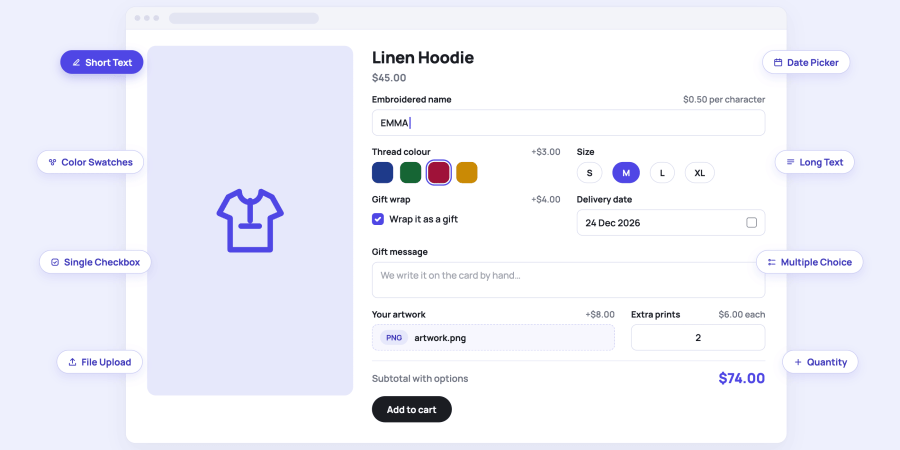
Every kind of input a product might need, from a one-line name to an uploaded file or a rental period, added from one Add Field button.
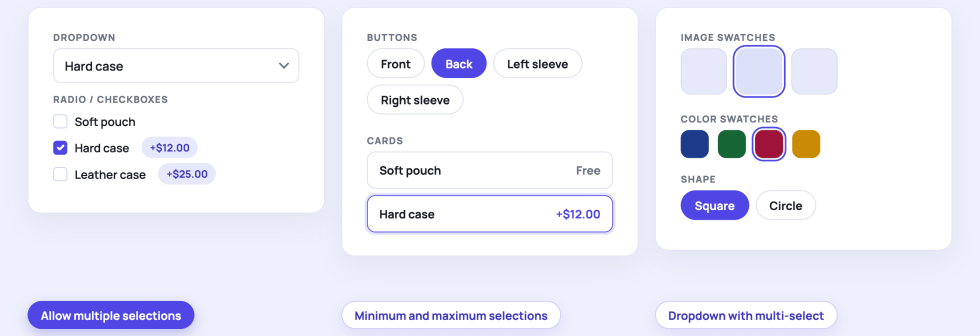
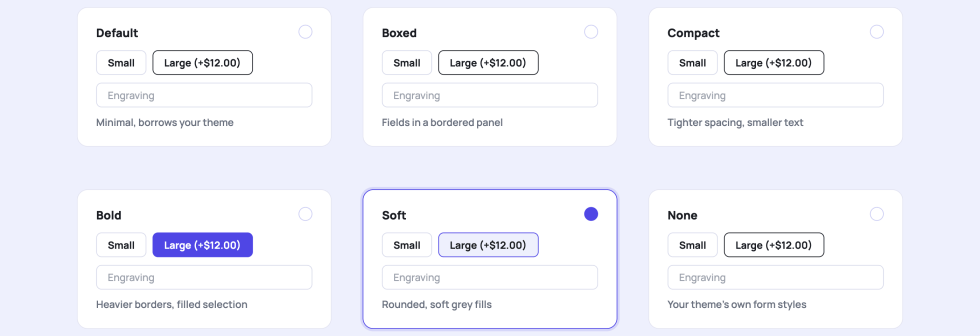
Pick the display that fits the product. The choices and prices stay the same; only the look changes.
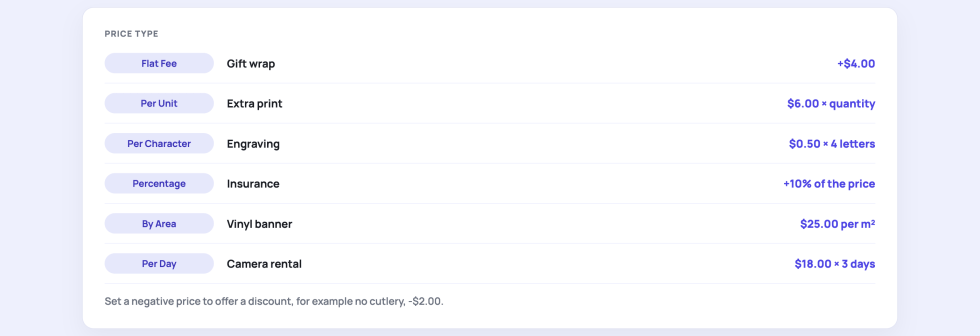
Set the price type per field or per choice, so every option charges the way the product is made.
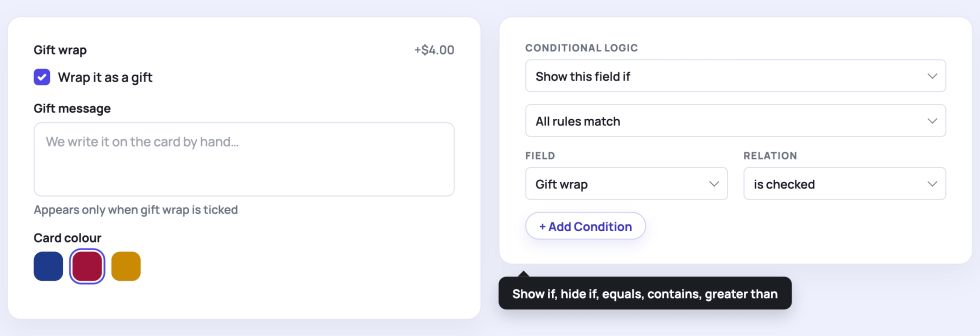
Conditional logic keeps the product page short. A field appears or disappears based on another answer, and the rules are built from dropdowns.
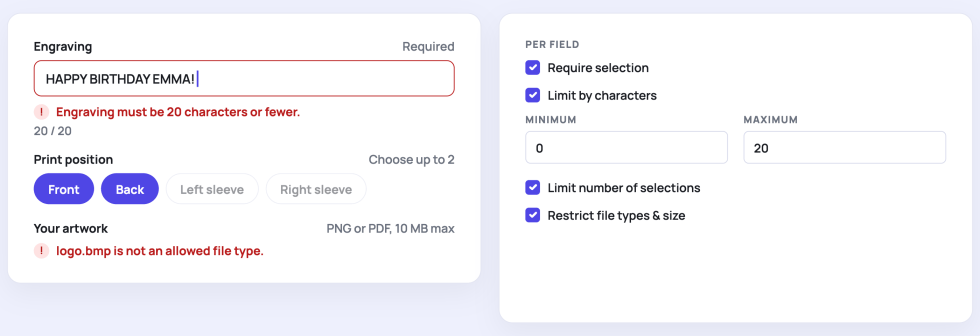
Customers see what is missing or over the limit right on the product page, and the server checks the same rules again when the item is added to the cart.
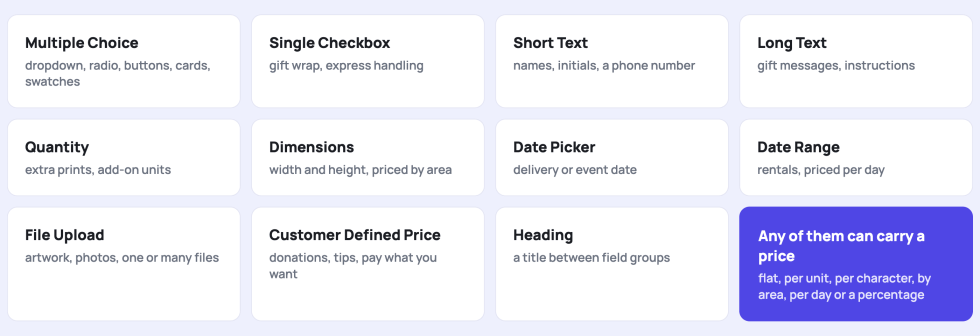
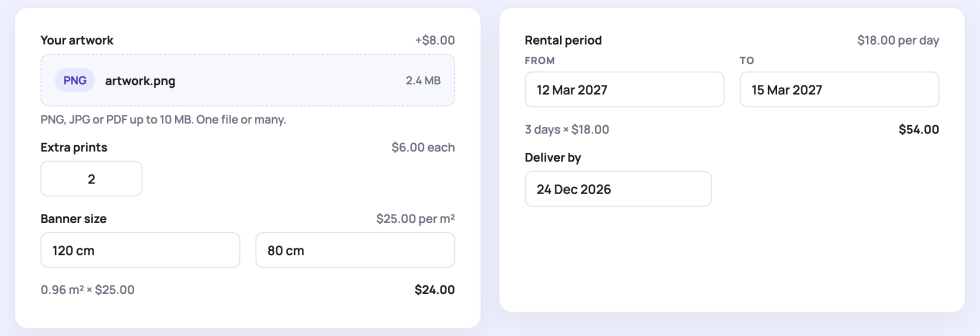
The fields that turn a product into a service: artwork for printing, a delivery date, a rental period, a custom size, or extra units.
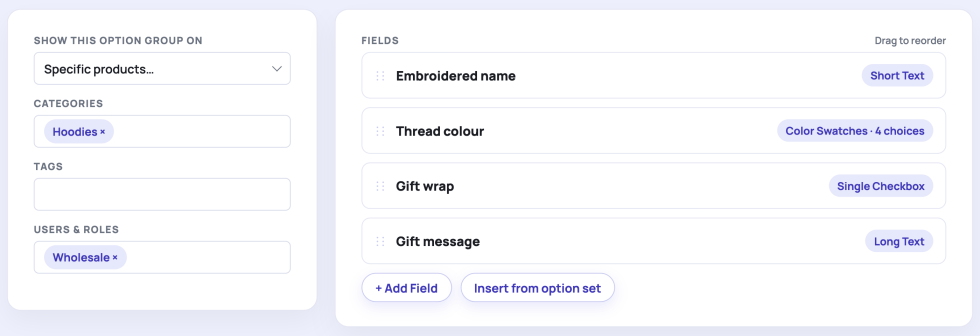
A visual builder with drag-and-drop fields. Decide where each option group appears without touching a product.
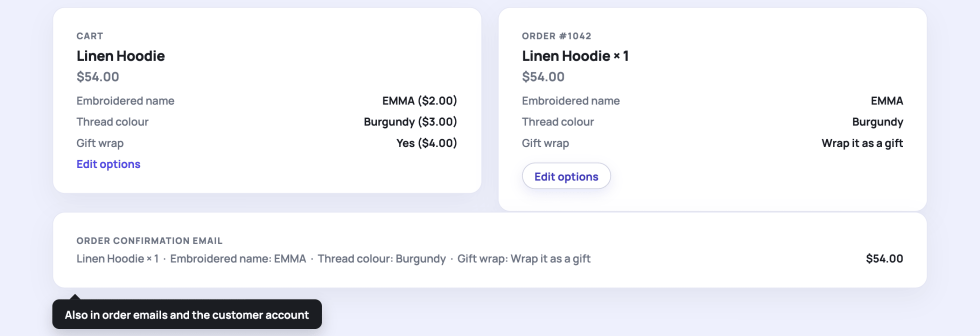
What the customer picked travels with the item: cart, checkout, order emails, the customer account and the order screen in the admin.
Pick a look in the settings and preview it live, or switch the plugin styling off and use your theme.
Bespoke Product Options works with classic and block themes, the classic cart and checkout and the Cart and Checkout blocks, and declares compatibility with High-Performance Order Storage.
Perfect for: personalised gifts and apparel, engraving and embroidery, print shops, signage and banners, bakeries and florists, rentals and bookings, custom furniture, donations and pay what you want.
Any simple or variable product. Build an option group and attach it to all products, specific products, categories, tags or brands, or add fields to a single product from its own edit screen. On variable products you can limit a field to specific variations.
Each field or choice has a price type: Flat Fee, Per Unit, Per Character, Percentage, By Area or Per Day. The subtotal with options updates on the product page as the customer picks, and the same price is charged in the cart, at checkout, and on the order. A negative price works as a discount.
Yes. A Multiple Choice field has a Display As setting with Dropdown, Radio / Checkboxes, Buttons, Cards, Image Swatches and Color Swatches. Tick Allow multiple selections to let customers pick several choices, with an optional minimum and maximum. With the Dropdown display, a multiple field becomes a compact dropdown that opens a checkbox list, which suits long lists.
Yes, with conditional logic on any field. Choose Show this field if or Hide this field if, add one or more rules such as Gift wrap is checked or Size equals Large, and decide whether all rules or any rule must match. A hidden field is never priced or submitted.
Yes, twice. On the product page, the customer sees an inline message for a missing required field, a text over the character limit, too many selections, or a file that is not allowed. When the item is added to the cart the server checks the same rules again, so nothing invalid reaches the order.
A File Upload field accepts one file or many, with allowed types and a size limit that you can set globally and tighten per field. Files are stored in a protected directory inside your uploads folder, attached to the order and kept. Uploads from carts that never became an order are deleted after the number of days you set in the settings.
Under the item in the cart and at checkout, in the order emails, in the customer account, and on the order screen in the admin, where staff can edit them or configure options on orders created by hand. In the cart, an Edit options link sends the customer back to the product with everything pre-filled. Options are stored as order item meta, so they also reach invoices and packing slips that print item meta.
Yes. Options are validated and added through the Store API, so the Cart and Checkout blocks show and charge them the same way as the classic shortcodes, and the plugin declares compatibility with High-Performance Order Storage. Option prices convert with WooPayments Multi-currency, WooCommerce Multilingual, Aelia Currency Switcher, CURCY, WooCommerce Currency Switcher (FOX), and Currency Switcher for WooCommerce, and labels, choices and descriptions are translatable with WooCommerce Multilingual (WPML).
Categories
Extension information
Quality Checks
Countries