

Active installs
300+
Product comparison
Subscription includes
Support
For more information, see: Supported Payment Gateways for Scheduled Payments
Boost customer loyalty with Ultimate Payment Plans — let your shoppers pay a deposit upfront, split the rest into flexible installments, and settle balances on their own schedule: daily, weekly, monthly, or yearly. Store admins get full control, easily managing plans per product with customizable rules.
Encourage shoppers to complete their purchases with flexible, manageable payment options. Let customers buy now and pay later, breaking big purchases into easy installments, making products more accessible, reducing abandoned carts, and driving higher sales.
Easily track, manage, and automate all payment plans from a single dashboard. With support for product-level and cart-level plans, you save time while giving customers the freedom to pay their way, boosting satisfaction and loyalty.
Not every customer is ready to pay the full price upfront — and that’s where Ultimate Payment Plans for WooCommerce becomes a game-changer. Instead of losing sales to abandoned carts, you can give shoppers the flexibility to:
By default, WooCommerce doesn’t provide these options, meaning customers are limited to paying the full price. With Ultimate Payment Plans, you can offer deposits, layaway, payment installments, and variable payment options — making it easy for customers to buy confidently and become loyal fans.
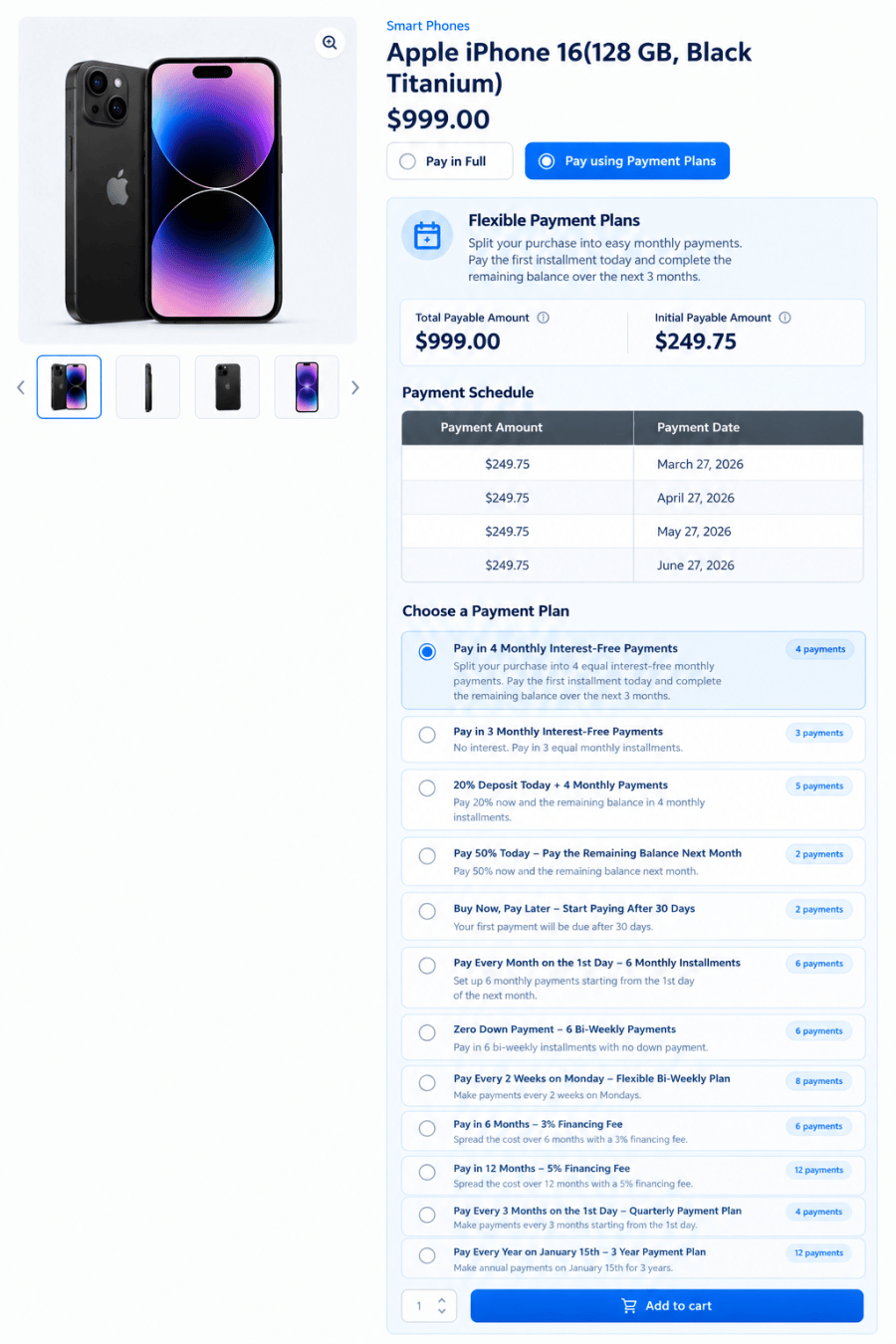
Payment Plans – Product Level
Drive more conversions by offering flexible payment options directly on the product page. Customers can instantly choose their preferred payment plan — making it easier to afford higher-value products and buy with confidence.
Payment Plans – Cart Level
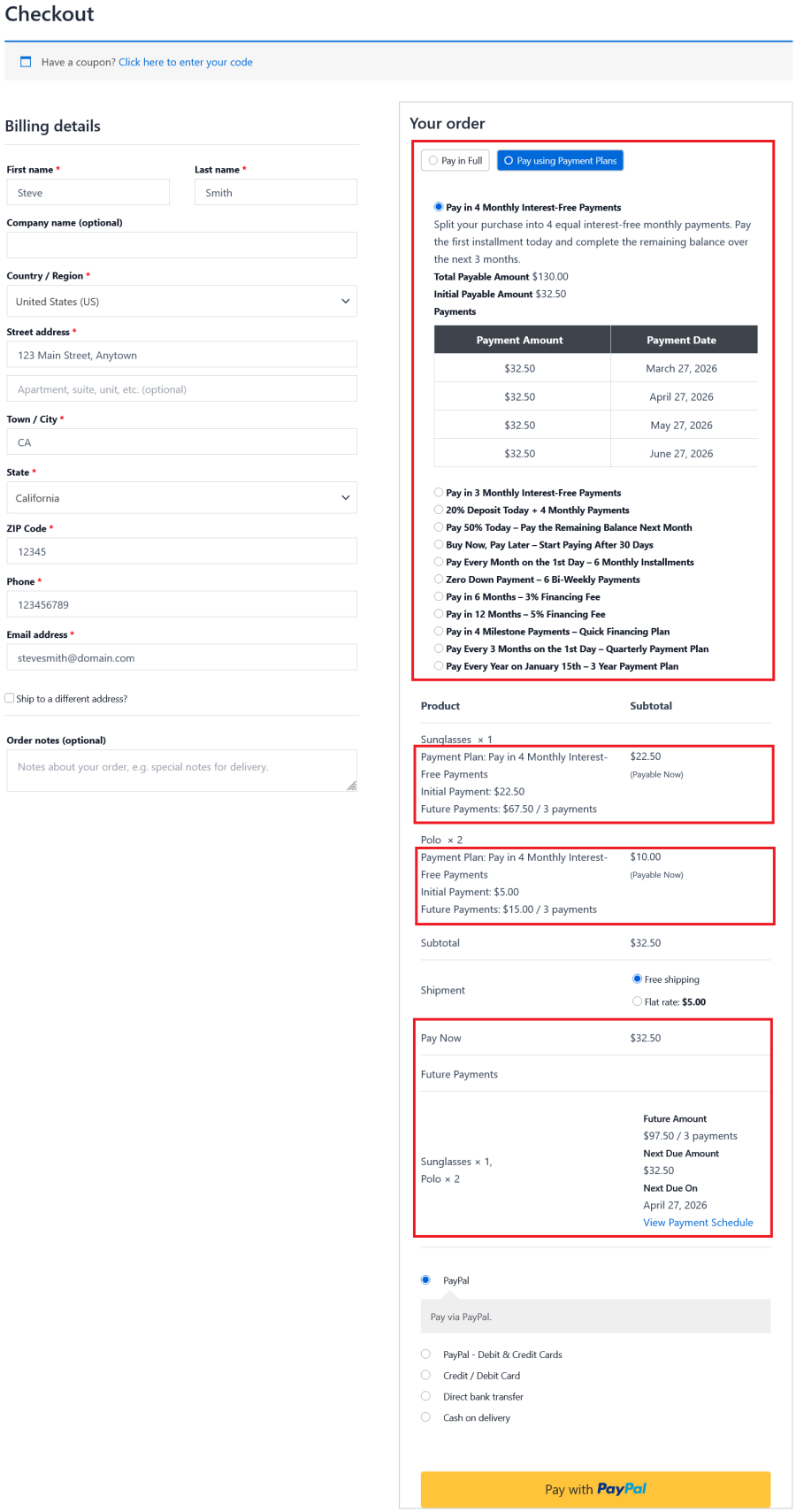
Boost conversions by offering flexible payment options at the cart level. Once customers add products to their cart, they can choose a payment plan directly on the Cart and Checkout pages — making purchases more affordable and easier to complete.
Viewing Payment Schedule
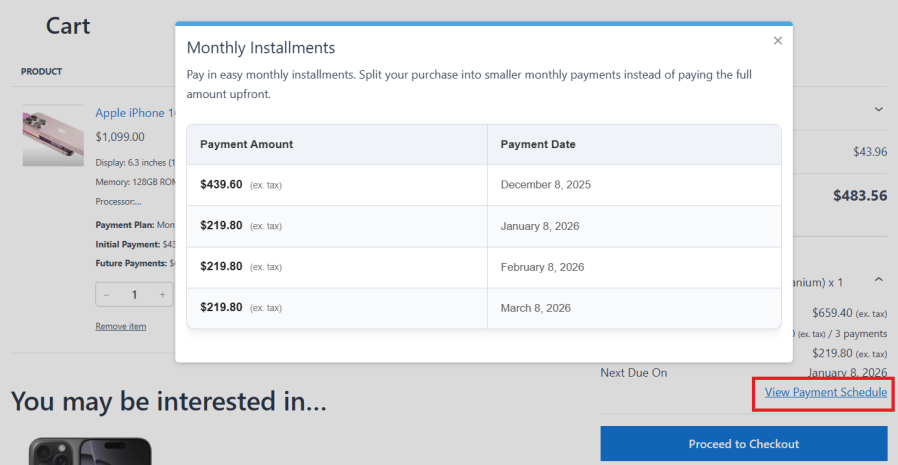
The payment schedule is displayed on both the Cart and Checkout pages, allowing customers to clearly view the detailed installment breakdown based on the selected payment plan. This helps customers understand upcoming payments before completing the purchase.
Turn high upfront costs into easy, manageable payments — and convert more visitors into customers.
With Payment Plans, customers can split their purchase into smaller payments over time instead of paying the full amount upfront.
They can pay a deposit or down payment on the product page or at checkout, and complete the remaining balance through scheduled installments. Choose between Custom, Fixed, or Before Deadline payment schedules to match your business needs.
Whether it’s deposits, layaway, upfront payment, installment plans, variable payments, partial payments, or recurring fixed payments — everything is handled seamlessly, making it easier for customers to buy and for you to sell more.
Payment Plan Creation
Easily create flexible payment options with three powerful scheduling types — Custom Payment Schedule, Fixed Payment Schedule, and Before Deadline Payment Schedule.
Define installments using either a percentage or a fixed amount, giving you complete control over how and when your customers pay — while making purchases more accessible and increasing conversions.
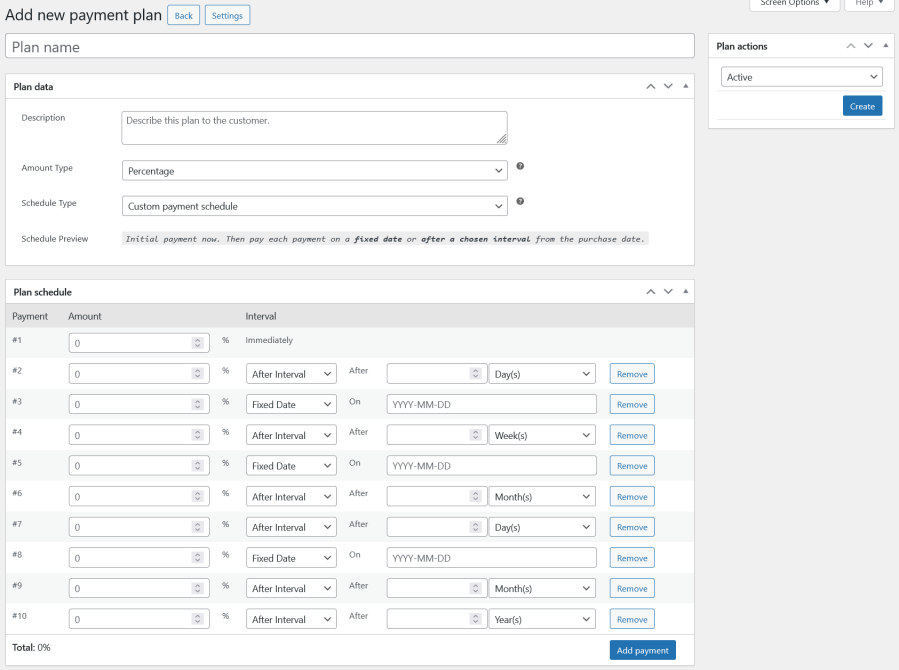
Custom Payment Schedule
Create fully flexible payment plans by setting individual installment amounts and scheduling each payment from the purchase date — either on a specific date or after a chosen interval (days, weeks, months, or years).
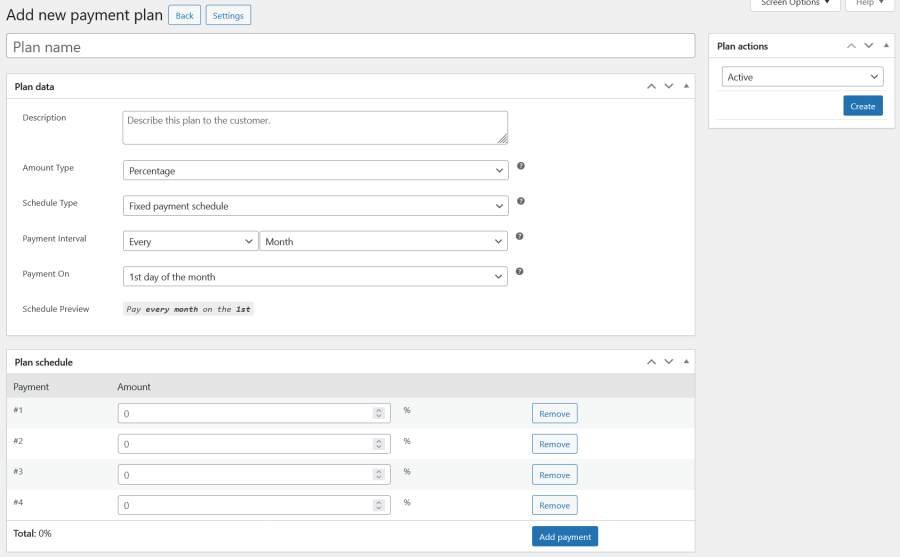
Fixed Payment Schedule
Automate payments with a consistent schedule by setting installment amounts and charging customers at regular intervals — such as every X weeks, months, or years on a chosen day — for predictable billing.
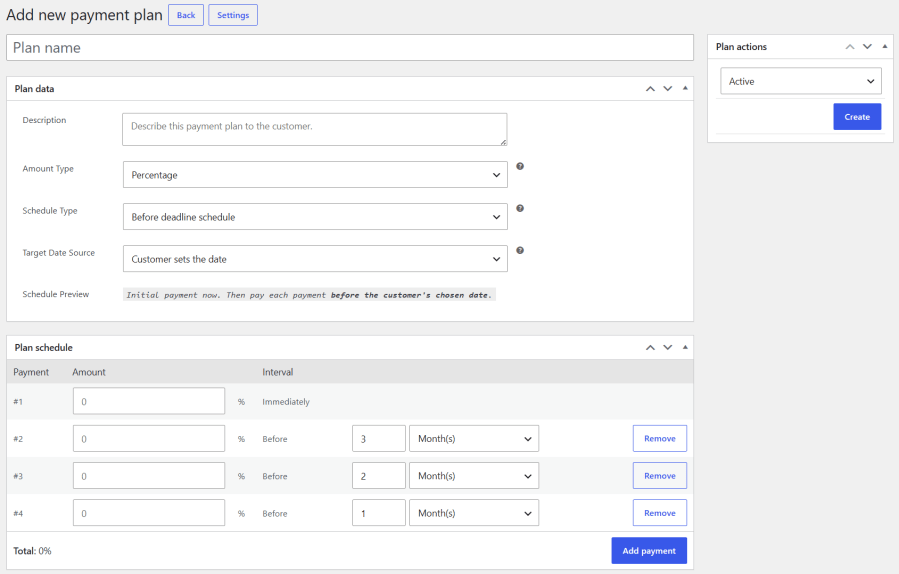
Before Deadline Payment Schedule
Schedule installments backward from a target date by setting each payment a specific number of days, weeks, months, or years before the deadline. The target date can be fixed by the site admin or selected by the customer, helping you collect the full balance before an event, booking, tour, rental, course, delivery, or other date-based purchase takes place.
Set a Fixed Target Date
When Admin sets the date is selected, the payment schedule is automatically calculated based on the fixed target date configured by the site admin.
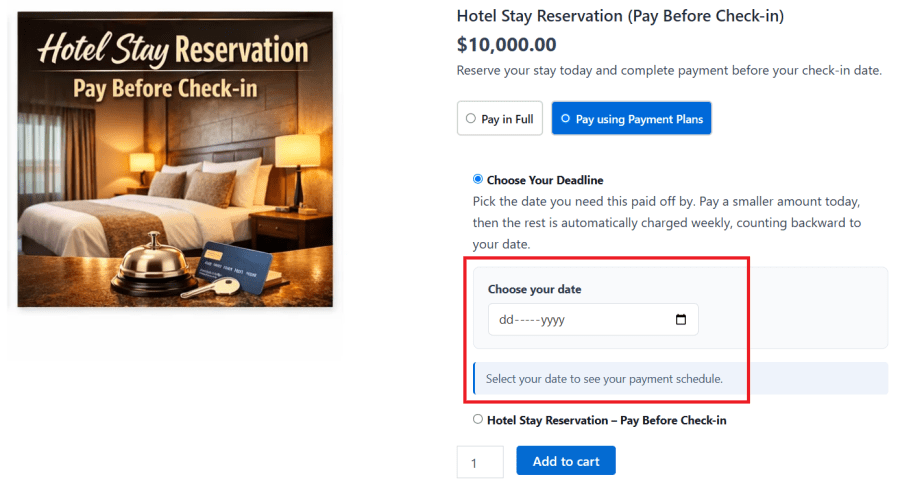
Let Customers Select Their Target Date
When Customer sets the date is enabled, customers can select their target date on the product or cart page and instantly view the payment schedule calculated for their chosen date.
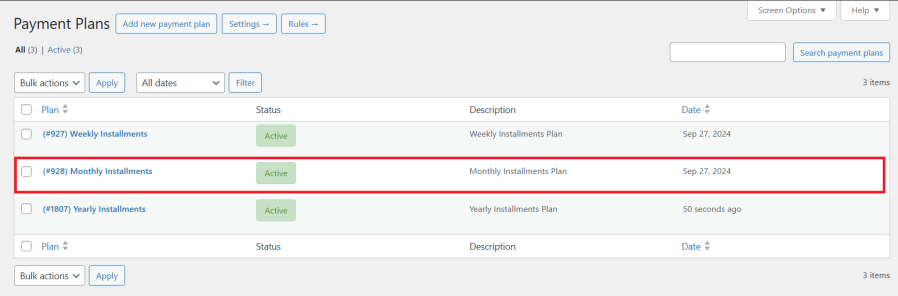
Payment Plans List
Easily view and manage all the payment plans created for your customers in one place.
Configure Payment Plans Using Rules
Take full control over where and how your payment plans are displayed by setting up smart rules.
Once your payment plans are created, you can assign them based on specific conditions. To display payment plan options to your customers, simply create at least one rule.
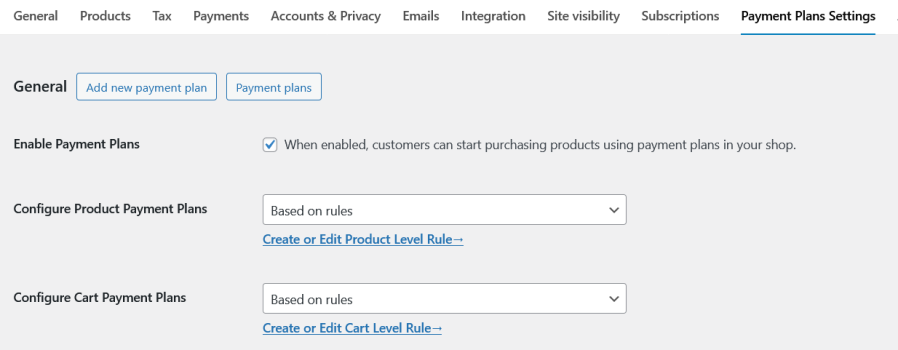
Rules List
Set up and manage rules to control when and where payment plan options are shown to your customers.
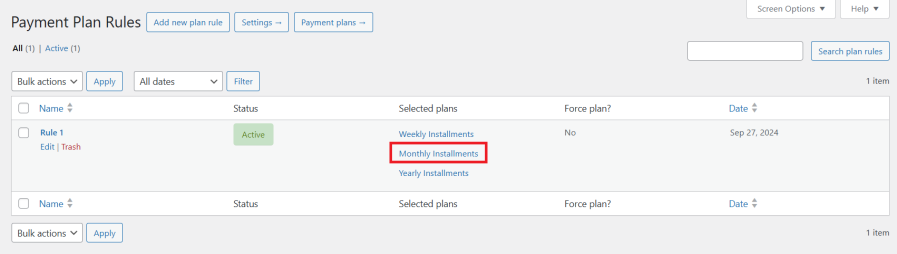
Payment Plans on the Product Page
Give customers the flexibility to choose their preferred payment plan directly on the product page — making purchases easier and more convenient.
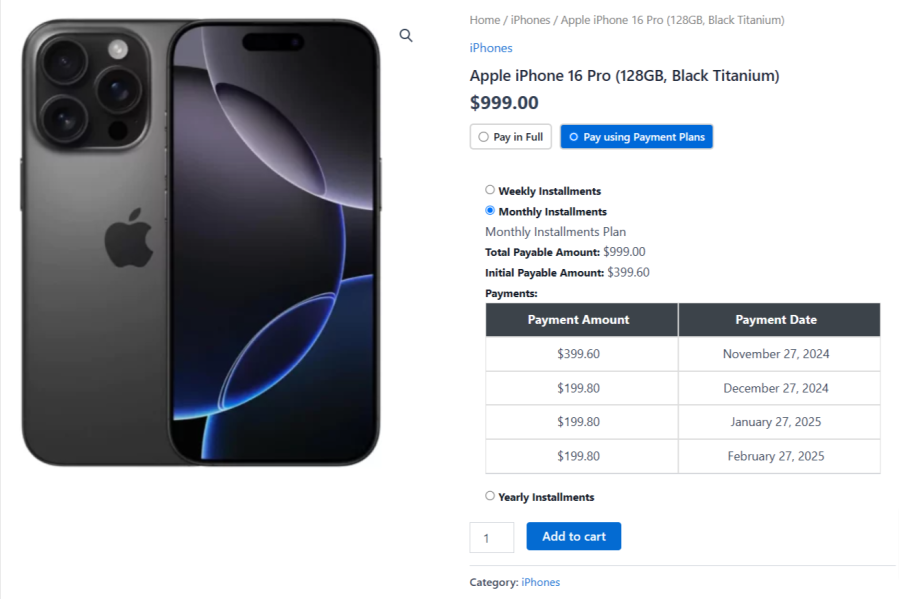
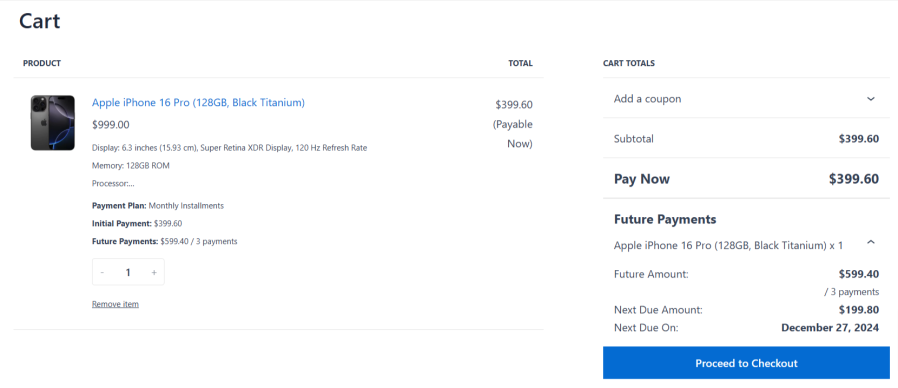
Payment Plans in the Cart Page
Give customers complete transparency before they checkout. Once a payment plan is selected, they can instantly view a clear breakdown of their upcoming payments — helping build trust and encouraging faster purchase decisions.
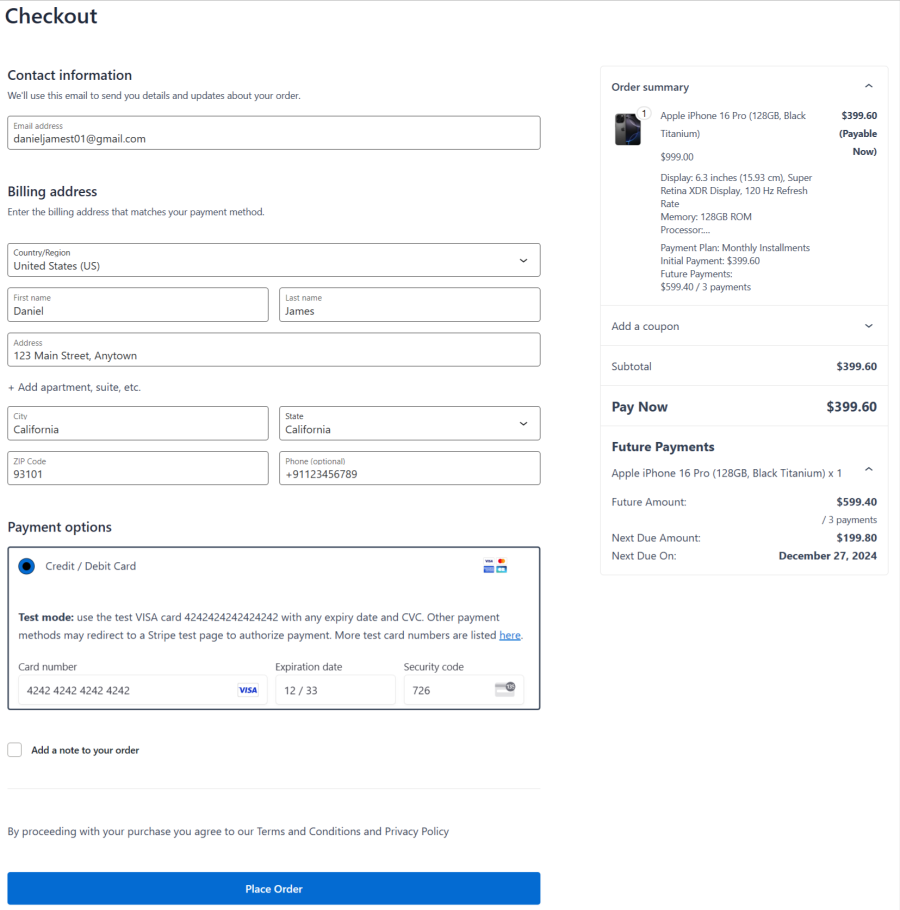
Payment Plans in the Checkout Page
Enjoy a seamless checkout experience. Customers can place their order using their selected payment plan with complete clarity and confidence.
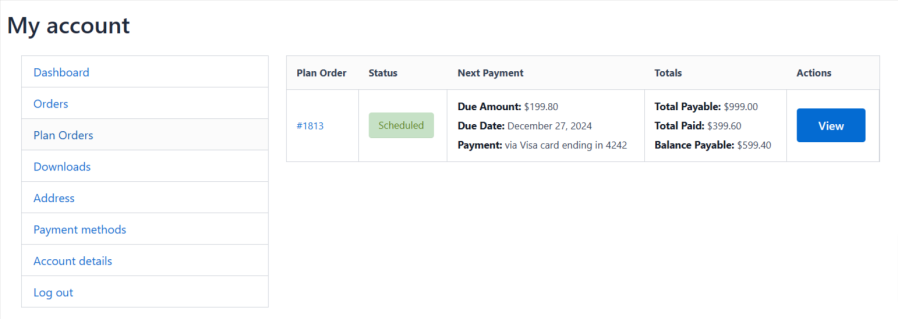
Purchased Payment Plans in My Account
Give customers full control after purchase. They can easily track and manage their payment plan orders directly from the My Account → Plan Orders section — with complete visibility into their upcoming payments.
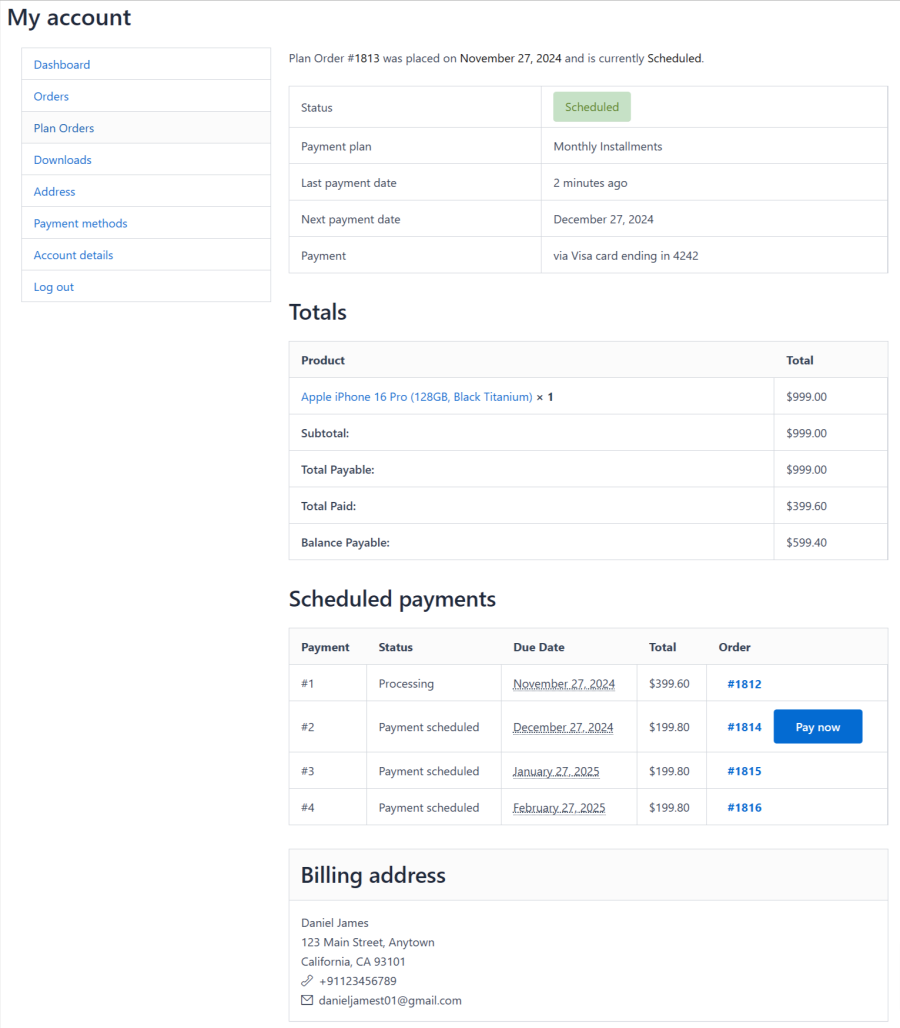
Purchased Payment Plan Details
Give customers complete transparency over their payments. They can view detailed information about their payment schedule, including upcoming installments and due dates — all in one place.
Manage Purchased Payment Plans
Stay in control of your business with ease. Site admins can track and manage all customer payment plan orders from one place — ensuring smooth operations and better visibility.

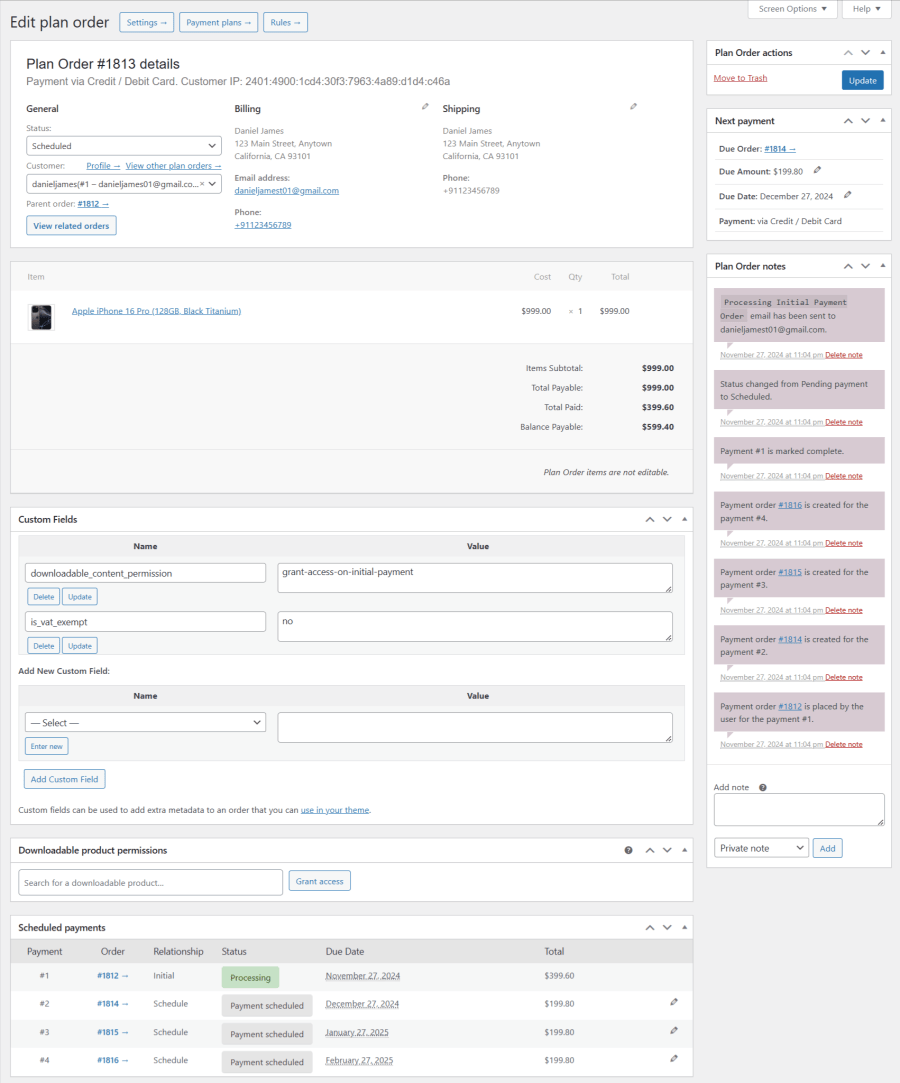
Edit Purchased Payment Plans Individually
Take full control with the ability to view and edit each customer’s payment plan in detail — including schedules, installments, and payment information.
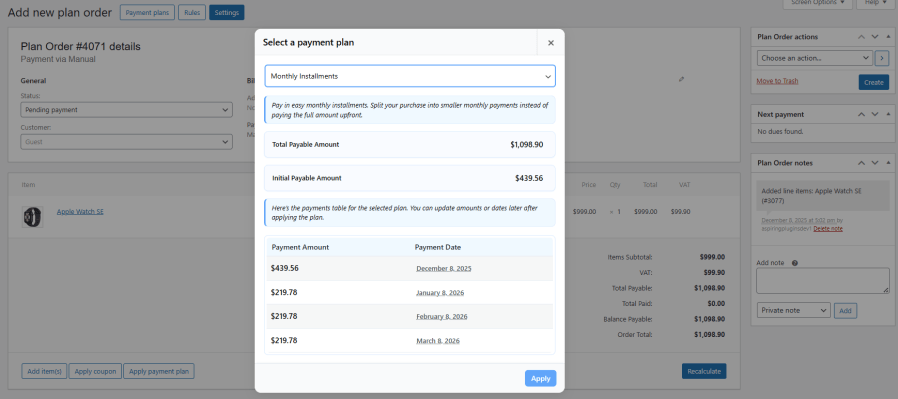
Manually Add a Payment Plan Order to Customer by Site Admin
Manually adding a new Payment Plan Order is useful for stores that take orders in person, over the phone, or need to assist customers when something goes wrong during checkout. This feature lets admins create Payment Plan Orders on behalf of customers, following the same workflow as creating a manual order in WooCommerce.
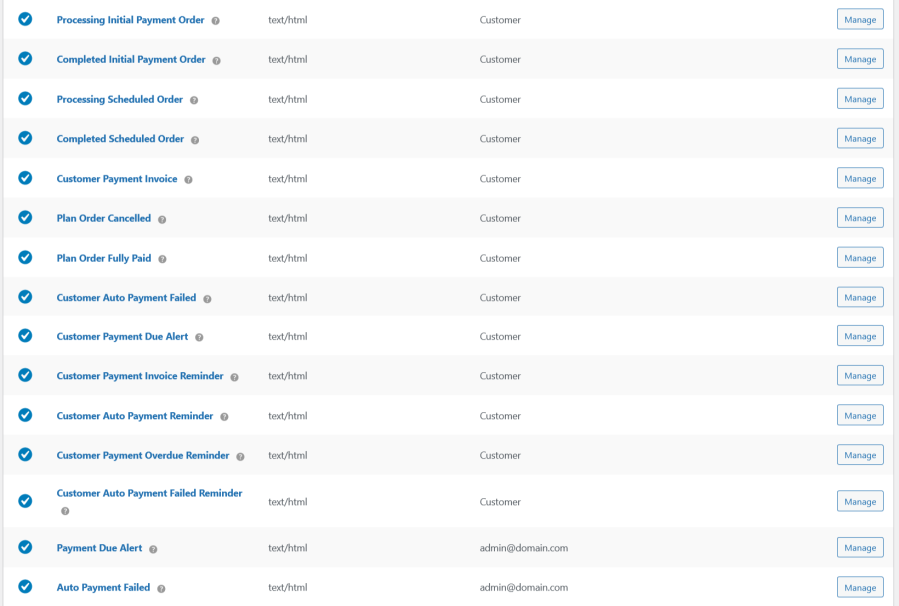
Email Notifications
Keep everyone informed at every step. Automatic email notifications are sent to both customers and store owners for all payment plan activities — ensuring clear communication and a smooth payment experience.
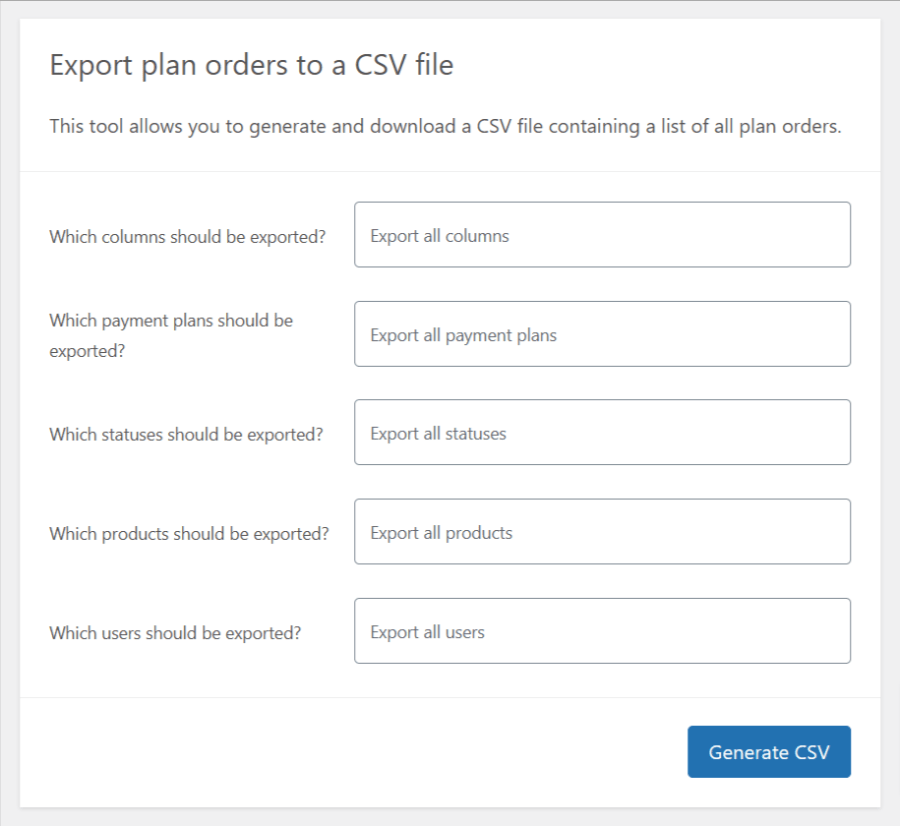
Export Purchased Payment Plans
Easily export all customer payment plan orders as a CSV file for reporting, analysis, and record-keeping — giving you full control over your data.
Custom Reminder Emails
Stay connected with your customers through personalized reminder emails. Easily configure and send custom email content at defined intervals to ensure timely payments and improve customer engagement.
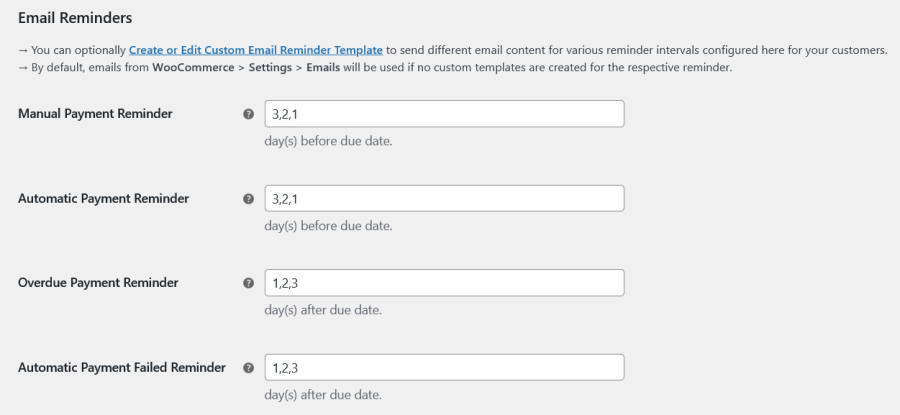
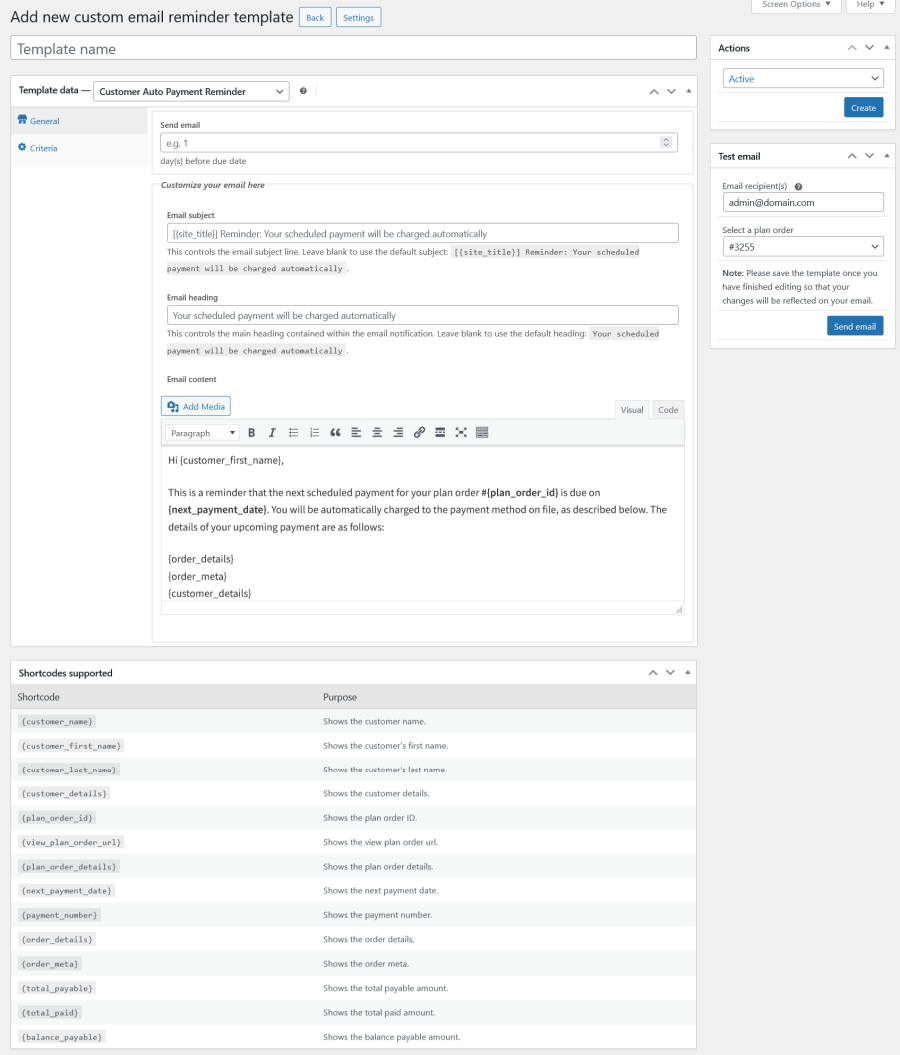
Custom Email Reminder Template Creation
Create fully customized email reminder templates for both manual and automatic payments — tailored to match your brand and improve customer communication.
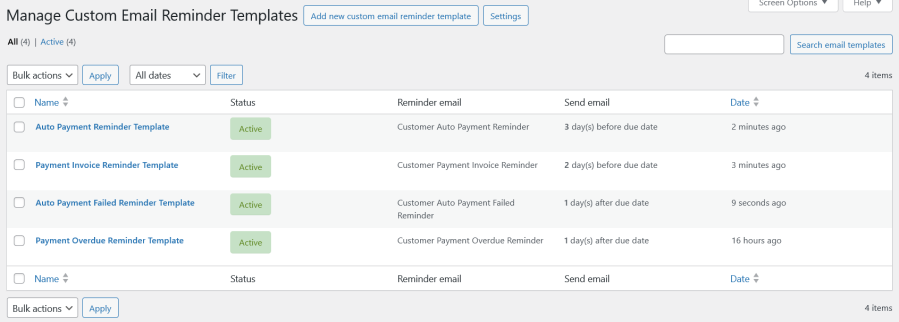
Custom Email Reminder Templates
View and manage all your custom email reminder templates in one place — making it easy to organize, update, and reuse them whenever needed.
Check out our other best-selling and popular extensions for WooCommerce:
Ultimate Payment Plans supports 3 schedule methods:
Yes, you can configure storewide payment plan settings that apply to all products, unless overridden at the productwide.
Yes, you can define flexible payment plans using rules for the products.
Yes, cart-level payment plans are supported and can be applied based on the cart subtotal.
Yes. The site admin can manually create a Payment Plan Order for a customer, which is helpful for in-person or phone orders, handling failed checkouts, or assisting customers—using the same workflow as manually creating an order in WooCommerce.
For detailed steps, please refer to the documentation:
https://woocommerce.com/document/ultimate-payment-plans/#section-7
Yes, it fully supports automatic payments. Once a customer opts into a payment plan, their future installments can be automatically charged using supported payment gateways.
You can create payment plans based on:
You can schedule future payments to occur:
Yes, payment plans can be configured as optional (customers choose installments or full payment) or mandatory (installments required).
Yes, email reminders are sent for both automatic and manual payments.
Yes, when the customer completes the initial payment, all future payment orders are generated automatically.
The site admin can choose whether to calculate payment plans using the regular or sale price. By default, the sale price will be considered.
Yes, guests can place orders using payment plans without creating an account.
Yes, labels and messages related to payment plans are fully customizable via the admin panel.
Yes, you can easily export all plan orders in CSV format for reporting, accounting, or record-keeping purposes. This feature helps streamline backend management and data analysis.
Yes, you can:
Yes, you can manually process the scheduled payments.
Yes, you can:
Yes, you can disable certain gateways in checkout if the cart contains a payment plan.
Yes, coupon usage can be allowed or restricted at both cart and checkout levels.
Customers can view their plans from their My Account page, under a dedicated menu for payment plans.
Yes, WooCommerce coupons can be applied to the entire order, not just the initial payment.
Yes, mixed checkout is supported.
Yes, customers can log in and pay upcoming installments anytime from their My Account page.
No, customers do not have the option to cancel balance payments.
Yes, the system sends dedicated emails for all events related to payment plans.
Categories
Extension information
Quality Checks
Compatibility
Countries








