
WooPayments uses a special type of Stripe account, called a Stripe Express account. You can manage that account from the Stripe Express dashboard, which you reach via your WordPress site’s dashboard.
You can also create a regular Stripe account using the same email address as the one that your Stripe Express account uses. Follow the steps below to do that.
Creating the account
↑ Back to top- Note down the account email of your existing WooPayments Stripe Express account. You can find this by logging into the Stripe Express dashboard.
- Go to Stripe.com’s login page and enter that email.
- You will see “This account uses mobile verification.”
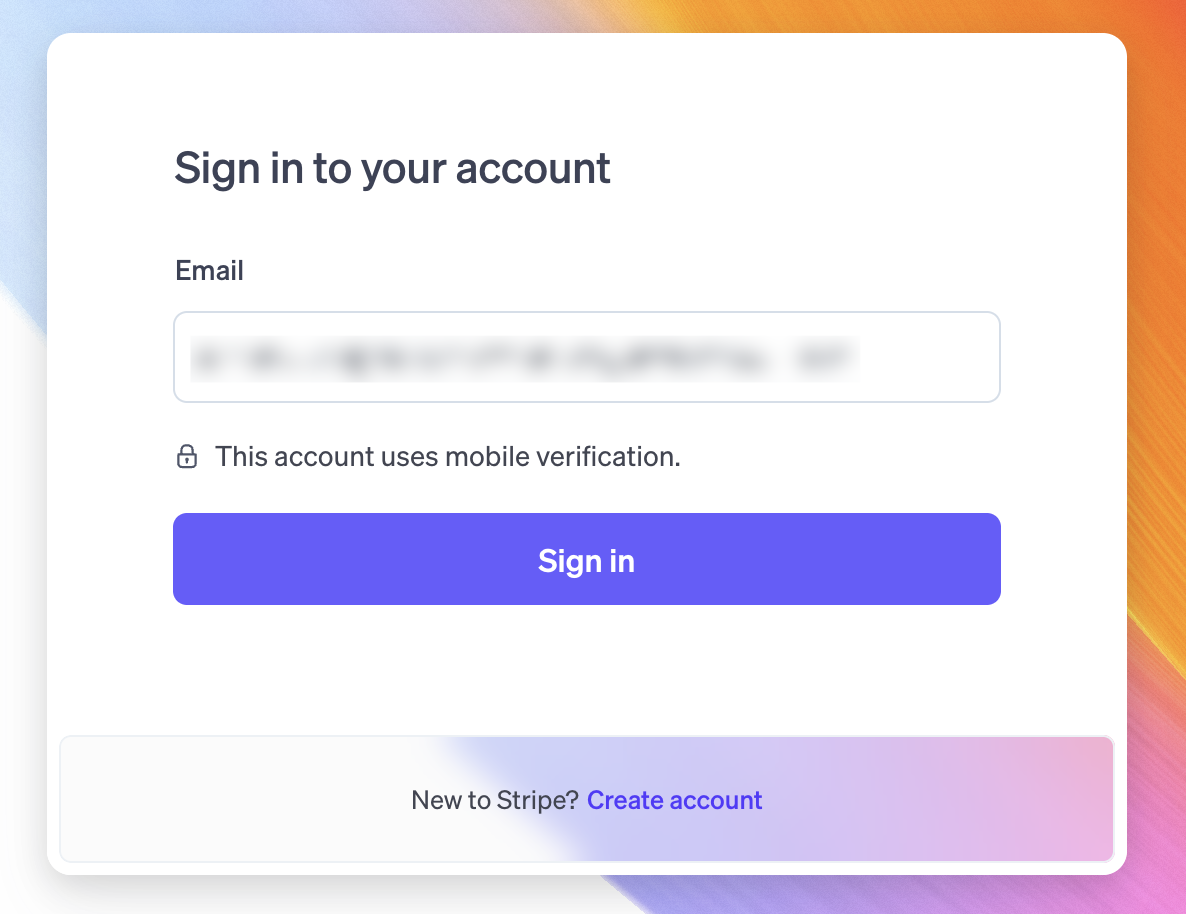
- Click Sign in.
- Enter the verification code sent to your phone.
- Click Create a new Stripe account.
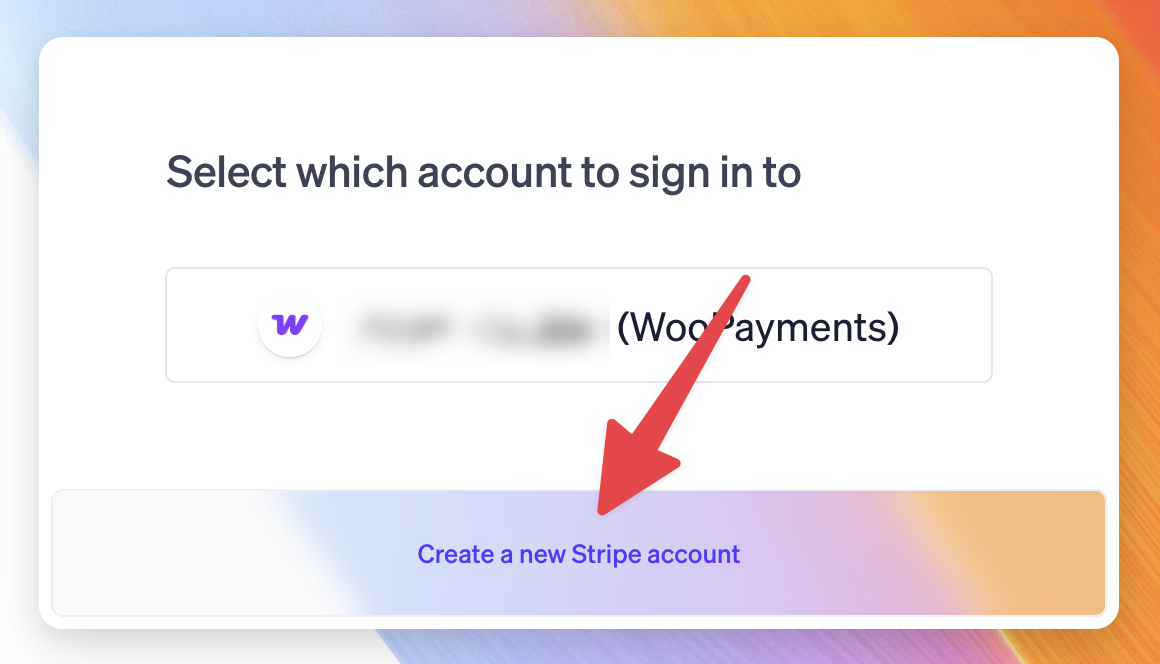
- Complete the signup process as prompted by Stripe.
Once the signup process is finished, you will have created a new regular Stripe account (not an Express account) with the same email address as your WooPayments account. Although they use the same email address, they are still two separate accounts.
Switching between accounts
↑ Back to topTo open your Stripe Express account from your regular account’s Stripe dashboard, click your account name in the upper-left corner and select your WooPayments account from the dropdown. Stripe will send a code to your phone as usual.
Note that your WooPayments Stripe Express account lacks the account switching menu. To return to your regular Stripe account, go to dashboard.stripe.com and then log in with your regular account’s email address and password.
If you can’t get the verification code
↑ Back to topAs you saw in the steps above, creating a regular Stripe account using the same email as your existing WooPayments Express account requires that you have access to the phone number on file under your WooPayments Express account.
If you’ve lost access to that number or otherwise cannot receive the verification codes that Stripe sends to it, you’ll either need to:
- Recover access to the phone number, or…
- Create the regular Stripe account with a different email. For example, if your email is
abc123@gmail.com, you could useabc123+stripe@gmail.com, which goes to the same inbox. Check with your email provider to see if they support aliases.