If you need to change the business type on your WooPayments account (e.g. from an individual to a company), you will need to do so via the Stripe Express dashboard.
Follow these steps to change your business type:
- Log into your Stripe Express dashboard.
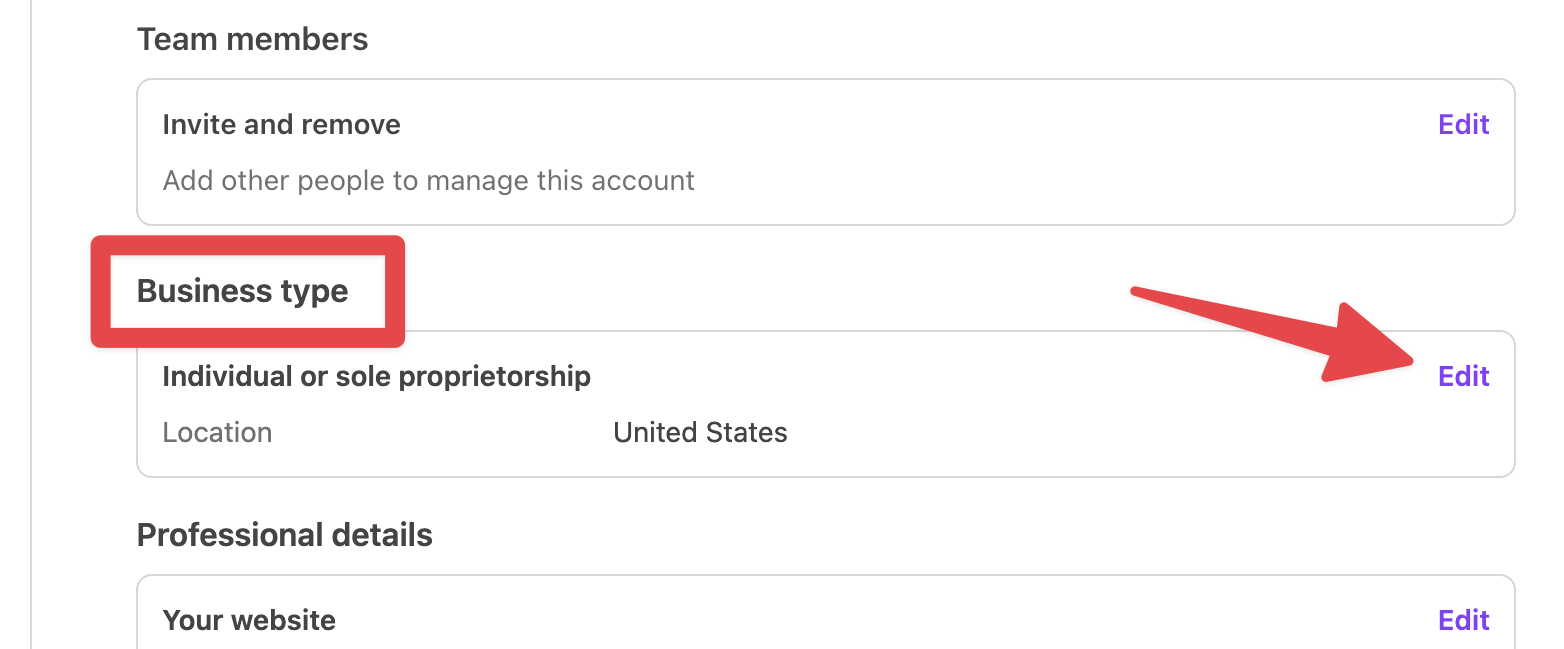
- Scroll down to the Business type heading and click Edit.
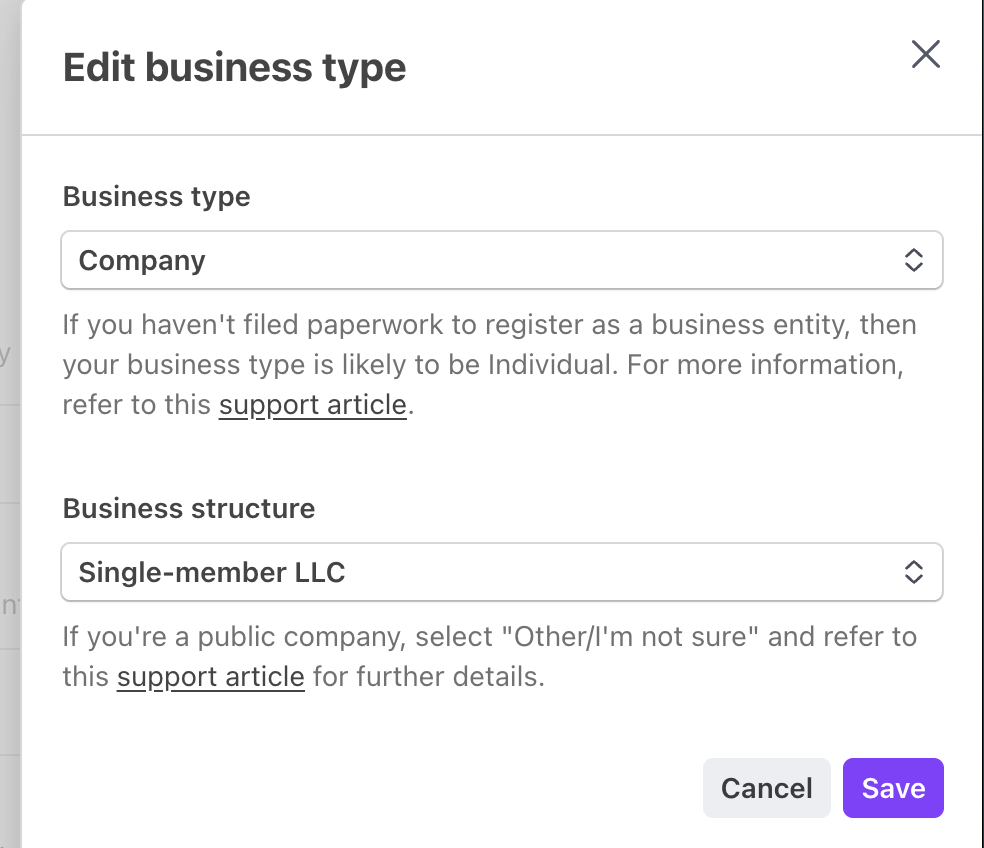
- Using the dropdown menus, change your business type as needed.
- Click Save.
After updating the business type, Stripe may need additional information about your business, its owners, and so on. Be sure to thoroughly review the dashboard and find any sections that are flagged as “Incomplete” or similar.
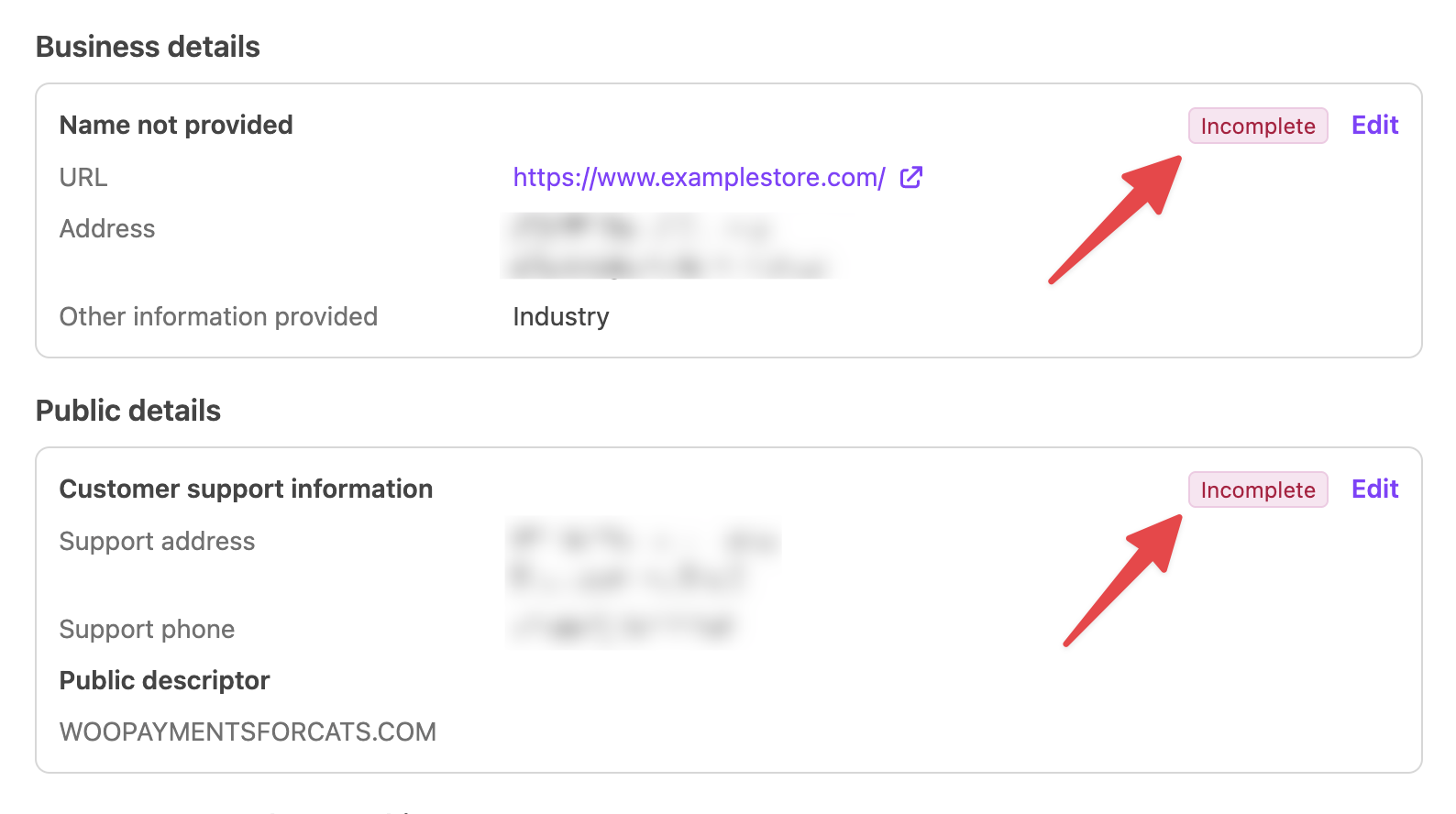
Click the Edit links next to all the flagged sections of the dashboard and submit the information that Stripe is requesting. If you do not submit the requested information, Stripe may eventually pause your payouts!
If you have any doubts about what information may still be required for your account, you can contact our support staff for assistance.