Active installs
4K+
Product comparison
Subscription includes
Support

WooCommerce B2B extension is an ultimate wholesale solution built by integrating our 5 best-selling extensions and tons of additional B2B features to make it a complete wholesale package for WooCommerce Stores.
B2B for WooCommerce has more mature features as the extension is built by integrating our 5 standalone best-selling extensions worth of over $330 and some additional B2B features. Instead of just offering basic features for advertising, this extension goes in-depth and provides more freedom to B2B merchants.
Our passion to serve the B2B market has allowed us to give special attention to our B2B extension. We are continuously improving, adding new features, and integrating new extensions and features to empower our B2B merchants.

Enhanced User Role Editor
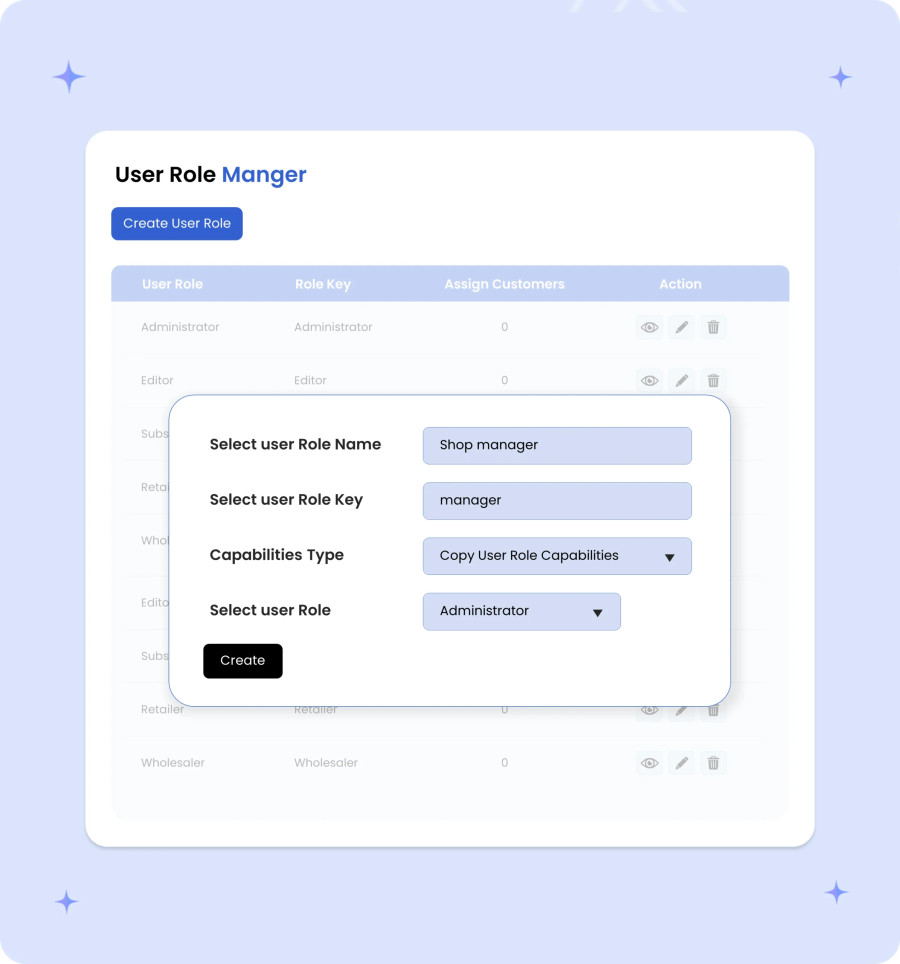
Create and manage custom and default user roles

Custom Registration Fields
Custom registration fields for B2B & B2C signup

Limit Product Visibility
Control product visibility by user roles and customers

Quotation Management
Hide price & accept quotations with a customizable form

User Role-Based Pricing
Set different prices for different customers

Quantity-based Pricing
Offer tiered pricing based on product quantity

Cart-Based Discounts
Offer cart discounts based on products and user roles

Offer Tax Exemption
Offer tax exemption to specific customers

Order-Based Restrictions
Restrict orders by minimum & maximum quantity

Payment & Shipping
Restrict shipping & payment methods by user role
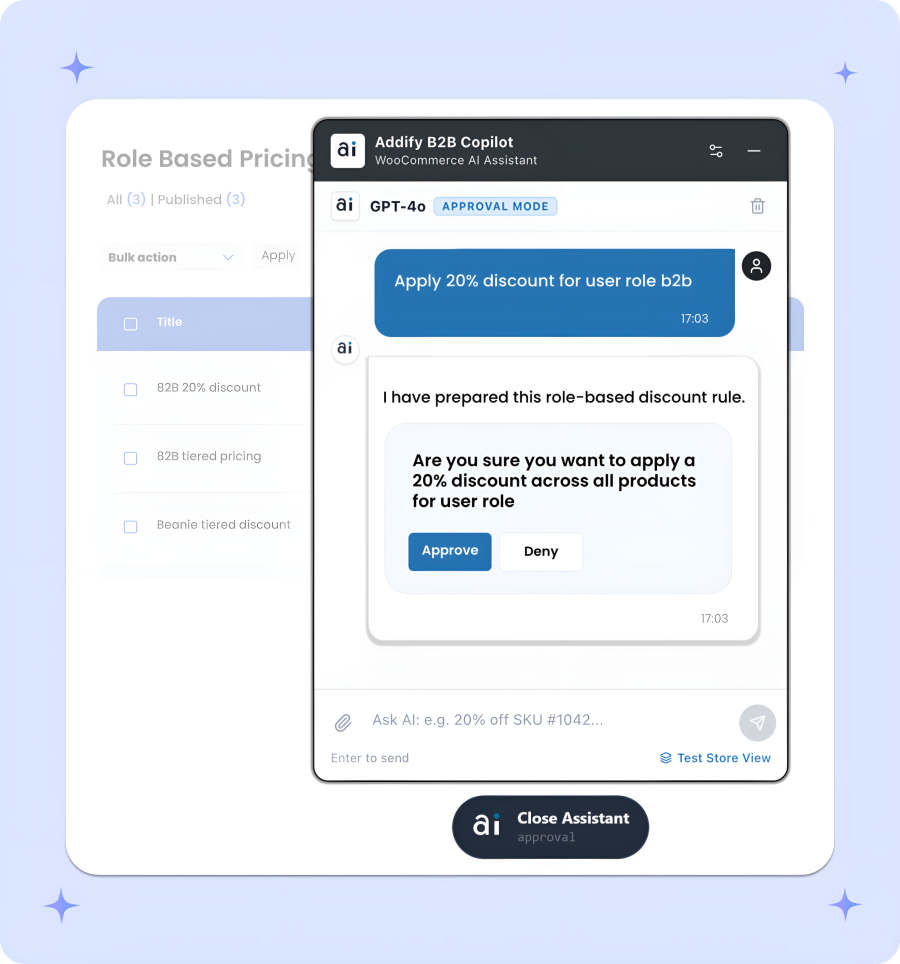
To avoid complex B2B logics and rule creations, the B2B for WooCommerce’s AI Assistant lets you manage everything just by typing plain English commands. You can set up wholesale prices, quote rules, and set-up customer roles in seconds. Review changes before saving them or let the AI handle updates automatically, it’s up to you. With simple safety toggles and easy 1-click undo options, you get complete control without the hassle.
Integrating AI into B2B for WooCommerce automates dynamic pricing, buyer qualification, and wholesale workflows with data-driven precision. Backed by WooCommerce’s official Excellence Verified badge for top-tier security and performance, it equips stores with essential enterprise features like custom quotes, role-based visibility, and tax exemptions. It provides the ultimate hybrid setup to run high-volume B2B operations seamlessly alongside retail.
The Addify B2B Copilot acts as an intelligent sidekick right inside your WooCommerce admin panel, bringing all features of the B2B extension together into one simple chat window. Instead of digging through separate setting tabs for pricing, quotes, or user roles, you can execute any action in seconds just by typing what you need.
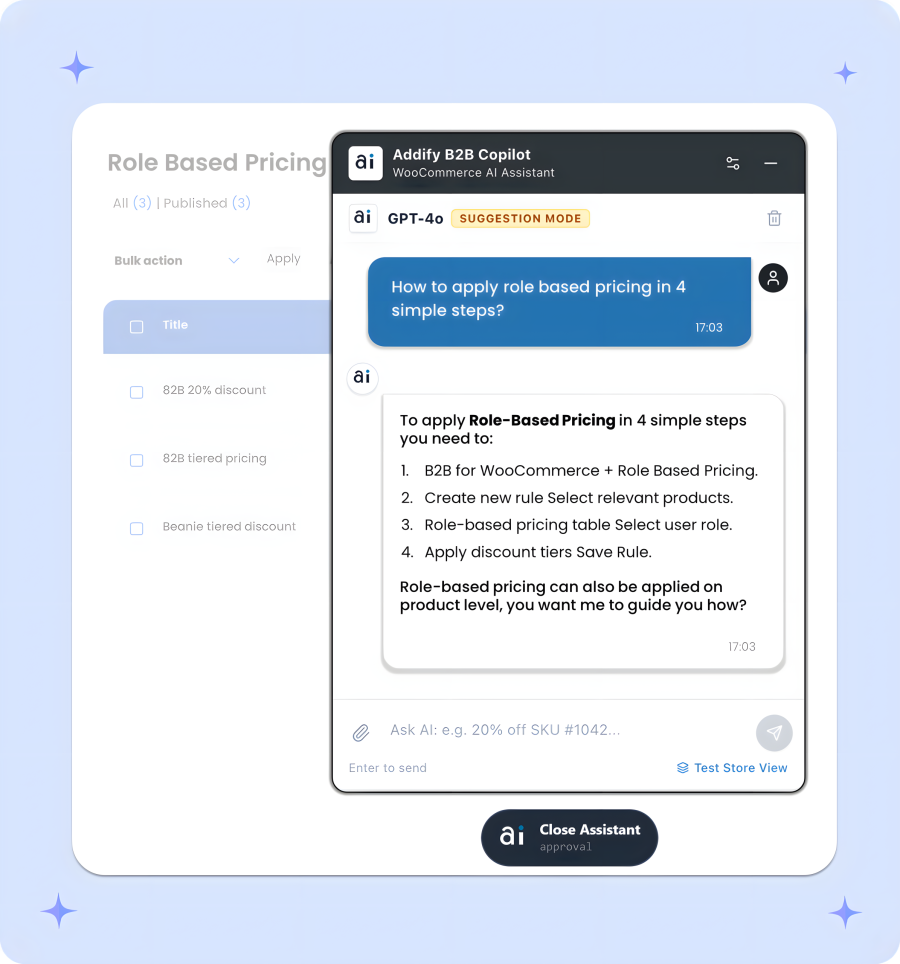
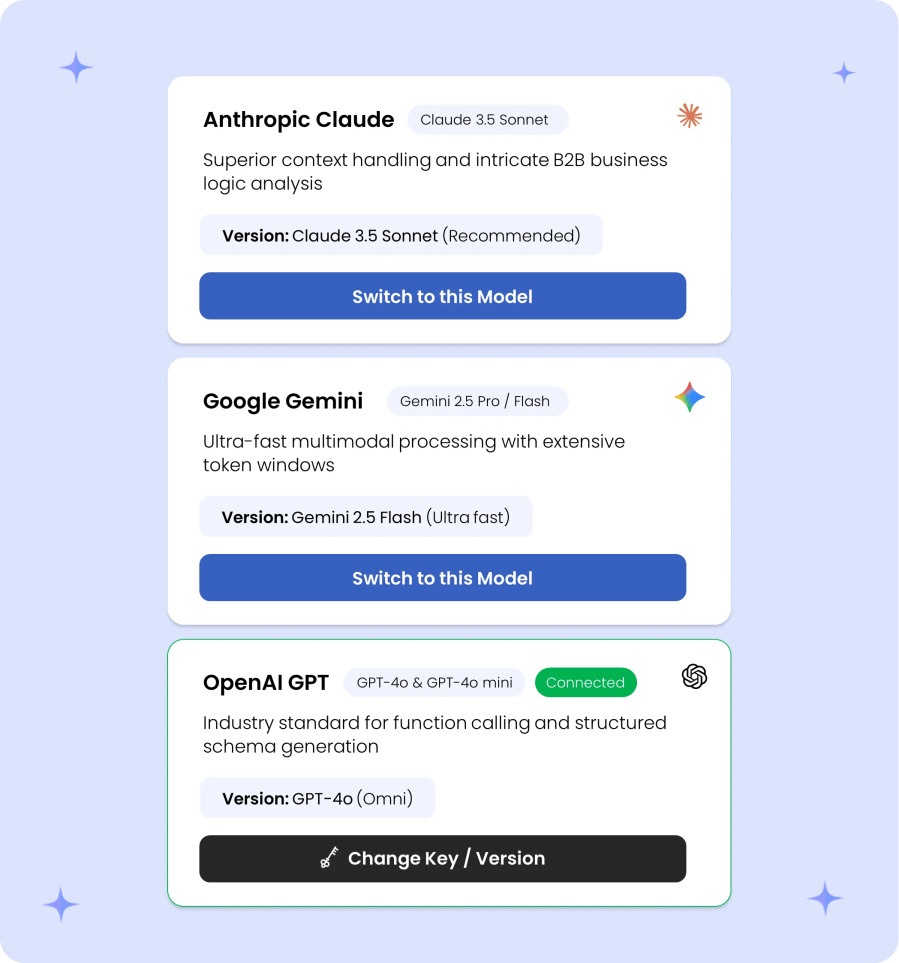
Connect your preferred AI provider in seconds by entering your secret key and clicking Save & Activate. The integration natively supports all current and upcoming models from OpenAI, Anthropic Claude, and Google Gemini out of the box. Easily toggle between different AI engines at any time without reconfiguring store settings or losing context, ensuring your WooCommerce store stays future-proofed with the latest conversational models without needing plugin updates.
Tailor how the AI assistant interacts with your store by choosing an execution style that fits your operational comfort.
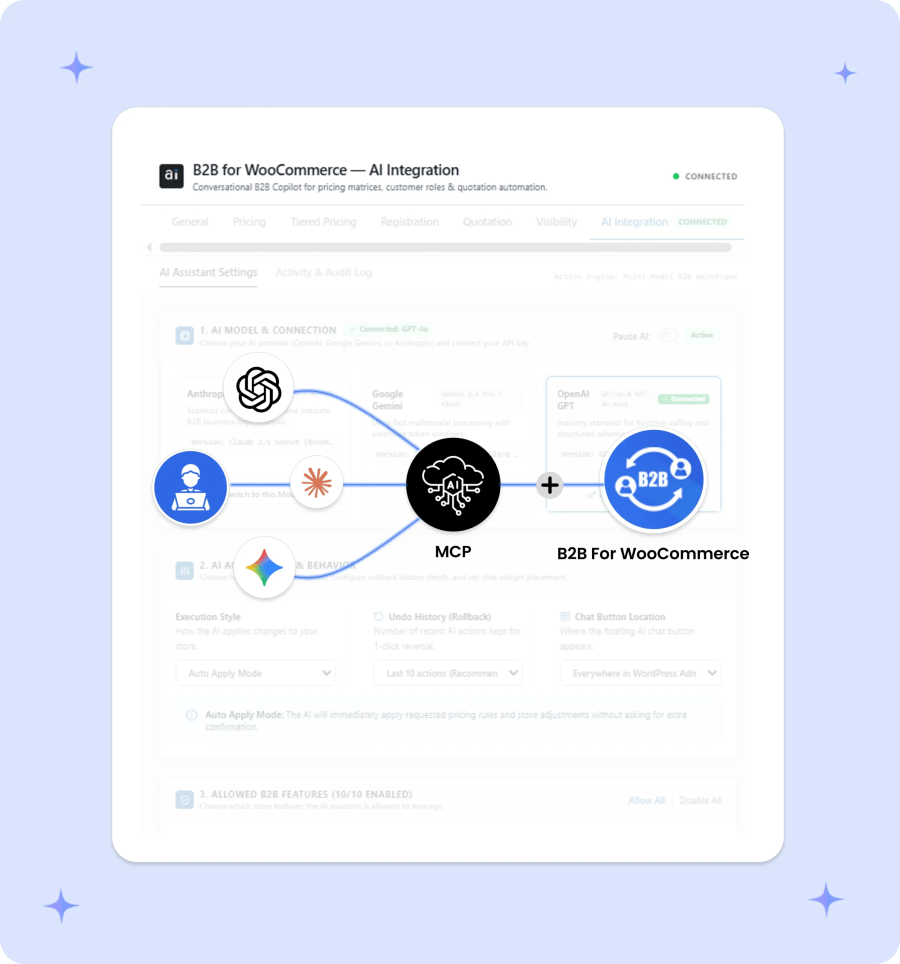
Extend your B2B store management beyond the WordPress dashboard using the open Model Context Protocol (MCP). By connecting your WooCommerce setup directly to external AI tools like Claude Desktop, Claude Code, or OpenAI Codex, developers and admins can securely inspect and manage B2B extension’s functions directly from their AI desktop environments.
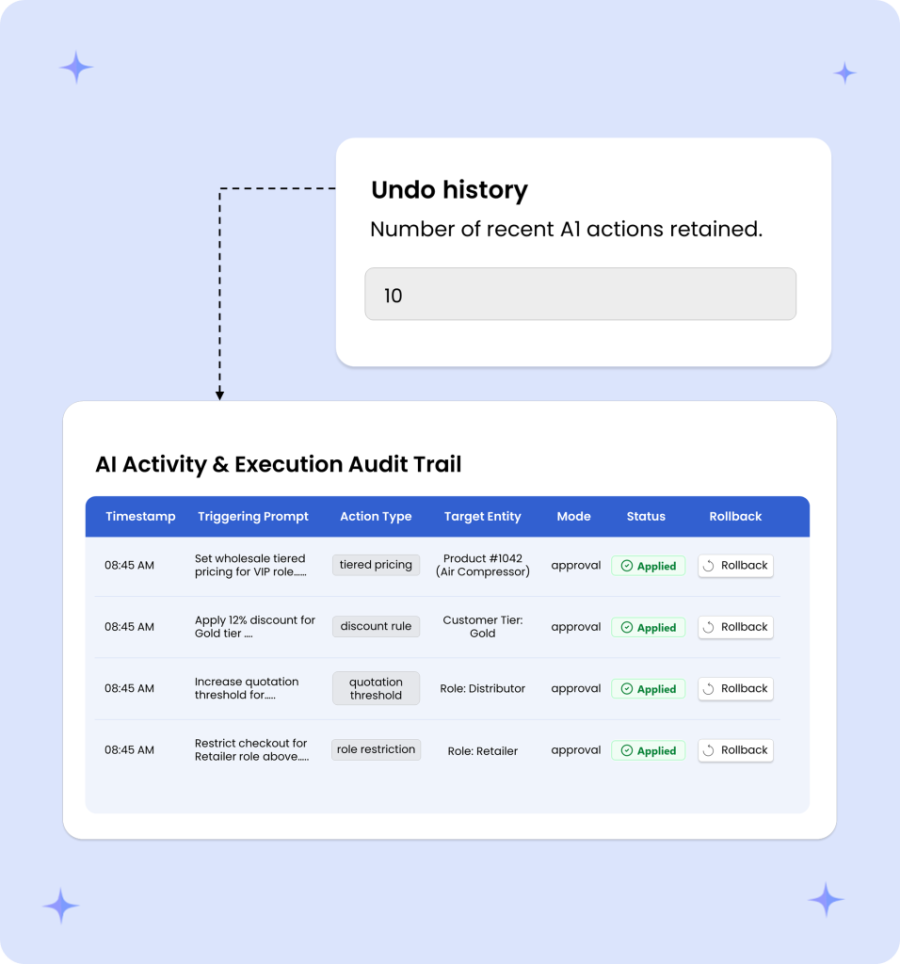
The Activity & Audit Log provides complete transparency and operational safety by recording every AI interaction, timestamp, and model used in a real-time ledger. If an update needs to be reversed, admins can execute a 1-click rollback directly from the log table without manually reconfiguring settings.
B2B for WooCommerce offers a complete range of features to help you manage both B2B and B2C customers from a single store, reducing the time and cost associated with maintaining separate stores. Below are the detailed features of one of the most powerful B2B extensions for WooCommerce.
The latest version of B2B extension allows you to create new user roles and edit the existing ones. While adding new roles, you can set custom capabilities or inherit them from existing user roles, e.g., Admin, Retailor, Wholesaler, etc. You can also assign multiple roles to a single customer, and these additional ones will appear as secondary under the user detail page.
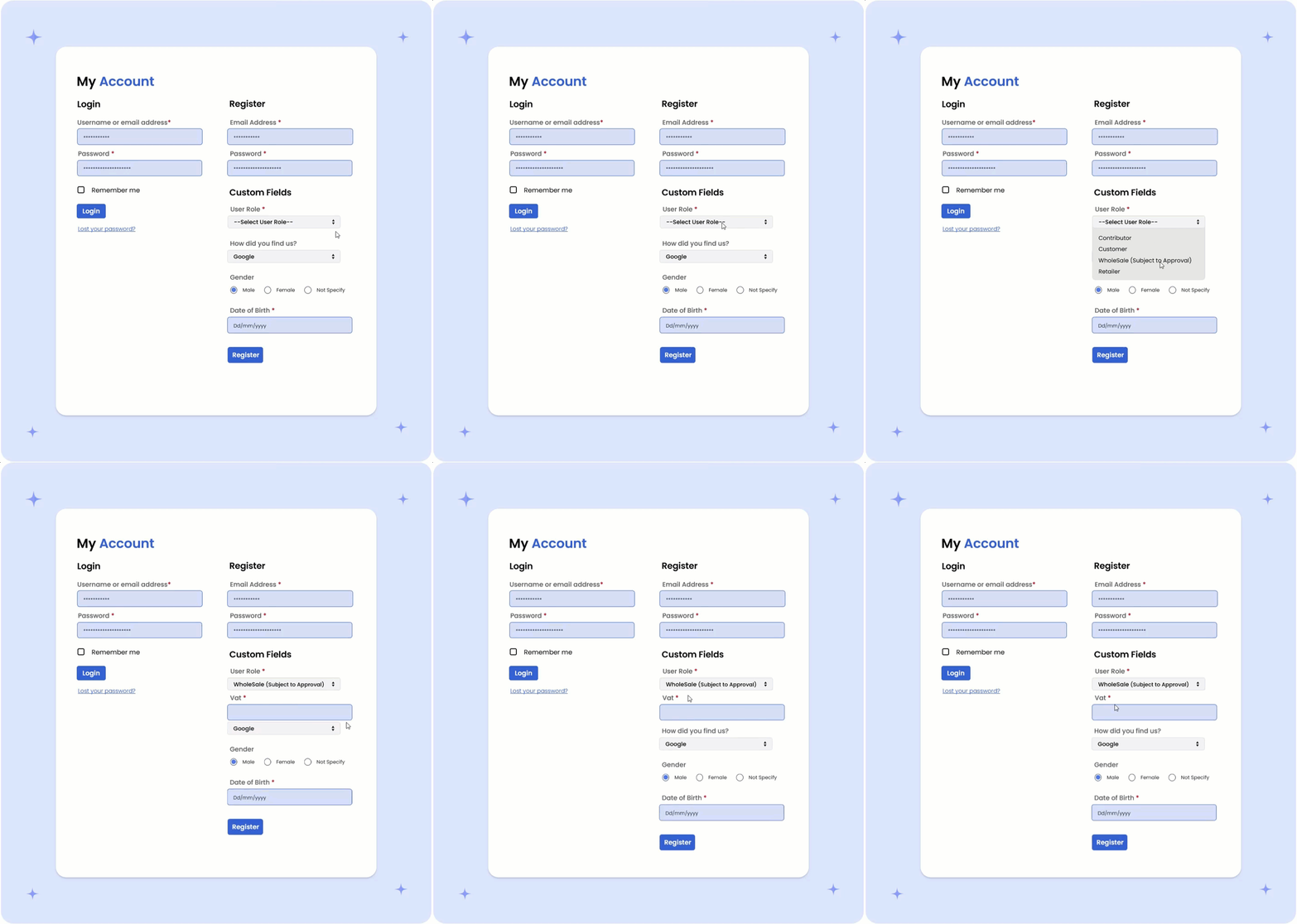
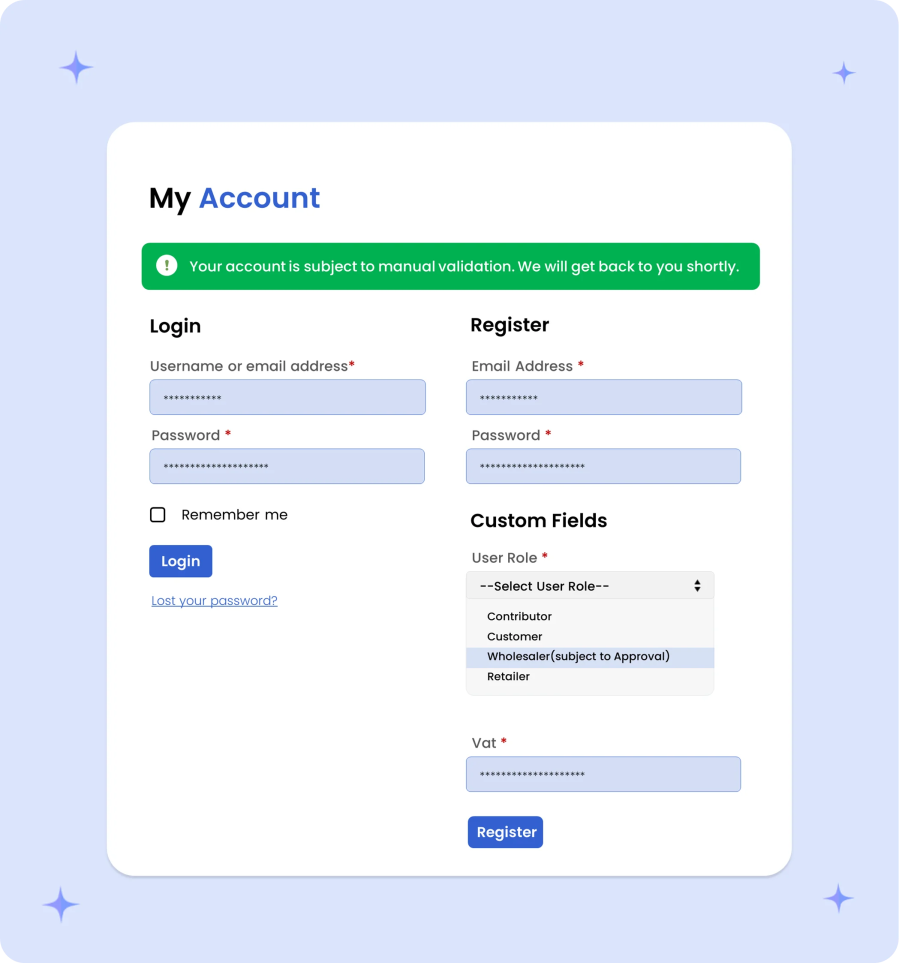
Modify your default registration forms into a full-fledged B2B and B2C registration form. Add checkboxes, radio buttons, file upload options, dropdown menus, and seven other types of custom fields to collect extra information from B2B (and B2C) customers. Keep your registration form clean by showing fields only when needed, and choose whether to manually review and approve B2B registration requests.
Maintain full control over your customer network by requiring manual admin review for new wholesale applications. Verify business credentials, tax details, and company information before granting account access, ensuring exclusive wholesale pricing and trade terms are reserved strictly for authorized business buyers.
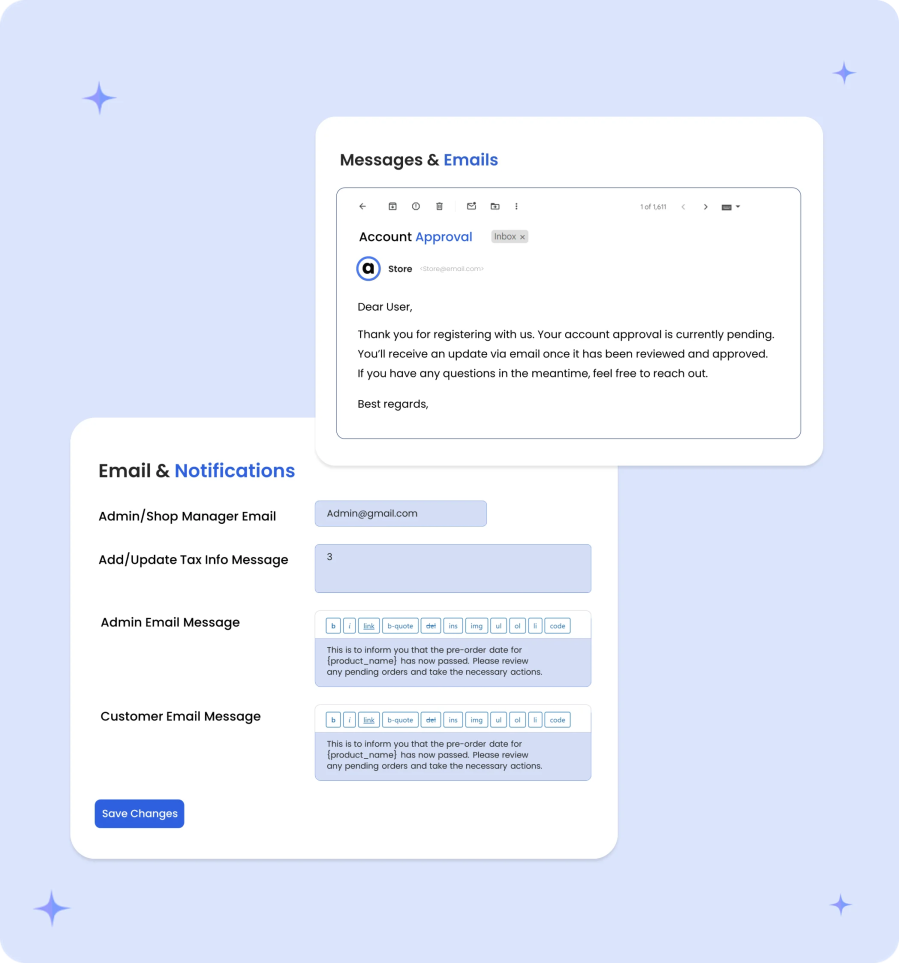
B2B aligns multiple customizable email notifications to keep both admins and customers informed throughout the process. You can configure the following emails:
Maximize your wholesale revenue by delivering targeted, dynamic pricing rules tailored to every business customer. Effortlessly configure custom role-based pricing for VIP segments, alongside tiered unit discounts for high-volume purchases. Scale average order values with threshold-based savings triggered by overall cart quantity or subtotal amounts. Streamline complex wholesale strategies and drive bulk sales, all within one powerful solution.

With Role based Pricing feature, you can configure different prices for different user roles and customers. Limit minimum & maximum order quantity for each user role. B2B for WooCommerce offers 5 different pricing adjustments, which are as follows,
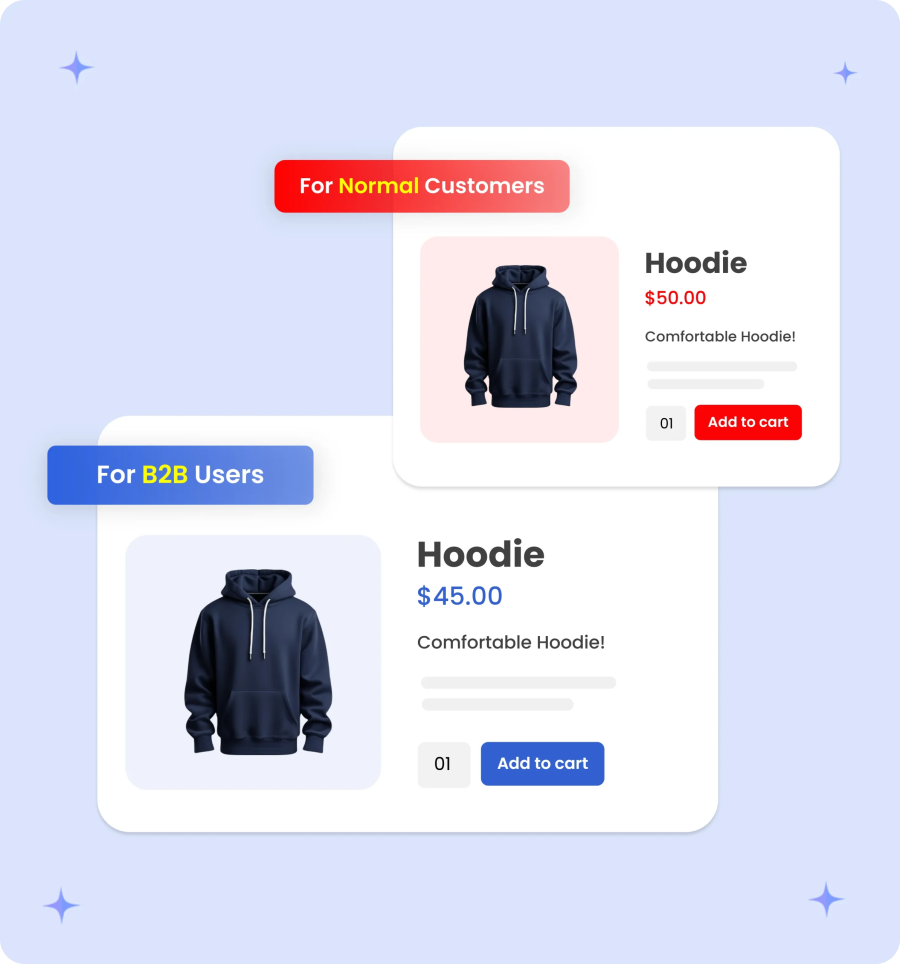
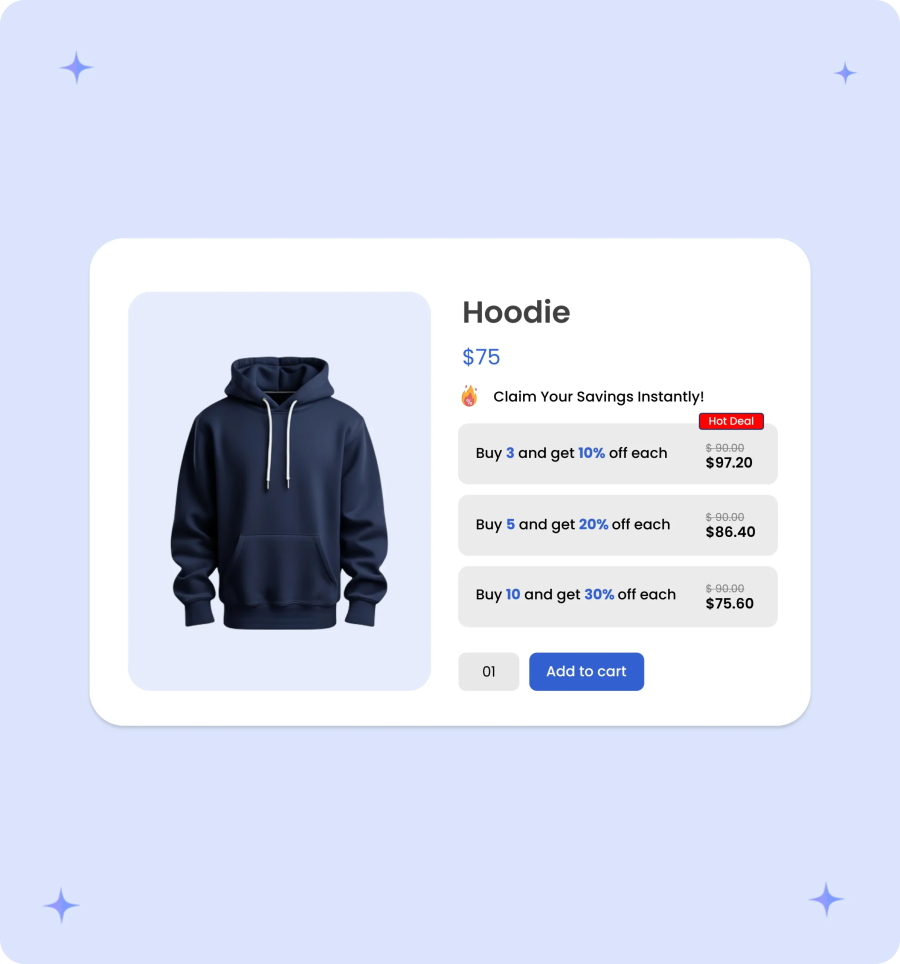
Set customized quantity-based price tiers for specific customer roles and individuals, with optional pricing tables and flexible rule-stacking (e.g., applying role discounts to standard vs. sale prices). Plus, easily bulk-import customer-specific rates via CSV to drive wholesale volume.
Set dynamic cart discounts for specific user roles or products based on spend or quantity thresholds. Customize rules with fixed/percentage rates, custom schedules, tailored messages, and flexible product targeting.
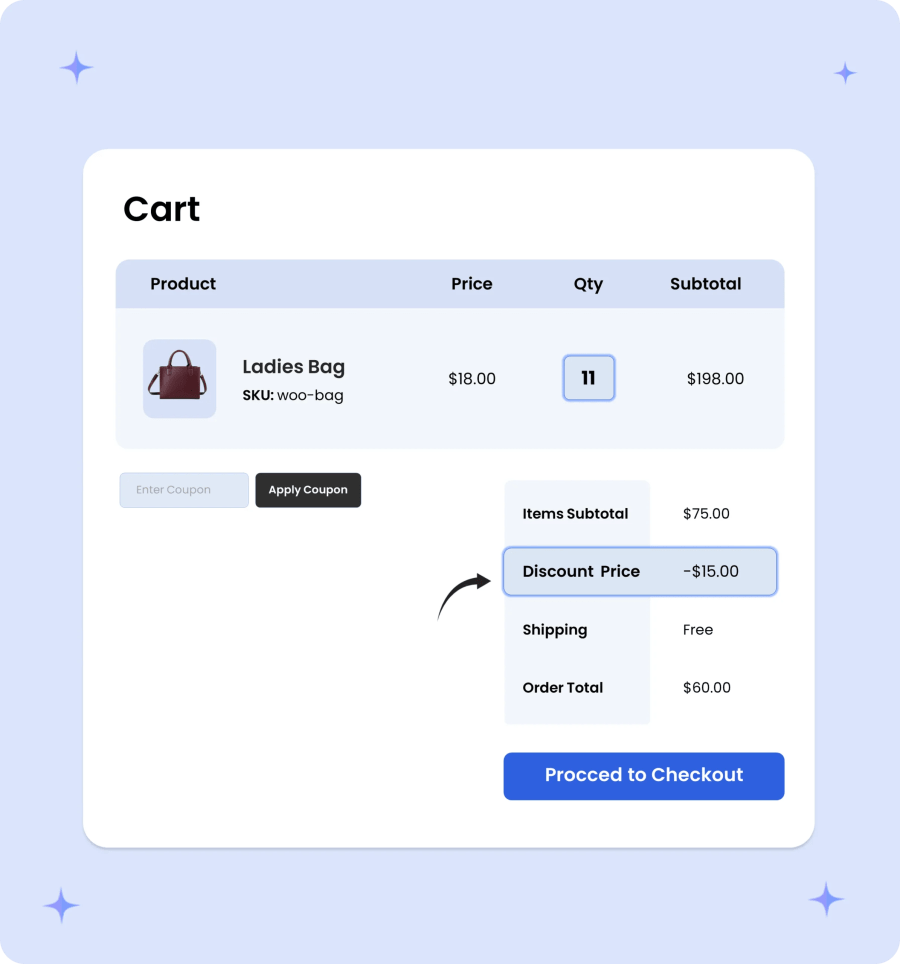
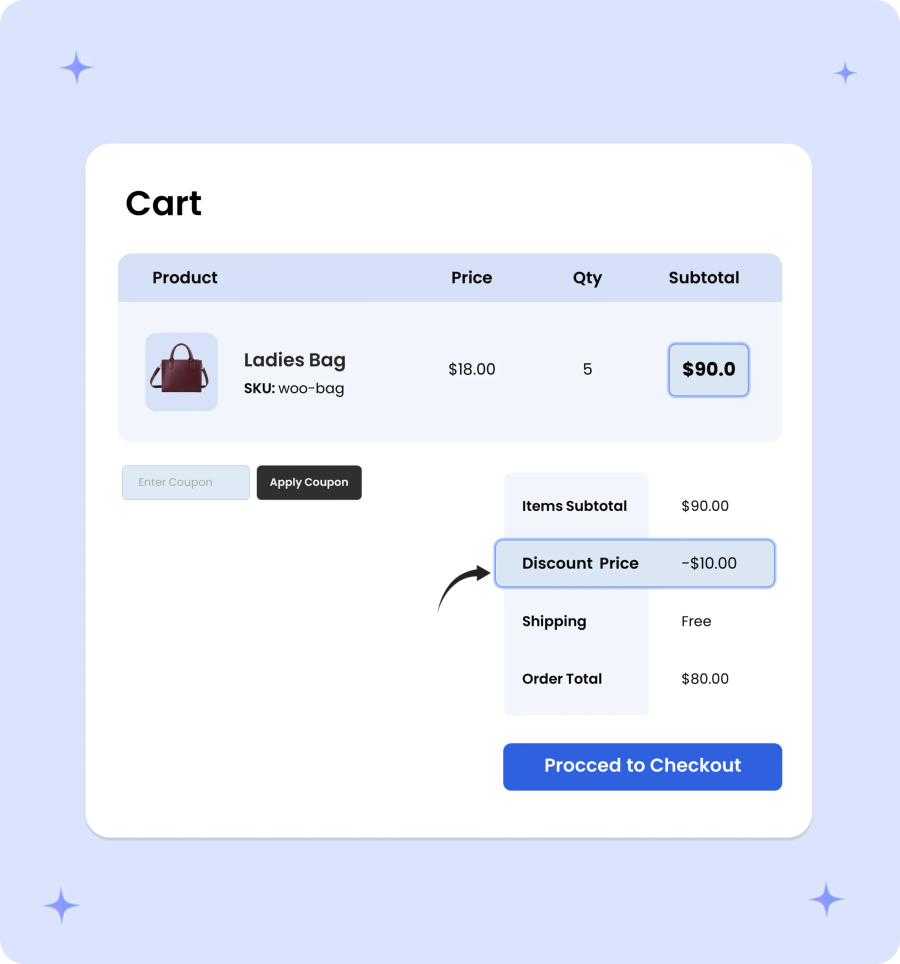
Reward buyers with tiered flat or percentage savings as their cart subtotal increases. This automated tactic encourages customers to add more items to reach higher spending thresholds. Ultimately, it maximizes average order value while offering clear incentives for wholesale clients.
Empower wholesale buyers to negotiate custom pricing by hiding prices and replacing standard “Add to Cart” buttons with a fully customizable quote request form. Customers can gather items in a dedicated quote cart, submit inquiries, and download auto-generated PDF quotations directly from your store. Once terms are finalized, both admins and customers can convert quotes into orders with a single click to close deals faster.
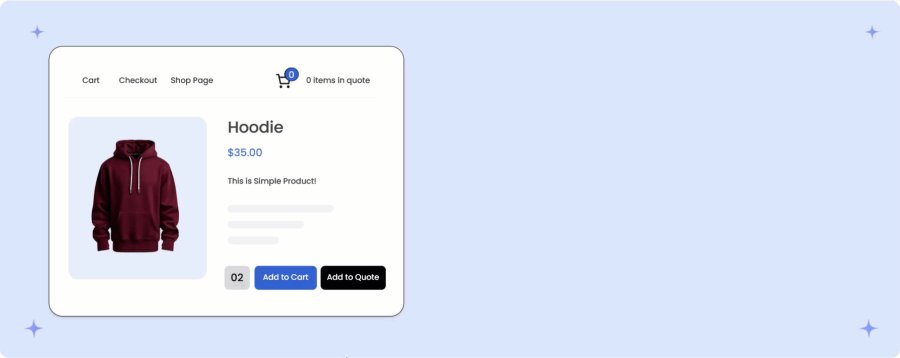
Hide prices and “Add to Cart” buttons for specific user roles or guests, replacing them with a custom quote request option. Customers can submit multi-product quote inquiries via a fully customizable form, while admins manage submissions from the backend and automatically send PDF quotes via email.
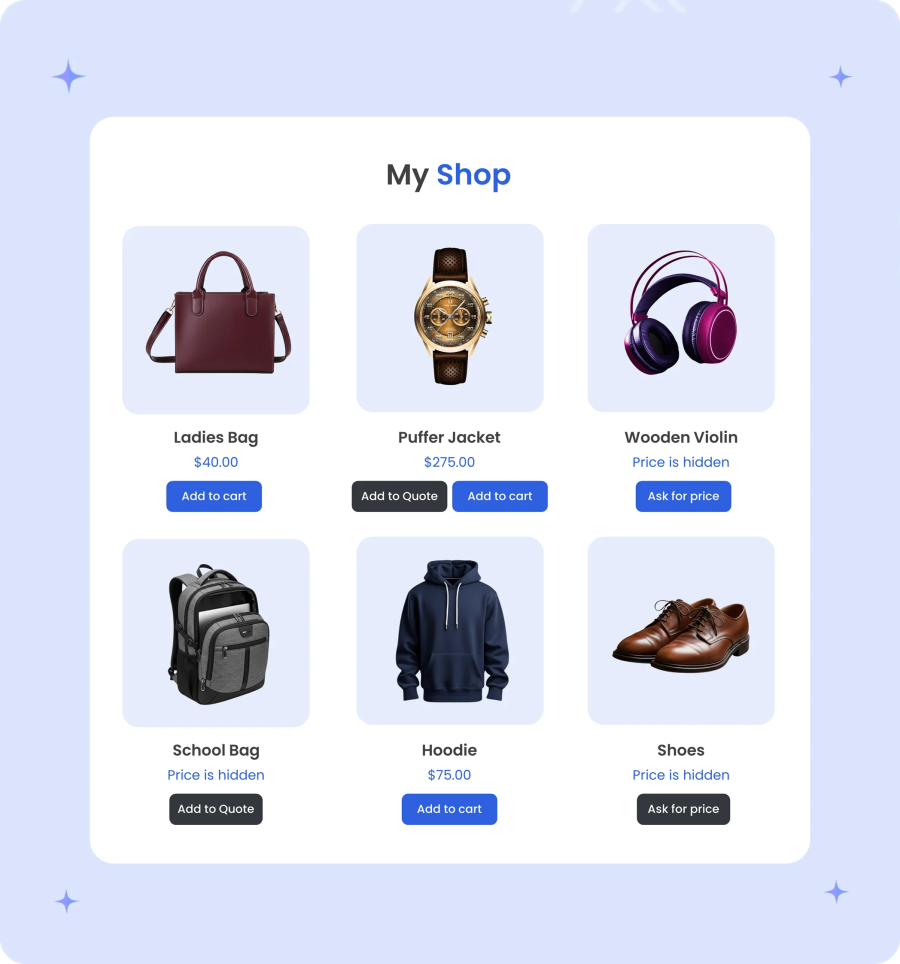
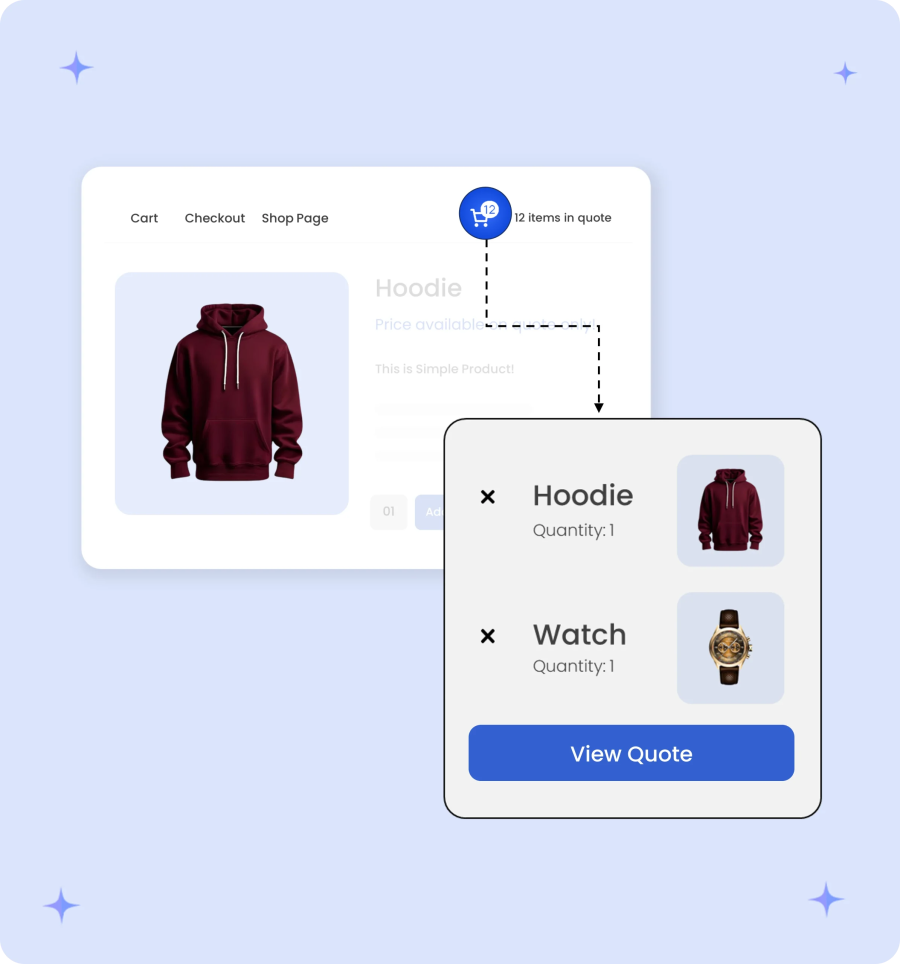
Keep your buyers organized with a separate quote cart that tracks their selected products and target quantities in real time. Customers can review, edit, and adjust their inquiries seamlessly without interfering with their standard shopping cart, ensuring a smooth, transparent negotiation process before submission.
Once a quote has been finalized, you can instantly review the quoted product quantities and offered prices. Admins can update the order status and replace the standard price with the offered one. After converting it into an order, customers are notified via email. Similarly, users can accept the negotiated prices and convert the approved quote into an order with a single click.
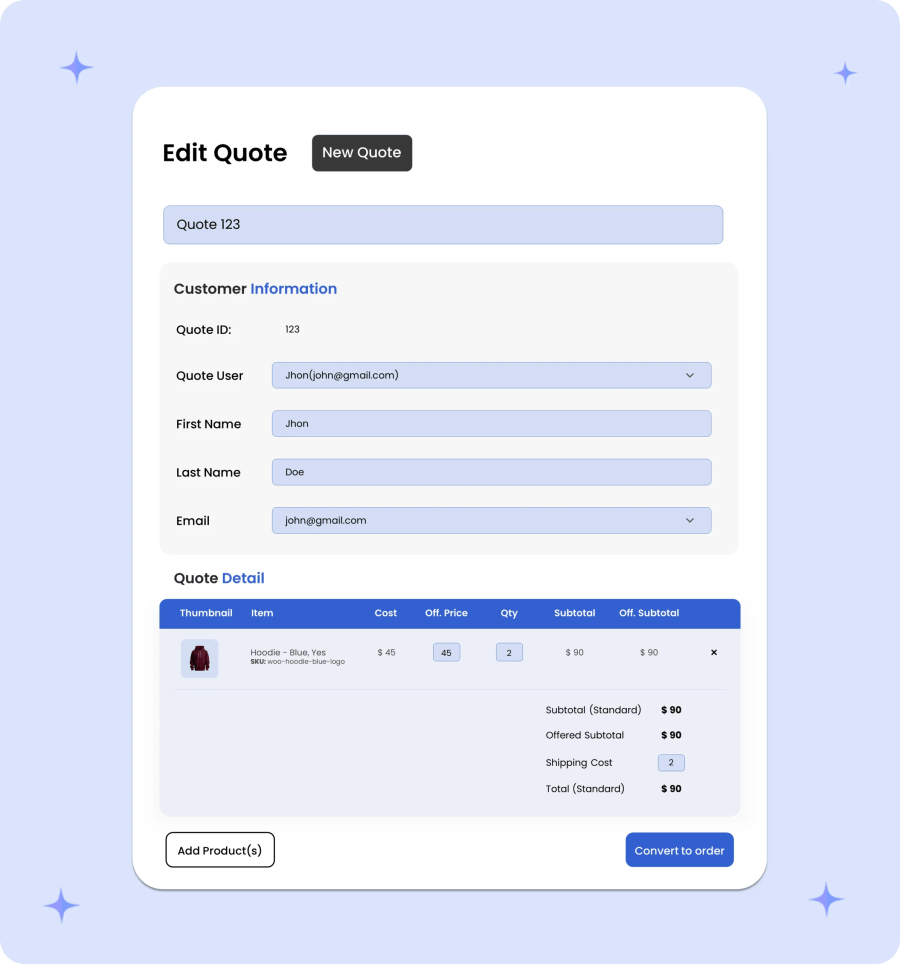
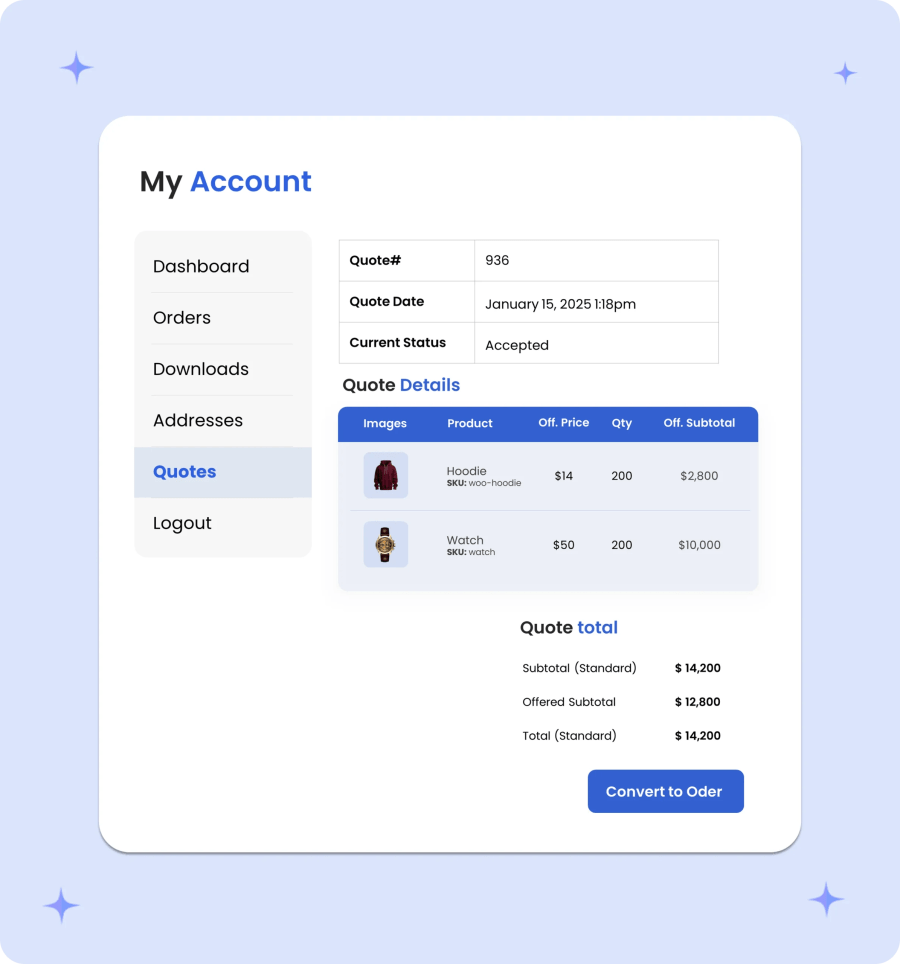
Once a quote has been finalized, you can instantly review the quoted product quantities and offered prices. Admins can update the order status and replace the standard price with the offered one. After converting it into an order, customers are notified via email. Similarly, users can accept the negotiated prices and convert the approved quote into an order with a single click.
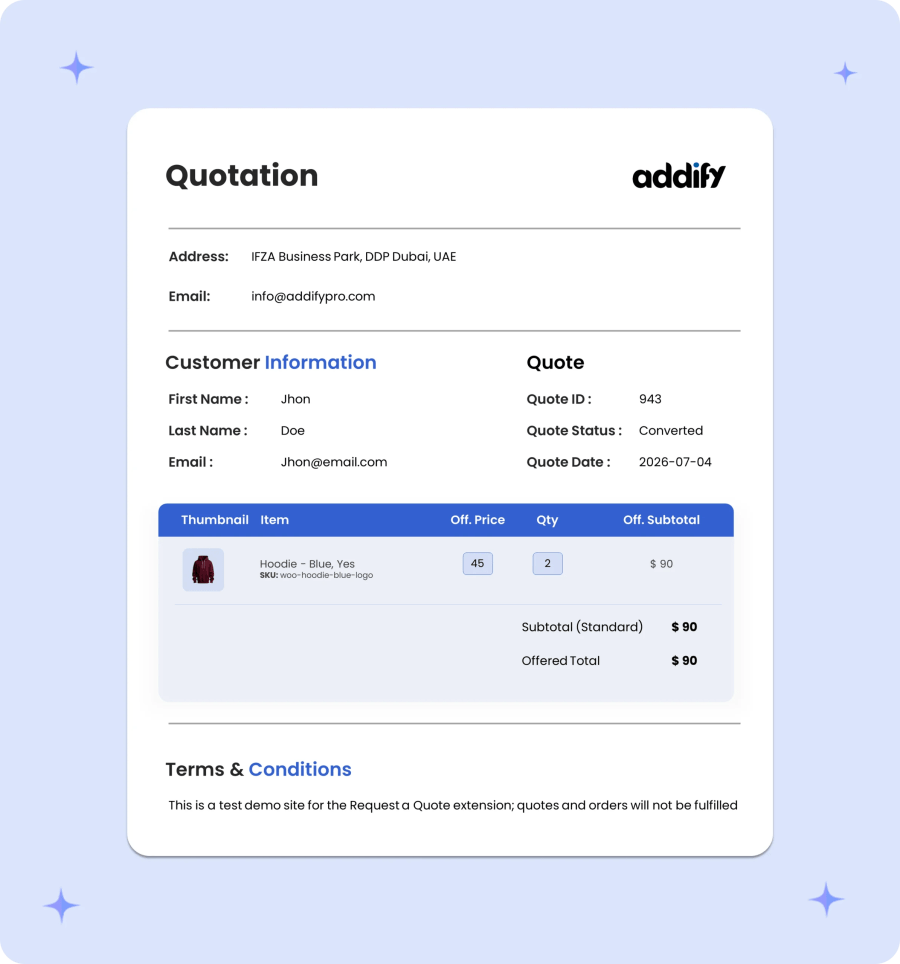
Instantly generate professional PDF quotes containing complete transaction details, including line-item descriptions, quantities, discounted rates, and total estimated amounts. Customers can easily download, review, or share their formal quotations offline for fast internal approvals.
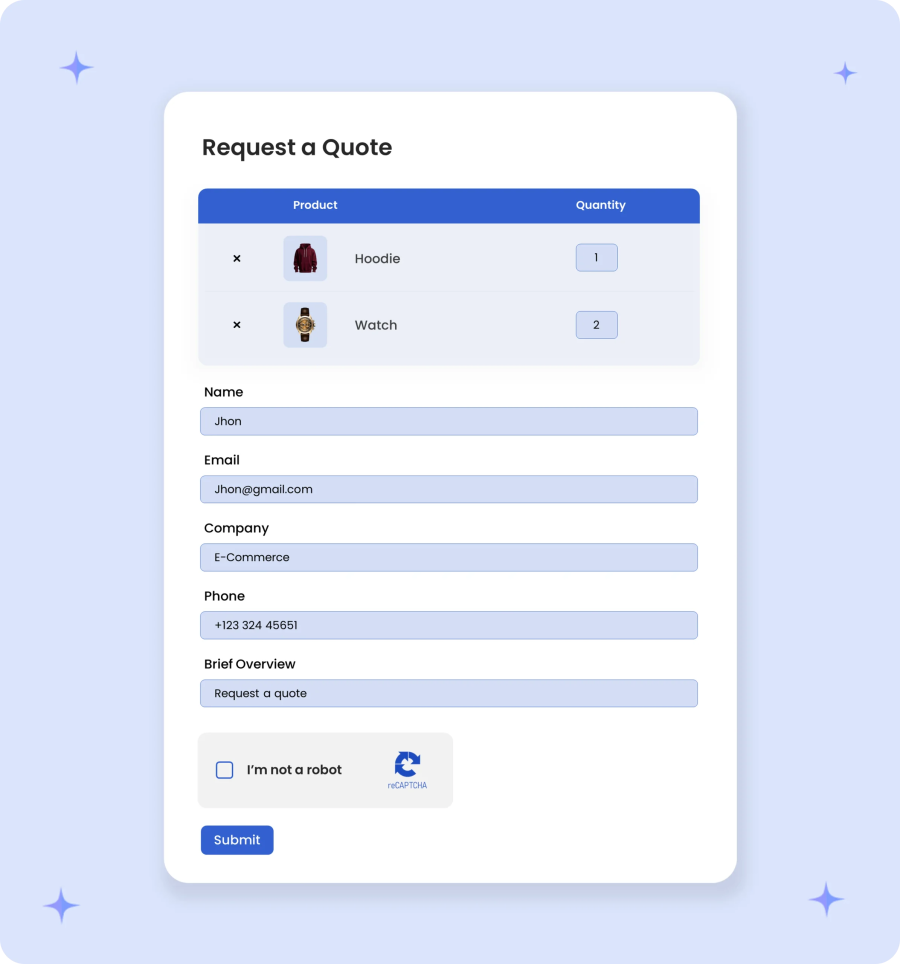
Tailor your quote submission form to gather the exact project, company, or volume details your team needs to provide accurate estimates. Easily add, edit, or remove fields to capture crucial business insights up front and eliminate time-consuming back-and-forth communication.
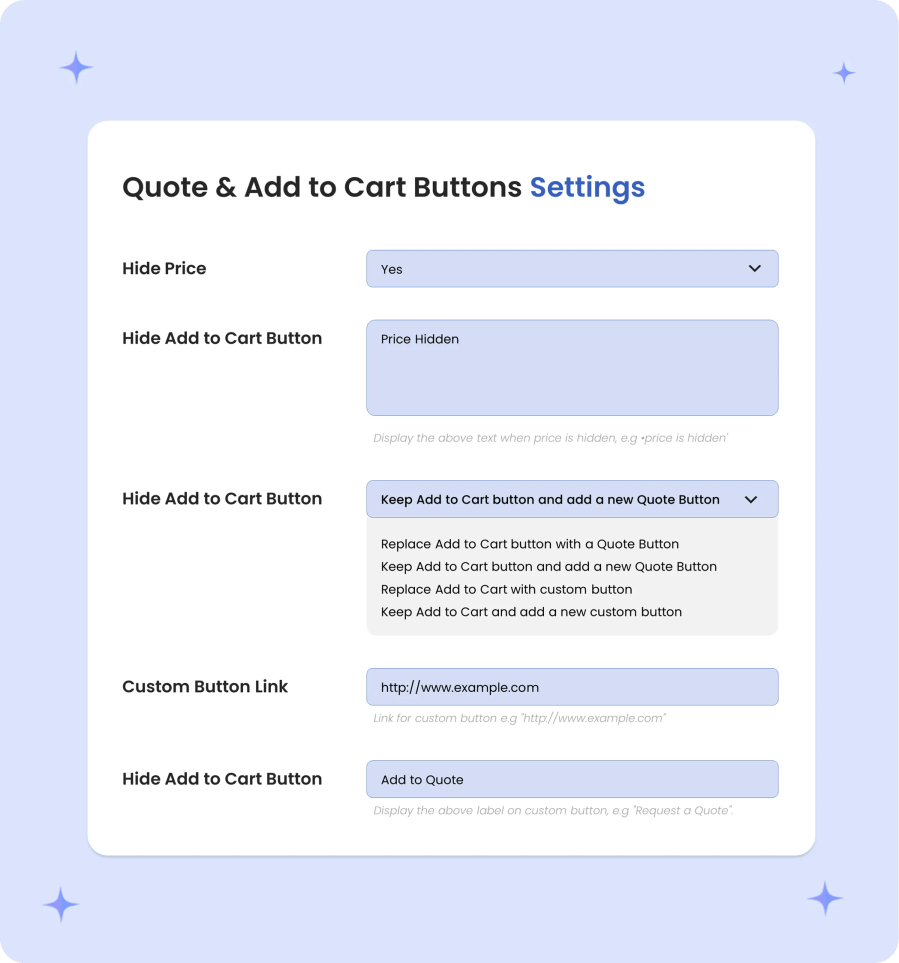
Tailor your call-to-action buttons to match your store’s workflow. Customize button text, swap the standard “Add to Cart” button with “Add to Quote,” or display both options simultaneously to let customers choose between purchasing directly or requesting an estimate. Additionally, set custom redirection links on buttons to guide shoppers directly to a specific quote page, custom cart, or specialized landing page after clicking.
Simplify complex business tax rules with role-based display options that show prices inclusive or exclusive of tax based on customer segment. Allow qualified buyers to claim tax exemption directly at checkout via a dedicated checkbox, giving users full control over which business purchases apply for tax-free status.

Streamline repeat orders for approved buyers with one-time tax exemption authorization. Once a merchant reviews and approves a customer’s tax-exempt application, eligible buyers get exempted automatically on all future checkouts, eliminating repetitive checks and speeding up wholesale transactions.
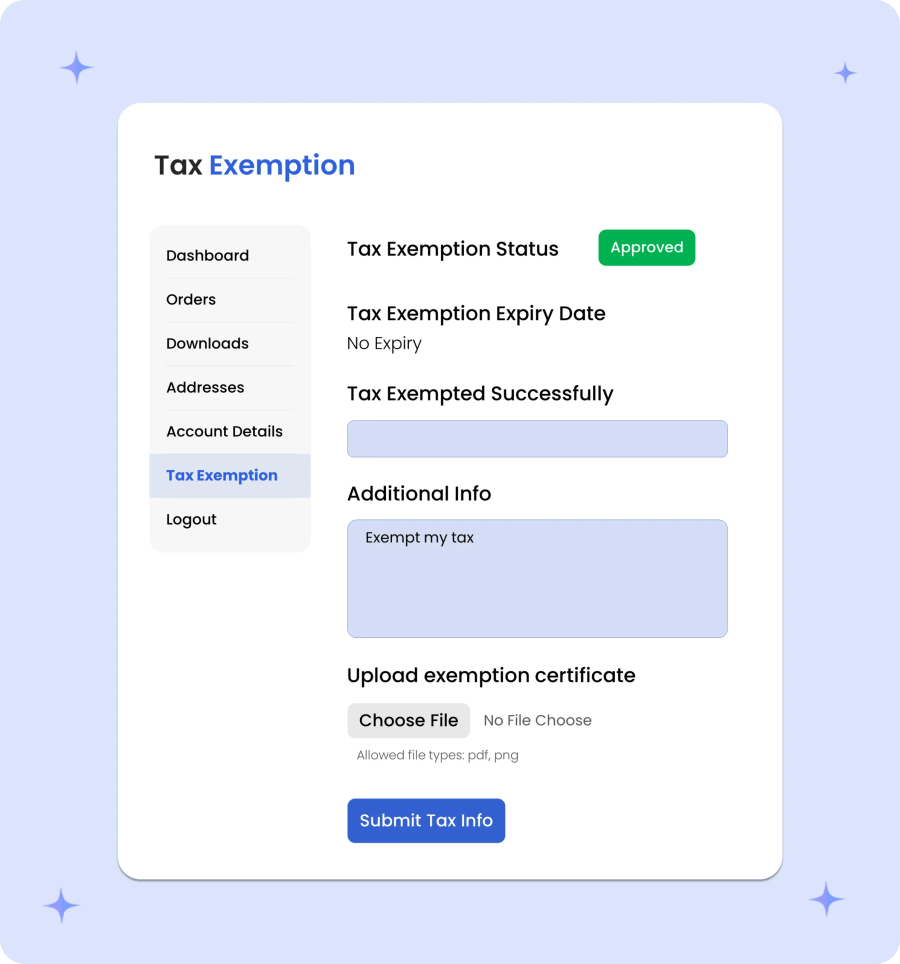
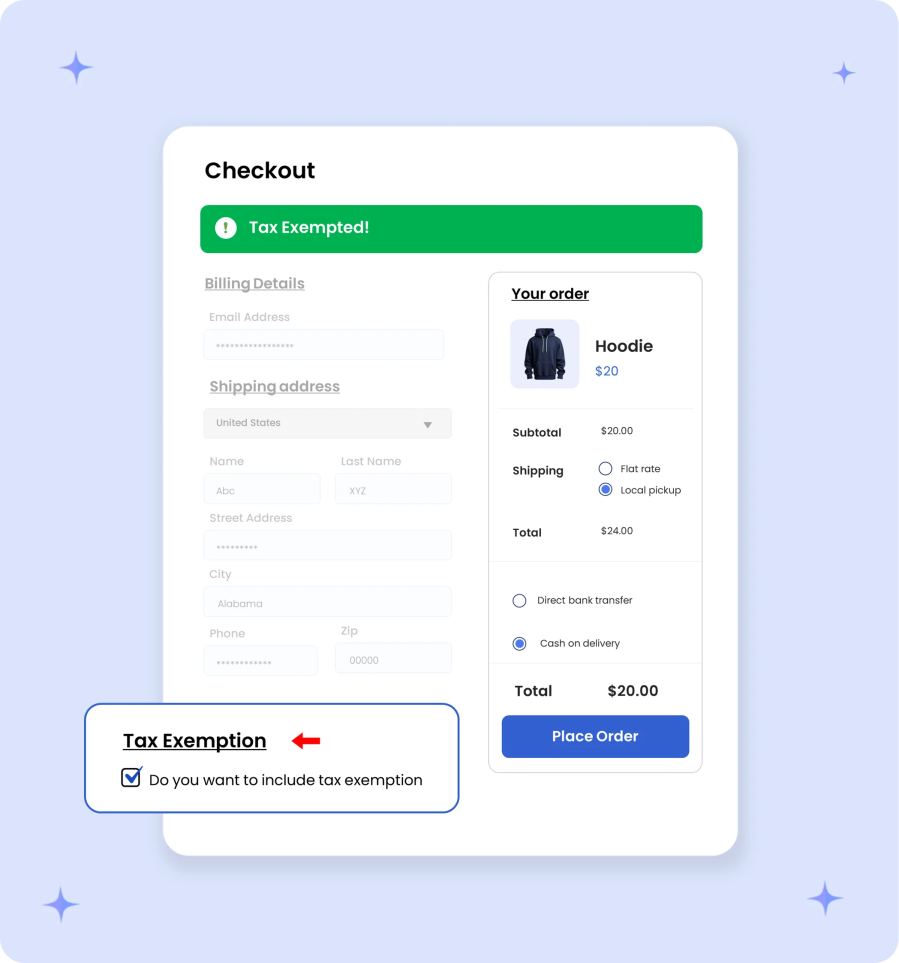
Give business buyers full control over their tax-exempt status with an optional checkout checkbox. Customers can dynamically choose whether to apply tax exemption to specific orders, making it effortless to distinguish between tax-free business purchases and taxable orders.
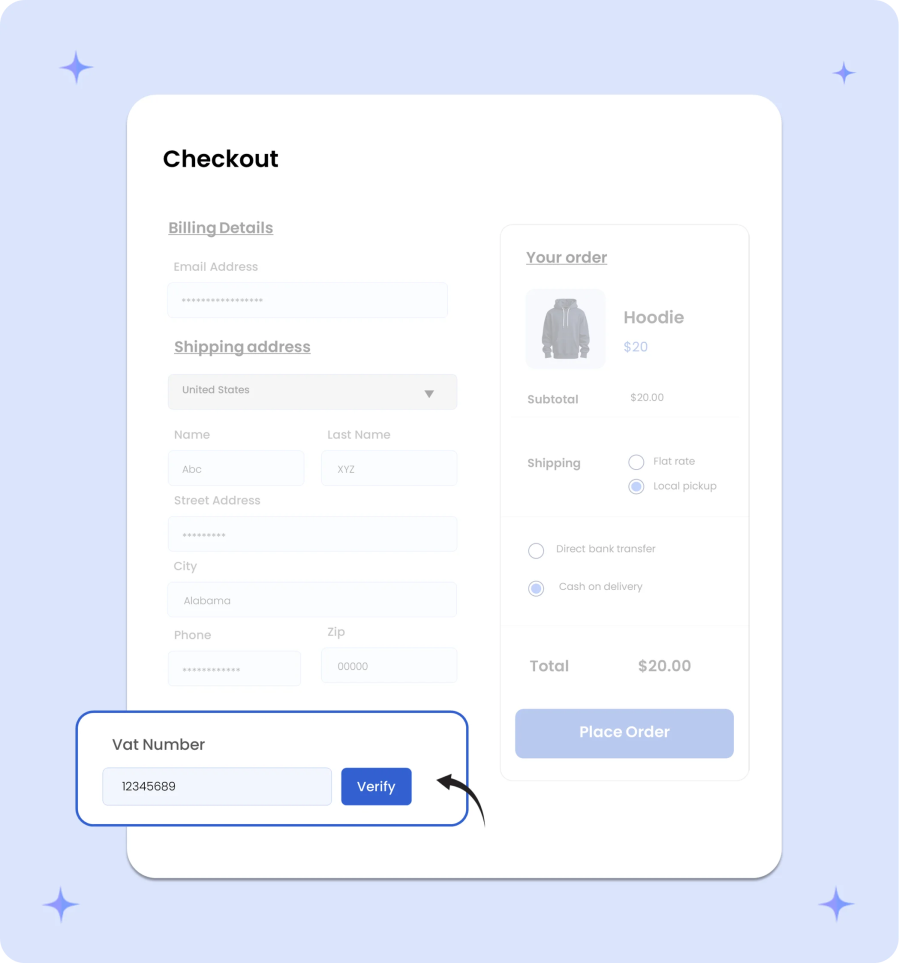
Verify tax credentials instantly at checkout with an automated VAT number validation field. The system validates European and international VAT numbers in real time, ensuring only eligible business clients receive tax exemptions while protecting your store against invalid tax claims.
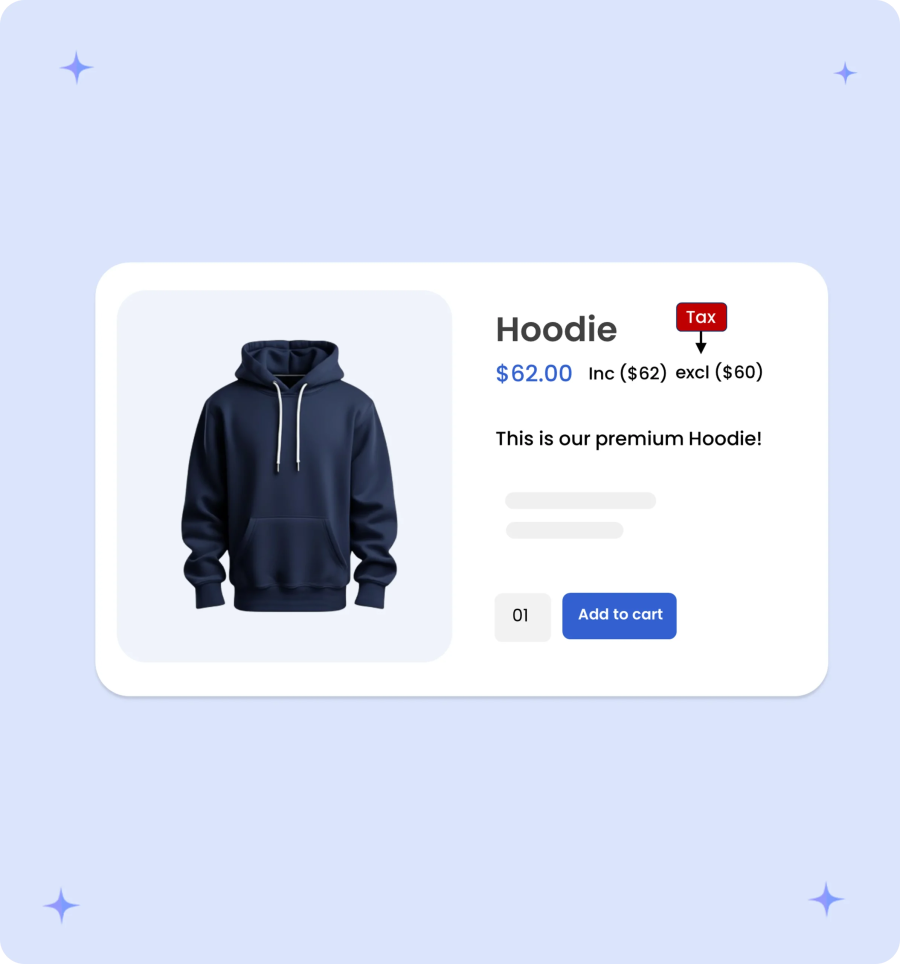
Customize how prices appear across different customer segments by displaying prices inclusive or exclusive of tax based on user roles. Choose to show tax-inclusive pricing to retail shoppers while presenting tax-exclusive rates to wholesale clients, ensuring a transparent shopping experience for every audience.
Take complete control over store access and purchasing limits by customizing product visibility, payment options, and checkout rules per customer segment. Limit specific items or categories to targeted user roles, restrict specialized payment and shipping gateways to trusted buyers, and enforce minimum/maximum cart amounts or item quantities to ensure every order meets your operational thresholds.
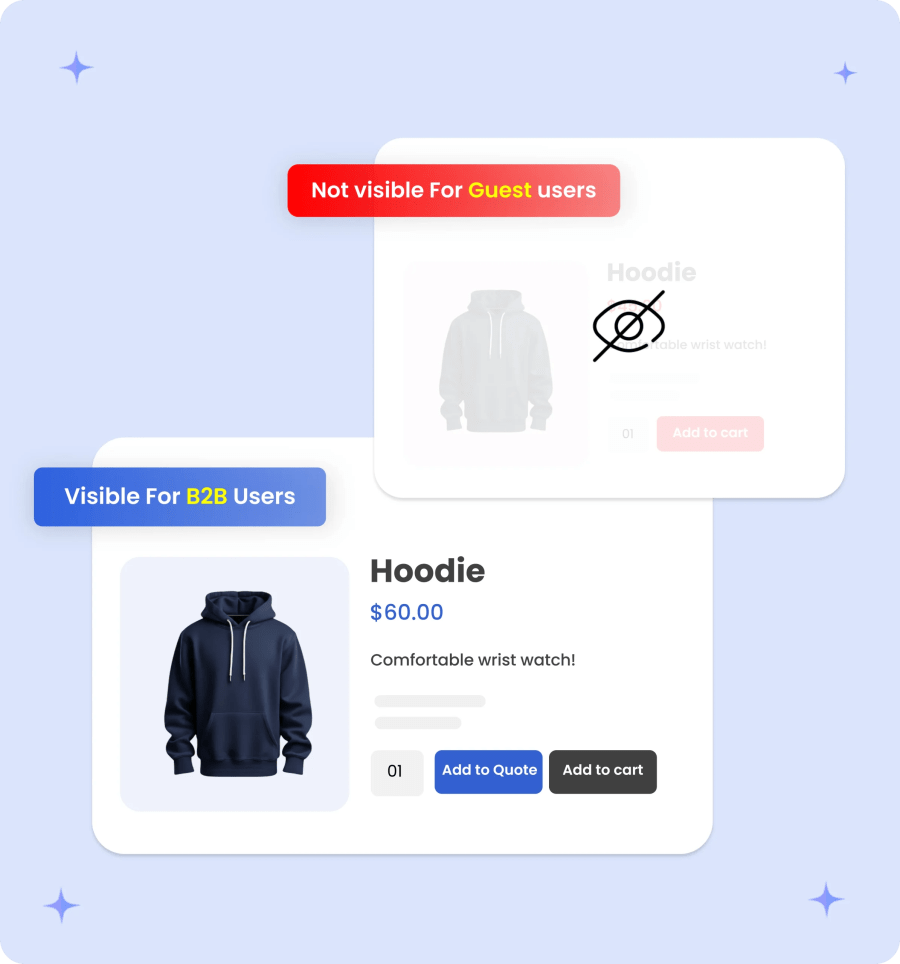
Control which products, categories, or entire catalog sections are visible based on customer roles. Show exclusive wholesale items only to logged-in B2B accounts, hide trade-only products from retail shoppers, or create tiered catalogs tailored to specific buyer segments.
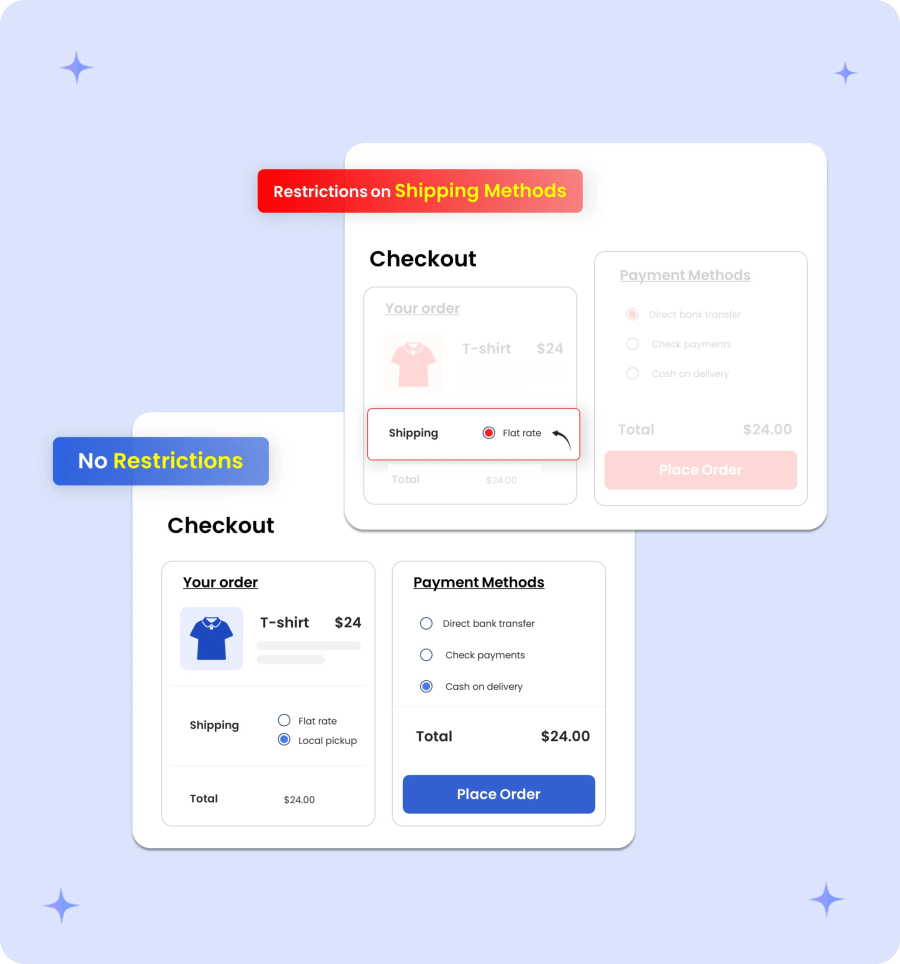
Control which shipping options appear at checkout based on user roles. Assign specialized delivery methods, like freight shipping, local pickup, or free B2B delivery, strictly to wholesale accounts, while hiding trade-only shipping methods from standard retail customers and guests.
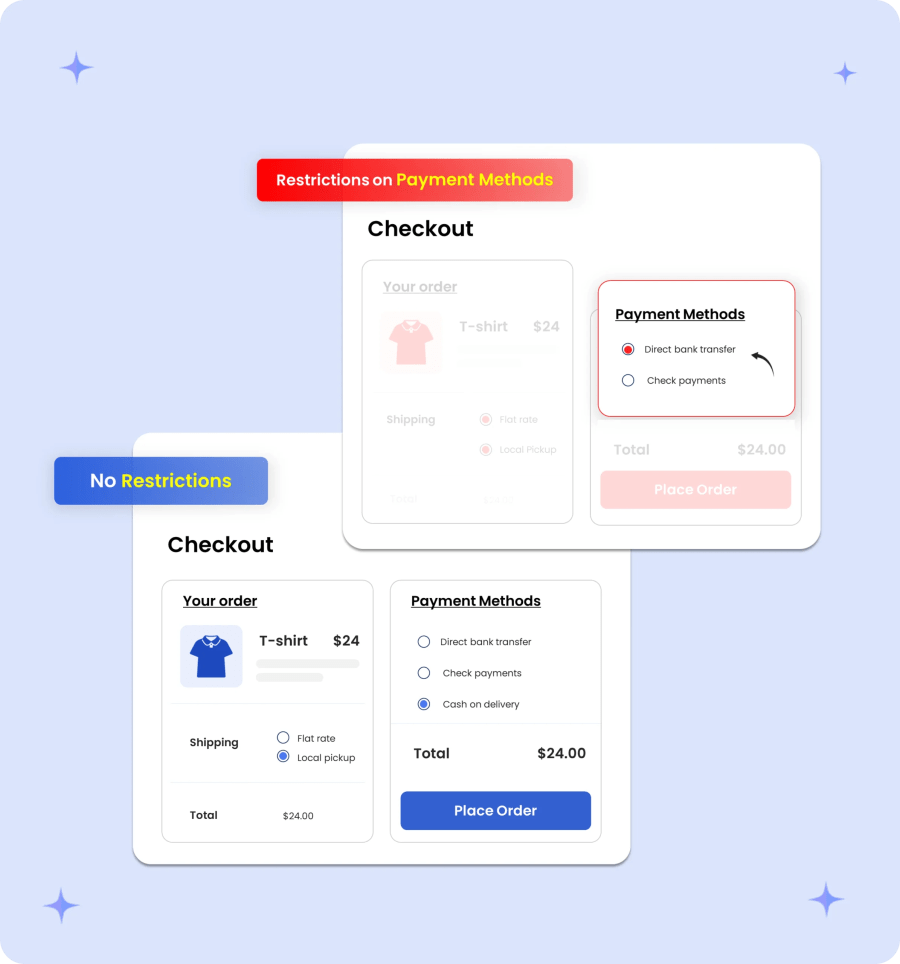
Assign tailored payment gateways to specific customer segments at checkout. Limit credit options like “Pay on Account” or invoicing strictly to verified B2B buyers while restricting retail shoppers or guest users to standard online payment methods.
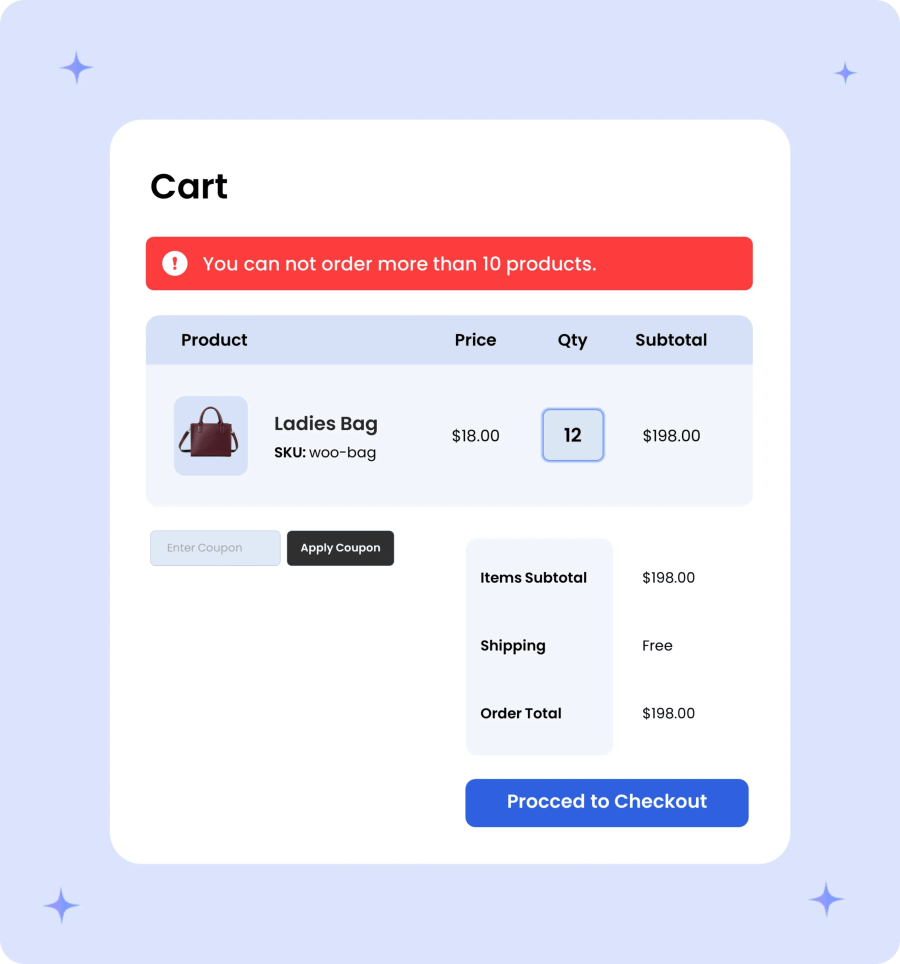
Set minimum and maximum item quantity thresholds required to proceed to checkout. Enforce bulk quantity minimums to protect margins on wholesale pricing, or place maximum quantity caps on high-demand items to prevent stock hoarding and manage inventory balance.
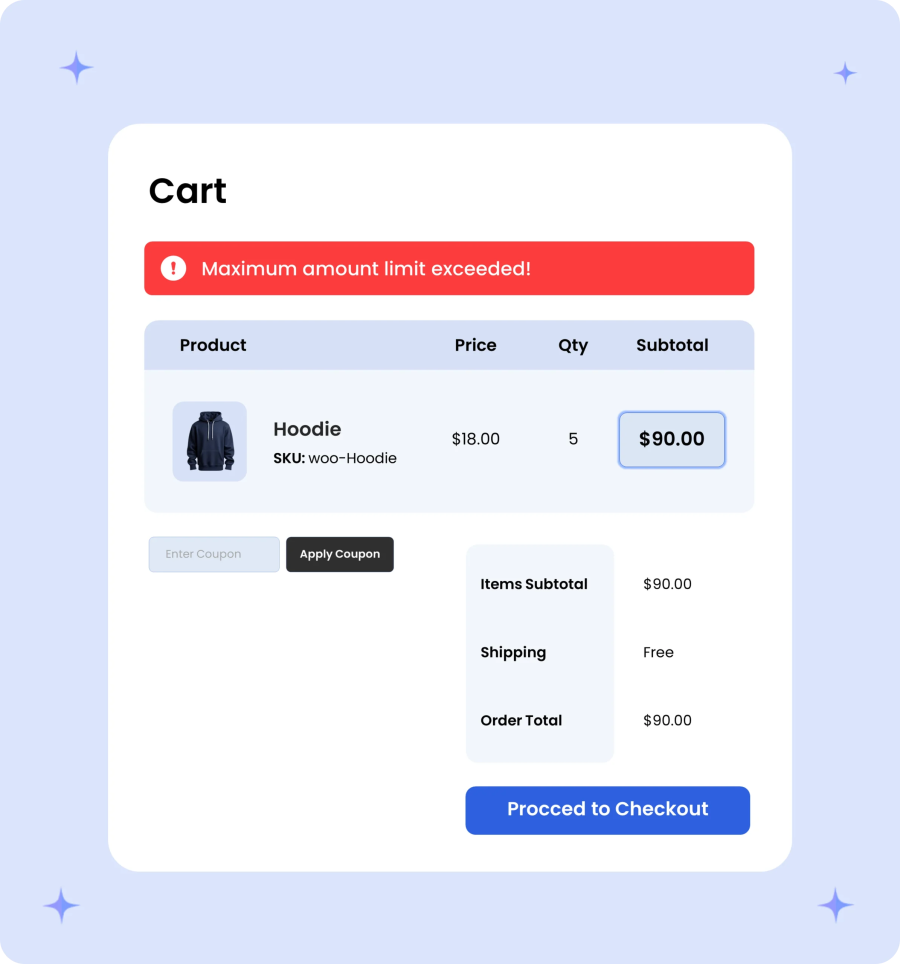
Enforce minimum and maximum order totals before a customer can complete checkout. Set mandatory order values to cover fulfillment costs on wholesale purchases, or cap order amounts to manage inventory exposure and fraud risk across different buyer segments.
Build a secure, reliable, and high-performing WooCommerce store with B2B for WooCommerce. It is fully compatible with High-Performance Order Storage (HPOS), which helps store owners to handle a high volume of orders easily.
Additionally, it is approved by the WooCommerce Marketplace, which ensures that it meets all WooCommerce’s security and quality standards. It also supports WPML and Polylang, allowing you to create and manage WooCommerce stores in different languages.

Yes, your customer can find these finds in “My Account” page
No, this extension only adds fields to the default WooCommerce registration form.
We have a dedicated Role Based Tax extension that allow you to configure your tax options and tax rates based on user roles.
We have integrated an AI-powered chatbot directly into our B2B for WooCommerce plugin. The chatbot is designed to understand and manage B2B-related settings through simple conversational commands.
To use the AI features, you’ll need to connect the plugin to a supported AI model using your own API credentials. We do not charge any additional fee for using the chatbot; however, your chosen AI provider may charge for API usage based on the model and the number of tokens consumed.
Categories
Extension information
Quality Checks
Countries
Languages