
WooPayments is built in partnership with Stripe. When you sign up for WooPayments, a special type of Stripe account is created for you. This is called a Stripe Express account.
Most tasks related to your WooPayments account can be handled from your WordPress admin dashboard. However, you may occasionally need to access your Stripe Express account directly to update some details.
Why you may need to access your Stripe Express account
↑ Back to topAlthough rare, sometimes you may need to access your Stripe Express account.
Through the Stripe Express account, you can manage a limited set of important details related to your business, such as:
- Payout account information
- Contact details for your business
- Your business’s tax ID number
- Your WooPayments account’s future refunds or disputes (FROD) balance
Note: Other aspects of your WooPayments account — like payouts, refunds, disputes, and transactions — can only be administrated via the Payments menu in your site’s WordPress dashboard. These items cannot be managed via your Stripe Express account.
How to access your Stripe Express account
↑ Back to topTo access your Stripe Express account via WooPayments, follow these steps:
- Go to Payments > Overview in your WordPress dashboard.
- In Account Details box, click the Edit details link.
- You will be taken to
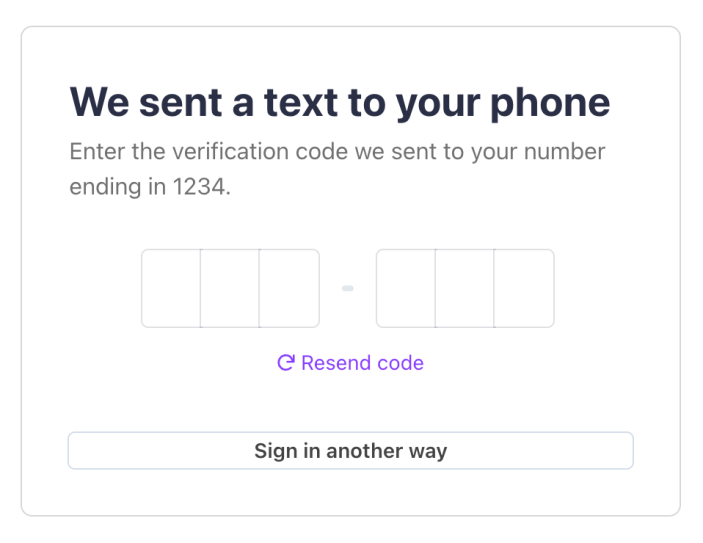
connect.stripe.comto log in. - Enter the 6-digit code sent to your phone number.
- You can also click Verify with email instead to have the code emailed to you.
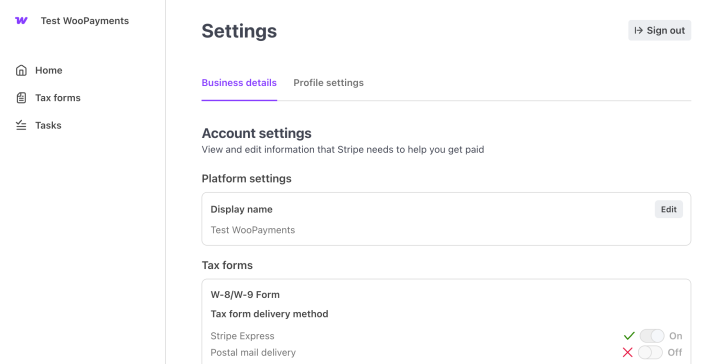
- After you enter the code, you’ll be logged in to the Express dashboard.
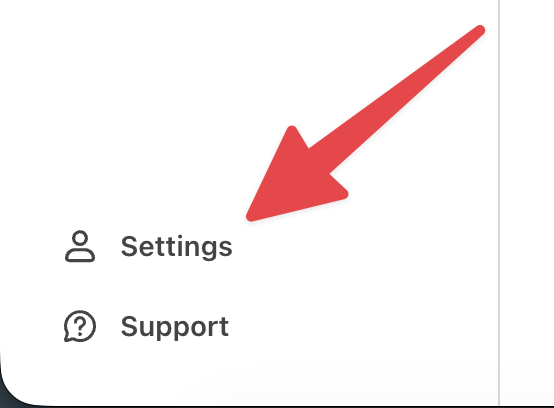
- Click Settings in the sidebar to manage your account settings.
Here are a few images showing the process:


Lost access to phone number
↑ Back to topIf you cannot receive the SMS two-factor code, but you still have access to the email on the account, you can verify over email by clicking Sign in another way.
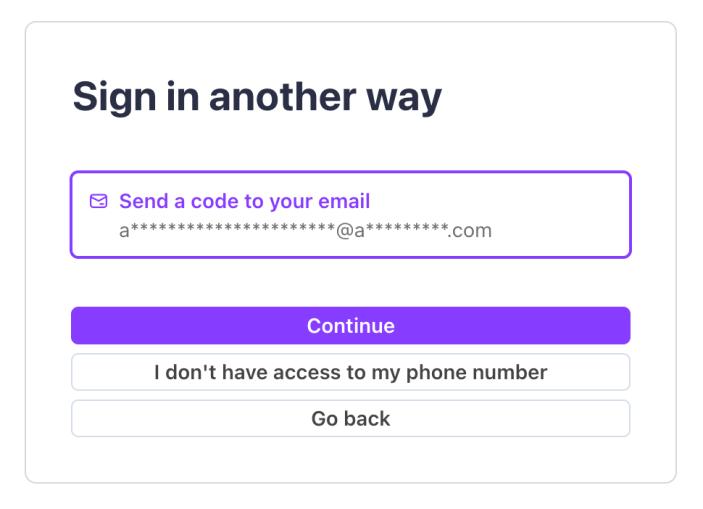
If you’ve lost access to both the phone number and account email, you’ll need to contact Stripe Express support for help.
Logging in via Stripe.com
↑ Back to topYou can also log into your Stripe Express account directly using this link.
To do so, simply enter your WooPayments account email address into Stripe’s login form. Click Continue and then you will be sent an SMS two factor code as usual.
