Active installs
100K+
Product comparison
Subscription includes
Support
Built by Woo, WooCommerce Subscriptions helps you turn any shopper into a repeat customer. Build a predictable revenue stream, keep customers longer, and lower your cost per sale with the extension used by more than 100,000 stores.
Flexible billing schedules and pricing options make it simple for customers to subscribe. Automatic renewal payments and built-in retries mean you get paid without lifting a finger. And self-serve tools let your customers manage their subscriptions, so routine changes don’t turn into support requests.
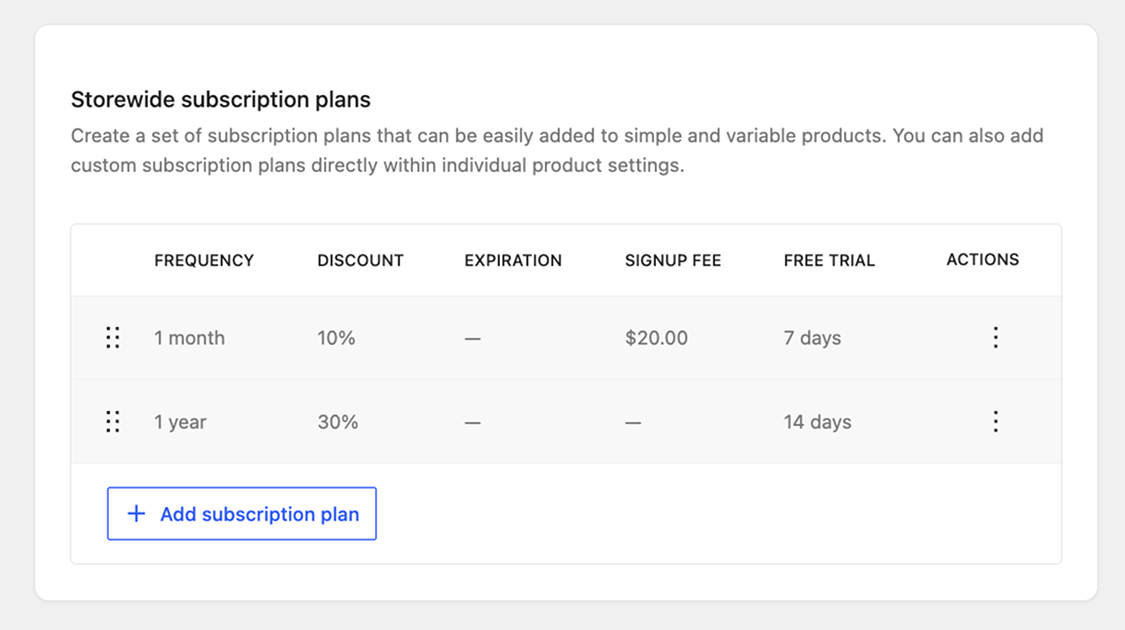
Create storewide plans with your own frequency and pricing, then choose how each product is sold: one-time, subscription, or both. Offer every plan, a select few, or custom plans made just for that product.
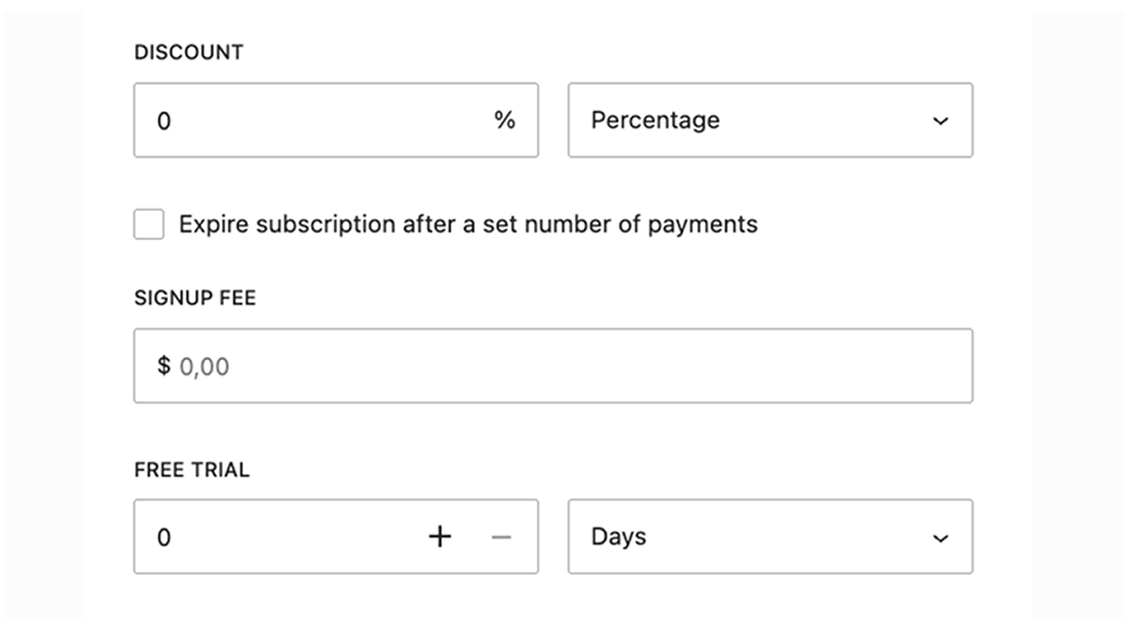
Offer free trials so customers can try before they buy, charge a sign-up fee to cover setup costs, or discount prices to reward shoppers for subscribing.
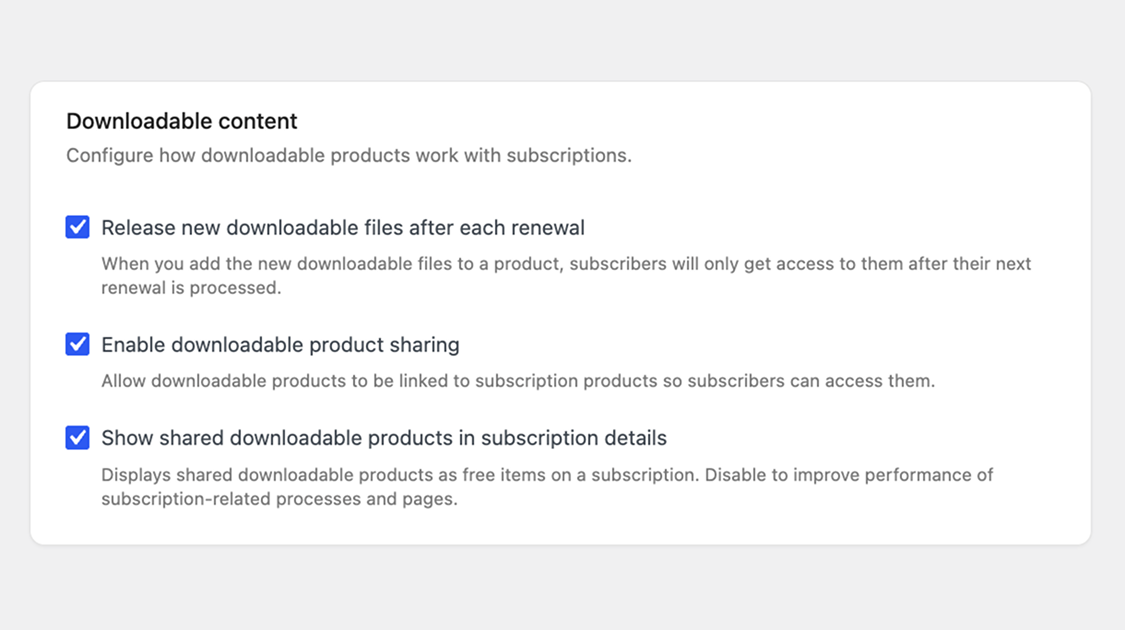
Release new files with each renewal, and bundle standalone downloadable products into any subscription.
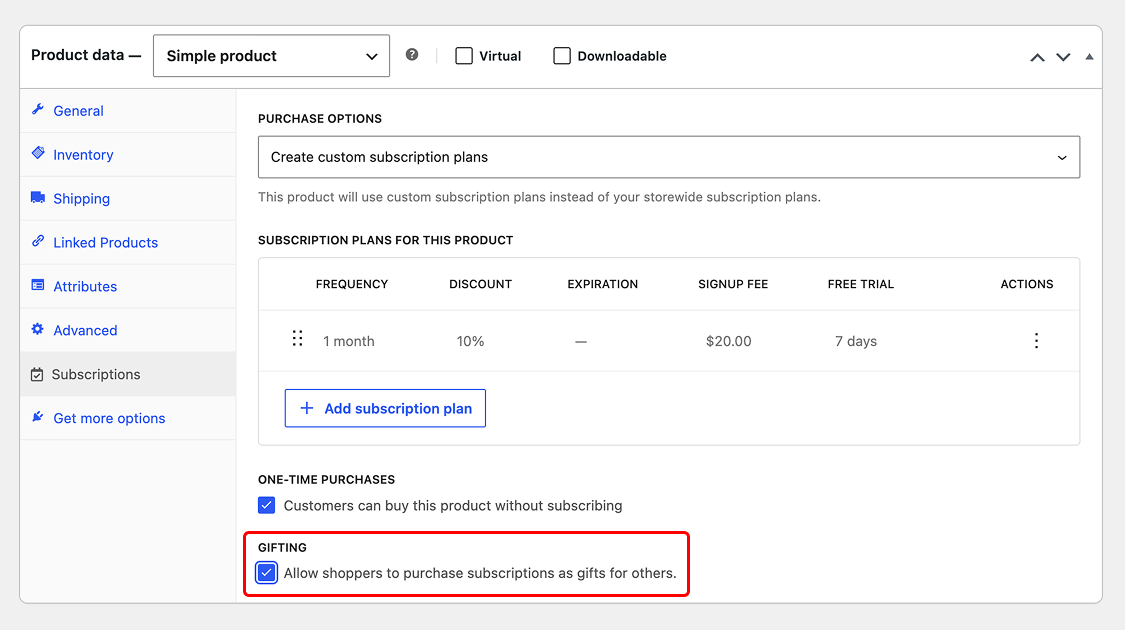
Let shoppers buy a subscription as a gift for someone else. Recipients get their own account to manage it, and you choose which products can be gifted.
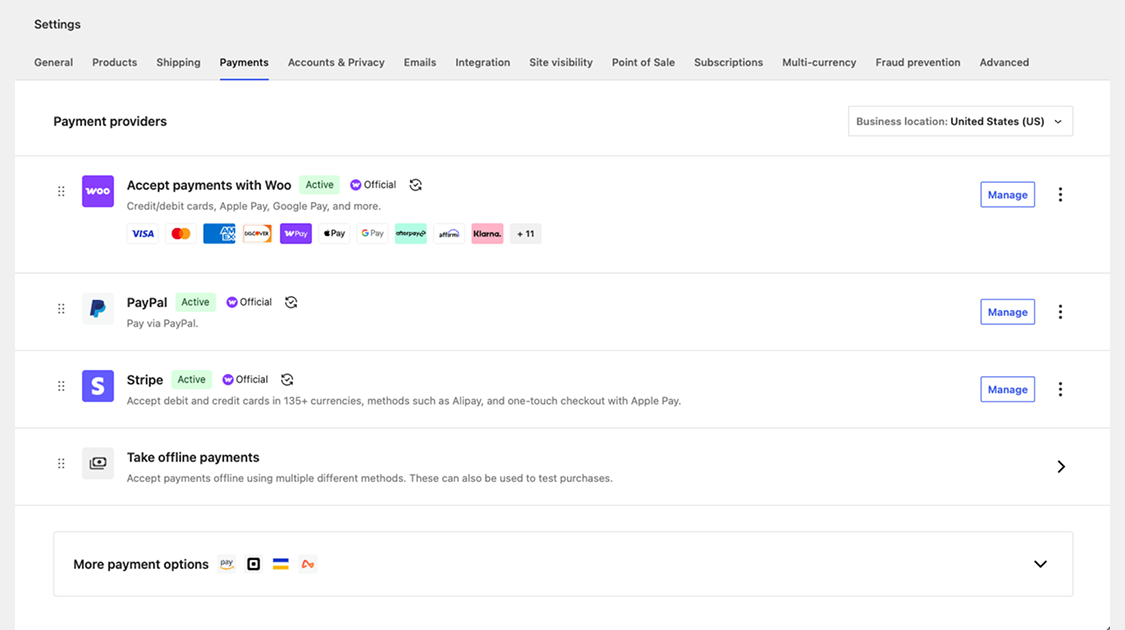
Take automatic renewal payments with WooPayments, Stripe, PayPal, and more. Prefer manual renewals? Use any WooCommerce gateway, and customers automatically receive an invoice when payment is due.
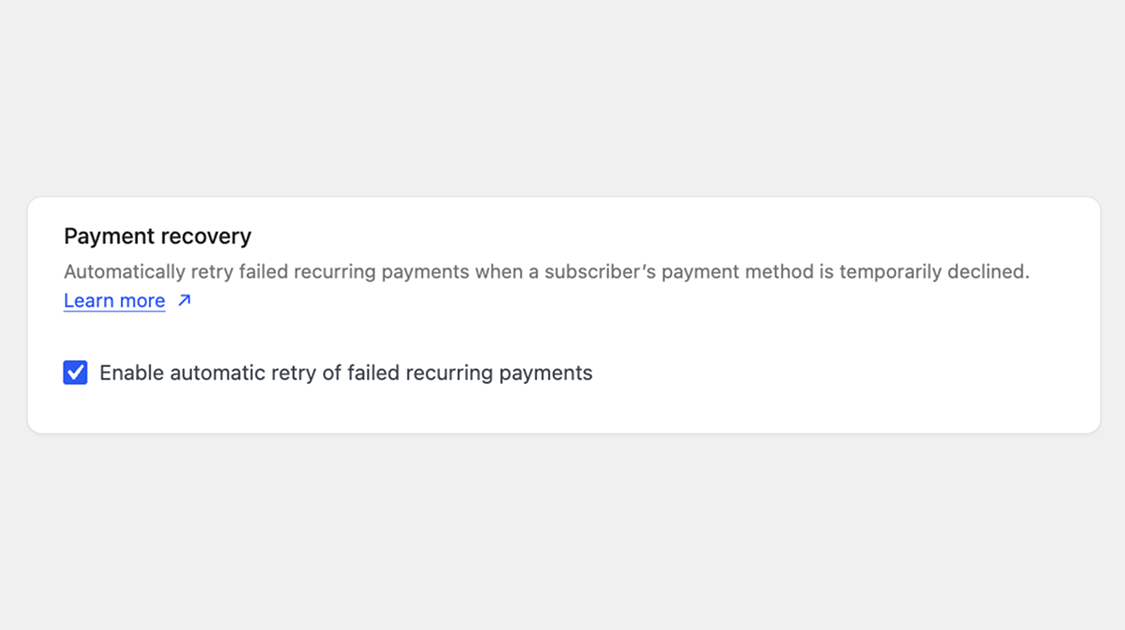
When a renewal payment fails, WooCommerce Subscriptions retries it automatically and emails the customer to update their payment method, so a declined card doesn’t cost you a subscriber.
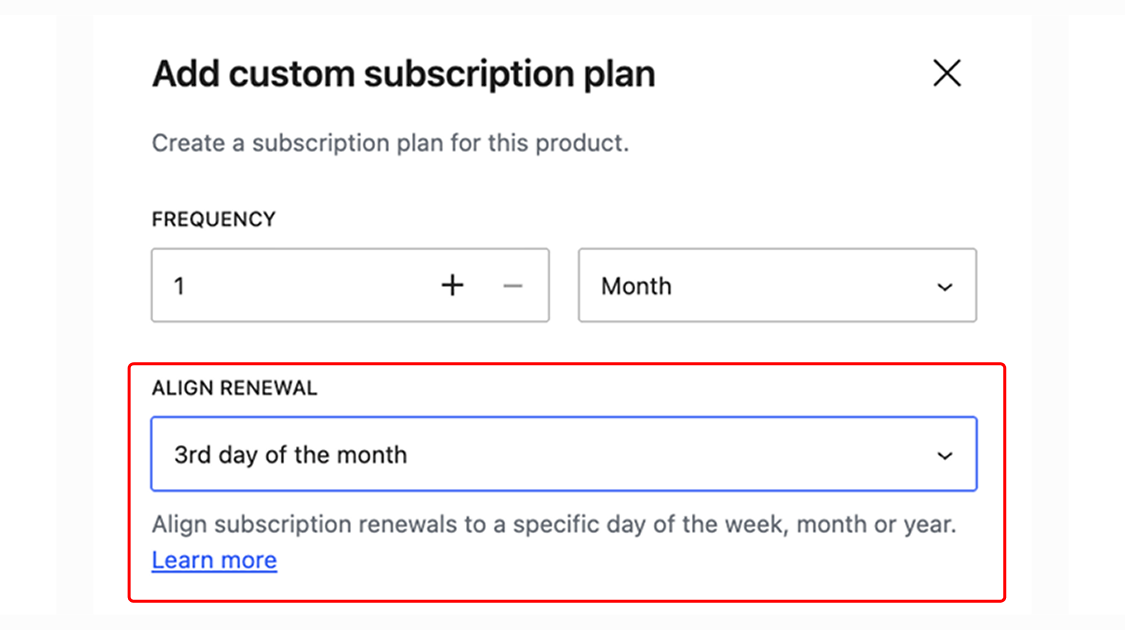
Sync all subscribers on a plan to the same renewal date with billing date alignment — ideal for shipping on set days. You can also choose how the first payment is charged: in full, on the next billing date, or prorated.
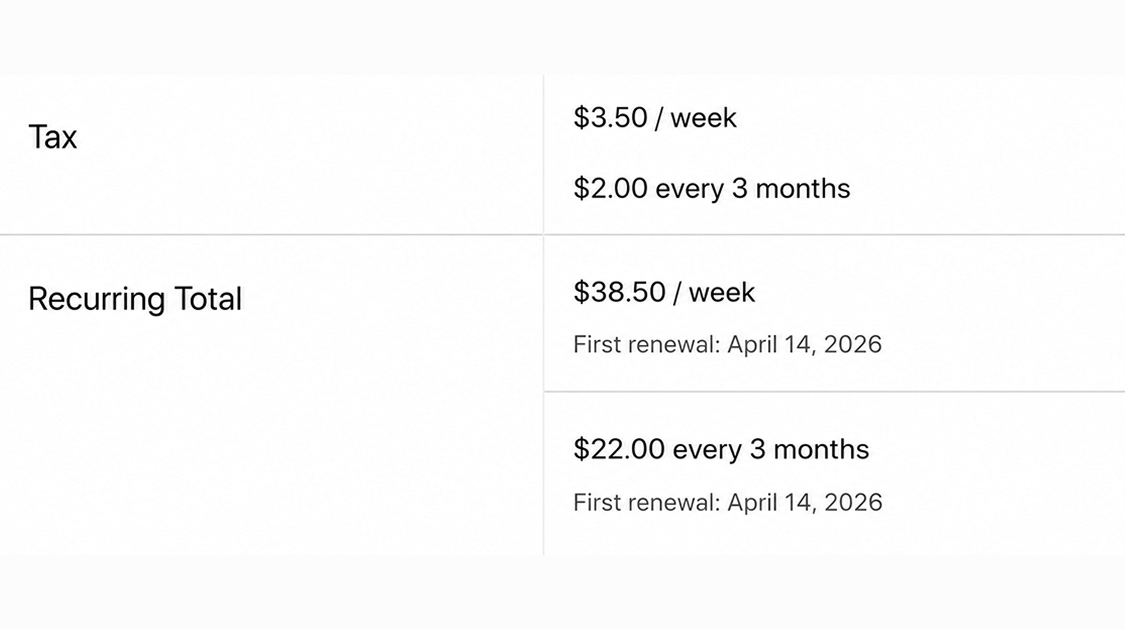
Your customers can purchase different subscription products in the same transaction, and WooCommerce Subscriptions will group them by billing schedule — so future renewals process as a single order and a single payment, with fewer gateway fees.
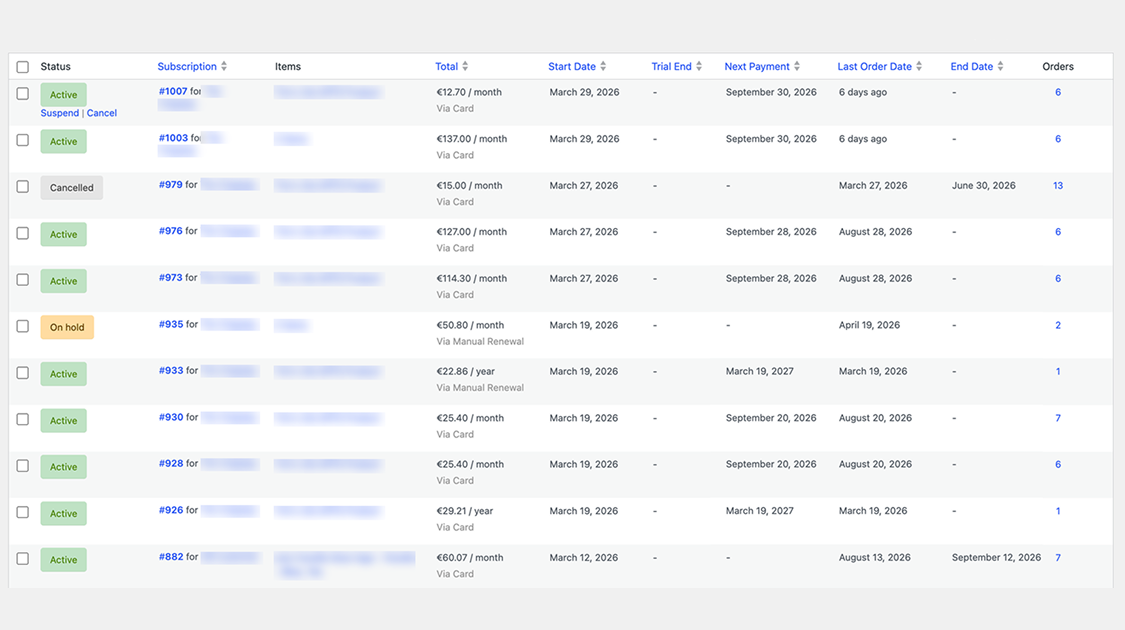
Review and edit every subscription from your WP admin. Add or remove products, change dates, adjust recurring totals, or update its status whenever you need to.
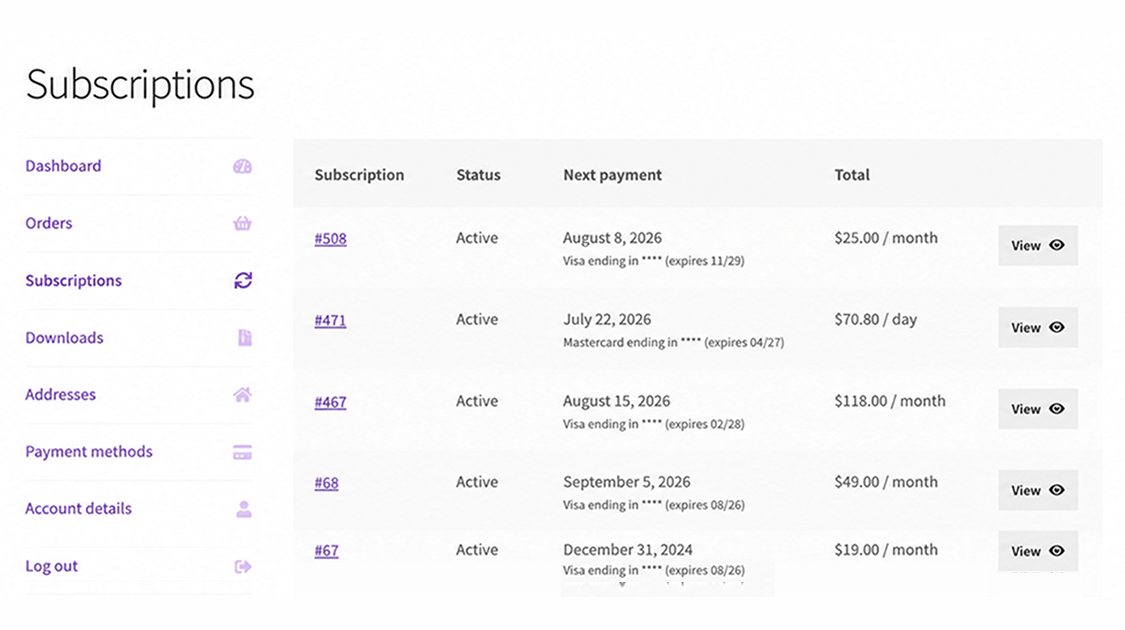
Subscribers can switch plans, update their details, and suspend or cancel from My Account. You set the rules, including how switching costs are prorated.
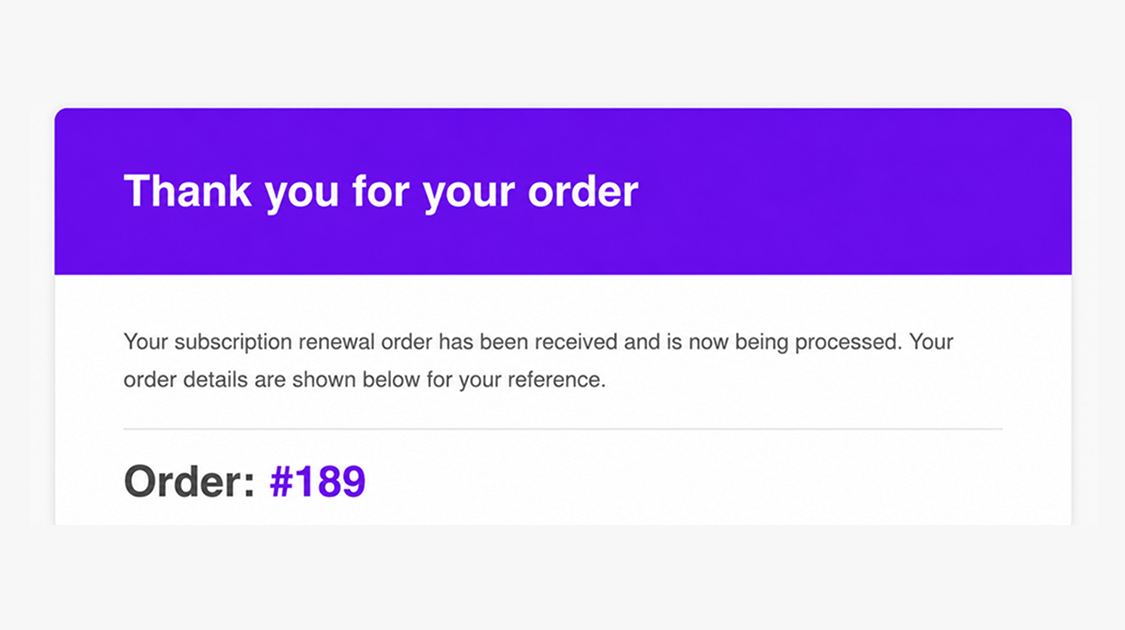
Both you and your customers stay in the loop with built-in subscription emails for key events: renewal receipts, invoices awaiting payment, failed payment retries, cancellations, expirations, and switches.
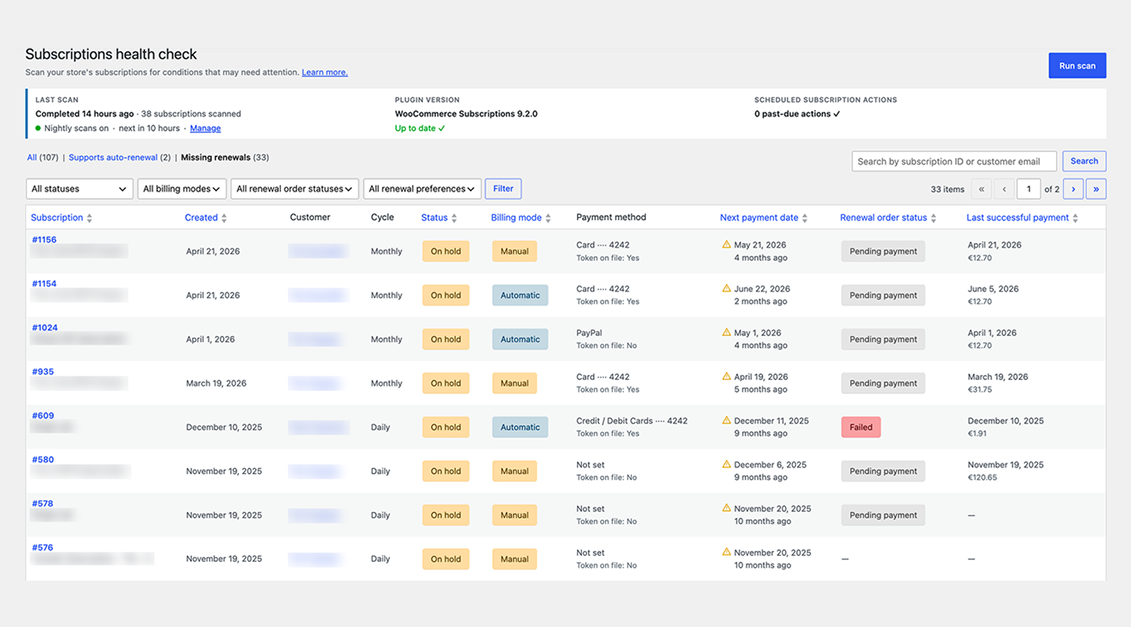
Use the Subscriptions Health Check to spot renewals that need your attention. See sign-ups, retention, and more in WooCommerce Reports, or connect a tool like Metorik for deeper analysis.
Explore the full documentation to get the most out of WooCommerce Subscriptions.
WooCommerce Subscriptions is a recurring payments extension for WooCommerce that lets you sell products and services billed on a repeating schedule. You can charge customers weekly, monthly, or annually, and you can apply it to physical, virtual, or downloadable products. Common examples include product-of-the-month clubs, weekly service subscriptions, and yearly software billing plans.
WooCommerce Subscriptions is designed to help you turn one-time sales into recurring revenue you can count on. Instead of relying on repeat manual purchases, customers sign up once and are billed automatically on their schedule, which can help stabilize cash flow. Built-in reports let you track recurring revenue and the number of active subscribers, so you have a clearer view of what your store can expect month to month.
WooCommerce Subscriptions integrates with over 25 payment gateways for automatic recurring payments, including WooPayments, Stripe, PayPal Payments, and PayPal Braintree. If you prefer to accept manual renewal payments, those can be processed through any WooCommerce payment gateway, with automatic email invoices and receipts. For the full breakdown of which gateways support automatic versus manual renewals, see the Subscriptions payment gateways guide.
No. While you can use Stripe and many other gateways with WooCommerce Subscriptions for automatic recurring payments, the subscriptions themselves are created and managed on your own site, not inside your payment gateway. This means you manage billing schedules, renewals, and subscription changes from your WordPress dashboard rather than logging in to a separate provider account.
Yes. WooCommerce Subscriptions lets you add a free trial so customers can try before they buy, and you can charge an initial sign-up fee to cover setup costs. You can combine both on the same product, or use each on its own. This gives you flexible pricing options that can lower the barrier to signing up while still covering upfront costs.
Yes. From the My Account area, subscribers can suspend or cancel a subscription, update their shipping address or payment method for future renewals, and upgrade or downgrade their plan. Letting customers handle these changes on their own can reduce the number of support requests your team needs to answer.
Yes. WooCommerce Subscriptions supports upgrades, downgrades, and cross-grades between subscription products. It includes flexible proration options for the recurring amount, sign-up fee, and length, so you can control how switching costs are calculated. This is useful if you offer tiered plans and want customers to move between them without starting over.
WooCommerce Subscriptions includes an automatic failed payment retry system that can rebill a failed recurring payment, which helps you avoid losing revenue from a single declined charge. The retry system is a setting you turn on, and it applies to payments that fail after it is enabled. You can learn more in the failed payment retry documentation.
Yes. The renewal synchronization feature lets you align renewals to a specific day, such as the first of the month or a set weekday, which is helpful if you only ship on certain days or want all customers on the same billing term. You can also prorate the first payment so customers are charged fairly for the partial period before their first synchronized renewal.
Yes. With variable subscriptions, you can offer several options under one product and let customers choose the plan that suits them, including their own billing schedule. This works well when you sell the same service at different tiers, such as basic, standard, and premium plans, each with its own price.
Yes. WooCommerce Subscriptions adds two coupon types beyond standard WooCommerce coupons: a recurring product discount and a sign-up fee discount. You can use recurring discounts to create limited coupons that apply to only a set number of payments, which gives you control over promotions without discounting the plan forever.
Yes. Customers can purchase different subscription products in a single transaction, and WooCommerce Subscriptions groups them to reduce payment gateway fees and simplify future renewals. If you enable mixed checkout, shoppers can also buy subscription and non-subscription products together in the same order.
Yes. WooCommerce Subscriptions includes a gifting option that lets shoppers purchase a subscription for another person. This can help you reach new customers and grow recurring revenue, since the recipient becomes a subscriber on your store.
Yes. WooCommerce Subscriptions includes built-in emails that notify you and your customers when a renewal payment is processed, when a subscription is cancelled, and when a subscription expires. These automatic messages help keep customers informed so there are fewer surprises around billing.
WooCommerce Subscriptions lets you create dedicated subscription products, and you can also offer customers a choice between a one-time purchase and a subscription on your existing products.
They solve different problems and are often used together. WooCommerce Subscriptions handles recurring billing: payment schedules, renewals, and failed payment retries. WooCommerce Memberships handles access control: restricting content or products to members. If you want members billed on a recurring cycle with free trials, upgrades, or the ability to pause, the two extensions integrate so Subscriptions manages payments while Memberships manages access.
No. If your goal is simply to bill customers on a repeating schedule for products or services, WooCommerce Subscriptions handles that on its own. You would add WooCommerce Memberships only if you also need to restrict access to gated content, courses, or member-only products. For recurring memberships that combine billing and access, the two work together.
WooCommerce Subscriptions is designed for stores that sell ongoing value and want automated, recurring billing. It suits subscription box businesses, service providers billing retainers for work like maintenance or consulting, software and SaaS billing, and any store turning repeat purchases into recurring plans. If you need flexible billing schedules, free trials, and customer self-service, it is a strong fit.
WooCommerce Subscriptions is built for recurring billing, so it is not the right tool if your store only sells one-time purchases with no repeating payments. If your main need is restricting access to content or products rather than charging on a schedule, WooCommerce Memberships is a better starting point.
WooCommerce Subscriptions is built for recurring billing, which is the core of any subscription box or repeat-shipment model. You can set weekly, monthly, or annual schedules, sync renewals to a shipping day, and charge shipping in a way that fits your fulfillment.
Yes. Store owners get full subscription management from the Edit Subscription screen in the WordPress dashboard. You can suspend or cancel a subscription, change the trial expiration, add items, shipping, fees, or taxes, and modify the recurring total for future payments. This gives you hands-on control when a customer's needs change.
Categories
Extension information
Quality Checks
Compatibility
Countries