
Custom Order Status for WooCommerce plugin has introduced a new tab that will easily allow you to modify standard WooCommerce statuses.
Here’s how to go about it:
Go to WooCommerce > Settings > Custom Order Status > Labels as shown below:
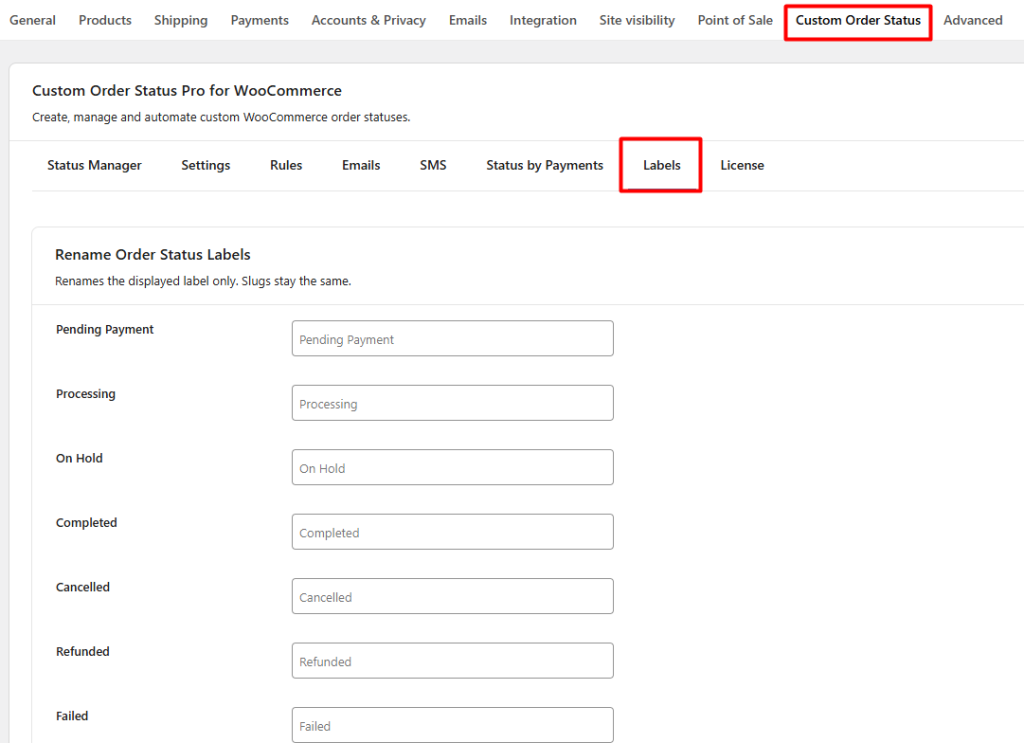
Here you find all the default WooCommerce Order Statuses. The list is as follows:
- Pending Payment
- Processing
- On Hold
- Completed
- Cancelled
- Refunded
- Failed
When you make changes to these statuses, you will simply be changing the order status label. Please note, it will not change the slug of the order status.
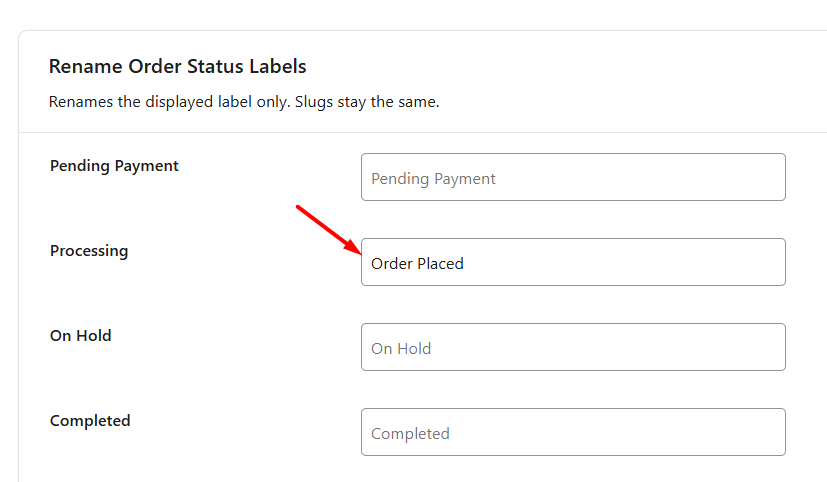
For example, let’s assume that you’ve changed the label of ‘Processing’ default WooCommerce order status to a custom order status called ‘Order Placed’ as shown below:
You may already know that an order placed by selecting the ‘Cash on Delivery’ payment option will have the WooCommerce default status as ‘Processing’.
However, according to your requirements, you want the orders to have the custom status ‘Order Placed’ when the order is placed until the product is delivered to the customer.
Therefore, it’s best to have your order say that it has been placed instead of placing it under the ‘Processing’ tag.
Therefore, after making the above changes and saving the settings, they will be applied to all the new orders that will be placed in your store.
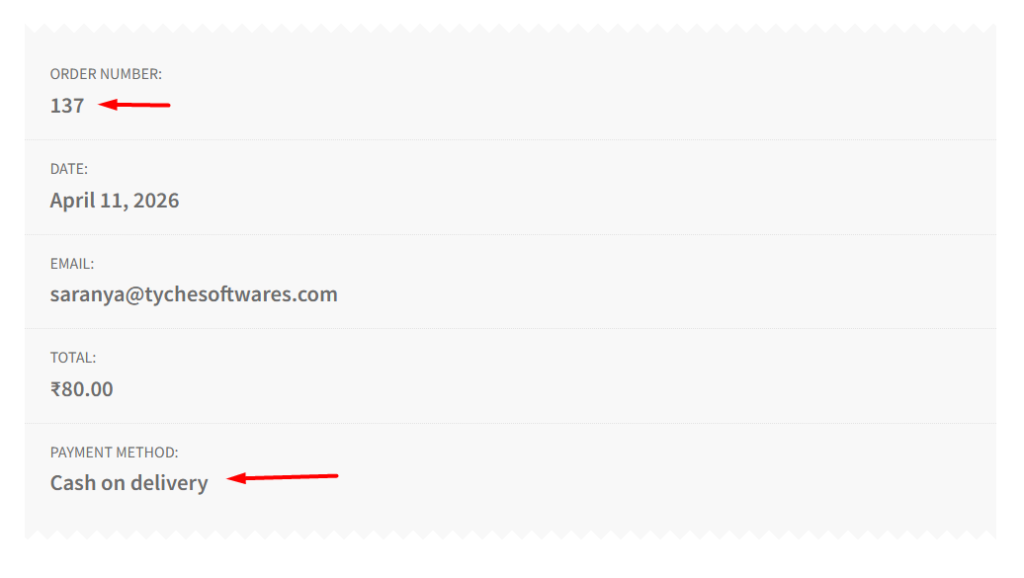
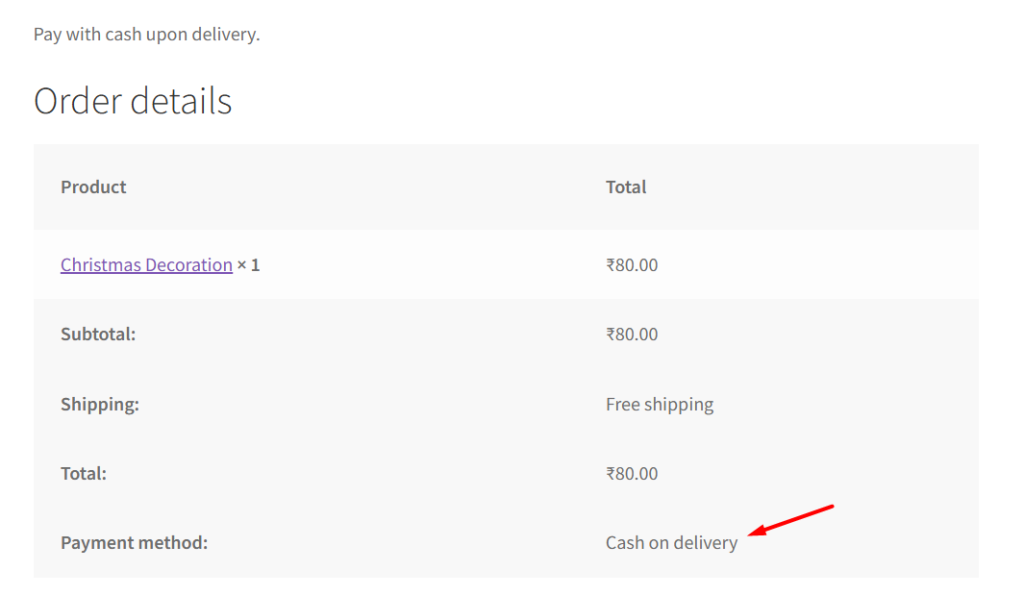
Let’s say a customer has placed an order by selecting the Cash on Delivery payment option. Their order number is #222 as shown below along with the other order details:
After this order is placed, you should go to WooCommerce > Orders to see this newly placed order as shown here:
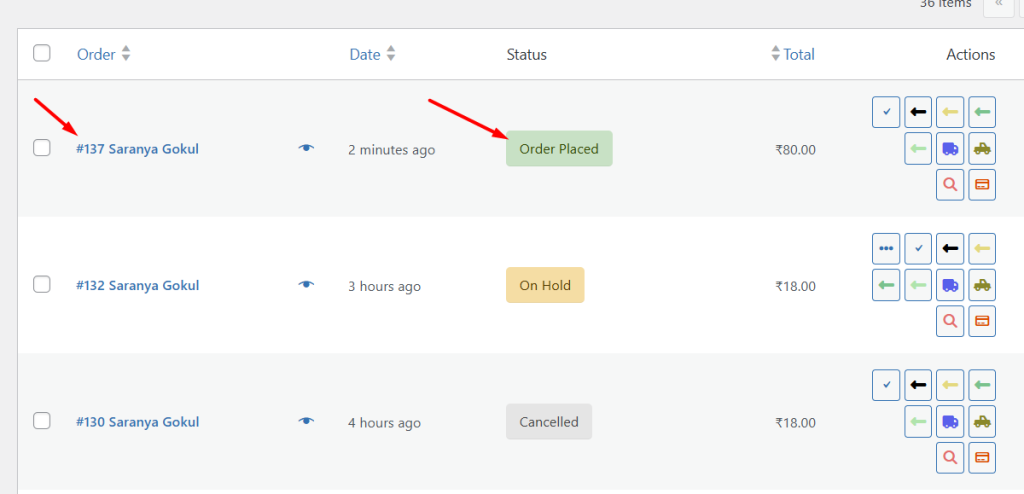
You can notice that the status of this order is the custom order status ‘Order Placed‘ and not the default order status ‘Processing’. When you click the ‘eye’ icon to view the details of this order, you will see the status of the order and also find further details about the status and payment method in Order Notes:
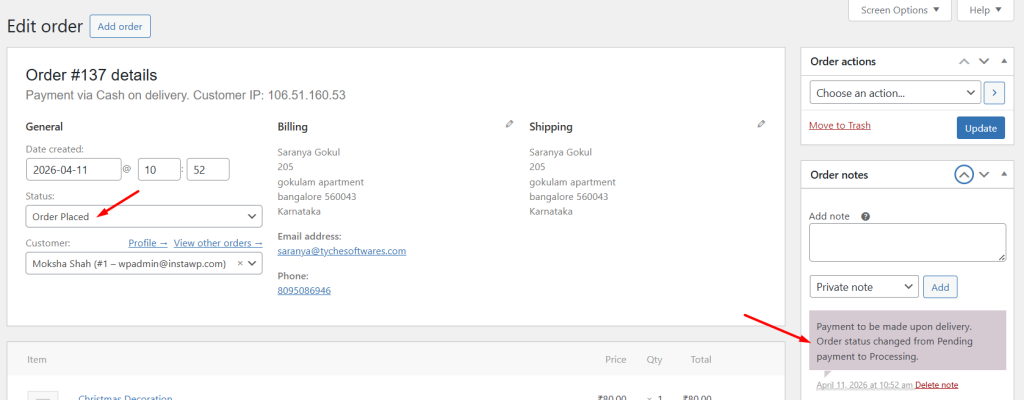
In this way, you can easily modify the default WooCommerce order statuses to custom ones.
This is how you can modify the default WooCommerce order status labels to better match your store’s workflow.
If you need more flexibility beyond renaming existing statuses, you can create entirely new ones using the “Create Custom Order Status” documentation.

