
The Per-product Overrides feature allows you to configure Call for Price settings for individual products without affecting the rest of your store.
Instead of applying the same configuration to every product, you can override the global settings for selected products. This is useful when only certain products require customers to request pricing or contact your sales team.
For example, an electronics store may display prices for most products but require customers to request a quotation for high-value commercial equipment. Similarly, a furniture retailer may show prices for standard products while hiding prices for made-to-order items.
Before using this feature, ensure that Per-product Overrides is enabled from the General Settings page.
Product-wise Call for Price Settings
↑ Back to topTo access this setting, go to WooCommerce → Settings → Call for Price → General.
Enable Per-product Overrides and click Save Changes.
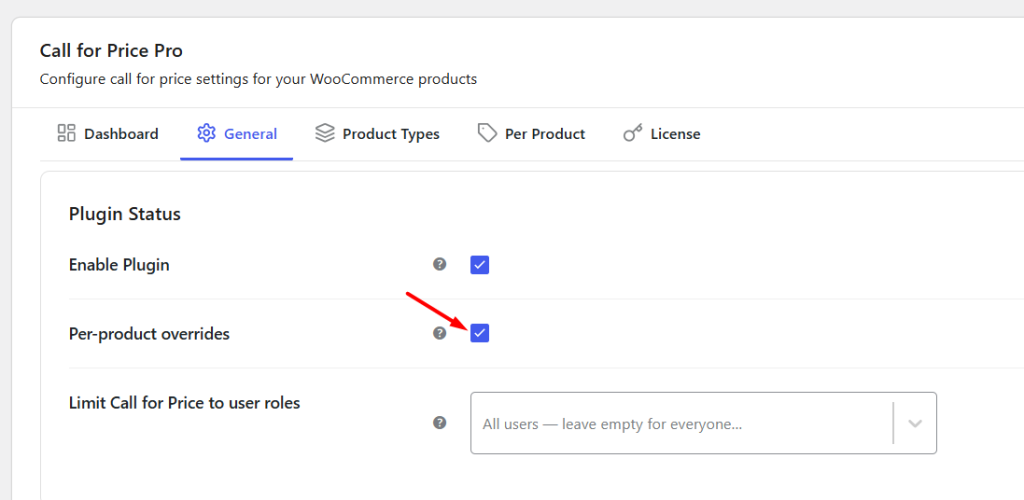
This will add a new Call for Price meta box to Edit page of each product on the Admin side. From here, you can configure the Call for Price behaviour specifically for that product while leaving the global plugin settings unchanged.
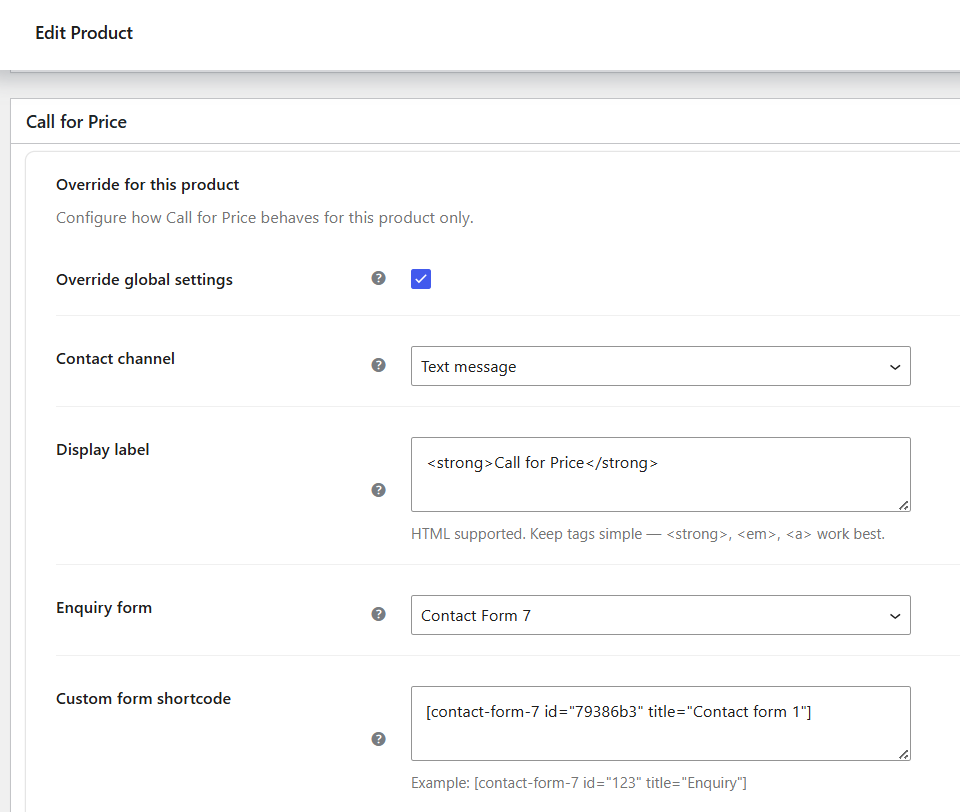
Meta box on Edit page
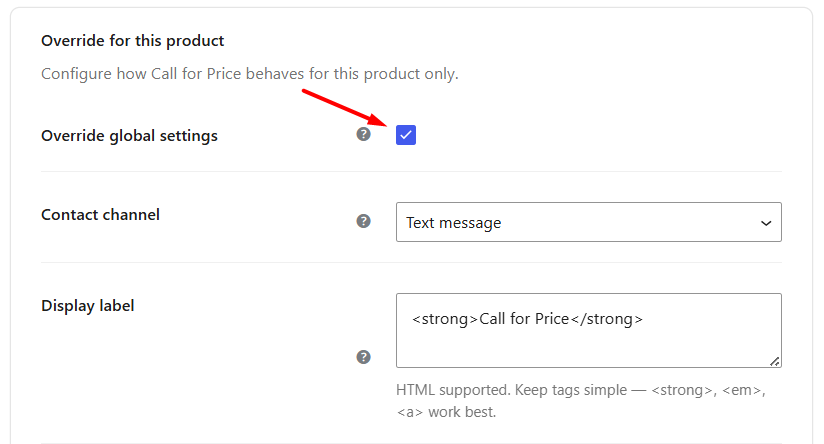
a) Override Global Settings
↑ Back to topEnable Override Global Settings if you want the selected product to use its own Call for Price configuration instead of the global settings.
b) Contact Channel
↑ Back to topThe Contact Channel setting allows you to choose a Call Type for each product, which defines how customers can contact you (for example, via phone, WhatsApp, email, or a custom link). Choose the appropriate contact method from the dropdown.
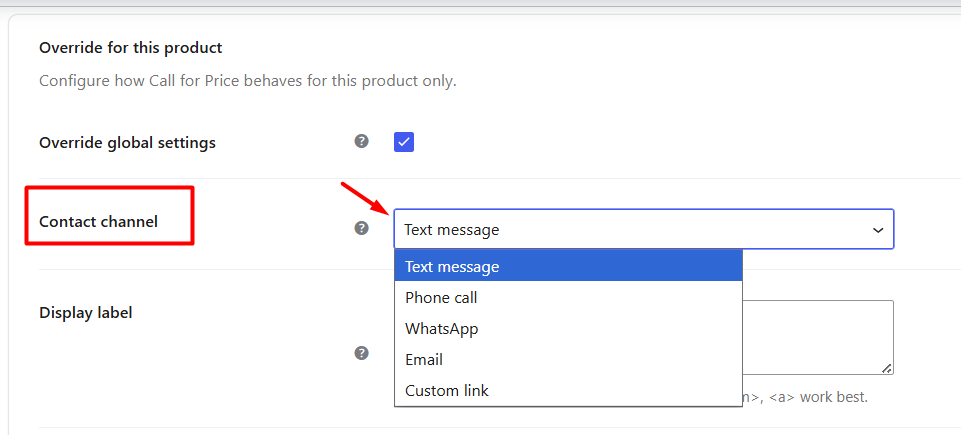
Based on the selected Call Type, you can configure the required value in the fields below. For example, if you select Email, you will be asked to enter the email address and subject. If you select WhatsApp, you will need to enter the WhatsApp number.
Available contact channels include:
- Text Message
- Phone Call
- Custom Link
Depending on the selected contact channel, additional fields are displayed to configure the required information.
For example:
- Selecting Phone Call lets you enter a phone number.
- Selecting WhatsApp allows you to configure a WhatsApp number.
- Selecting Email requires an email address and subject.
- Selecting Custom Link lets you redirect customers to any page, such as a quotation form or contact page.
To know how each available Call Type works with different examples, refer to the Call Types for Call for Price documentation.
c) Display Label
↑ Back to topThe Display Label field allows you to customize the Call for Price message displayed for the selected product.
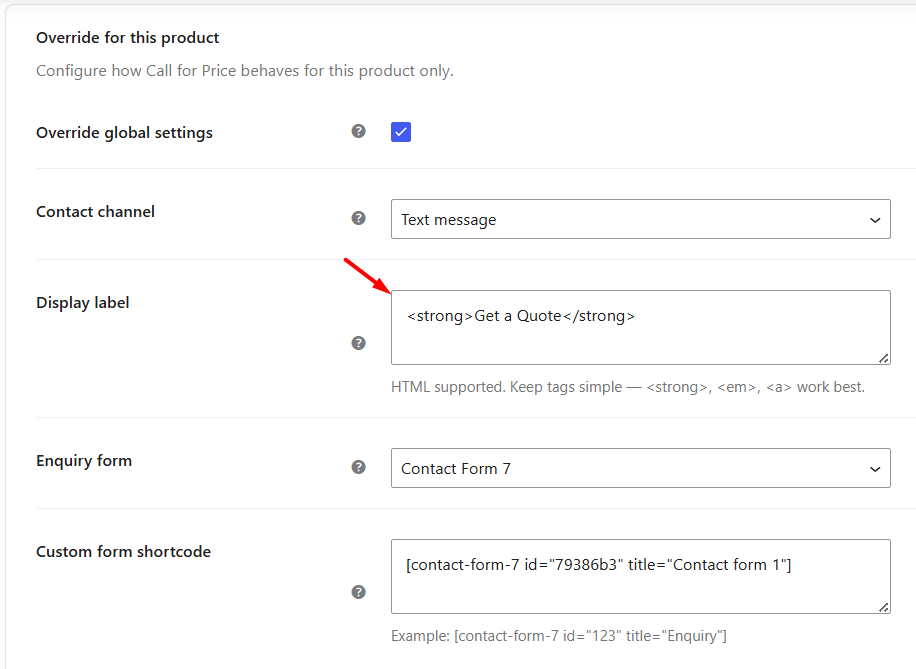
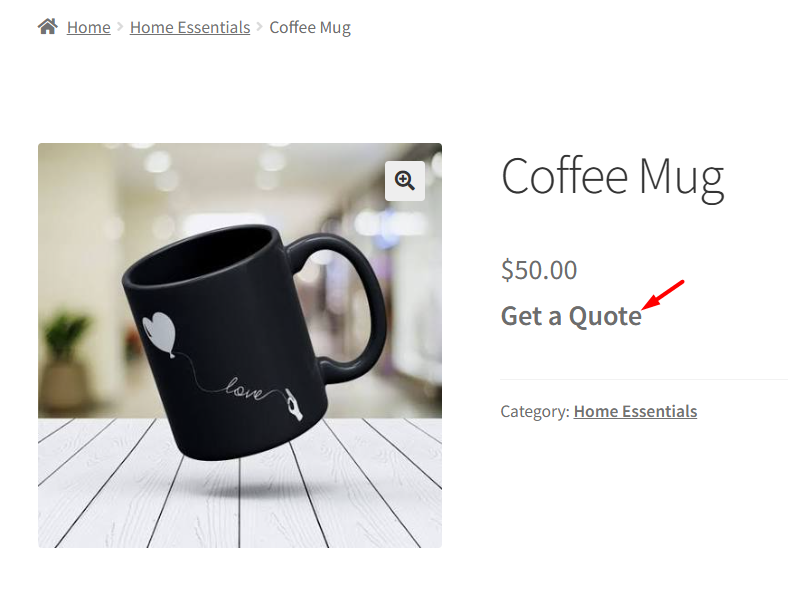
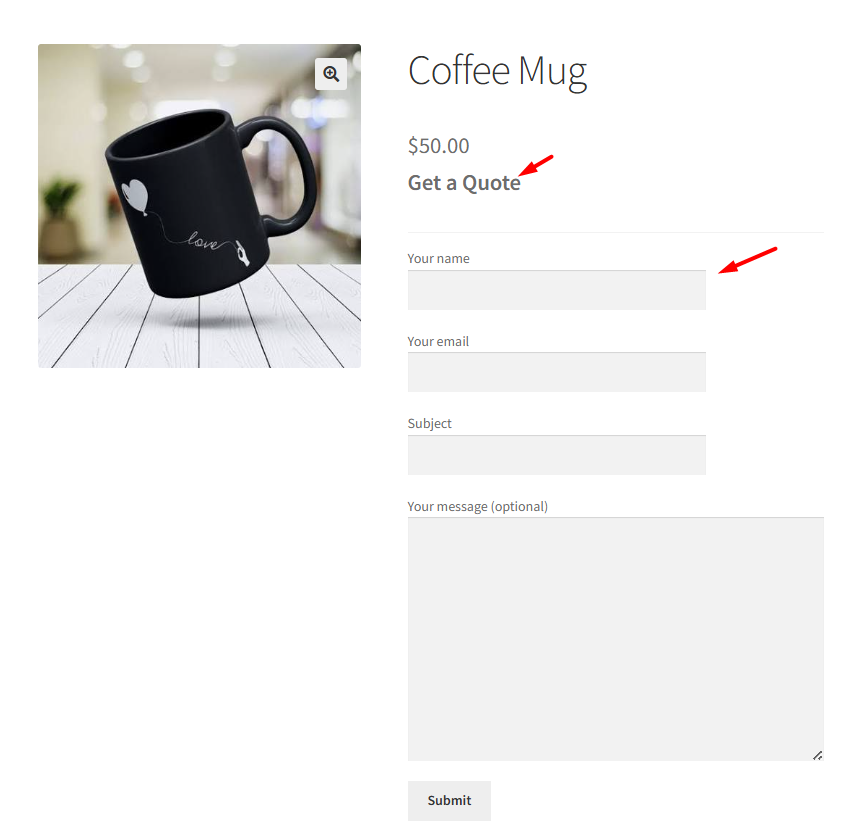
You can enter plain text or basic HTML to display a custom label or link. You can add any text, like Get a Quote instead of Call for Price label in this field.This setting overrides the default label configured globally for the product. So on the front end, the product page will display the label as Get a Quote.
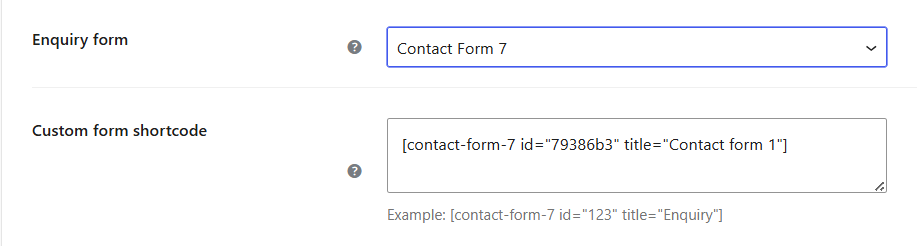
d) Enquiry Form
↑ Back to topThe Enquiry Form option is available only when the Contact Channel is set to Text.
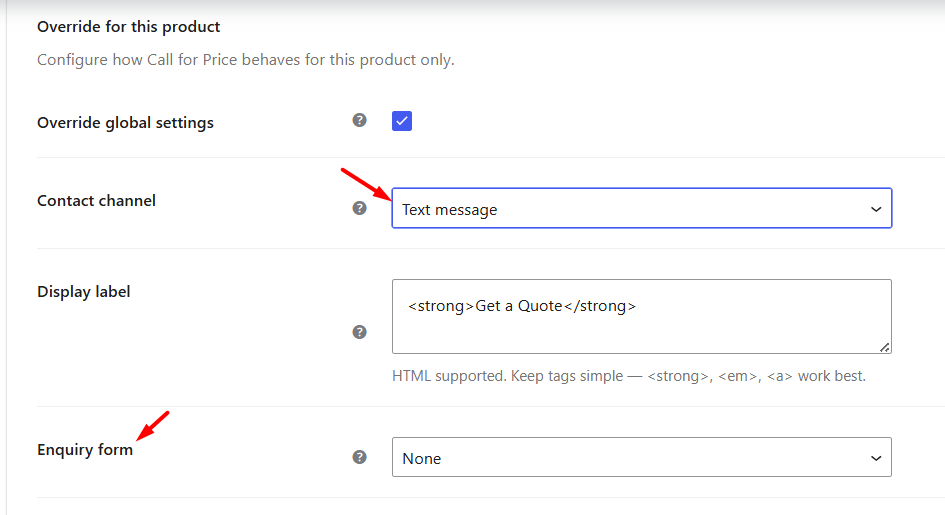
Once you select Text as the Contact Channel, you can choose the form plugin that you want to display on the product page. This allows customers to submit product enquiries directly from the product page instead of contacting you through another channel.
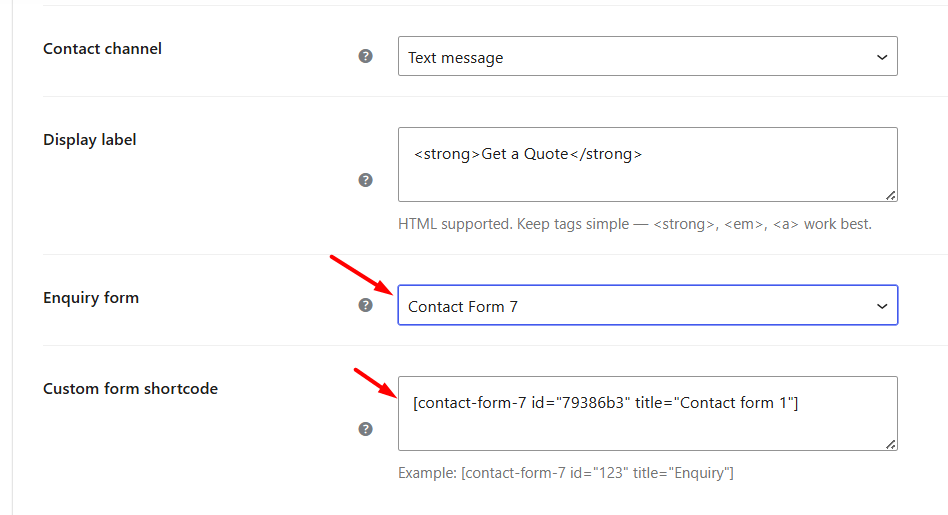
The plugin supports popular form plugins such as Contact Form 7, Gravity Forms, and many other shortcode-based forms.
e) Custom Form Shortcode
↑ Back to topAfter selecting a form plugin, enter the shortcode of the form you want to display on the product page.
The selected form will be embedded beneath the Call for Price label, allowing customers to submit enquiries directly from the product page.
Whether you want to display a custom label, choose a different contact channel, or embed an enquiry form for selected products, these settings give you the flexibility to tailor the customer experience wherever needed.
To learn more about configuring the available contact methods such as Phone Call, WhatsApp, Email, Custom Link, and Text Message, refer to the Call Types for Call for Price documentation.