Location: SensAI > Chat History
Track, store, and analyze conversations with your website visitors.
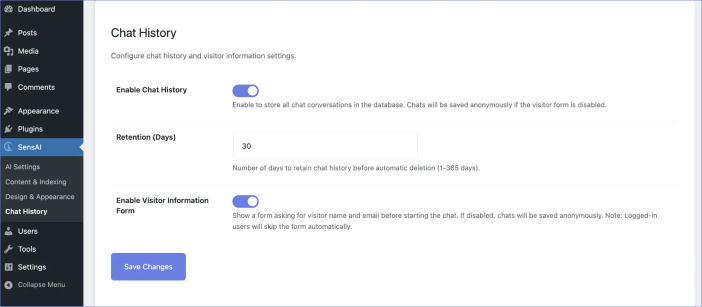
Enable chat history
↑ Back to topPurpose:
Saves all chat conversations to your WordPress database.
Benefits:
- Review what visitors are asking
- Identify common questions
- Improve content based on actual needs
- Track support effectiveness
- Export data for analysis
Privacy Note:
If disabled, chats still work, but nothing is stored. Enabling this option reveals two additional settings: Retention and Visitor Information Form.
Retention (days)
↑ Back to topPurpose:
Determines how long chat conversations remain before automatic deletion.
Range: 1–365 days
Default: 30 days
How it works:
A daily background process deletes chats older than your retention period to prevent your database from growing indefinitely.
Recommendations:
- 7 days – Sites with fast-moving conversations needing only recent feedback
- 30 days – Balanced option (recommended)
- 90 days – For quarterly reviews
- 365 days – Full-year data retention
Visitor information form
↑ Back to topPurpose:
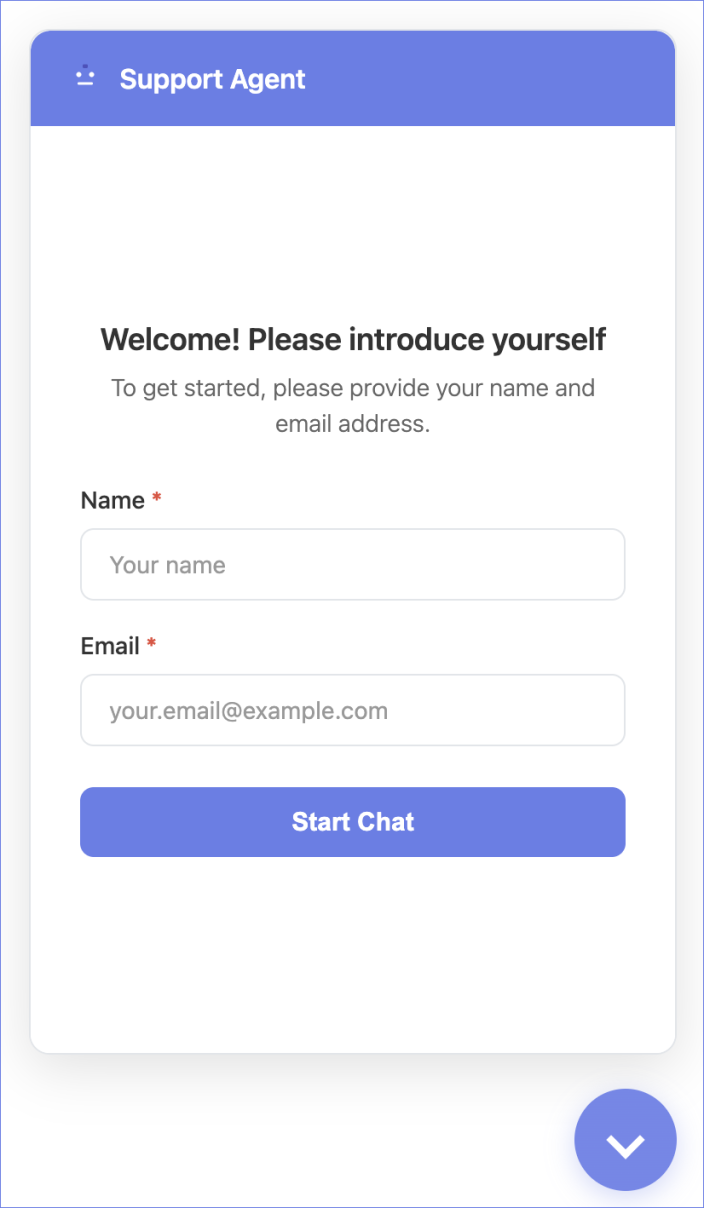
Ask visitors for Name and Email before starting a chat.
Form Fields:
- Name (required)
- Email (required)
Behavior:
- Shown to anonymous visitors only
- Skipped for logged-in WordPress users (their account info is used automatically)
- Visitor info is stored with the chat and saved in the browser for 1 hour
Benefits:
- Know who you are helping
- Follow up easily
- Gain better customer insights
- Link conversations to customers
If disabled:
Chats are saved as “Anonymous Visitor” with no email.
Statistics
↑ Back to topPurpose:
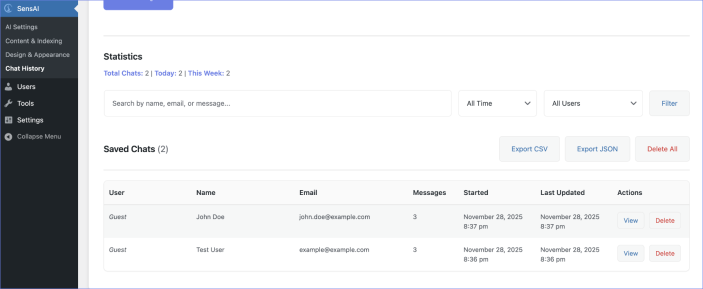
Provide a quick overview of chat activity.
Metrics:
- Total Chats – All conversations ever recorded
- Today – Last 24 hours
- This Week – Last 7 days
Use these statistics to monitor engagement and support volume.
Search and filter
↑ Back to topSearch Box:
Type to search by visitor name, email, or message content.
Date Filters:
- All Time
- Last 7 Days
- Last 30 Days
- Last 90 Days
User Filters:
- All Users
- Registered Users Only
- Guests Only
- Specific User (search by name/email)
Reset Filters:
Click Clear Filters to remove all filters and display all chats.
Export options
↑ Back to topExport CSV:
- Download conversations as a spreadsheet
- Ideal for Excel or Google Sheets
- Respects current filters
Export JSON:
- Download full message structure in JSON
- Useful for importing into other systems
Delete all conversations
↑ Back to topPurpose:
Permanently removes all chat conversations.
Warning:
This action cannot be undone.
Use Cases:
- GDPR requests
- Fresh start
- Testing or cleanup
Viewing Individual Conversations
↑ Back to topTable Columns:
- User – WordPress username (if logged in) or “Guest”
- Name – Visitor’s provided name or “Anonymous Visitor”
- Email – Visitor’s email or “(No email provided)”
- Messages – Total message count
- Started / Last Updated – Timestamps
- Actions – View or Delete
View Button:
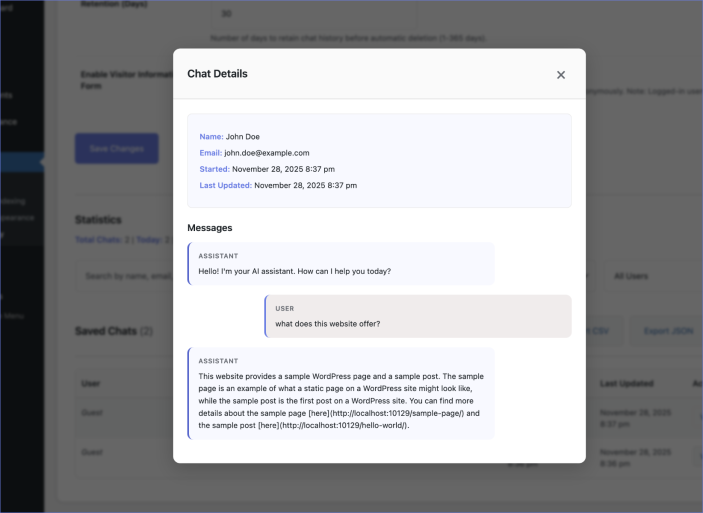
- Opens a modal showing visitor details and WordPress user info (if logged in)
- Displays the complete conversation in order
- Visual distinction between visitor and AI messages
Delete Button:
- Removes a single conversation
- Shows a confirmation modal
- Cannot be undone