
Location: SensAI > Content & Indexing
This page controls which content the AI learns from and how it indexes your site for accurate responses.
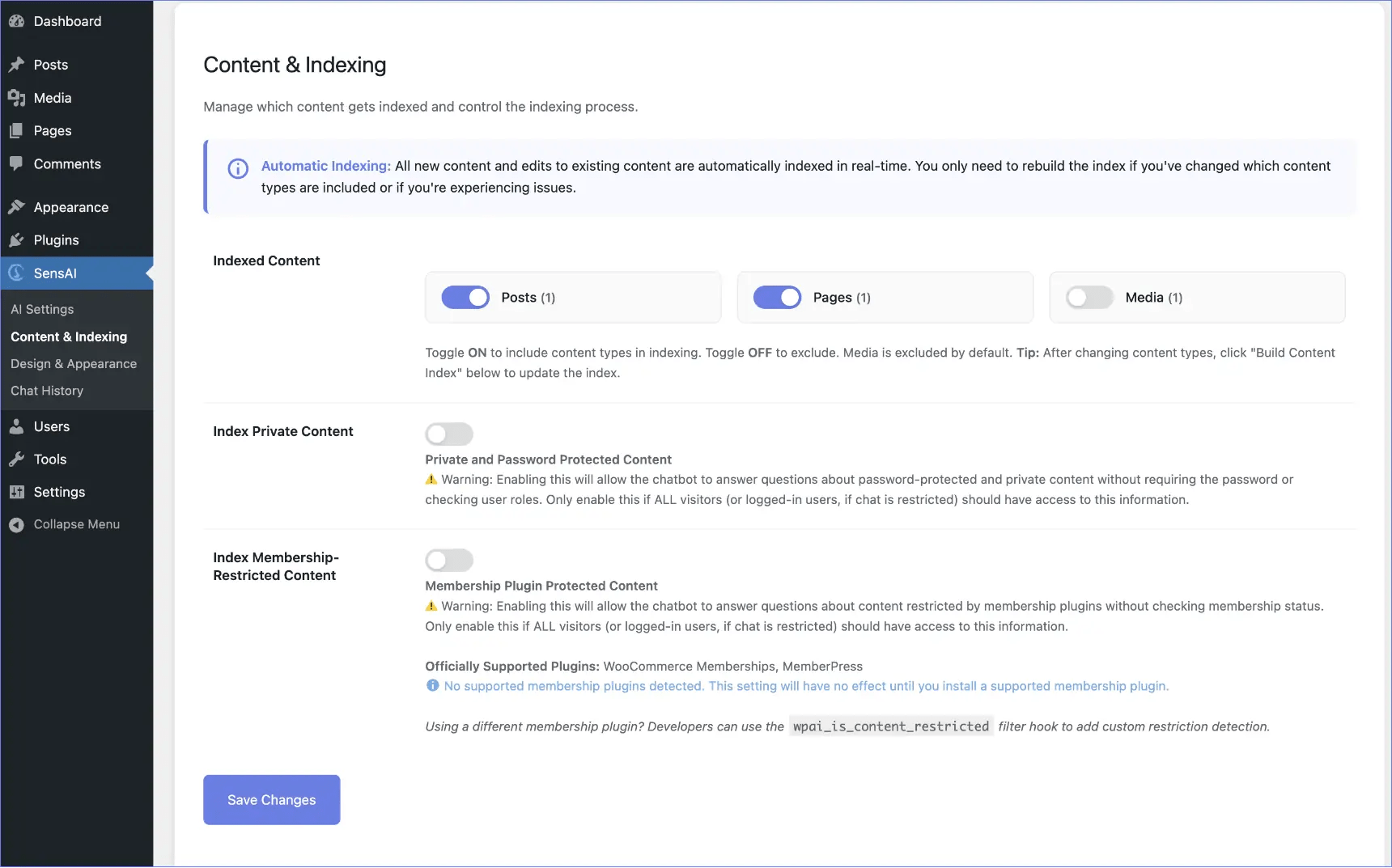
Indexed Content
↑ Back to topPurpose:
Choose which types of content the AI should learn from. All content types available on your website are displayed automatically.
Common Content Types:
- Posts – Blog posts (usually enabled)
- Pages – Static pages like About, Contact (usually enabled)
- Products – WooCommerce products (usually enabled)
- Media – Images, videos, PDFs (usually keep disabled)
Setup Instructions:
- Toggle ON to include a content type
- Toggle OFF to exclude a content type
- Click Save Changes
- Click Build Content Index to apply changes
Index Private Content
↑ Back to topPurpose:
Control whether private or password-protected posts are included in the AI index.
Default: OFF (secure – private content excluded)
ON: All content, including private/restricted posts, is indexed
What it covers:
- WordPress private posts (normally only visible to editors/admins)
- Password-protected posts
Security Warning:
If enabled, the AI can answer questions about protected content without requiring passwords. Only enable if:
- Chat is restricted to logged-in users
- All logged-in users should have access to this content
Recommendation: Keep OFF unless you have a specific reason.
Index Membership-Restricted Content
↑ Back to topPurpose:
Control whether content restricted by membership plugins is indexed.
Default: OFF (secure – member-only content excluded)
ON: All content, including member-only content, is indexed
Supported Plugins:
- WooCommerce Memberships (100% coverage via official API)
- MemberPress (95% coverage via official API)
Detection Includes:
- Post-level restrictions
- Category/taxonomy restrictions
- Shortcode-based restrictions (
[mepr-restrict],[wcm_restrict]) - All membership plan configurations
Security Warning:
If enabled, the AI can answer questions about member-only content without checking membership status. Only enable if:
- Chat is restricted to logged-in users
- All logged-in users should have access to member content
Other Plugins:
Developers can use the wpai_is_content_restricted filter hook to add custom restriction detection.
Recommendation: Keep OFF unless required.
Build Content Index
↑ Back to top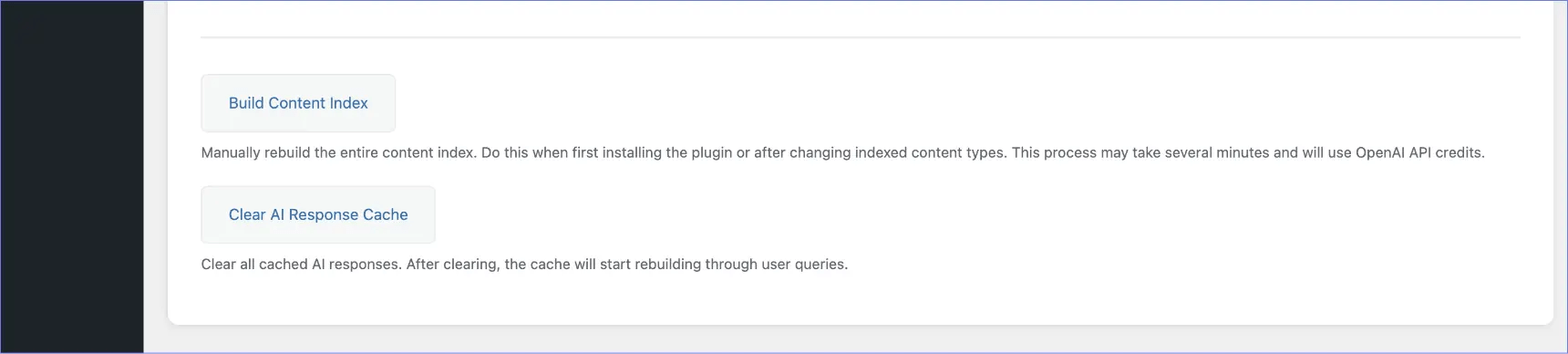
Purpose:
Re-processes all selected content and updates the AI’s knowledge.
Pre-flight Check:
Before indexing starts, SensAI:
- Tests your OpenAI API key
- Verifies you have sufficient credits
- Shows an error message if credits are insufficient
When to Use:
- First-time plugin setup
- After changing content types to index
- After updating security/restriction settings
- If AI responses are outdated
- After bulk-importing content
Process:
- Click Build Content Index
- Read the confirmation message (mentions API costs)
- Click Continue
- API credit check runs automatically
- Wait for completion (progress displayed)
Time Estimate:
- Small sites: ~1–5 minutes
- Large sites: ~10–30 minutes
Important:
Indexing uses OpenAI API credits to generate embeddings.
Estimated cost: ~$0.10–0.50 per 1,000 pages/products
Error Handling:
If indexing fails (insufficient credits, rate limits, etc.), a clear error message appears. No unusable data is created.
Clear AI Response Cache
↑ Back to topPurpose:
Deletes all stored AI responses to ensure fresh answers.
When to Use:
- Content has significantly changed
- Prices or important information updated
- You want fresh responses for all questions
Behavior:
- The first visitor asking a question after clearing will experience normal response time
- Response is cached again automatically
Note: This operation is instant and does not use API credits.