
Purpose:
SensAI requires an OpenAI API key to function. Follow these steps to create and configure your key securely.
1. Create an OpenAI account
↑ Back to top- Go to OpenAI Platform
- Click Sign Up (or Log In if you already have an account)
- Complete the registration process
2. Add a payment method
↑ Back to top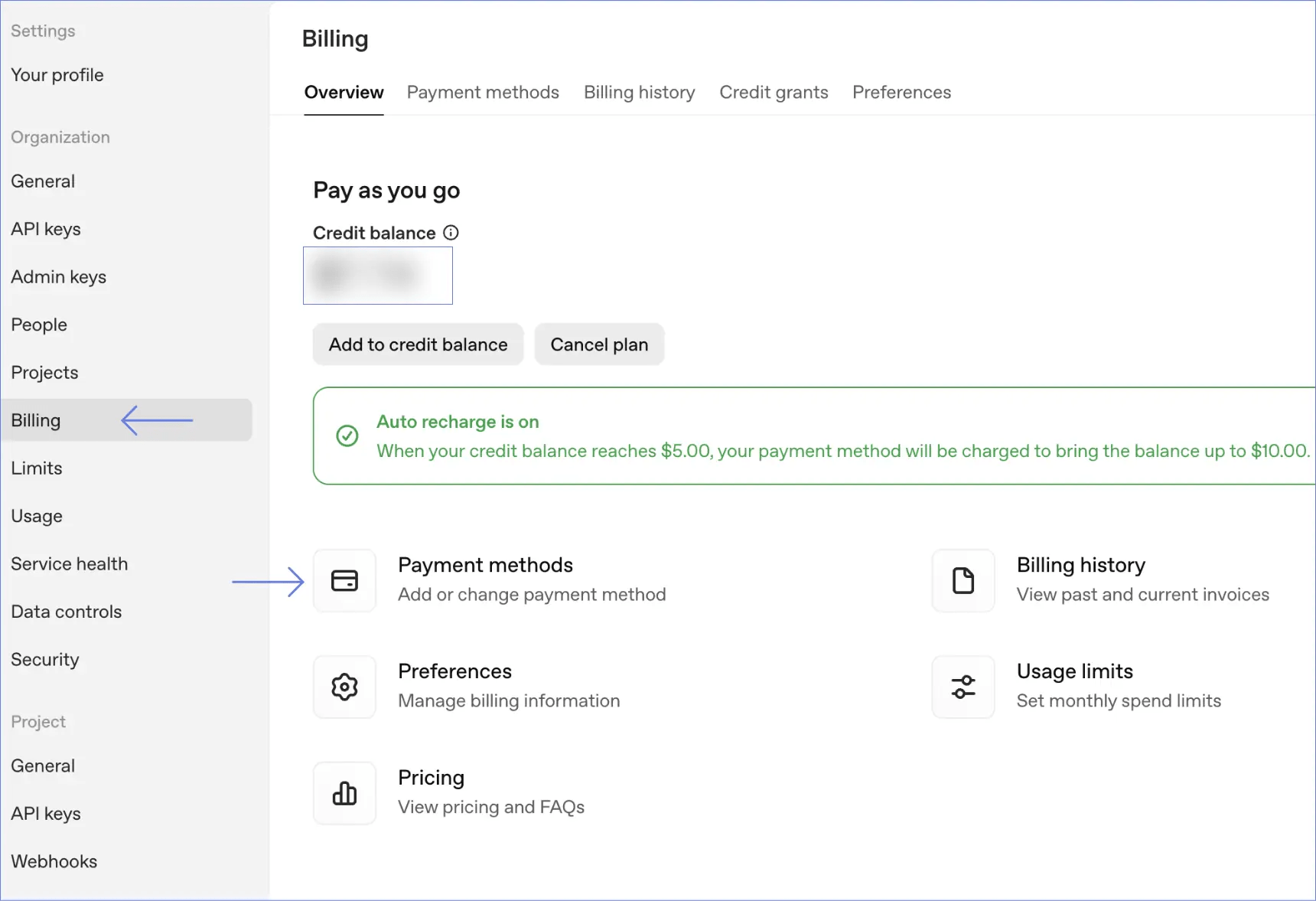
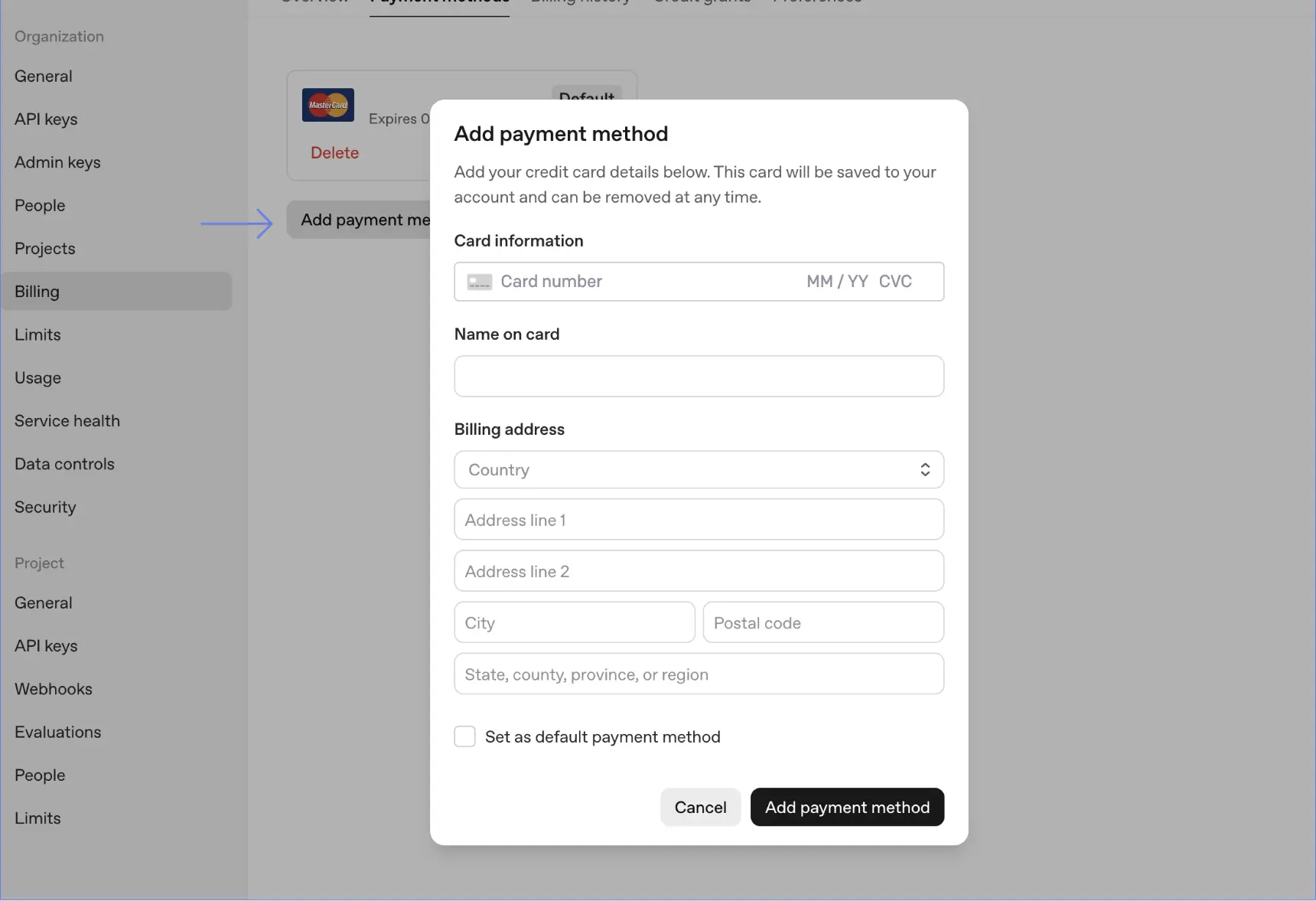
- Visit OpenAI Billing
- Click Add Payment Method
- Enter your credit card information
- Add credits to your account (minimum $5 recommended)
3. Create an API Key
↑ Back to top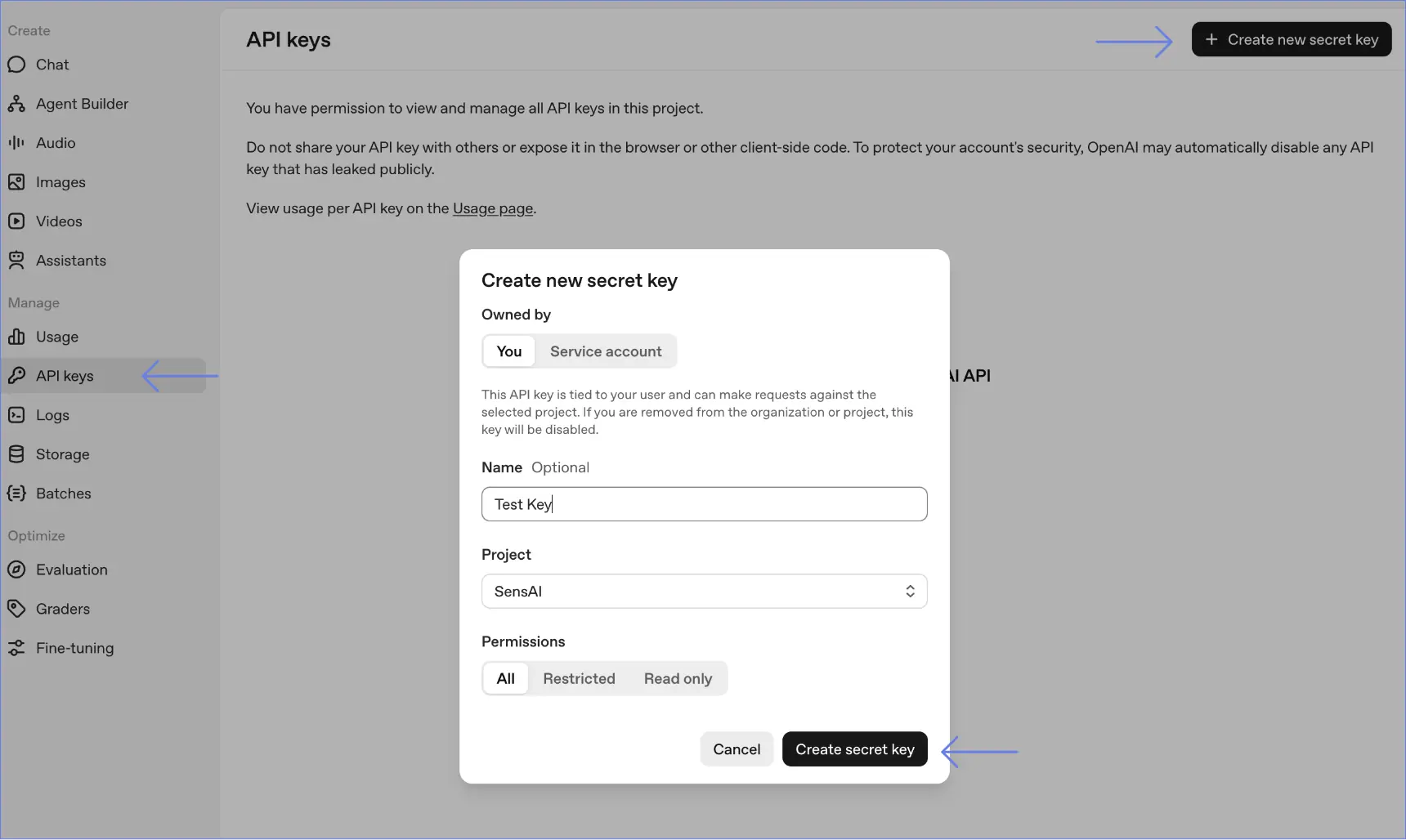

- Go to OpenAI API Keys
- Click Create new secret key
- Give your key a name (e.g., “SensAI Chat”)
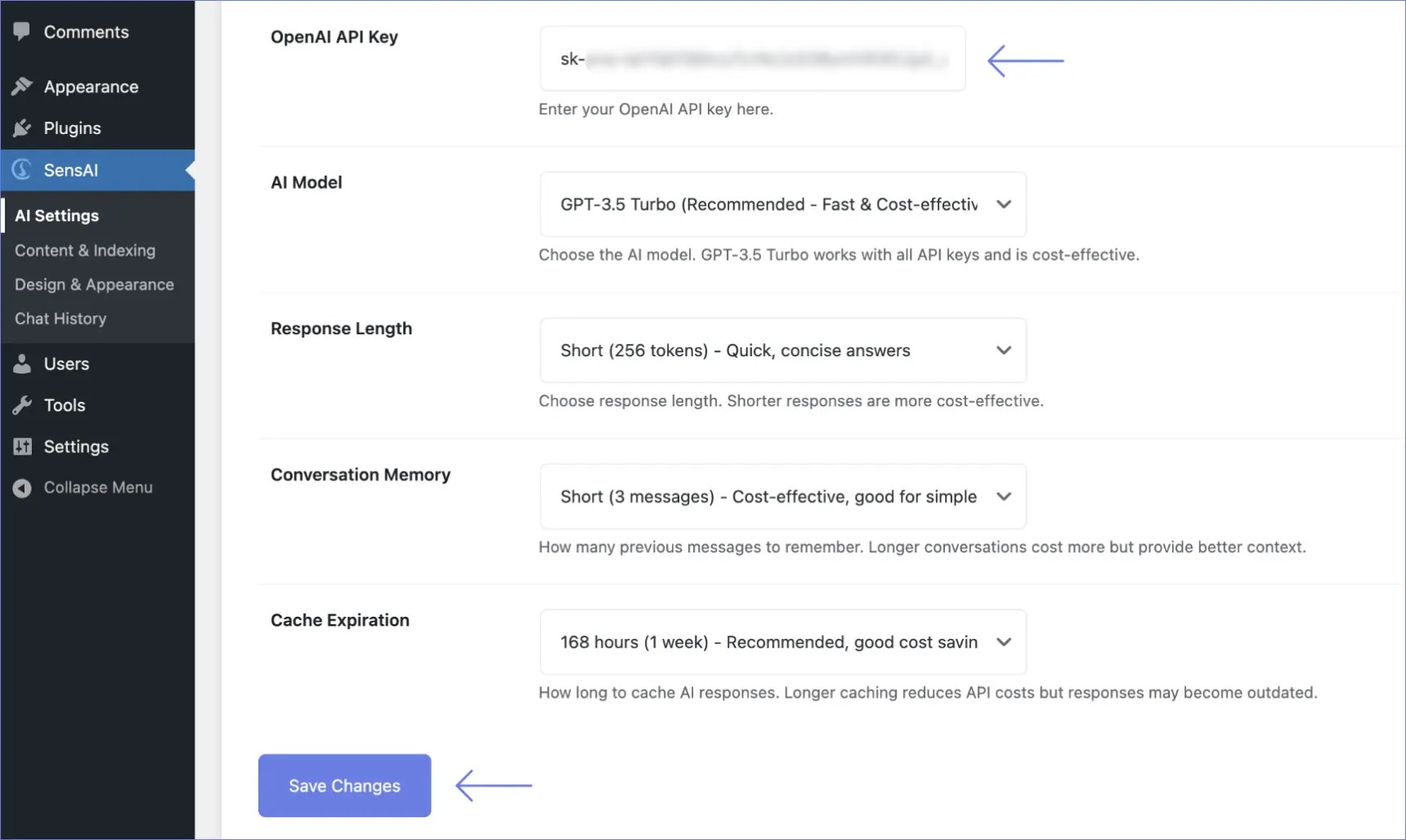
- Copy the key (starts with “sk-”)
- Store it securely, you will not be able to view it again. You can always generate a new key if needed.
Cost estimate
↑ Back to topUsing GPT-3.5 Turbo (recommended):
- ~ $0.001 per conversation (1–2 cents per 10 conversations)
- Small sites (100–500 conversations): ~$1–5 per month
- Medium sites (1,000–3,000 conversations): ~$10–30 per month
Note: Estimates already include caching benefits (50–70% cost reduction).