
Installation
↑ Back to topTo start using a product from WooCommerce.com, you can use the “Add to store” functionality on the order confirmation page or the My subscriptions section in your account.
- Navigate to My subscriptions.
- Find the Add to store button next to the product you’re planning to install.
- Follow the instructions on the screen, and the product will be automatically added to your store.
Alternative options and more information at:
Managing WooCommerce.com subscriptions.

Creating a subscription
↑ Back to topTo create a subscription open the product that you would like to offer as a subscription under Products > All Products.
- Enable subscriptions via the toggle.

2. Open the Easy Subscriptions tab and set the duration for the subscription
3. Save
Creating a variable subscription
↑ Back to topTo create a variable subscription head to Products > All Products and create a product or open an existing one.
- Open “Variations”.
- Toggle the subscriptions box for each variation that should be a subscription.
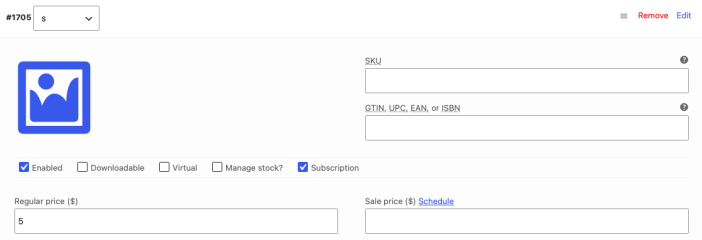
3. Click “Save changes”.