
You can test subscriptions on Easy Subscriptions by setting the gateway of your choice to sandbox.
Next create a subscription using the sandbox payment method.
To run the subscription manually without waiting for the next billing date open WP admin and head to tools-> scheduled actions.
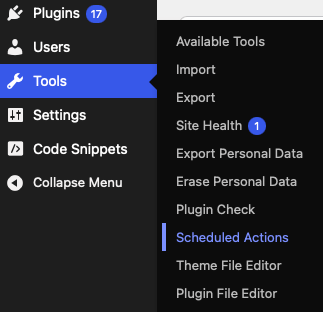
Next please search for “easy_subscriptions_process_payment”. This will show all Easy Subscriptions automatic actions.

Find the subscription that you want to run manually. In this example we use the order with the id 1736 and click on “run”. If the subscription runs successfully the status will change from “pending” to “completed” and a new action for the next cycle will get created. If there was an error, the action will change to “failed” and the error message will be available in the right column.
In case of an error, please take a look at our FAQ and if you still have questions you can contact our support.
Every WooCommerce setup is different. We strongly recommend testing all functionality in a staging or development environment before going live. We cannot accept liability for issues that result from deploying untested changes to a production site.
Is sandbox testing available on Paypal?
Due to the fact that the official Paypal plugin doesn’t have a reliable accessible information that the plugin is set to sandbox, like stripe or square, we force Paypal in live mode.
You can test it in live with small payments or our support can help you adjust the code, so that sandbox is used for testing purposes.

