
Location: SensAI > Content & Indexing
This page controls which content the AI learns from and how it indexes your site for accurate responses.
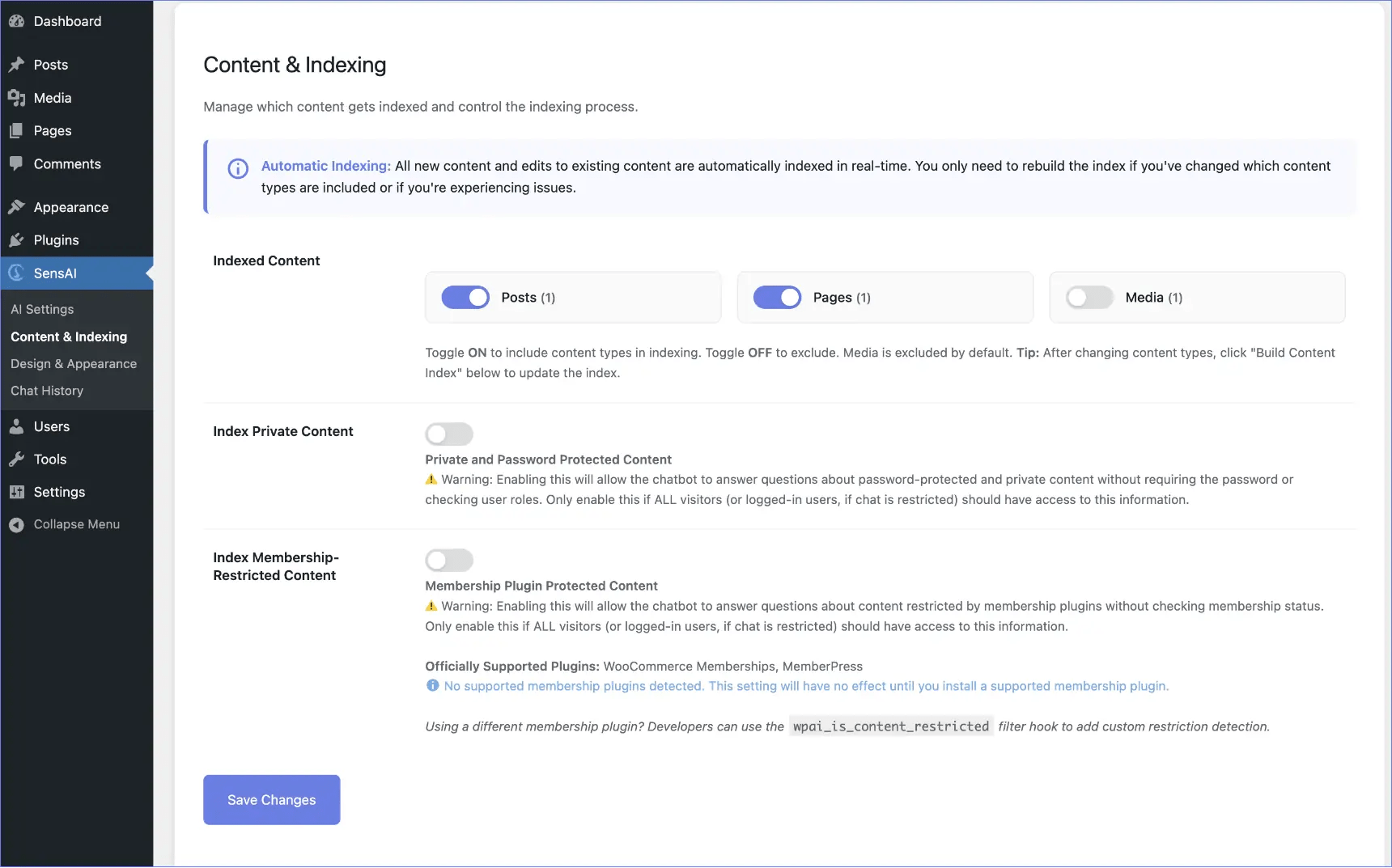
Indexed Content
↑ Back to topPurpose:
Choose which types of content the AI should learn from. All content types available on your website are displayed automatically.
Common Content Types:
- Posts – Blog posts (usually enabled)
- Pages – Static pages like About, Contact (usually enabled)
- Products – WooCommerce products (usually enabled)
- Media – Images, videos, PDFs (usually keep disabled)
Setup Instructions:
- Toggle ON to include a content type
- Toggle OFF to exclude a content type
- Click Save Changes
- Click Build Content Index to apply changes
Index Private Content
↑ Back to topPurpose:
Control whether private or password-protected posts are included in the AI index.
Default: OFF (secure – private content excluded)
ON: All content, including private/restricted posts, is indexed
What it covers:
- WordPress private posts (normally only visible to editors/admins)
- Password-protected posts
Security Warning:
If enabled, the AI can answer questions about protected content without requiring passwords. Only enable if:
- Chat is restricted to logged-in users
- All logged-in users should have access to this content
Recommendation: Keep OFF unless you have a specific reason.
Index Membership-Restricted Content
↑ Back to topPurpose:
Control whether content restricted by membership plugins is indexed.
Default: OFF (secure – member-only content excluded)
ON: All content, including member-only content, is indexed
Supported Plugins:
- WooCommerce Memberships (100% coverage via official API)
- MemberPress (95% coverage via official API)
Detection Includes:
- Post-level restrictions
- Category/taxonomy restrictions
- Shortcode-based restrictions (
[mepr-restrict],[wcm_restrict]) - All membership plan configurations
Security Warning:
If enabled, the AI can answer questions about member-only content without checking membership status. Only enable if:
- Chat is restricted to logged-in users
- All logged-in users should have access to member content
Other Plugins:
Developers can use the wpai_is_content_restricted filter hook to add custom restriction detection.
Recommendation: Keep OFF unless required.
Build Content Index
↑ Back to top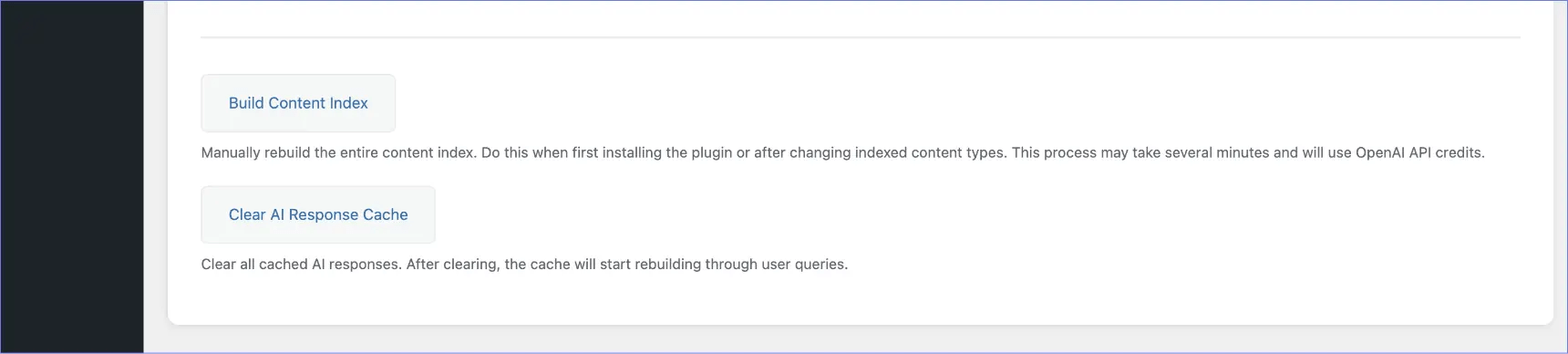
Purpose:
Re-processes all selected content and updates the AI’s knowledge.
The page shows a status line such as “Currently indexed: … Index last updated: …” so you can see what is in the index.
Pre-flight Check:
Before indexing starts, SensAI:
- Tests your OpenAI API key
- Verifies you have sufficient credits
- Shows an error message if credits are insufficient
When to Use:
- First-time plugin setup
- After changing content types to index
- After updating security/restriction settings
- If AI responses are outdated
- After bulk-importing content
Process:
- Click Build Content Index
- Read the confirmation message (mentions API costs)
- Click Continue
- Indexing runs in short batches (works on hosts with request time limits)
- Keep the Content & Indexing page open until it finishes
- If you leave, indexing pauses. Click Resume when you return
- You can Pause/Resume manually
- Reset Stuck Job clears a paused or stuck job (or cancels a running job) so you can start a new build; it does not restore the previous index. If a rebuild already emptied and started rewriting the index, the status line may show a partial index until you build again.
- Use Build Content Index after a reset to start over
- When complete, the progress bar stays visible until you close it with ×
Time Estimate:
- Small sites: ~1–5 minutes
- Large sites: ~10–30 minutes
Important:
Indexing uses OpenAI API credits to generate embeddings.
Estimated cost: ~$0.10–0.50 per 1,000 pages/products
Error Handling:
If indexing fails (insufficient credits, rate limits, etc.), a clear error message appears. No unusable data is created.
Clear AI Response Cache
↑ Back to topPurpose:
Deletes all stored AI responses to ensure fresh answers.
When to Use:
- Content has significantly changed
- Prices or important information updated
- You want fresh responses for all questions
Behavior:
- The first visitor asking a question after clearing will experience normal response time
- Response is cached again automatically
- First questions in a chat are cached; follow-up messages are not, so they can use conversation context
Note: This operation is instant and does not use API credits.
Chat also attaches the live product price, SKU, and category archive URLs when a product is retrieved. Category pages are not indexed as their own documents. When a visitor asks to view everything in a group, SensAI can send them to that category page.
By default only the best-scoring chunk from each post is sent to the AI. Developers can allow more than one chunk from a specific page with the wpai_retrieval_final_chunks_per_post filter. See Retrieval Hooks.
To keep a page out of SensAI entirely (including its title and URL), use Exclude this post from indexing in the SensAI editor sidebar, see Exclude Post From Indexing. That updates the index for that item on save without rebuilding the whole site.