
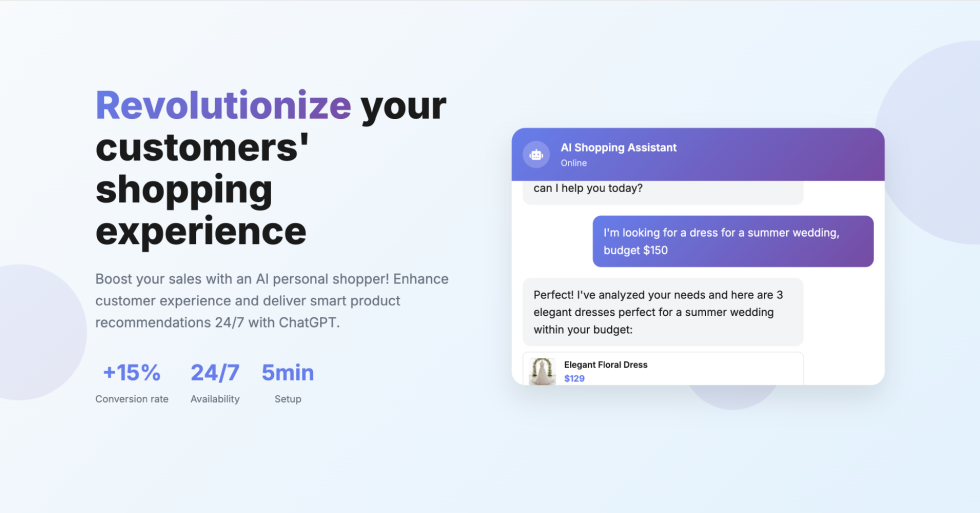
AI Shopping Assistant allows your WooCommerce store to provide intelligent, 24/7 customer assistance powered by ChatGPT. Boost your sales by +15% with ultra-personalized product recommendations through natural conversations.
Key Features
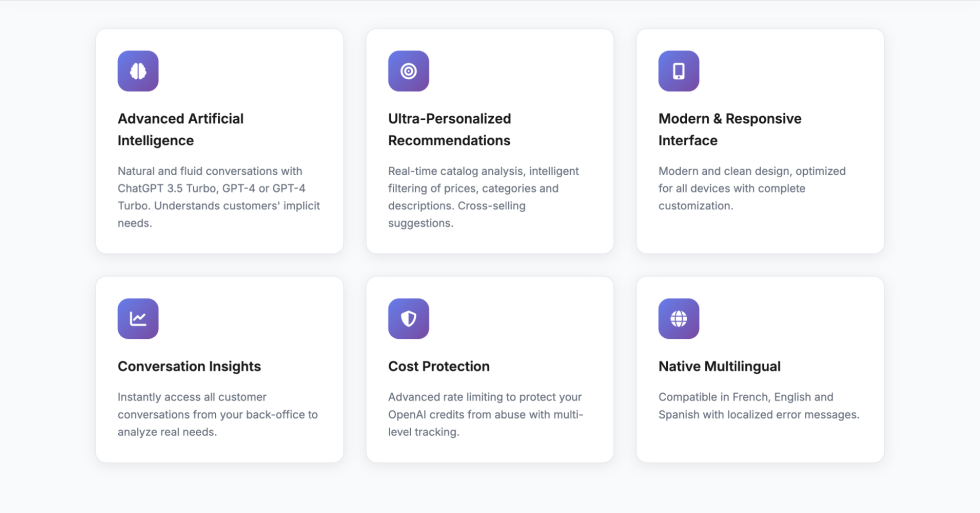
↑ Back to top- Natural AI Conversations – Customers describe their needs in plain language
- Real-time Product Recommendations – AI analyzes your catalog and suggests perfect matches
- Multi-language Support – Available in 12 languages (EN, FR, ES, PL, FA, IT, DE, PT, NL, RU, AR, TR)
- Conversation Analytics – Access all customer chats to understand needs and trends
- Product Variations Support – Recommends specific sizes, colors, and attributes
Setup and Configuration
↑ Back to topRequirements
↑ Back to top- WordPress 5.0 or higher
- WooCommerce 5.0 or higher
- PHP 7.4 or higher
- OpenAI API key (ChatGPT)
Getting Started
↑ Back to topStep 1: Install the Plugin
- Download the plugin zip file
- Go to: WordPress Admin > Plugins > Add New > Upload Plugin
- Upload the zip file and click Install Now
- Click Activate Plugin
Step 2: Get Your OpenAI API Key
- Go to platform.openai.com
- Create an account or sign in
- Navigate to the API Keys section
- Click Create new secret key and copy it
- Set up billing limits to control costs
Step 3: Configure the Plugin
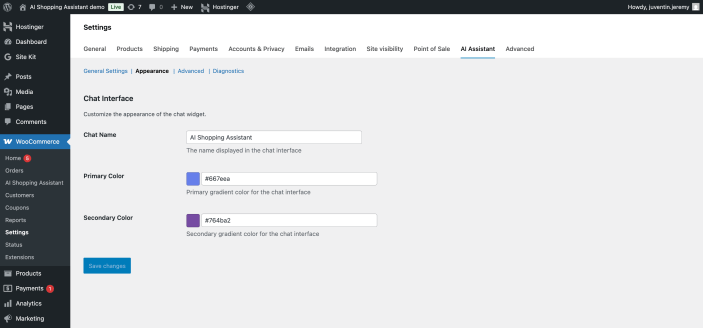
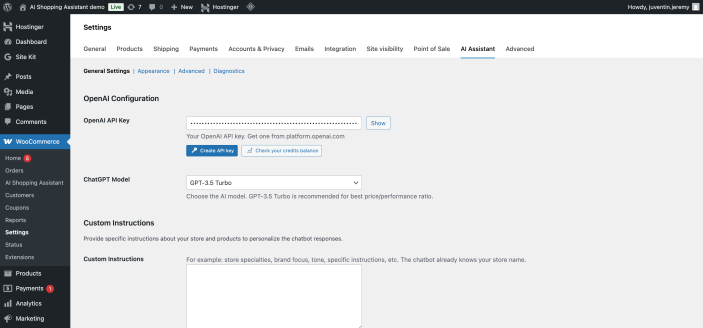
- Go to: WooCommerce > Settings > AI Shopping Assistant
- Paste your OpenAI API key in the API Key field
- Select your preferred ChatGPT model (recommended: gpt-3.5-turbo for optimal quality/price)
- Configure rate limits to prevent API abuse (default: 10 requests per session per hour)
- Click Save Changes
- Use the Diagnostics Tool to verify everything is working correctly
Advanced Configuration
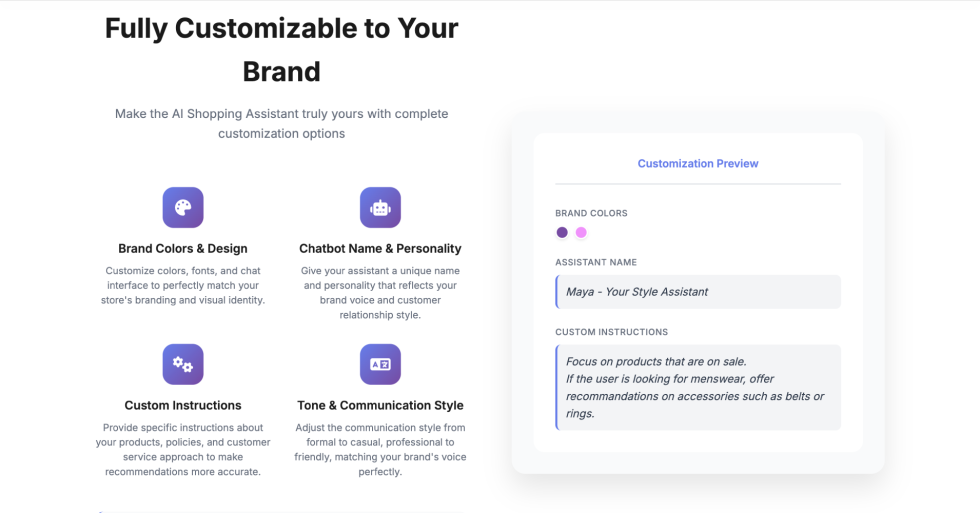
↑ Back to topCustom Instructions
You can customize how the AI assistant behaves by adding specific instructions. For example, you can tell it to focus on certain product categories, match your brand’s tone of voice, or prioritize eco-friendly products.
ChatGPT Model Selection
- gpt-3.5-turbo – Fast, economical, excellent for most stores (recommended)
- gpt-4 – More sophisticated understanding, higher cost
- gpt-4-turbo – Best performance, premium pricing
Rate Limiting
Configure request limits to protect your OpenAI API credits from abuse. You can set limits per session, per IP address, and per time period.
Usage
↑ Back to topFor Your Customers
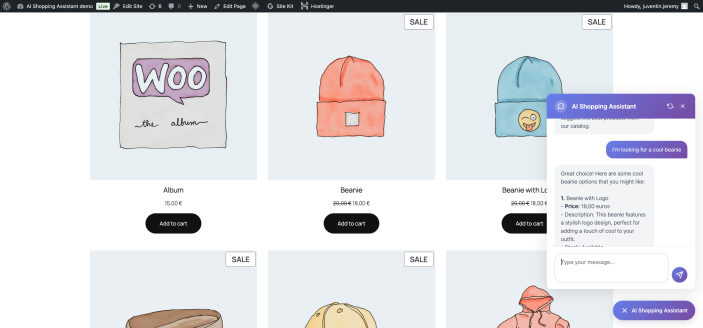
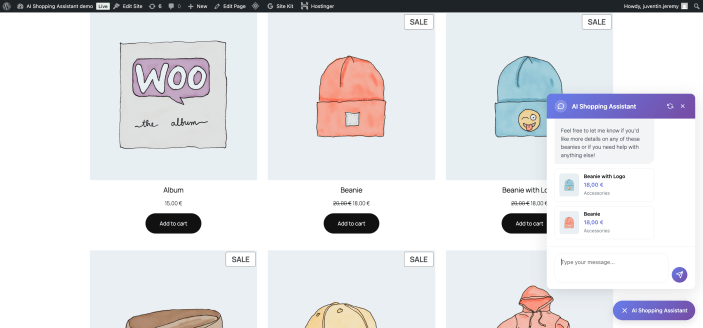
↑ Back to topOnce configured, the AI Shopping Assistant chat widget automatically appears at the bottom right corner of all pages on your store. Customers can:
- Click the chat icon to start a conversation with the AI assistant
- Describe their needs in natural language (e.g., “I need a gift for my mother’s birthday, budget $50”)
- Receive instant, personalized product recommendations with images and prices
- Click on recommended products to view them on your store
- Clear their conversation history and start fresh anytime
- Get assistance 24/7, even when you’re offline
For Store Administrators
↑ Back to topAccess powerful insights and manage conversations from your WordPress admin:
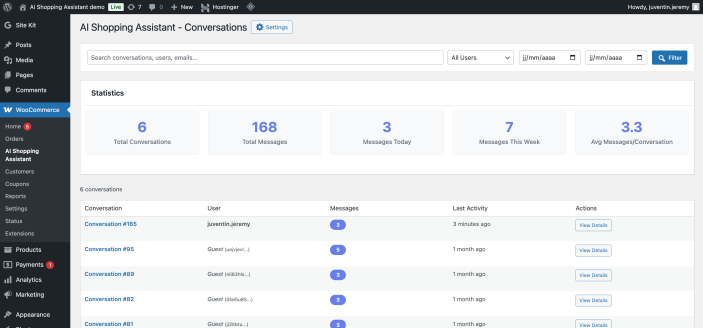
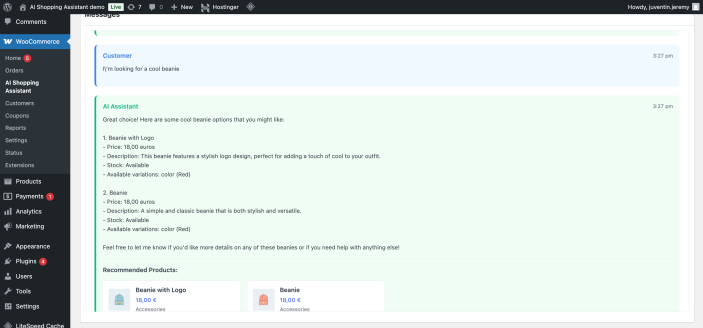
- View All Conversations – Go to AI Shopping Assistant > Conversations to see all customer chats
- Analyze Customer Needs – Understand what customers are looking for to optimize your catalog
- Identify Trends – Discover popular products and emerging customer demands
- Search & Filter – Find specific conversations by session ID, date, or customer
- Monitor Performance – Track engagement levels and recommendation accuracy
- Run Diagnostics – Use the built-in tool to verify system health and troubleshoot issues
Troubleshooting
↑ Back to topUse the Diagnostics Tool
↑ Back to topThe plugin includes a comprehensive diagnostics tool accessible from WooCommerce > Settings > AI Shopping Assistant. It automatically checks:
- PHP version and required extensions
- Database tables structure and integrity
- OpenAI API connectivity and authentication
- Product catalog accessibility
- AJAX functionality
Common Issues
↑ Back to topChat widget doesn’t appear
- Verify the plugin is activated
- Check that your OpenAI API key is configured
- Clear your browser cache and WordPress cache
- Check for JavaScript conflicts with other plugins
Error 403 or session expired
- This is typically caused by WordPress nonce expiration for long sessions
- Simply refresh the page to generate a new security token
- Consider increasing WordPress nonce lifetime if this happens frequently
AI responses are slow
- OpenAI API response time can vary based on their server load
- Consider using gpt-3.5-turbo for faster responses
- Large product catalogs may take longer to process
No products recommended
- Ensure your products are published and not in draft status
- Verify products have proper titles and descriptions
- Check the diagnostics tool to ensure catalog accessibility
FAQs
↑ Back to topAnswers to commonly asked questions about AI Shopping Assistant.
What actions can customers perform through the chatbot?
The AI Shopping Assistant can help customers discover products through natural conversation, provide detailed product information, and make personalized recommendations based on their needs. Currently, customers can browse products, get comparisons, and receive direct product links. The chatbot presents product cards with images, prices, and direct links to product pages where customers can add items to their cart and complete their purchase.
Can the chatbot access sensitive data from my website or customer accounts?
No, the chatbot operates with strict data isolation and only accesses public product catalog information (names, descriptions, prices, images, categories, and stock availability). It cannot access any sensitive data such as customer passwords, payment information, order history, personal addresses, or admin credentials. The module is designed with security boundaries that prevent it from querying or exposing private customer data, administrative settings, or any confidential business information. All interactions are limited to helping customers discover and learn about your products.
Does the AI assistant have access to my real-time product catalog?
Yes, the AI Shopping Assistant has direct access to your entire WooCommerce product catalog in real-time. It can search and recommend products based on their current availability, prices, descriptions, categories, and stock levels. The assistant dynamically queries your database to ensure customers always receive accurate and up-to-date product information during their conversations.
How can I make sure the plugin is compatible with my shop?
After installation, use the built-in diagnostics tool in the plugin configuration page to verify compatibility. It automatically checks: PHP version, required PHP extensions, database tables and structure, product catalog accessibility, OpenAI API connectivity, and AJAX functionality. The diagnostics will highlight any issues with clear guidance on how to resolve them, ensuring smooth operation with your specific shop configuration.
How much does it cost to use OpenAI API?
OpenAI charges based on usage (tokens processed). With gpt-3.5-turbo, costs are very affordable – typically $0.002 per 1000 tokens. For an average e-commerce store, this translates to roughly $0.01-0.05 per conversation. You can set up billing limits in your OpenAI account to control costs. The plugin also includes rate limiting to prevent abuse and unexpected charges.
Can I customize the AI assistant's behavior?
Yes! You can add custom instructions in the plugin settings to tailor the AI’s responses. For example, you can instruct it to focus on eco-friendly products, match your brand’s tone of voice, prioritize certain categories, or emphasize specific product features. This allows you to align the assistant’s recommendations with your business strategy and brand identity.
Is the plugin compatible with HPOS (High-Performance Order Storage)?
Yes, the AI Shopping Assistant is fully compatible with WooCommerce’s High-Performance Order Storage (HPOS). The plugin has been tested and declared compatible with custom order tables, ensuring it works seamlessly with modern WooCommerce installations.
What happens to conversation data?
All conversation data is stored locally in your WordPress database. The plugin creates dedicated tables to store chat sessions and messages. Only the necessary product information and customer messages are sent to OpenAI’s API to generate responses. You maintain full control over the data and can delete conversations at any time from the admin panel.

