This page provides in-depth details about the extension configuration.
Extension settings
↑ Back to top- Paytrail Merchant ID & Paytrail Secret key: Fields for Paytrail account credentials. You can find the credentials at Paytrail Merchant panel
- Test mode: If active, all payments are simulated using Paytrail test credentials.
- Payment provider selection: If left unchecked, user selects payment provider in the Paytrail hosted payment page.
- Payment provider title: Title displayed on the Checkout page before the payment provider images.
- Payment provider description: Depending on used theme, this description might be displayed on the Checkout page before the payment provider images.
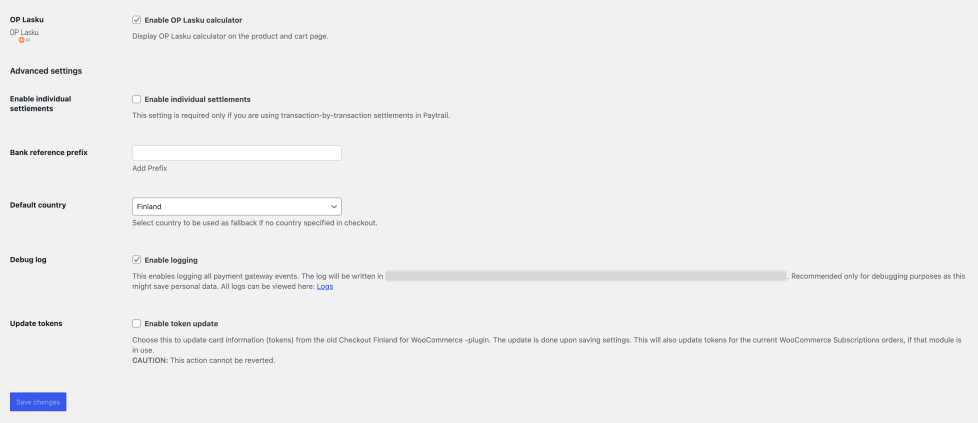
- OP Lasku: Display OP Lasku calculator in the product and cart page.
- Enable individual settlements: This setting is required only if you are using transaction-by-transaction settlements in Paytrail.
- Bank reference prefix: Prefix for bank reference. This is used for the WooCommerce order number.
- Default country: Fallback country if no country specified in checkout.
- Debug log: Enables logging all payment gateway events. Recommended only for debugging purposes as this might save personal data.
- Update tokens: Option to update card information (tokens) from the old Checkout Finland for WooCommerce -plugin. Checkout Finland was acquired by Paytrail in 2021