
WooCommerce Restrict Product Purchase lets you define smart purchase restrictions in your store based on:
- User roles (e.g. only wholesalers can buy)
- Specific selected individual user
- Guest (logged-out) users — allow or restrict separately
- Specific products, categories, tags, or shipping classes
- Minimum AND maximum quantity limits, with smart hover tooltips on the product page
- Custom messages shown on product, cart, and checkout pages
It’s a powerful way to control how users interact with your products and who can buy them under what conditions.
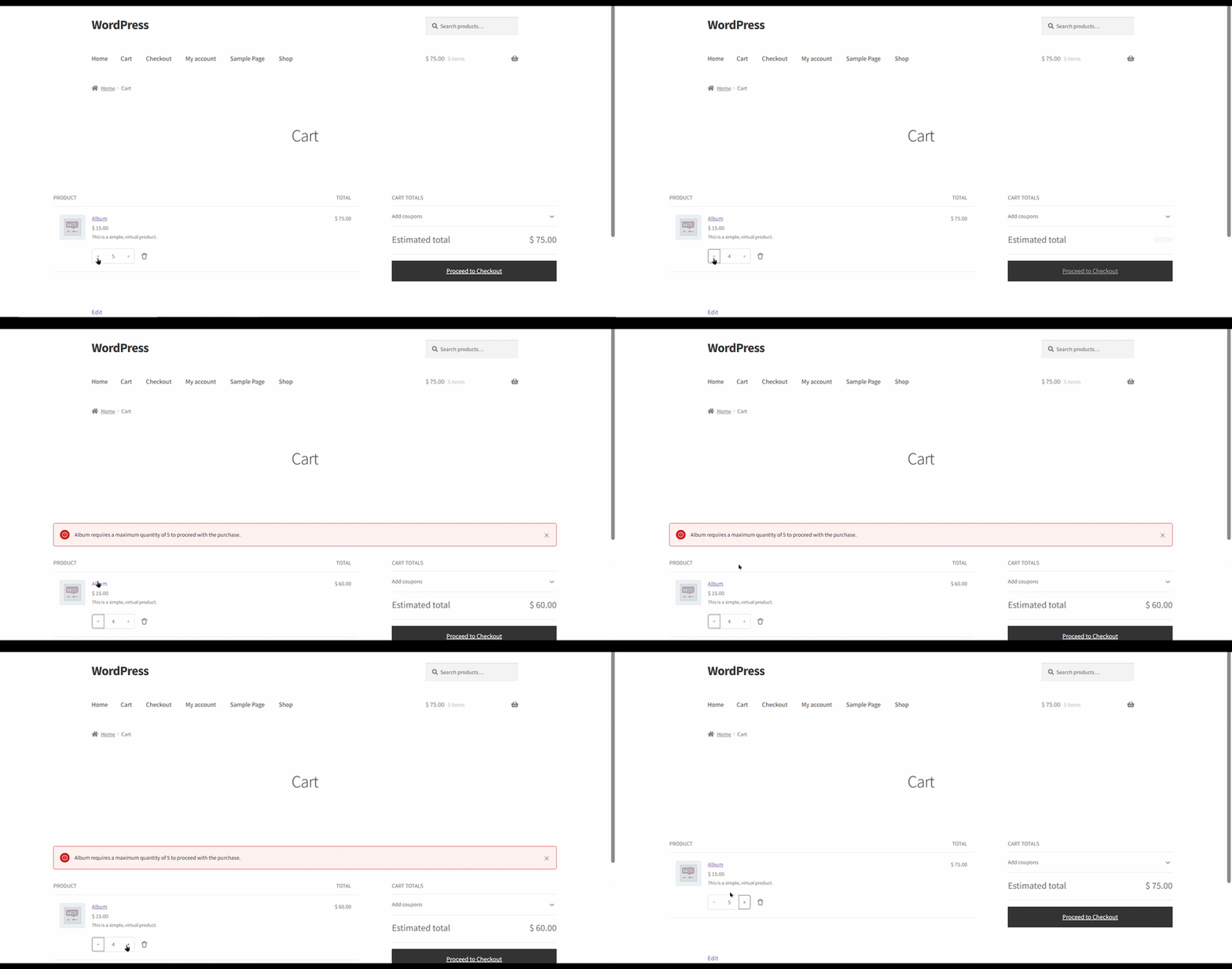
Cart Page Validation
↑ Back to topIf a customer’s cart doesn’t meet the quantity rules you’ve set — say a minimum or maximum quantity for a specific product — Restrict Product Purchases catches it right on the cart page, before checkout. The customer sees a clear message telling them exactly what needs to change, so there’s no confusion and no invalid orders slipping through.
How to Activate the Plugin & Start Using It
↑ Back to topInstall the Plugin
↑ Back to top- Go to your WordPress Dashboard.
- Navigate to Plugins → Add New → Upload Plugin.
- Upload the plugin
.zipfile. - Click Install Now and then Activate.

Access Purchase Restriction Settings
↑ Back to topOnce activated, go to WooCommerce → Purchase Restriction. You’ll see two sections:
Manage Rules – view all your existing rules in one table, and click “+ Add New Rule” to create a new rule instantly in a popup.
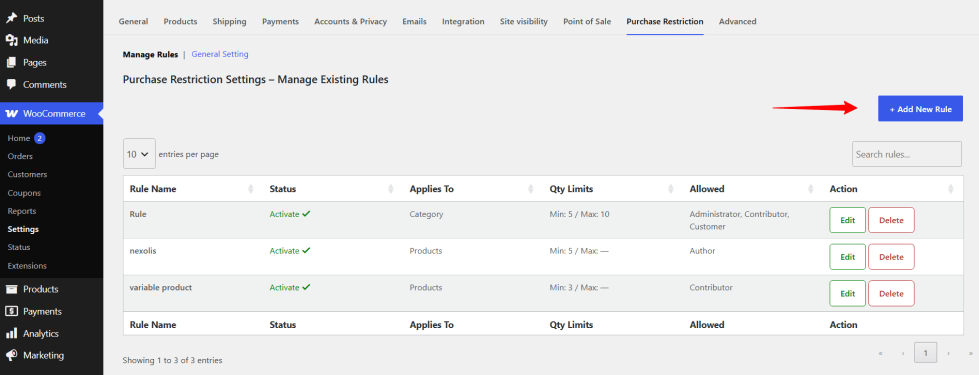
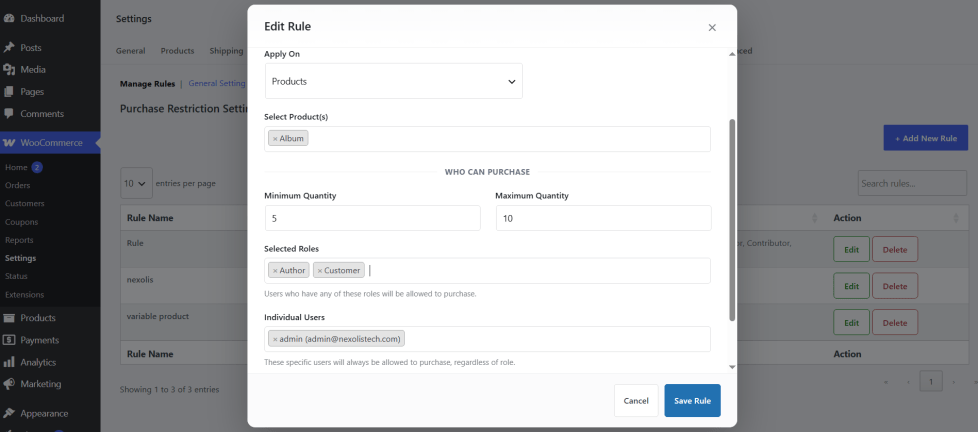
Click “+ Add New Rule” to open the rule popup. From here you can:
- Activate/deactivate the rule
- Give it a name
- Choose what it applies to: Products, Category, Tags, or Product Shipping Class
- Allow specific user roles, specific individual users, and/or guest users — any combination
- Set a minimum and maximum quantity for the purchase
Editing works the same way — click Edit on any rule and the same popup opens, pre-filled with that rule’s details.
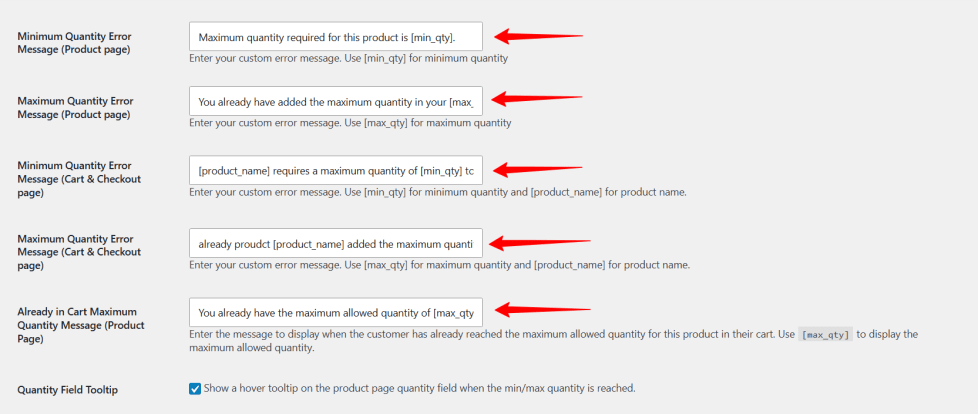
General Settings – customize error messages, colors, and tooltip behavior for product, cart, and checkout pages.les.
This is how you can create your first rule and control exactly who can buy what, and how!
Benefits of Restrict Product Purchase for WooCommerce
↑ Back to top- Restrict product purchase by user roles (e.g., customer, wholesaler, subscriber)
- Apply restrictions by product, category, tag, or shipping class
- Allow or block guest (logged-out) users independently from user roles
- Friendly hover tooltip on the product page when min/max quantity is reached
- Quantity already in the cart is automatically accounted for — customers can’t exceed the maximum across multiple add-to-cart actions
- Set minimum and maximum quantity rules for add to cart
- Hide “Add to Cart” and quantity input for unauthorized users
- Show custom error messages on product, cart, and checkout pages
- Simple and clean admin interface with Select2 dropdowns
- Manage and create rules easily using dedicated tabs
- Works perfectly for wholesale, B2B, and membership stores
- Compatible with most WooCommerce themes and user role plugins
- Improves user experience by guiding users with friendly messages
- Helps prevent invalid orders and enforces business rules
- Control purchases for specific individual users in addition to user roles.

