
Installation
↑ Back to topTo start using a product from WooCommerce.com, you can use the “Add to store” functionality on the order confirmation page or the My subscriptions section in your account.
- Navigate to My subscriptions.
- Find the Add to store button next to the product you’re planning to install.
- Follow the instructions on the screen, and the product will be automatically added to your store.
Alternative options and more information at:
Managing WooCommerce.com subscriptions.

More information at: Install and Activate Plugins/Extensions.
How to get reCaptcha Keys
↑ Back to top- For reCaptcha Classic version, You can use this guideline to get reCaptcha V2 classic Keys and get reCaptcha V3 classic Keys
- For the reCaptcha enterprise version, You can use this guideline to get V2 reCaptcha enterprise Keys and get reCaptcha V3 enterprise Keys
How to get Cloudflare Turnstile Keys
↑ Back to top- To get Cloudflare Turnstile keys, you can use this guideline to get Checkbox Mode Keys and get Hidden Mode Keys
How to get hCaptcha Keys
↑ Back to top- To get hCaptcha keys, you can use this guideline to get Checkbox Mode Keys and get Hidden Mode Keys
Setup and Configuration
↑ Back to topAfter the successful installation of reCaptcha for wooCommerce, you can see a new tab called “reCaptcha” in the wooCommerce settings tab.
- On left side bar click on “wooCommerce” –> “settings”

- Click on “reCaptcha” tab in settings screen.

- Now set general settings like “Site Key” and “Secret Key” and reCaptcha version etc.
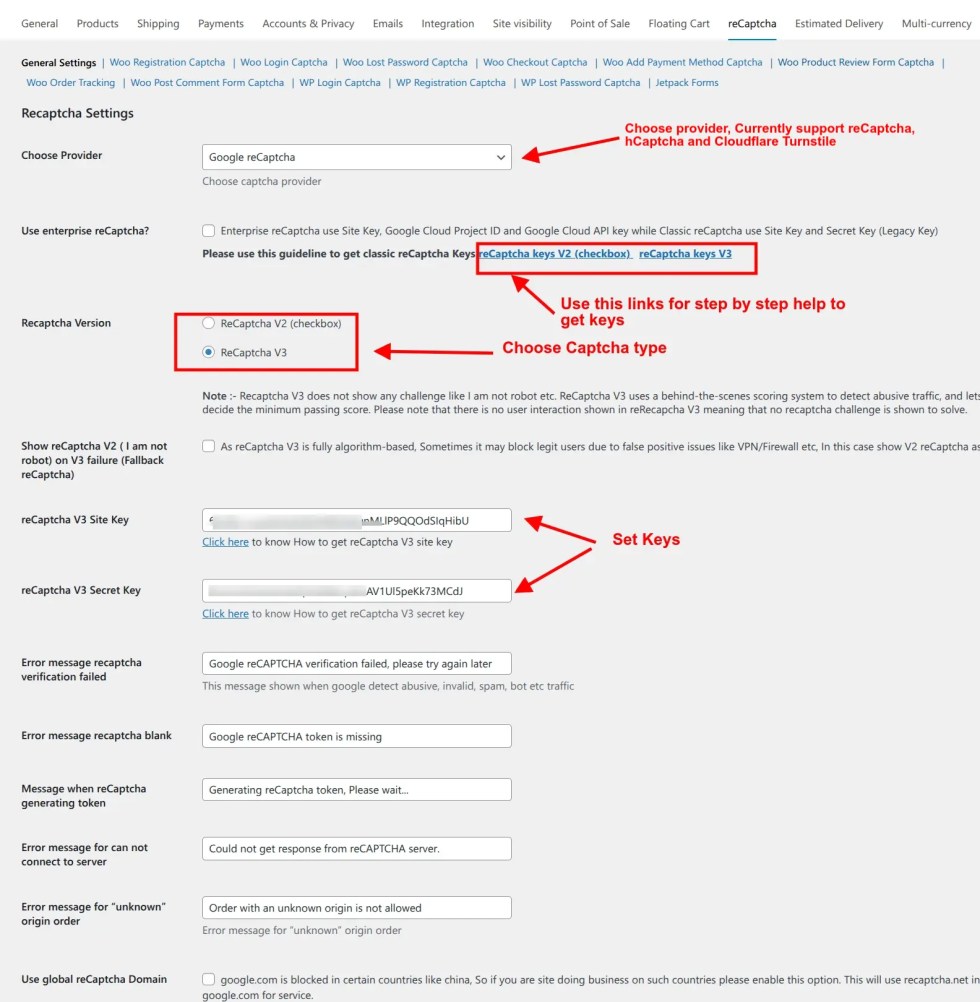
- Now you can enable reCaptcha/Turnstile captcha/hCaptcha for the following
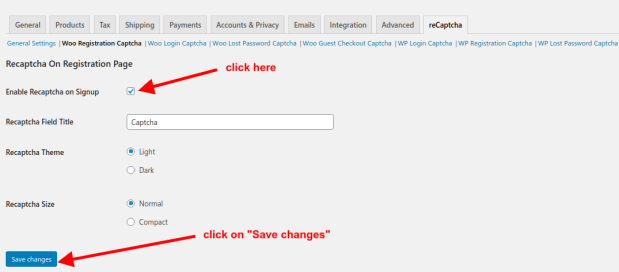
- WooCommerce registration captcha
- WooCommerce login captcha
- WooCommerce lost password captcha
- WooCommerce guest checkout captcha
- WooCommerce login checkout captcha
- WooCommerce add payment method captcha
- WooCommerce pay for order captcha
- WordPress login screen captcha
- WordPress registration screen captcha
- WordPress lost password screen captcha
- WooCommerce Product review screen captcha
- WooCommerce order track screen captcha
- WordPress Comment form captcha
- JetPack Forms reCaptcha
For example, check below for how to enable reCaptcha for the WooCommerce registration screen.
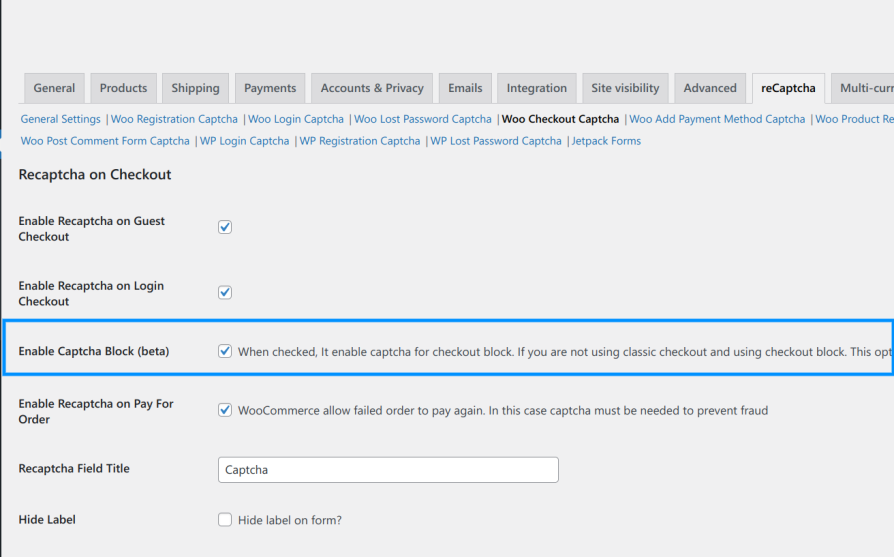
Enable Captcha on Checkout Block
↑ Back to top- Login to wp-admin
- Go to WooCommerce –> Settings–> reCaptcha –> Checkout Captcha–> check-mark Enable Captcha Block
- You can check the full video of How to enable Recaptcha on Checkout Block of WooCommerce feature
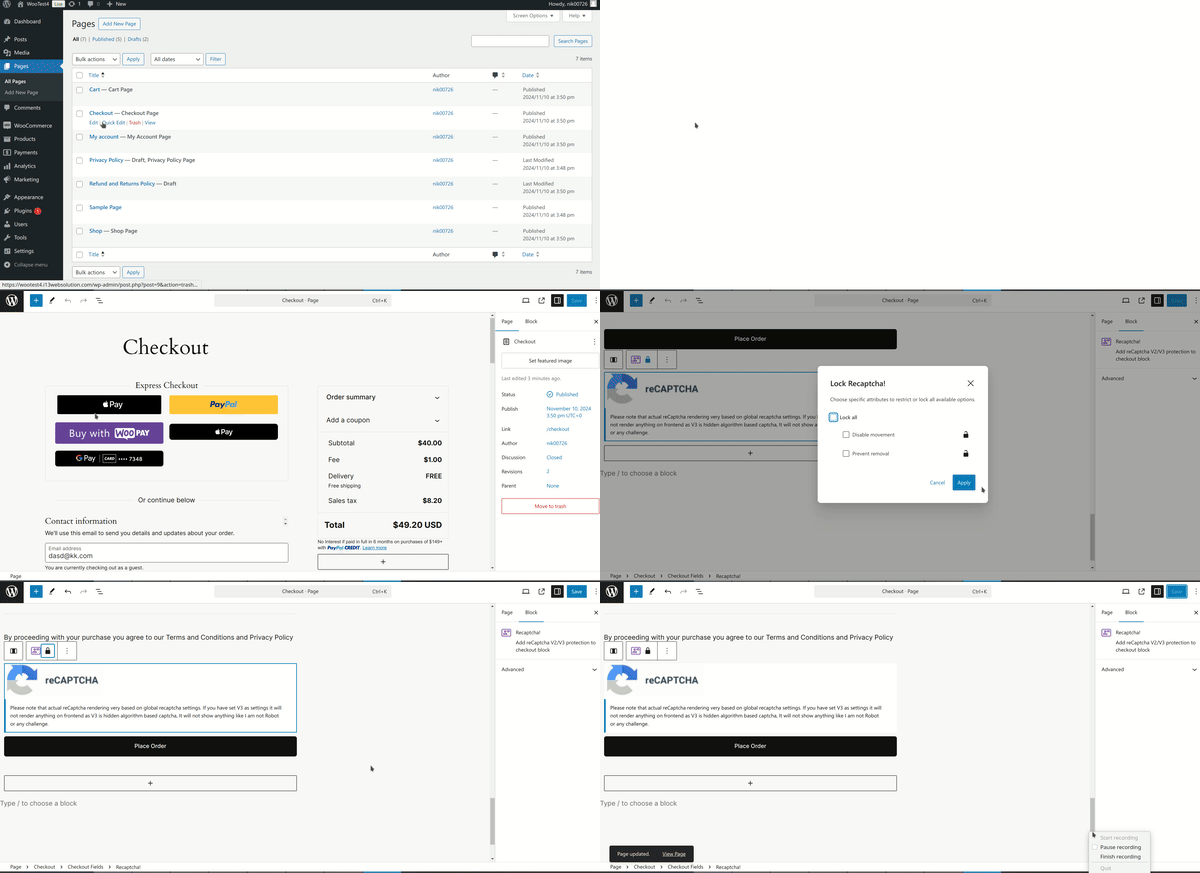
- Now open Checkout Page in edit mode, and unlock and reorder ReCaptcha to Above Submit button
Usage
↑ Back to topOnce you enable reCaptcha on the required places, You can see it on the frontend.
Login and Registration
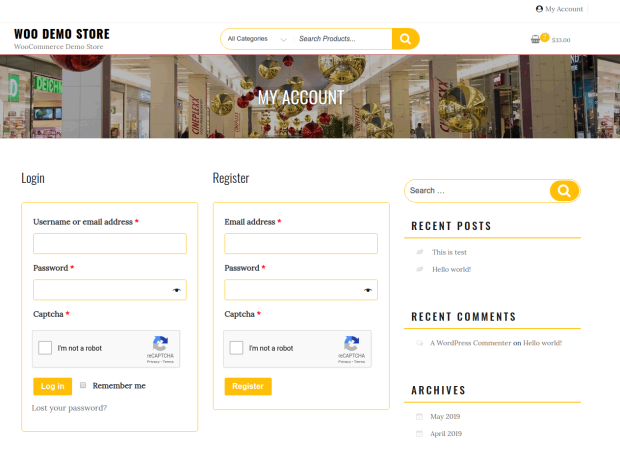
Cloudflare Turnstile Captcha
↑ Back to top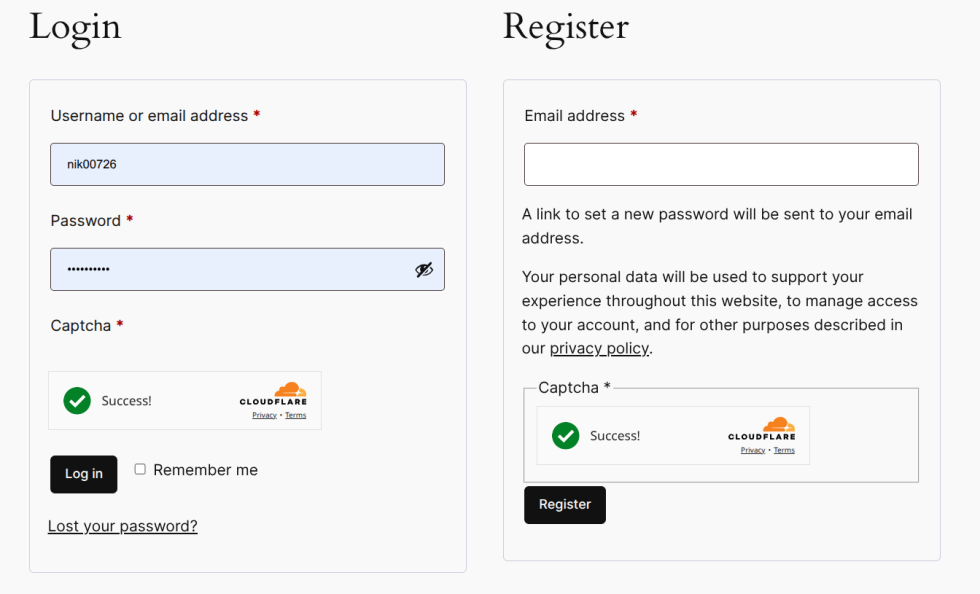
hCaptcha
↑ Back to top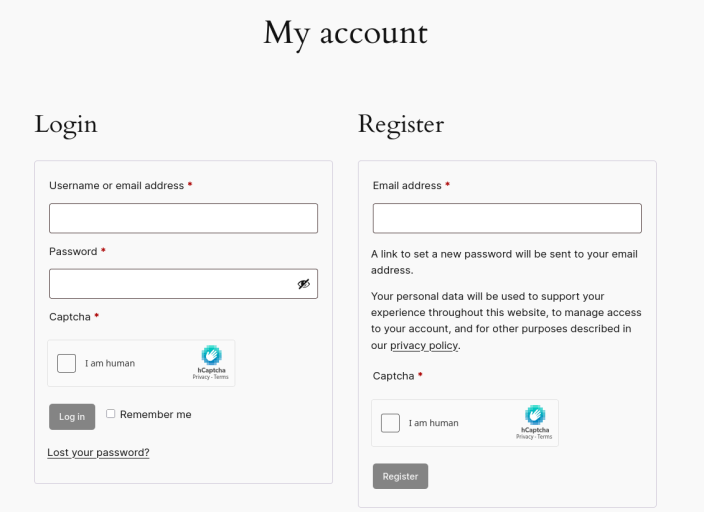
Lost Password
↑ Back to top
Checkout
↑ Back to top
Recommend
↑ Back to topWe recommend following the places captcha to enable.
- Checkout captcha, Please enable for both login/guest captcha
- Enable captcha for “Payment Method”, There is a separate section
- This is the main door for attracts (Pay For Order). Many shop owners don’t know that failed orders also can be re-try. (Enable Pay For Order captcha inside checkout captcha)
- Also if you don’t use PayPal Standard checkout that redirects on PayPal and back again to the site, Then please set Re-captcha Validity to 0. ( I mean to say if you don’t have any payment method that do not take time then set Validity to 0 is best)
- You can also enable – Block REST API Checkout endpoint if too many false orders
- You can also use – Block orders from “unknown” origin feature, If all your orders have an origin set and you are getting too many “unknown” orders.
- Also, enable – Refresh captcha on guest checkout error
- Also, enable -Refresh captcha on login checkout error
FAQs
↑ Back to topHow to get reCaptcha/Turnstile/hCaptcha captcha keys?
You can follow below guideline to get keys

