
WooCommerce Role-Based Product Visibility plugin empowers you to control product and category visibility based on user roles.
Installation
↑ Back to top- Download the .zip file from your WooCommerce account.
- Go to: WordPress Admin > Plugins > Add New and Upload Plugin the file you have downloaded.
- Install Now and Activate.
Setup and Configuration
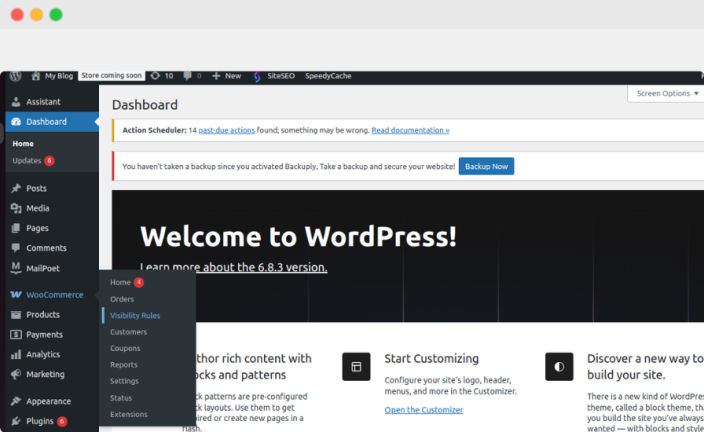
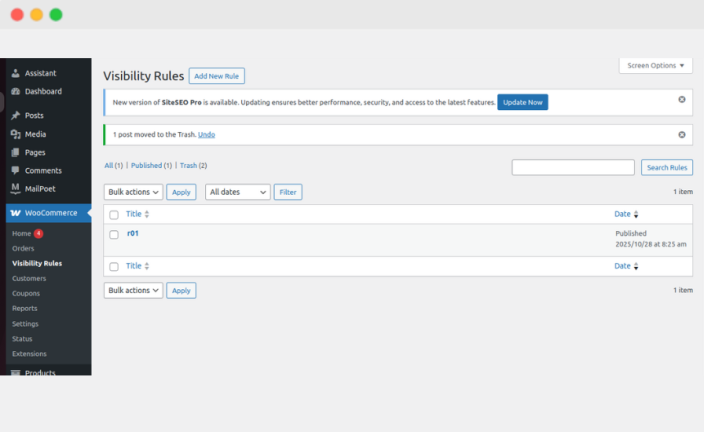
↑ Back to topAfter activating the Role-Based Product Visibility plugin, you’ll find a new “Visibility Rules” option under the WooCommerce menu. Click it to access the Add New rules option, where you can configure all visibility rules.
Category-Based Control
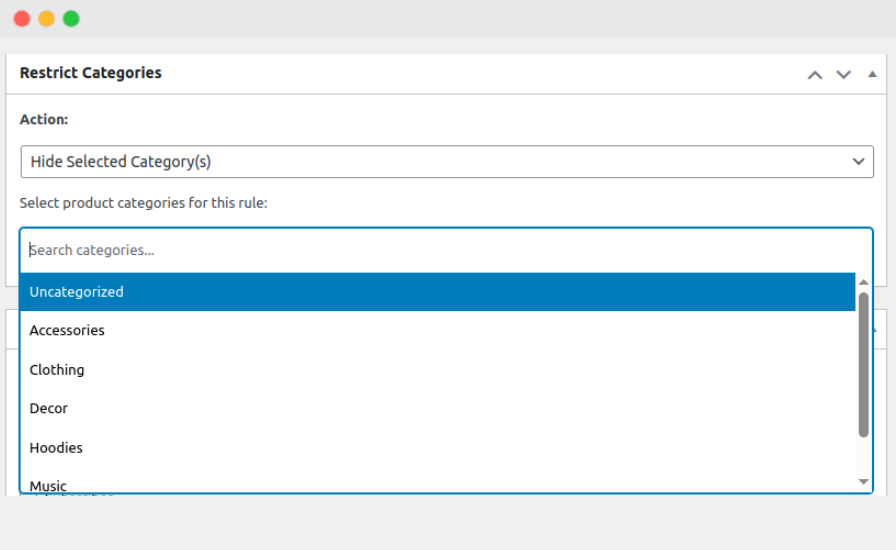
↑ Back to topDesign tailored product collections for each audience:
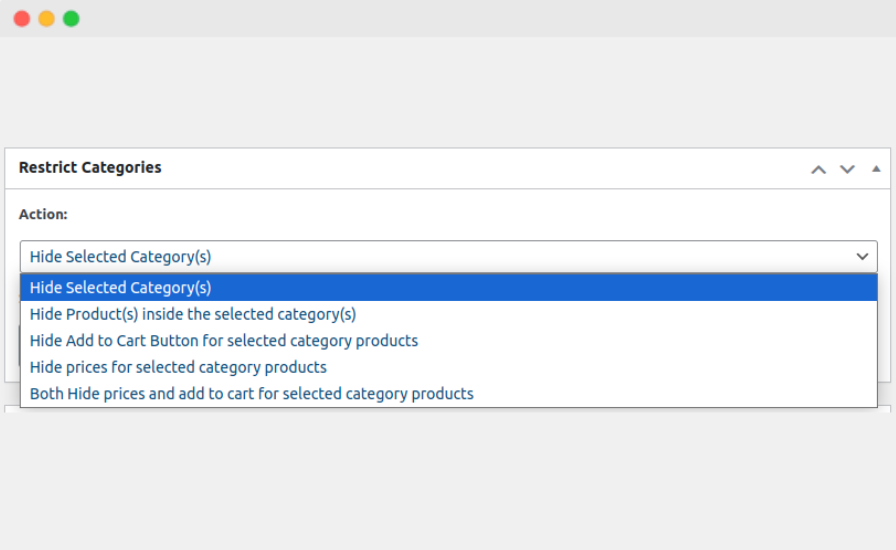
- Restrict access with redirects or 404 behavior
- Hide all products within chosen categories
- Remove price visibility
- Disable the “Add to Cart” button for restricted users
Give every customer role a catalog that feels curated just for them.
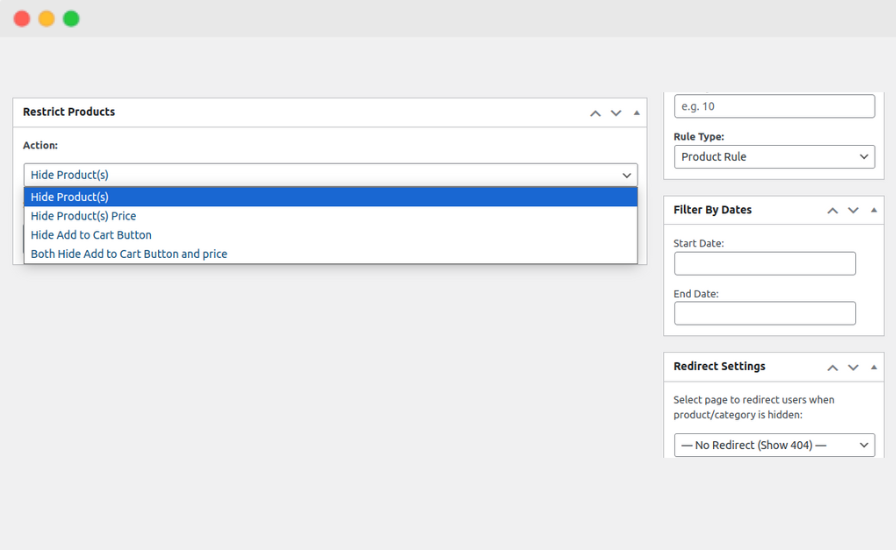
Product-Level Precision
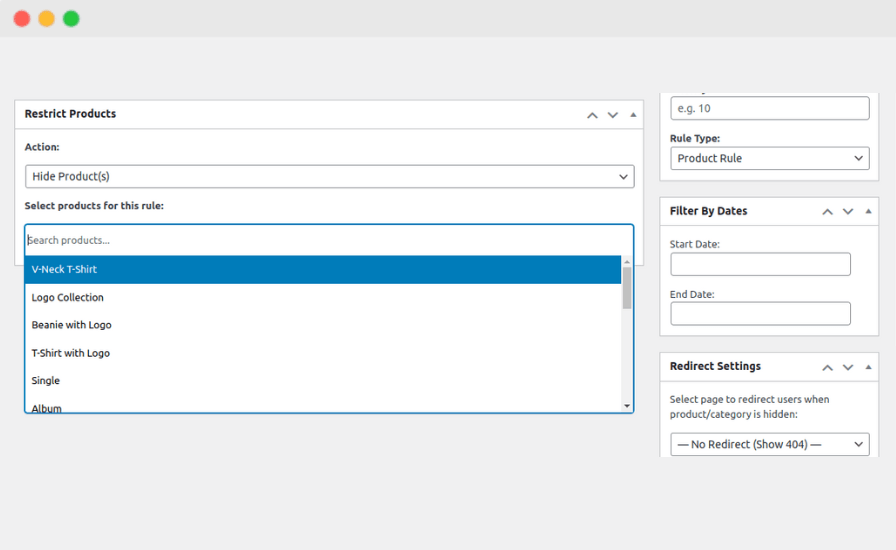
↑ Back to topFine-tune visibility down to individual products:
- Hide selected products from the store or search results
- Show products but hide pricing
- Disable purchasing for specific user groups
- Hide both the price and the “Add to Cart” button with one rule
Ideal for exclusive items, wholesale-only SKUs, early-access products, or limited-release collections.
Advanced Rule Options for CompleteFlexibility
↑ Back to topTake control with powerful, customizable rule settings:
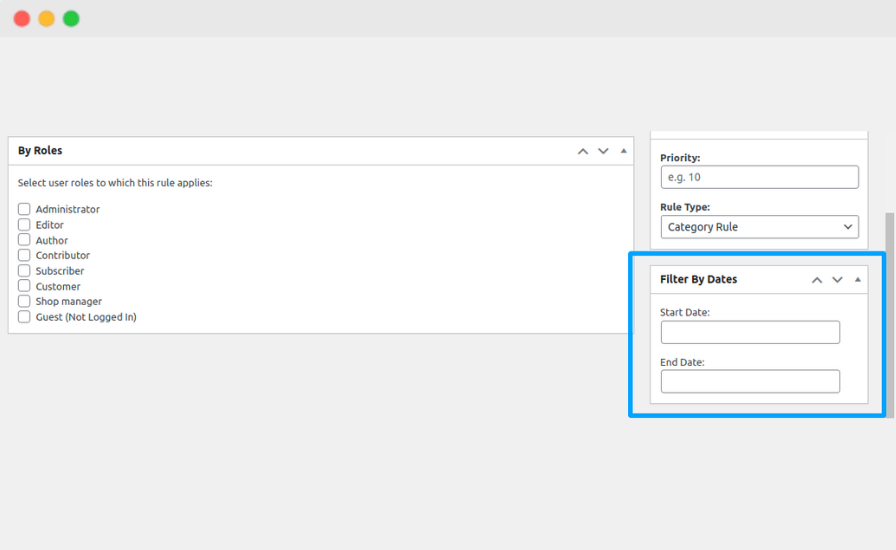
- Set start and end dates to automate visibility changes
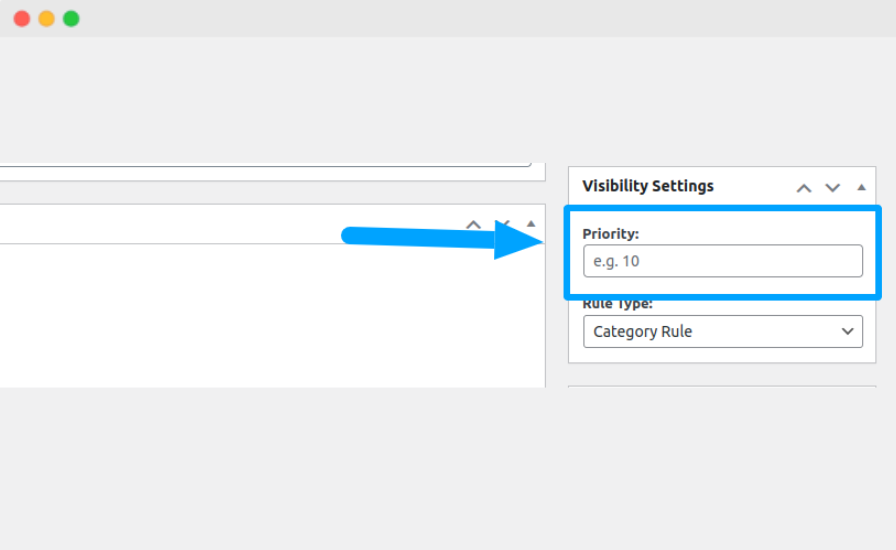
- Prioritize overlapping rules for predictable results
- Redirect restricted users to a custom landing page
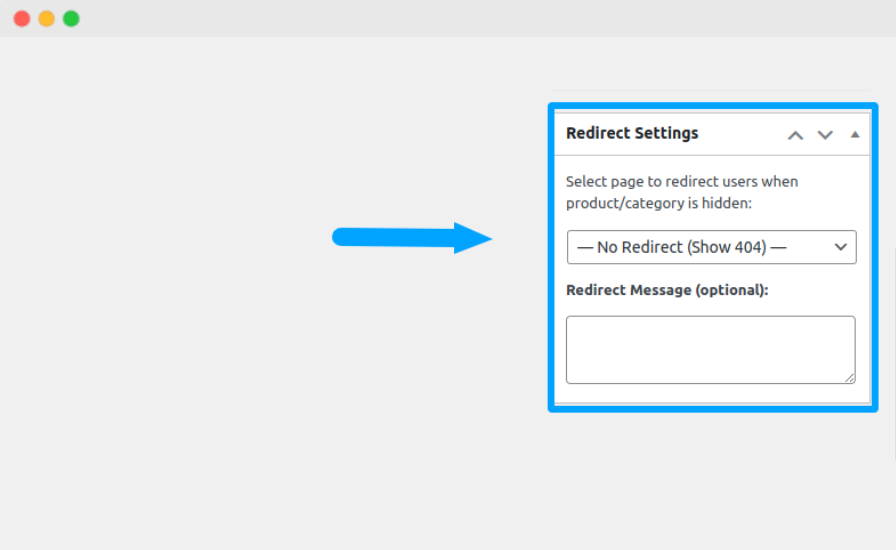
- Display your own message to guide users
- Fully compatible with multi-store and multi-site environments
Manage seasonal access, private sales, and membership tiers with ease.
FAQs
↑ Back to topHelp customers by answering commonly asked questions.
Can I schedule when a category becomes visible or hidden?<br>
Yes. You can set start and end dates for each category rule, allowing you to automate category visibility during promotions, seasonal drops, or exclusive events.
<strong>What happens if a user manually enters a hidden category URL?</strong>
You can choose between three actions:
Redirect them to another page
Show a 404 “Not Found” page
Display a custom access-restricted message were goes here.

