Installation
↑ Back to top1. Download the Shipment and Order Tracking.zip file from your WooCommerce account.
2. Go to WordPress Admin > Plugins > Add New and Upload Plugin.
3. Click on Choose File to upload the file you downloaded.
4. Install Now and Activate the extension
Configuration
↑ Back to topAfter you have installed and activated the Plugin, go to WooCommerce > Shipment and Order Tracking. Here, you can find six tabs: Order Tracking, Carriers, Tracking Email Settings, Timeline, CSV, and Google Recaptcha.
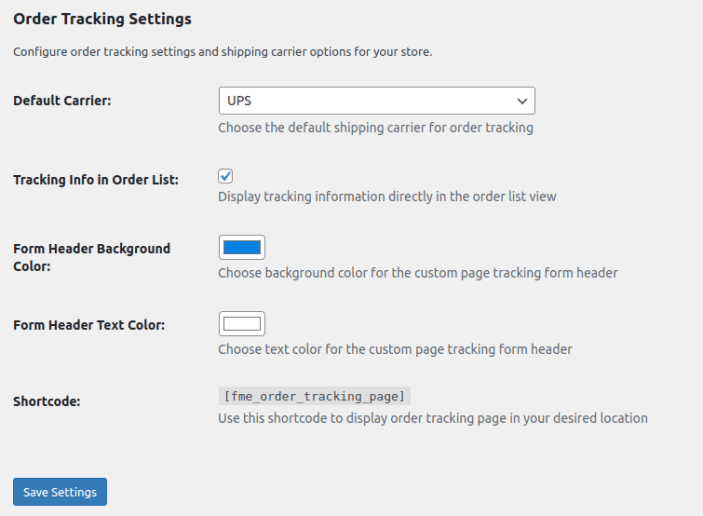
Order Tracking:
↑ Back to top- Default Carrier: Choose the default shipping carrier for order tracking
- Tracking Info in Order List: Display tracking information directly in the order list view
- Form Header Background Color: Choose background color for the custom page tracking form header
- Form Header Text Color: Choose text color for the custom page tracking form header
- Shortcode: Use this shortcode to display order tracking page in your desired location
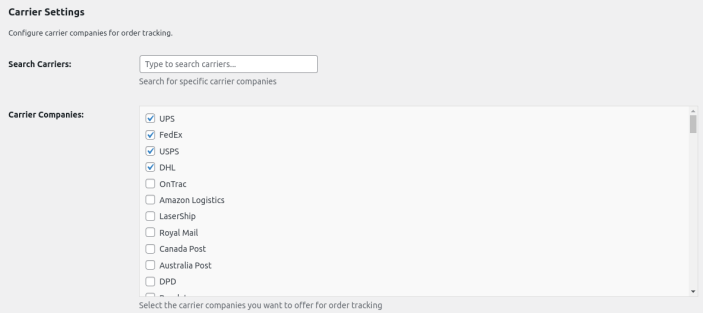
Carriers:
↑ Back to top- Search Carriers: Search for specific carrier companies
- Carrier Companies: Select the carrier companies you want to offer for order tracking
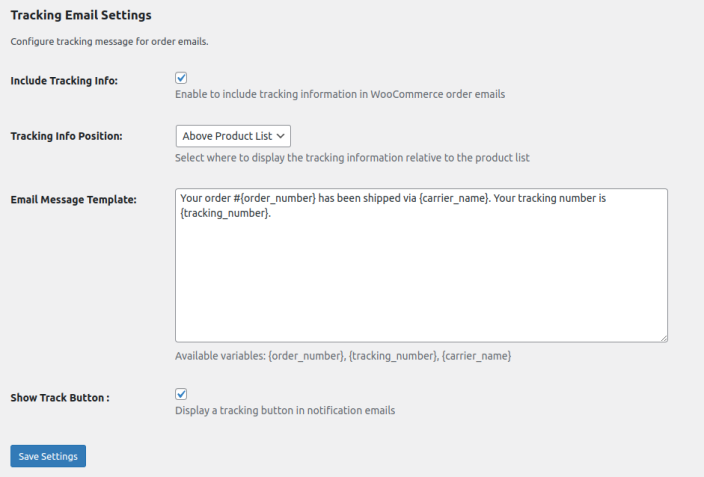
Tracking Email Settings:
↑ Back to top- Include Tracking Info: Enable to include tracking information in WooCommerce order emails
- Tracking Info Position: Select where to display the tracking information relative to the product list
- Email Message Template: Write message for email, Available variables: {order_number}, {tracking_number}, {carrier_name}
- Show Track Button: Display a tracking button in notification emails
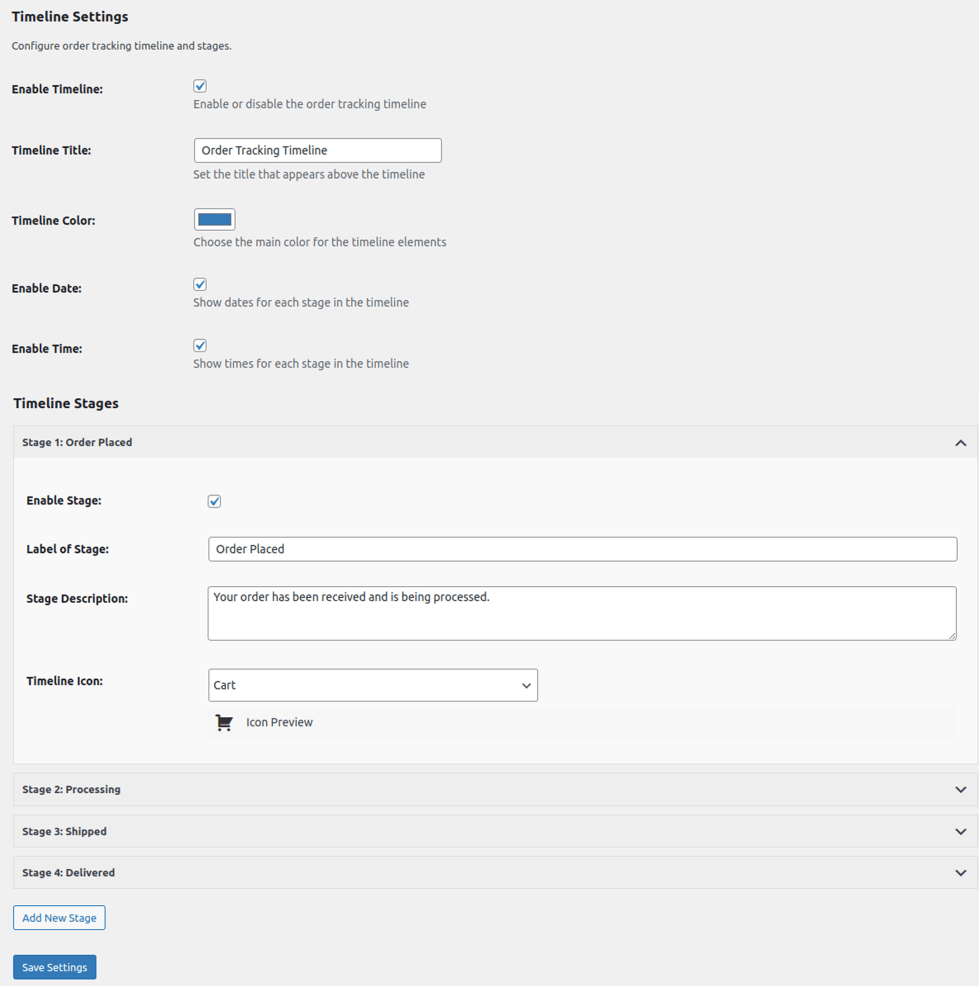
Timeline:
↑ Back to top- Enable Timeline: Enable or disable the order tracking timeline
- Timeline Title: Set the title that appears above the timeline
- Timeline Color: Choose the main color for the timeline elements
- Enable Date: Show dates for each stage in the timeline
- Enable Time: Show times for each stage in the timeline
- Timeline Stages: You can add multiple timeline stages which include Enable Stage, Label of Stage, Stage Description and Choose Timeline Stage Icon.
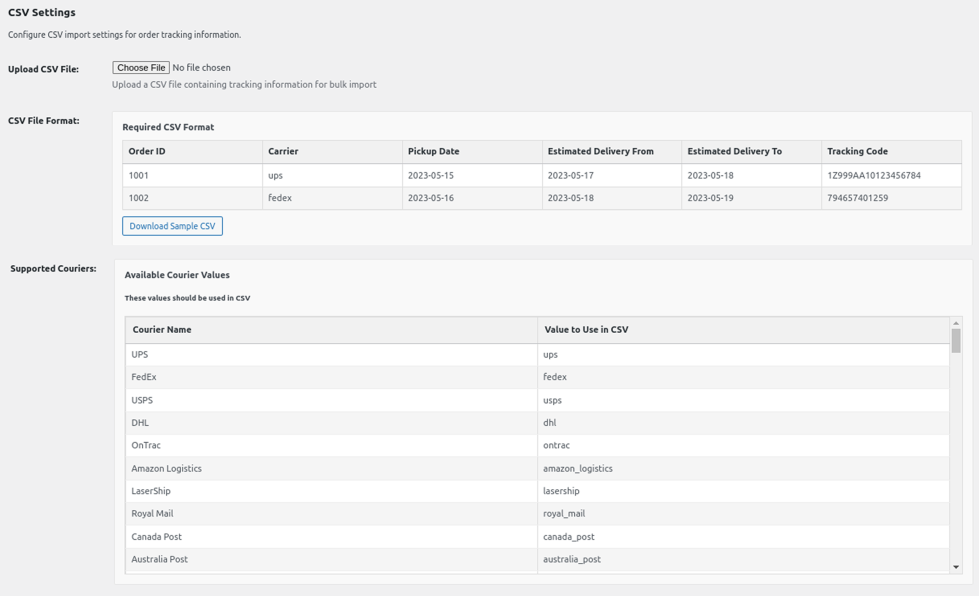
CSV:
↑ Back to top- Upload CSV File: Upload a CSV file containing tracking information for bulk import
- CSV File Format: Download CSV format file.
- Supported Couriers: All supported couriers are listed with value to use in CSV.
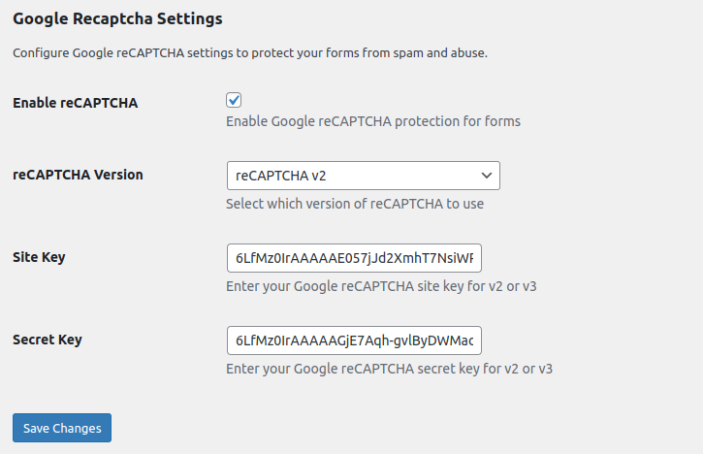
Google Recaptcha:
↑ Back to top- Enable reCAPTCHA: Enable Google reCAPTCHA protection for forms
- reCAPTCHA version: Select which version of reCAPTCHA to use
- Site Key: Enter your Google reCAPTCHA site key for v2 or v3
- Secret Key: Enter your Google reCAPTCHA secret key for v2 or v3