Shipped Order Status

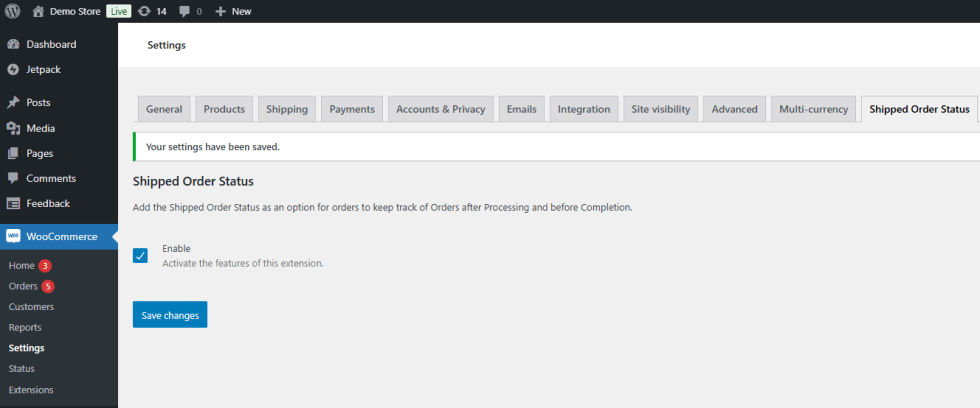
Enable Shipped Order Status

↑ Back to top
  1. Navigate to WordPress Admin > WooCommerce > Settings > Shipped Order Status.

2. Enable this feature with the checkbox and save changes.
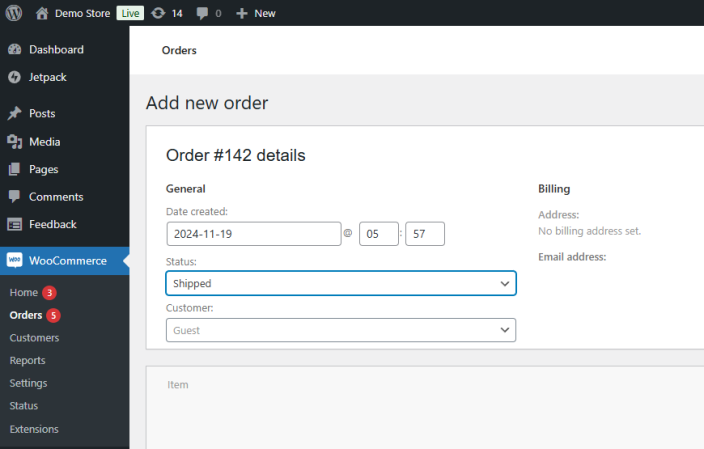
Create Order with Shipped Status

↑ Back to top

1. Create an Order and set its status to Shipped.
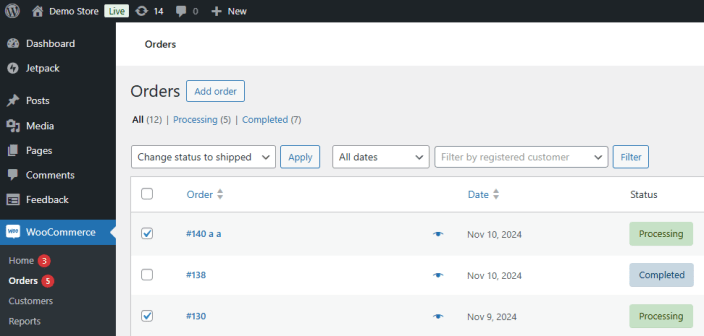
Bulk Actions Shipped Status

↑ Back to top

1. Use check boxes to select Orders.

2. Change the Bulk Action to “Change status to shipped”

3. “Apply” the Bulk Action.
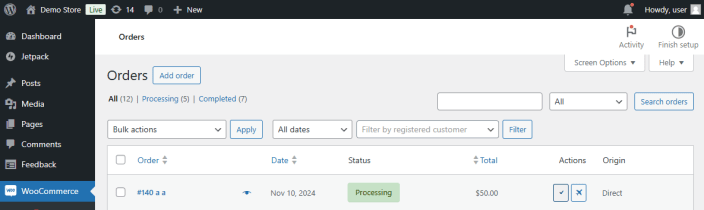
Quick Actions Shipped Status

↑ Back to top

1. Click the plane icon in the Actions to change Order status to Shipped.
Related Products

Offer add-ons like gift wrapping, special messages or other special options for your products.

WooCommerce Subscriptions is a WooCommerce extension that lets customers subscribe to your products or services and pay on a weekly,...

Use of your personal data
We and our partners process your personal data (such as browsing data, IP Addresses, cookie information, and other unique identifiers) based on your consent and/or our legitimate interest to optimize our website, marketing activities, and your user experience.