
Overview
↑ Back to topCancer Awareness Month is a meaningful opportunity to support a cause while engaging your customers with thoughtful promotions.
With Smart Coupons, you can automatically apply discounts to products with specific attributes such as “pink” and even include a free giveaway with a qualifying purchase.
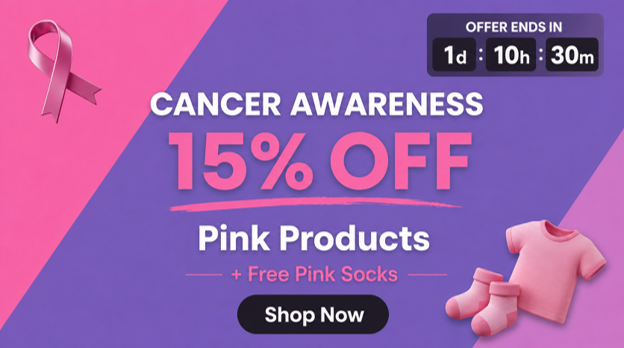
For example, you can offer 15% off all pink products and automatically add a free pair of pink socks to the cart, making your awareness promotion both memorable and impactful.
Business Scenario
↑ Back to topAn online store wants to celebrate Cancer Awareness Month by encouraging customers to shop from its collection of pink-themed products.
Example Promotion:
- Get 15% off on all products with the Color: Pink attribute.
- Receive a free pair of pink socks with a qualifying purchase.
- The discount and giveaway should apply automatically, without requiring customers to enter a coupon code.
This promotion helps promote awareness while creating a meaningful shopping experience for customers.
Steps to set up
↑ Back to topStep 1: Create the coupon
↑ Back to top- Go to Marketing -> Coupons -> Add New.
- Enter a Coupon code name, for example, PinkAwareness15.
Step 2: Set up the discount
↑ Back to topIn the General tab:
- Set the Discount type (percentage discount or fixed cart discount).
- Enter the Coupon amount (for example, 15).
- Enable Auto-apply. For more details, you can refer to the documentation here.
Step 3: Restrict the coupon by product attribute.
↑ Back to top- Go to the Usage restriction tab.
- Under the Products field, search for specific products if you want the promotion to apply only to selected items.
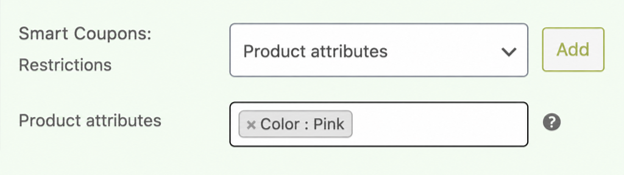
- Scroll down to find the Smart Coupons Restrictions dropdown field, select “Product attributes” option, click on the “Add” button, search and select Color as “Pink.” For detailed steps, please refer to the documentation here.
Step 4: Automatically add a free giveaway discount
↑ Back to topGo to the Actions tab.
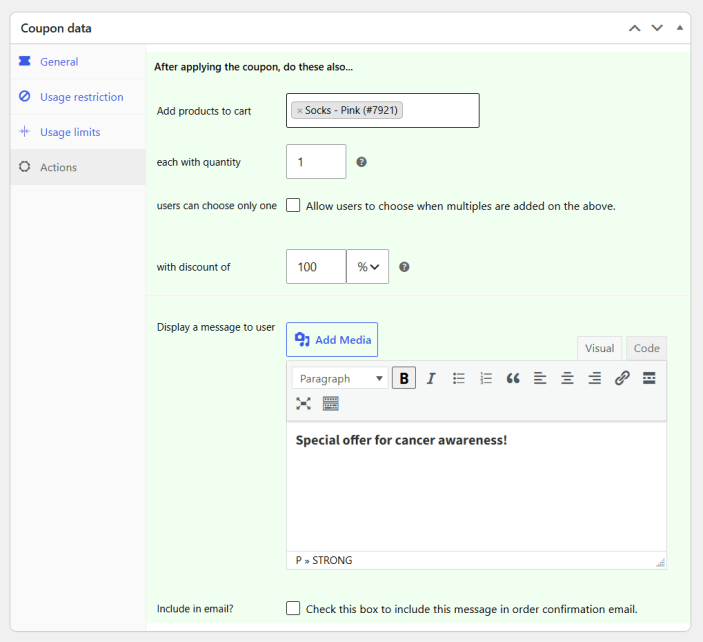
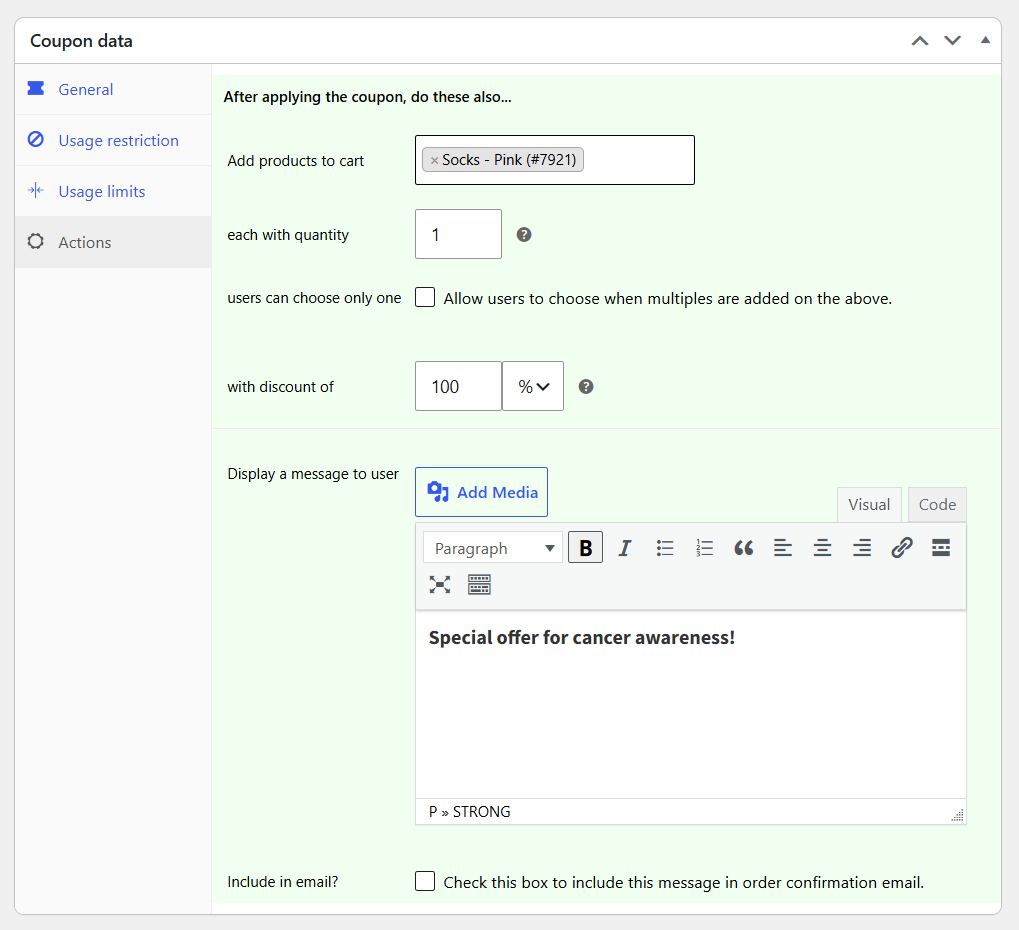
- Under Add products to cart, select your giveaway product (for example, Pink Socks).
- Specify a quantity of 1 in the ‘each with quantity‘ field.
- Set the product discount to 100% so it is added to the cart free of charge. For detailed setup, please refer to the documentation here.
- Publish the coupon.
How it works with Smart Coupons
↑ Back to topSmart Coupons allows you to combine:
- Product attribute restrictions
- Auto-apply coupons
- Giveaway discount.
When a customer adds an eligible Pink product to their cart:
- Smart Coupons checks whether the product matches the assigned attribute.
- If it qualifies, the 15% discount is automatically applied.
- The free pink socks are automatically added to the cart at no extra cost.
- If the product doesn’t meet the assigned attribute requirements, neither the discount nor the giveaway is applied.
Customer Experience
↑ Back to top- A customer browses the Cancer Awareness collection in your store.
- She adds an eligible pink product to her cart.
- The 15% discount is applied automatically.
- A complimentary pair of pink socks is added to the cart for free.
Note: With Smart Coupons, you can use a banner and a countdown timer for promotions. The following documentations can help:
Conclusion
↑ Back to topWith Smart Coupons, you can easily create meaningful awareness promotions that combine automatic discounts with giveaways.
By offering 15% off pink products and a free pink gift, you not only encourage sales but also create a memorable shopping experience that supports an important cause while showcasing your brand’s dedication to society.

