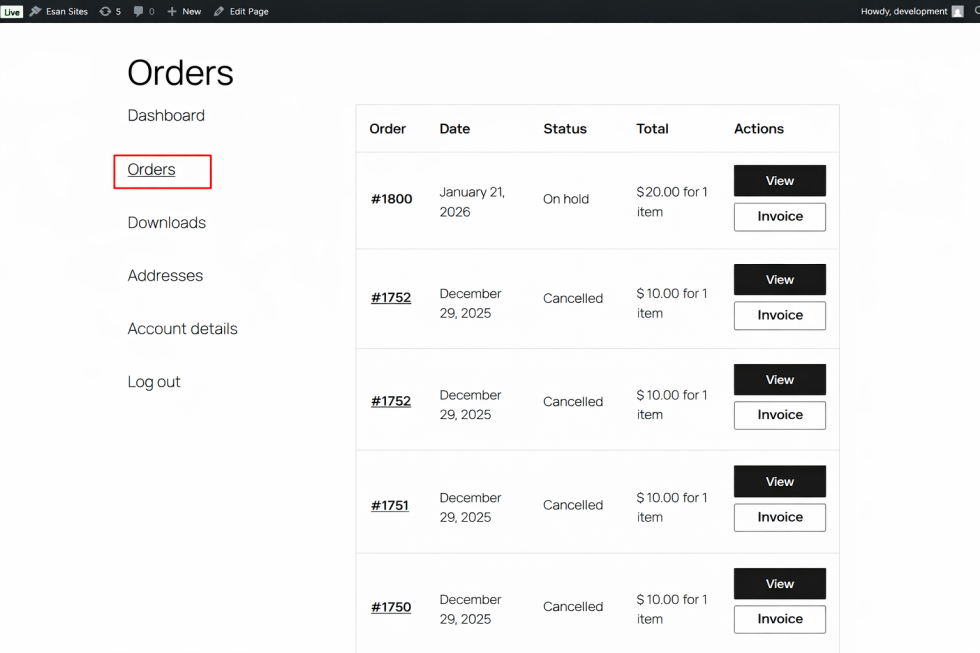
Watermark stamp for invoices is a lightweight, all-in-one plugin designed to generate professional PDF invoices and packing slips with automatic watermarking based on order status.
No external invoice plugins or add-ons are required. Everything works natively within WooCommerce.
This plugin is ideal for:
- WooCommerce stores (B2C & B2B)
- Wholesale shops
- Service-based businesses
- Stores offering delayed or manual payments
Features
↑ Back to top- Built-in PDF invoice generator
- Professional PDF packing slip generator
- Automatic watermark stamps: PAID, DUE, OVERDUE, CANCELLED
- Customizable watermark text, color, opacity, rotation, font size, and position
- Smart order status mapping
- Overdue invoice tracking
- Customer-friendly invoice downloads from “My Account”
- Lightweight and fast
- No third-party dependencies
Setup and Configuration
↑ Back to top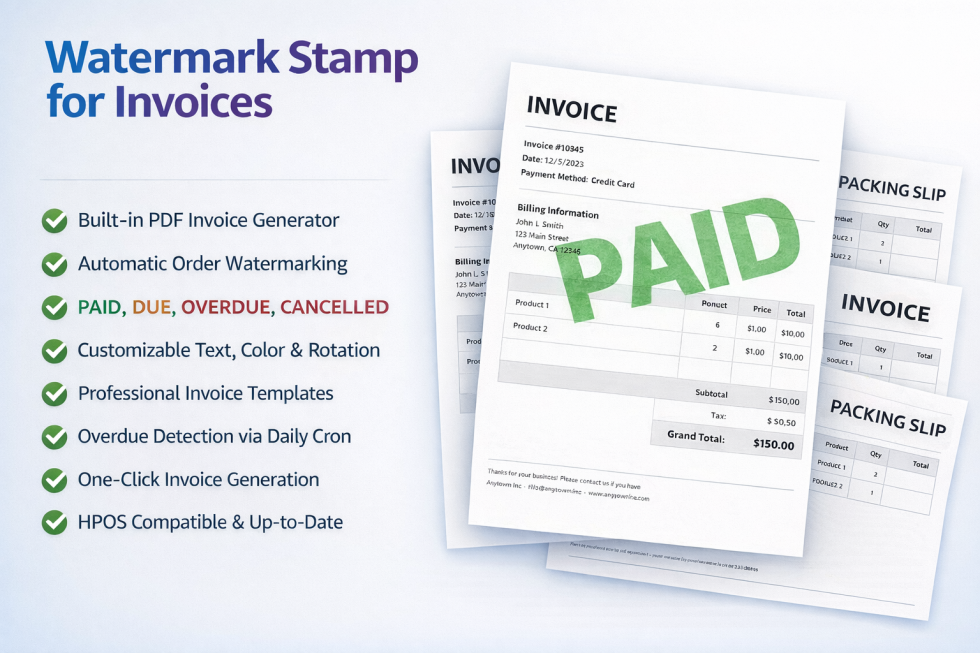
Installation:
↑ Back to topStep 1: Download the plugin ZIP file from your account.
Step 2: Log in to your WordPress admin dashboard.
Step 3: Navigate to Plugins → Add New → Upload Plugin.
Step 4: Select the ZIP file and click Install Now.
Step 5: Activate the plugin.
Once activated, the plugin will appear under WooCommerce → Watermark Stamp in the dashboard.
Getting Started
↑ Back to top- Go to WooCommerce → Watermark Stamp
- Configure watermark settings and templates.
- Start generating invoices and packing slips automatically.
PDF Invoice Generator
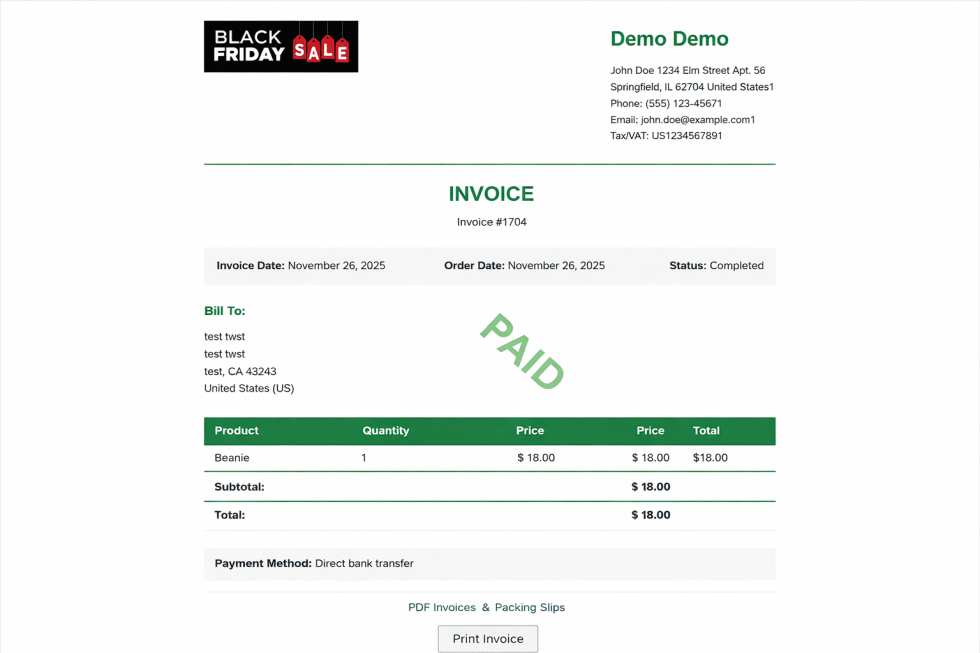
↑ Back to top- Generates native PDF invoices for all WooCommerce orders.
- No external invoice plugins required.
- Templates include:
- Products, quantities, totals, taxes, and shipping
- Billing and shipping addresses
- Payment method
- Custom footer text
Usage:
The invoice is automatically watermarked according to order status. Open an order in WooCommerce. Click Generate Invoice.
PDF Packing Slip Generator
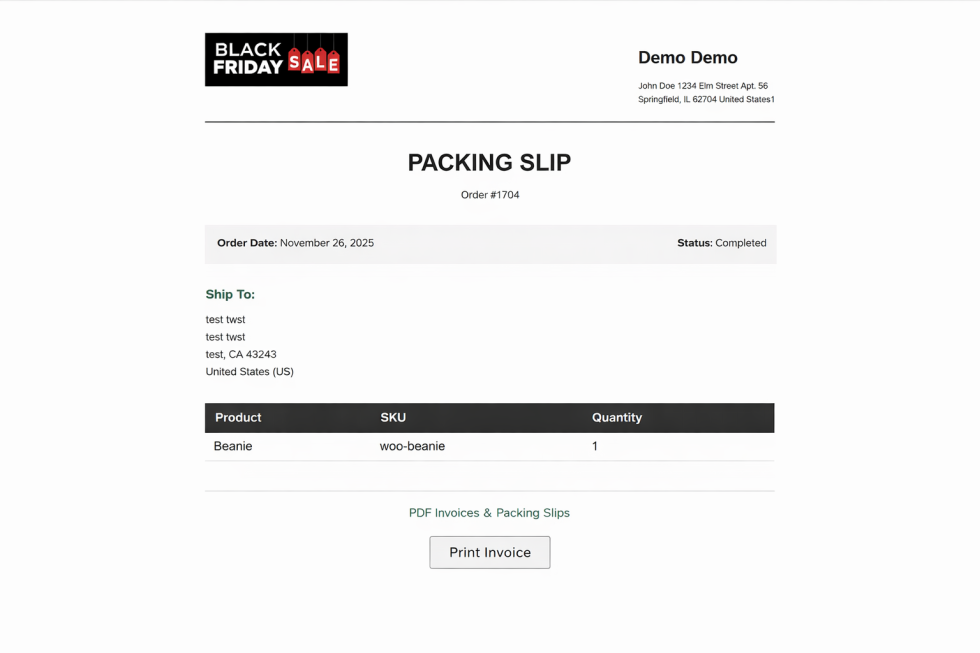
↑ Back to top- Generates clean packing slips optimized for warehouse staff and shipping partners.
- Can optionally display watermarks.
- Downloadable directly from the order page.
Usage:
Packing slip will display items, quantities, and order details. Open an order. Click Generate Packing Slip.
Automatic Watermark Stamps
Invoices and packing slips are automatically watermarked based on order status:
| Order Status | Watermark |
|---|---|
| Completed | PAID |
| Processing / On-hold / Pending | DUE |
| Overdue (via cron) | OVERDUE |
| Cancelled / Failed / Refunded | CANCELLED |
Watermarks update automatically when the order status changes. You can enable or disable any watermark type.
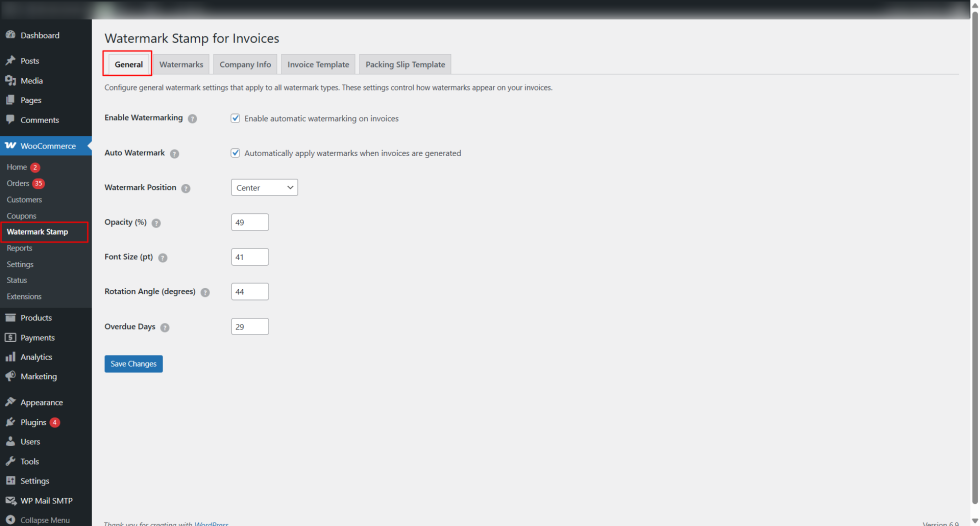
General
↑ Back to top- Enable/disable the plugin
- Default settings for PDF generation
- Configure plugin behavior (e.g., auto-generate invoices and packing slips)
- Set default file naming conventions
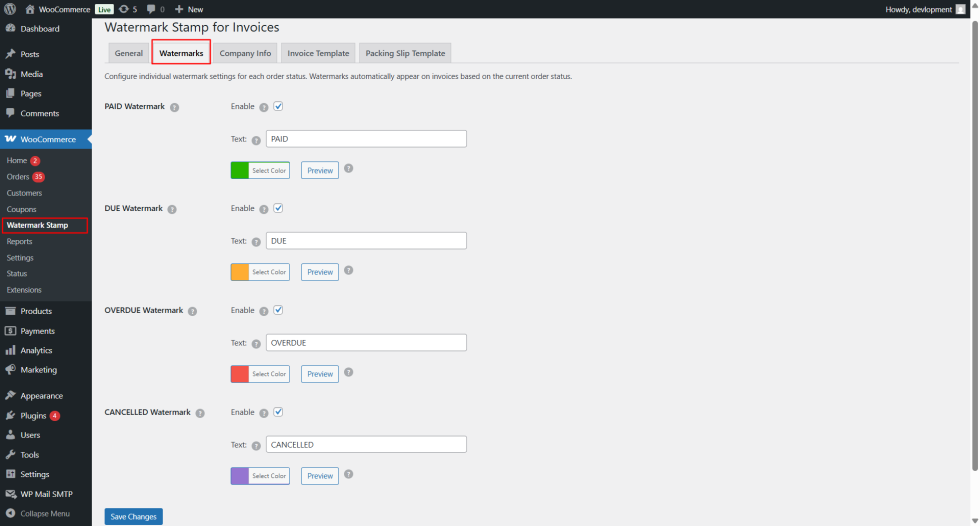
Watermarks
↑ Back to top- Configure watermarks for different order statuses:
- PAID
- DUE
- OVERDUE
- CANCELLED
- Customize each watermark:
- Text
- Color
- Opacity
- Font size
- Rotation
- Position
- Enable or disable specific watermarks
Order Status Mapping
↑ Back to top- Completed → PAID
- Processing / On-hold / Pending → DUE
- Overdue (via cron) → OVERDUE
- Cancelled / Failed / Refunded → CANCELLED
Overdue orders are automatically detected via scheduled cron tasks, making it easier to track unpaid invoices.
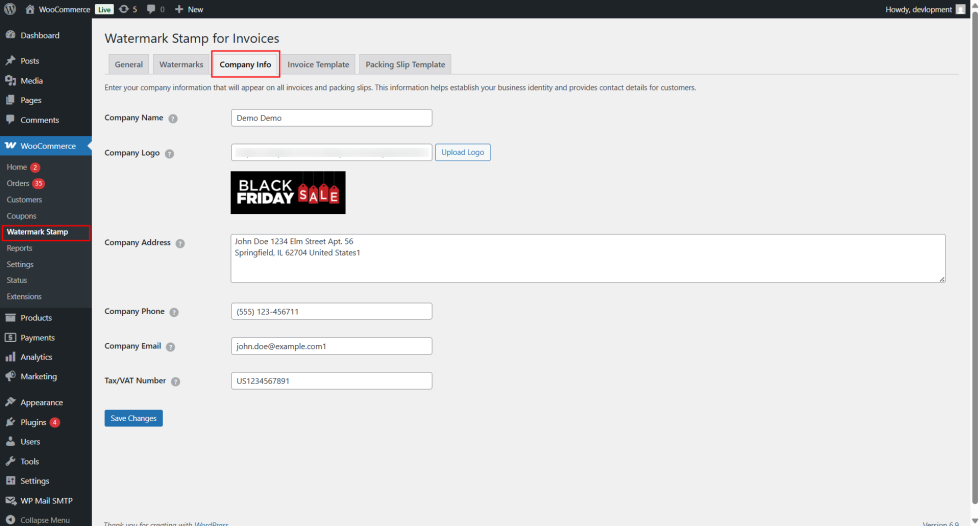
Company Info ✅ (as shown in your screenshot)
↑ Back to top- Add company information that appears on invoices and packing slips:
- Company Name
- Company Logo (upload or select from media library)
- Company Address
- Company Phone
- Company Email
- Tax/VAT Number
- Save changes to apply on all documents
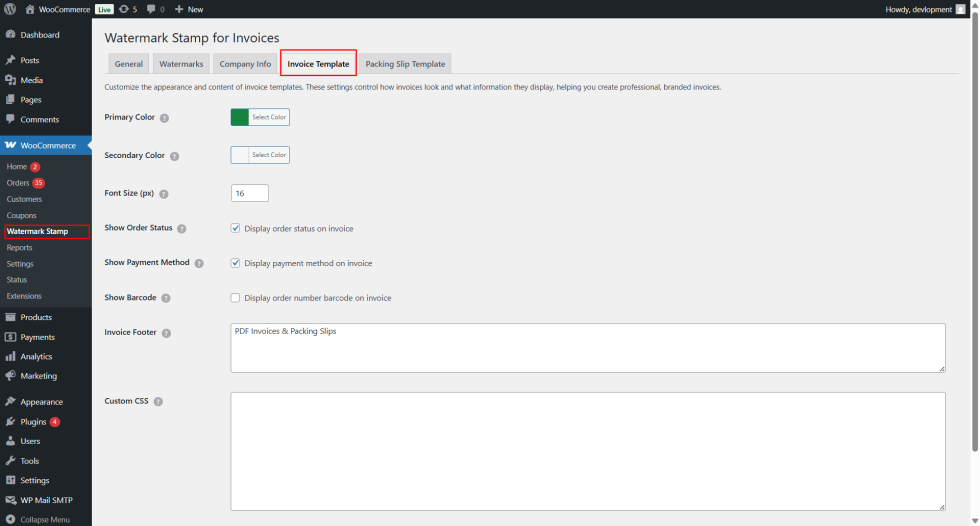
Invoice Template
↑ Back to top- Choose or customize invoice layout
- Configure sections to display:
- Billing/shipping addresses
- Product details, quantities, and totals
- Taxes and shipping info
- Payment method
- Add custom footer text
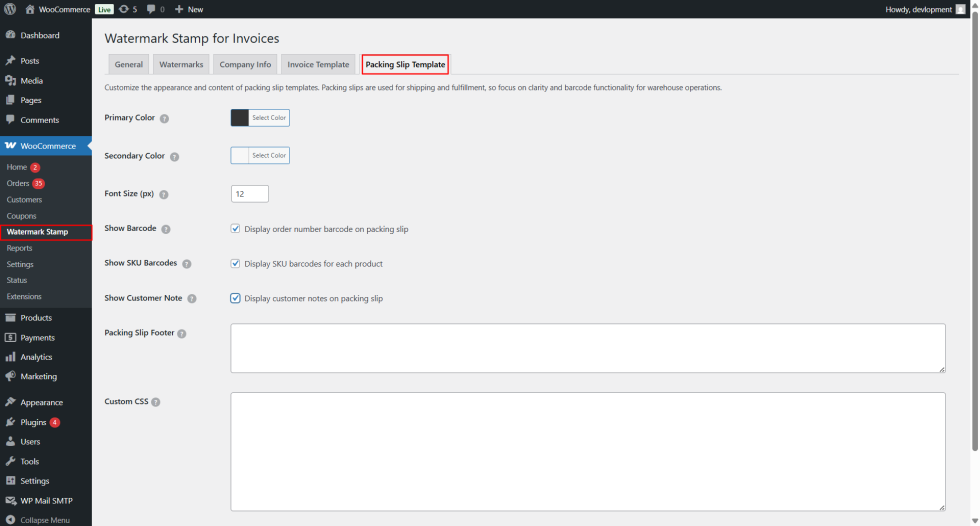
Packing Slip Template
↑ Back to top- Choose or customize packing slip layout
- Configure sections to display:
- Items and quantities only (simplified layout)
- Shipping details
- Optional watermarks
- Download or auto-generate packing slips for orders
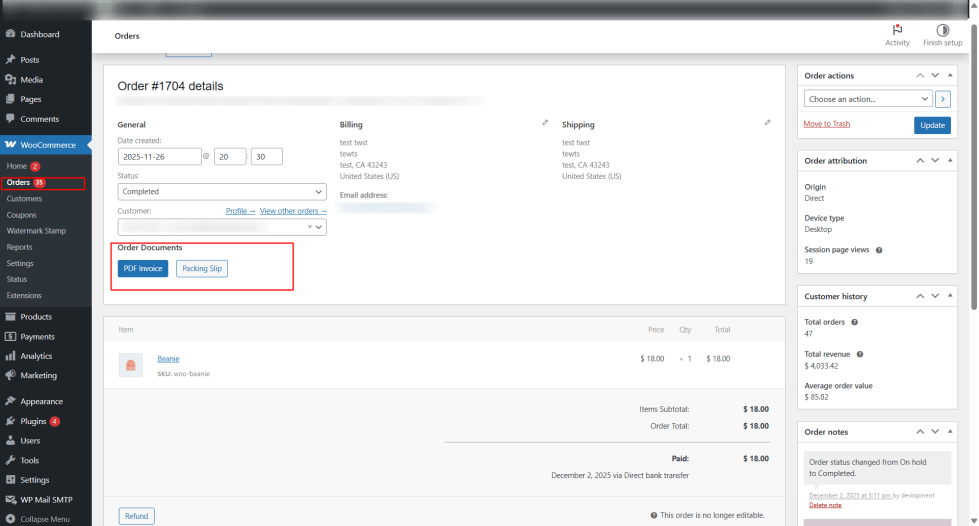
Viewing Invoices and Packing Slips On the Order Details page, the admin can: Optional watermark will be applied if enabled.
Generate PDF Invoice Click the “PDF Invoice” button to generate the PDF.
The invoice will automatically include the watermark based on the order status (PAID, DUE, OVERDUE, CANCELLED).
Generate PDF Packing Slip Click “Packing Slip” (or “Download Packing Slip”).
Customers can view their orders invoice on the ‘My Account’ page.