
WooCommerce Product Availability by Date helps store owners manage not just what they sell, but when products can be purchased.
While WooCommerce already provides efficient product management, many real-world businesses needs tighter control over availability. allowing products only on specific dates, days of the week, or within defined time windows.
This guide explains how WooCommerce product availability by date can be managed using an availability scheduling extension.
If you need precise control over product availability, explore the WooCommerce Product Availability Scheduler by CodersGrow
Why Schedule Product Availability by Date?
↑ Back to topDate-based availability is useful when products are not meant to be sold continuously. Common use cases include:
- Seasonal products available only during specific months
- Festival or campaign-based sales
- Temporary store closures or holidays
- Limited-time product launches
- Region-specific availability windows
By defining date rules, store owners can prevent customers from purchasing products outside the intended time frame.
How Date-Based Availability Works in WooCommerce
↑ Back to topWith a product availability scheduler extension, availability rules are evaluated before a product can be added to the cart.
Typical date-based logic includes:
- Start date – when the product becomes available
- End date – when availability stops
- Optional day and time conditions
- Override rules for holidays or exceptions
If the current date falls outside the allowed range, the product becomes unavailable.
Global Product Availability by Date
↑ Back to topGlobal rules allow store owners to apply date restrictions across all products at once.
Common Global Date Scenarios
↑ Back to top- Allow products only during a promotional campaign
- Disallow purchases during maintenance periods
- Restrict store access during national holidays
Global rules can be configured with:
- Start and end dates
- Allowed or blocked days of the week
- Optional time windows
These rules apply store-wide unless overridden at the product or category level.
Holiday and Exception Dates
↑ Back to topDate-based scheduling often requires flexibility.
- Holiday dates can be used to block purchases on specific days
- Exception dates allow purchases even if global rules normally block them
This makes it easy to handle one-off scenarios like flash sales or special events.
Product-Level Availability by Date
↑ Back to topSome products need custom schedules.
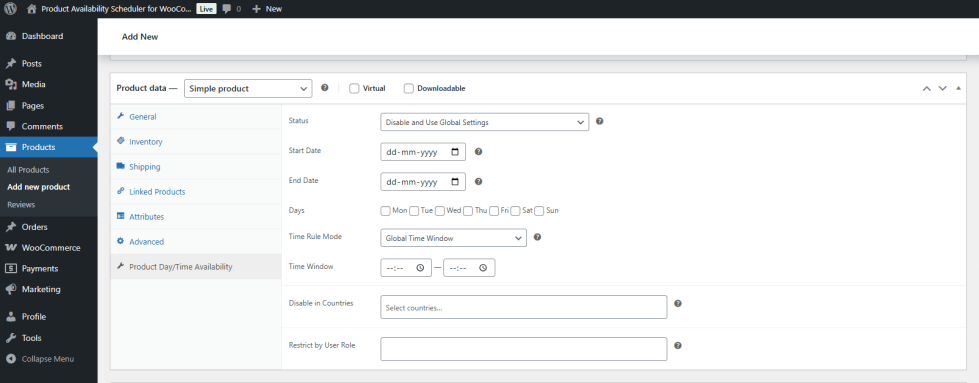
For individual products, availability rules can be defined to:
- Allow purchases only between selected dates
- Restrict availability to specific days
- Apply time-based conditions
This approach is useful for:
- Event-based products
- Food delivery items
- Limited seasonal items
Category-Level Availability by Date
↑ Back to topInstead of configuring products one by one, availability rules can also be applied at the category level.
This allows store owners to:
- Allow entire categories during selected periods
- Automatically restrict all products in a category outside allowed dates
Examples:
- Weekend-only categories
- Seasonal collections
- Time-based menus for restaurants
Customer Experience When Products Are Unavailable
↑ Back to top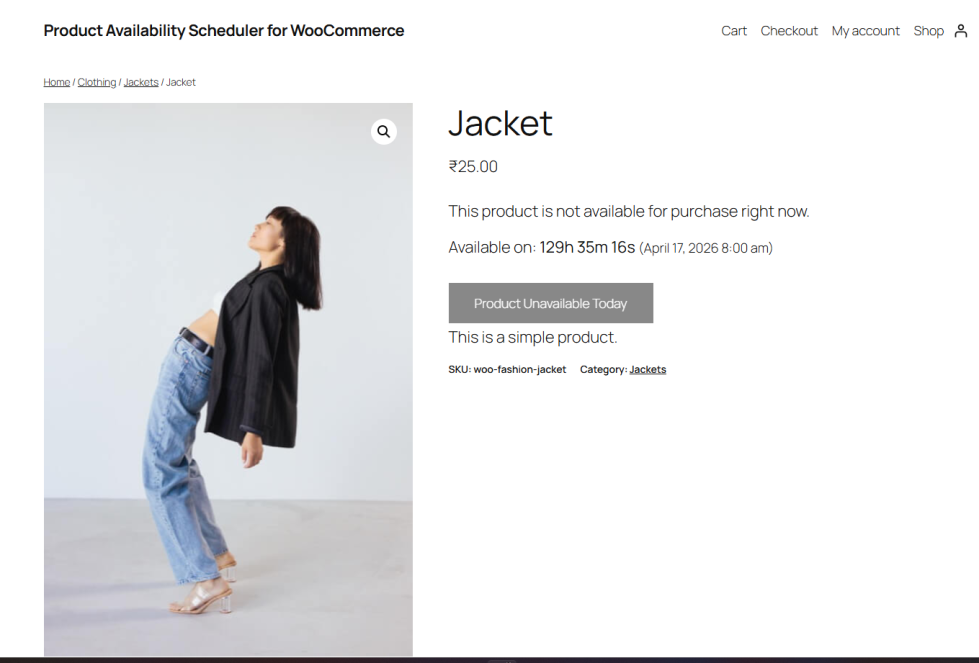
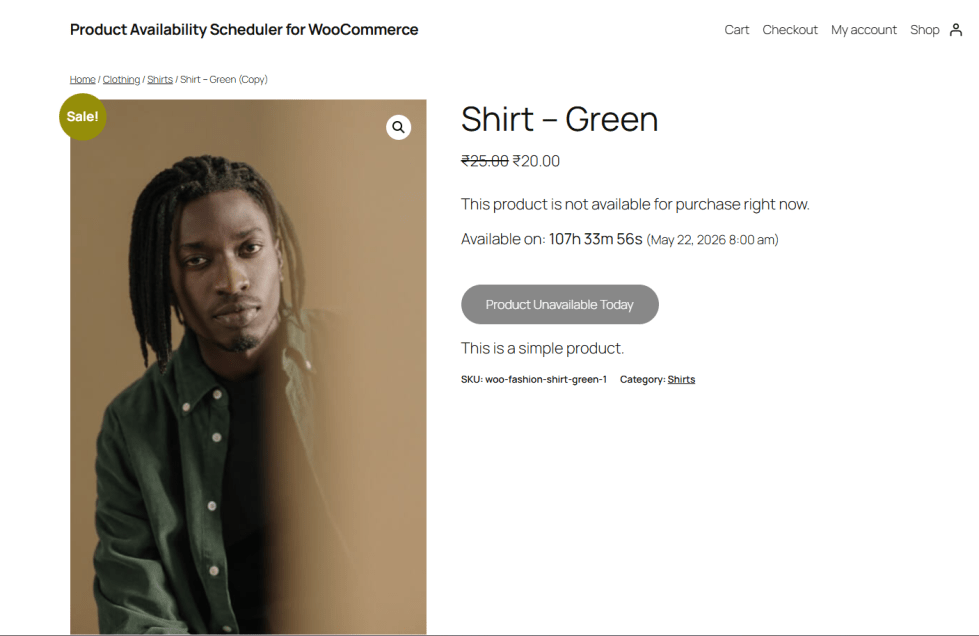
When a product is outside its allowed date range, stores can choose how availability is handled:
- Remove the Add to Cart button
- Show a custom message explaining availability
- Show information about when the product will be available again
Clear messaging helps reduce customer confusion and improves trust.
Summary
↑ Back to topWooCommerce product availability by date helps store owners control exactly when products can be purchased. By combining global rules, product-level scheduling, holiday blocks, and exception dates, stores can match product availability to real business needs.
Availability scheduling is especially useful for seasonal businesses, restaurants, wholesalers, and stores operating across multiple regions.

