
Using a Size chart WooCommerce template helps customers understand measurements clearly and choose the correct size before buying.
If you sell products like clothes, shoes, rings, or accessories, customers often struggle to choose the right size. This is one of the biggest reasons for product returns in online stores.
One reliable solution for this is Size Measurement Pro for WooCommerce. which allows store owners to create reusable and flexible size chart templates.
What is a Size Chart WooCommerce Template?
↑ Back to topA Size chart WooCommerce template is a reusable layout that shows product measurements in a structured way. It can include:
- Tables
- Images
- Instructions
- Measurement guides
- Product dimensions
Instead of creating a size chart again and again, you can create one template and use it across multiple products.
Tools like Size Measurement Pro for WooCommerce make this process simple by allowing you to manage templates from one place.
Why Your Store Needs a Size Chart
↑ Back to topReduce Product Returns
↑ Back to topWhen customers know their correct size, product returns decrease.
Improve Customer Confidence
↑ Back to topClear size information helps customers feel confident before purchasing.
Increase Sales
↑ Back to topSimple sizing information helps customers make faster buying decisions.
Better Shopping Experience
↑ Back to topA size chart makes your store look more professional and user-friendly.
How a Size Chart WooCommerce Template Helps
↑ Back to topA template let you to manage size charts from one place and apply them anywhere in your store.
For example, Size Measurement Pro for WooCommerce lets you assign templates globally, per product, category, tag, or attribute.
You can use templates for:
- Clothing size charts
- Shoe size charts
- Ring measurements
- Bag dimensions
- Hat sizes
- Furniture measurements
This makes store management much easier.
Features of a Good Size Chart WooCommerce Template
↑ Back to topA well-designed template should include:
- Easy-to-read tables
- Clear measurement labels
- Mobile-friendly layout
- Simple design
- Reusable structure
- Flexible placement options
Plugins like Size Measurement Pro for WooCommerce let all these features in one place.
Show Options for Size Charts
↑ Back to topYou can show size charts in different ways on product pages:
- Directly on the product page
- Popup modal window
- Slide-in side panel
These options allow your size chart to match your store design and user experience.
Gutenberg-Based Size Chart Templates
↑ Back to top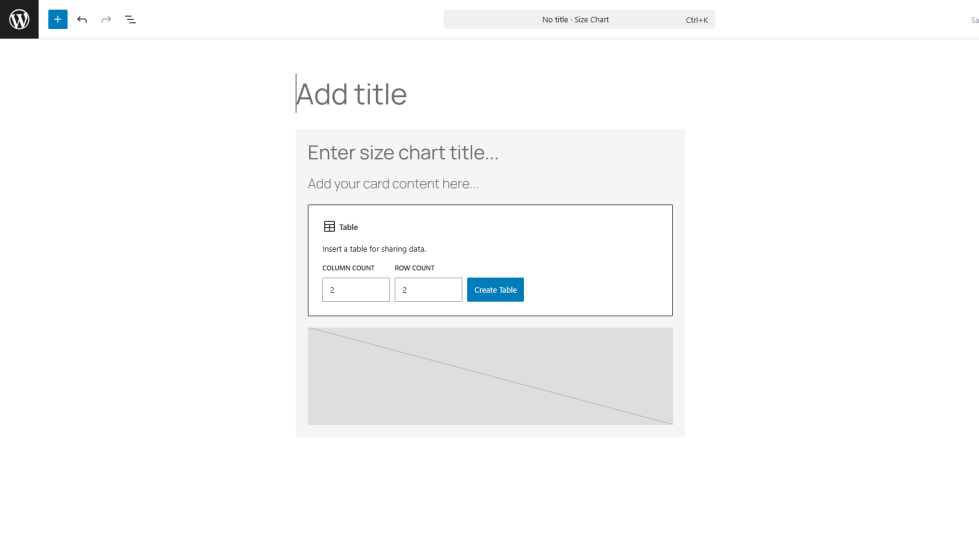
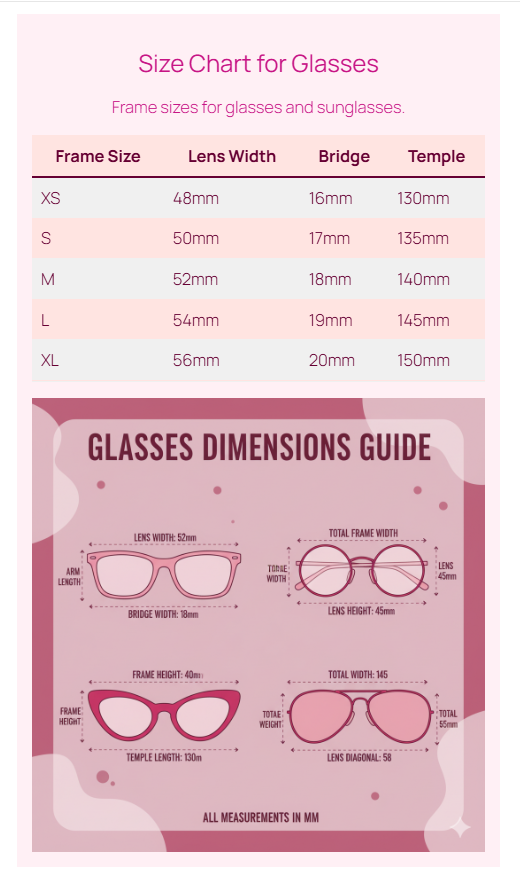
Modern WooCommerce plugins like Size Measurement Pro for WooCommerce support the Gutenberg editor, allowing you to:
- Create templates visually
- Add tables and images
- Design reusable layouts
- contain consistent branding
No coding is required.
Best Practice for Size Chart Templates
↑ Back to topKeep your size chart simple and clear.
Use:
- Standard measurement units
- Clean tables
- Clear labels
- Consistent formatting
Avoid adding too much information that would confuse customers.
Conclusion
↑ Back to topA Size chart WooCommerce template is an important tool for any online store that sells size-based products. It helps customers choose the right size, reduces returns, and improves the overall shopping experience.
If you want an easy way to create and manage size chart templates, you can use Size Measurement Pro for WooCommerce:
https://woocommerce.com/products/size-measurement-pro
It let’s you to control size charts across your store while keeping everything consistent and professional.
What is a Size chart WooCommerce template?
A Size chart WooCommerce template is a reusable layout. displays product measurements like clothing size, shoe size, ring size, or product dimensions in a structured format.
Why should I add a size chart to my WooCommerce store?
Adding a size chart helps customers choose the correct size, reduces returns, increases conversions, and improves customer confidence.
How do I create a size chart template in WooCommerce?
You can create a size chart WooCommerce template using Size Measurement Pro for WooCommerce. It let you to design reusable templates using the Gutenberg editor and assign them globally or to specific products.
Can I assign different size charts to different products?
Yes, you can assign different size chart templates to products, categories, tags, or attributes depending on your store requirements.
Can size charts be shown in a popup?
Yes, size charts can be displayed directly on the product page. inside a modal popup, or as a slide-in side panel.

