
Advanced User Role Product Manager is a WooCommerce extension that allows store owners to control product visibility based on WordPress user roles. You can show or hide products, categories, and tags for specific roles, configure redirects, replace product content, and manage visibility in bulk.
This plugin works for:
- B2B stores
- Wholesale shops
- Membership websites
- Private catalogs
- Multi-role user systems
- Retail/wholesale hybrids
It supports all WordPress user roles, including Guest (non-logged-in users).
Installation
↑ Back to topTo start using a product from WooCommerce.com, you can use the “Add to store” functionality on the order confirmation page or the My subscriptions section in your account.
- Navigate to My subscriptions.
- Find the Add to store button next to the product you’re planning to install.
- Follow the instructions on the screen, and the product will be automatically added to your store.
Alternative options and more information at:
Managing WooCommerce.com subscriptions.

Setup and Configuration
↑ Back to top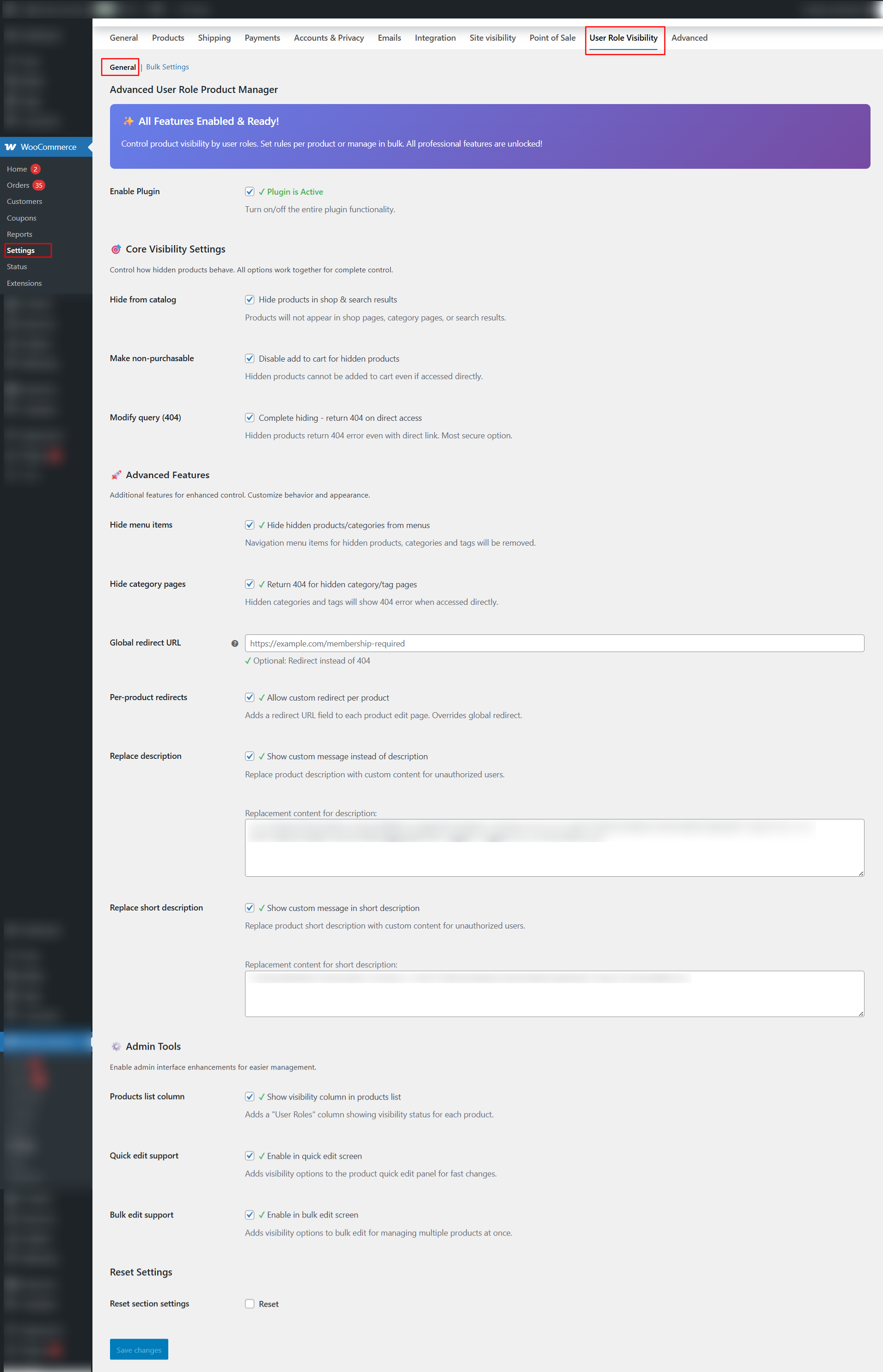
Installation
↑ Back to topDownload the plugin .zip file.
In WordPress Admin, go to: Plugins → Add New → Upload Plugin
Upload the zip file and click Install Now.
Click Activate.
Navigate to: WooCommerce → Settings → User Role Visibility
to configure your settings.
Plugin Overview
↑ Back to topThe plugin provides visibility control at several levels:
Product-Level Settings
↑ Back to topSet visibility for individual products.
Category/Tag-Level Settings
↑ Back to topControl visibility for whole categories and tags.
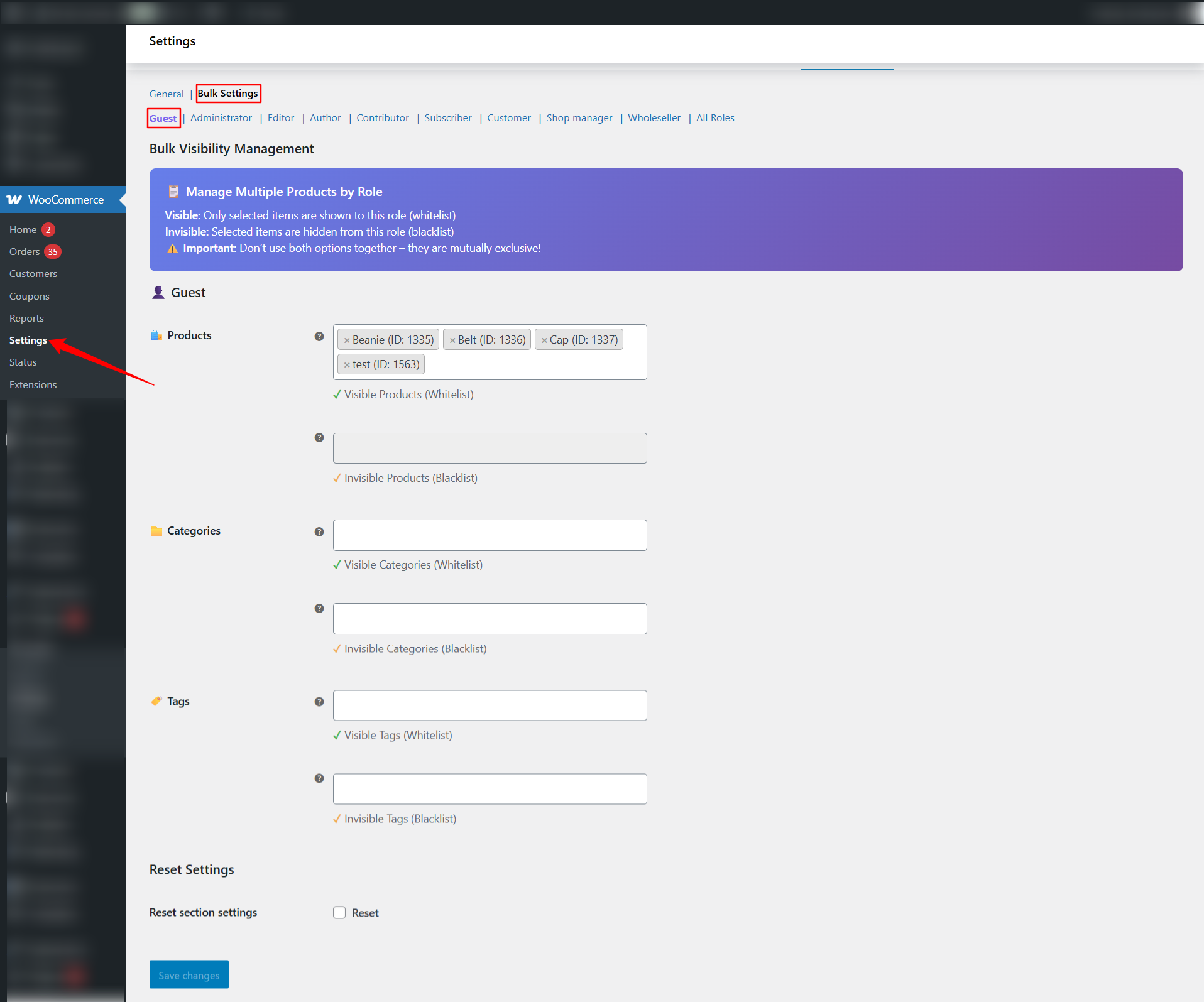
Bulk Role-Based Control
↑ Back to topSet visibility for multiple products at once, grouped by user role.
Advanced Options
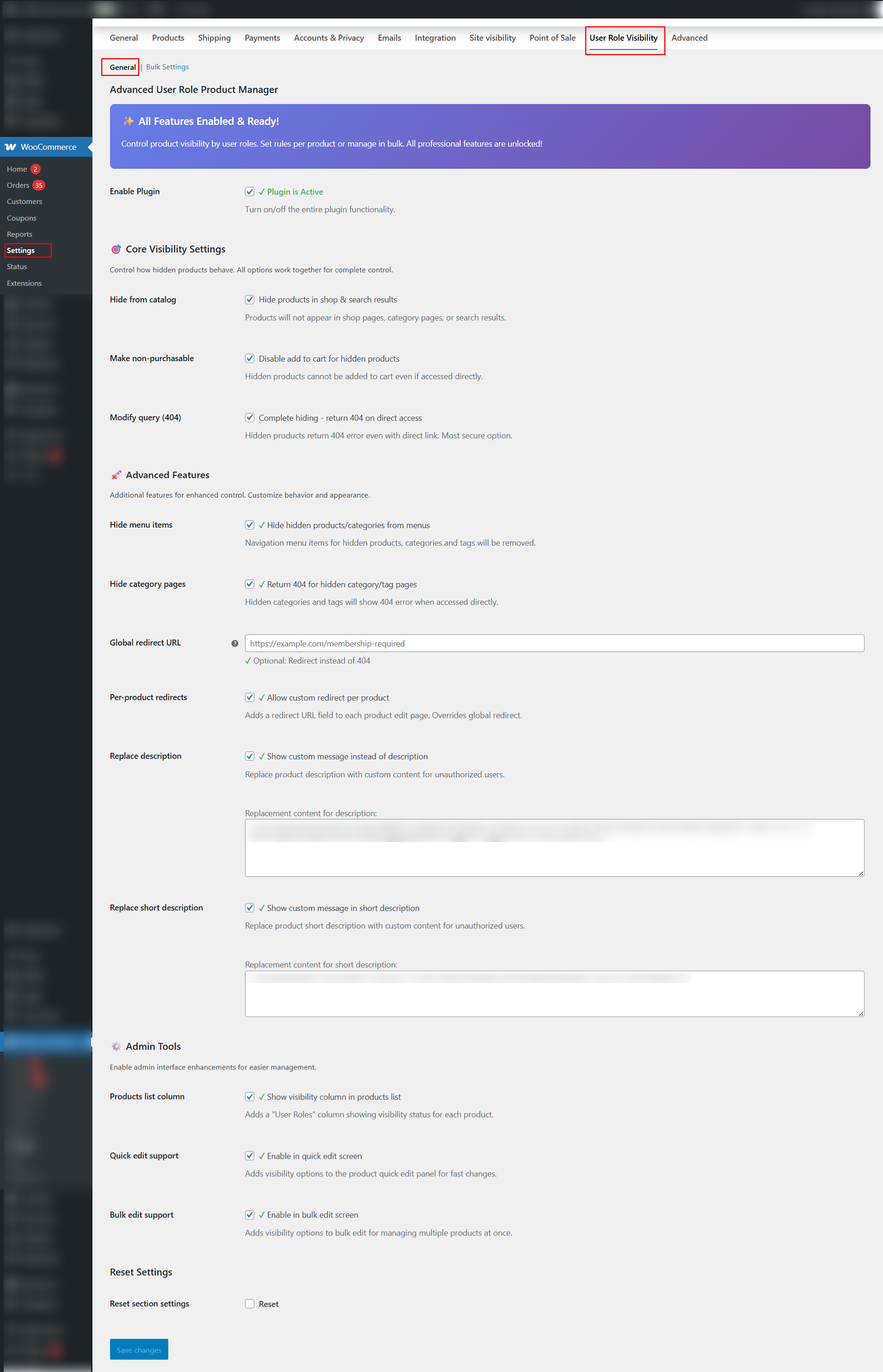
↑ Back to top- Redirect restricted users
- Replace product descriptions
- Hide menu items
- Hide categories/tags across frontend
- Completely remove products from queries (404)
Getting Started
↑ Back to topAfter activation:
- Go to WooCommerce → Settings → User Role Visibility
- Enable plugin features
- Choose global hide mode options (optional)
- Configure bulk rules
- Adjust per-product visibility where needed
Product-Level Visibility
↑ Back to topOpen Products → Edit Product and locate the sidebar panel:
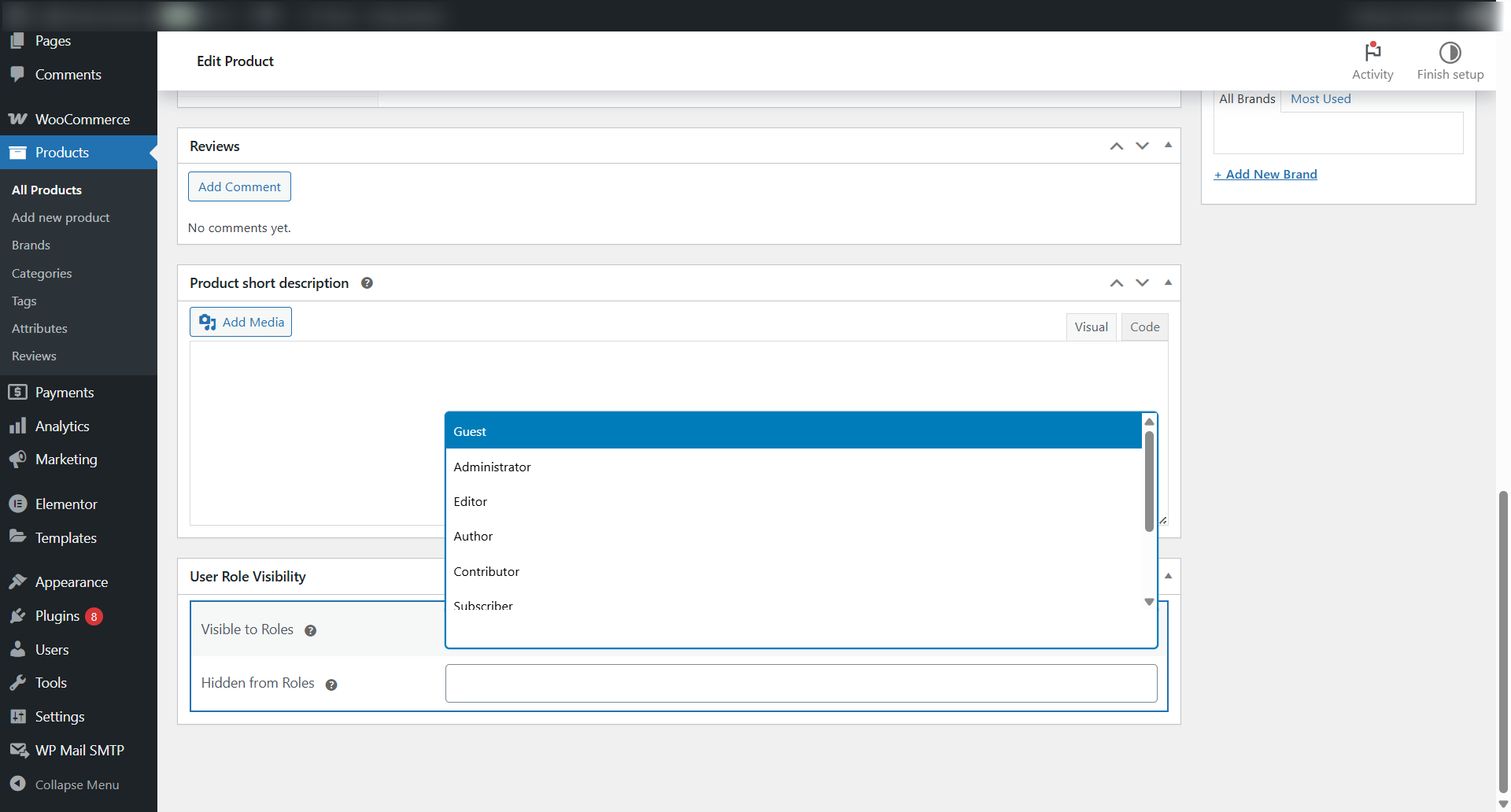
User Role Visibility Meta Box
↑ Back to topYou will see:
Visibility Mode
↑ Back to top- Visible to roles → Only listed roles can see the product
- Invisible to roles → Listed roles cannot see the product
You cannot use both—these are mutually exclusive.
Available Roles
↑ Back to top- Administrator
- Shop Manager
- Customer
- Subscriber
- Guest (non-logged-in)
- Custom user roles (membership, wholesale, etc.)

