
Auto-Close Old Pending Orders for WooCommerce automatically cancels unpaid “Pending Payment” orders after a defined time period and restores product stock.
This prevents inventory from being blocked by abandoned orders and helps increase sales.
The plugin works fully automatically in the background and is safe for live WooCommerce stores.
Setup and Configuration
↑ Back to top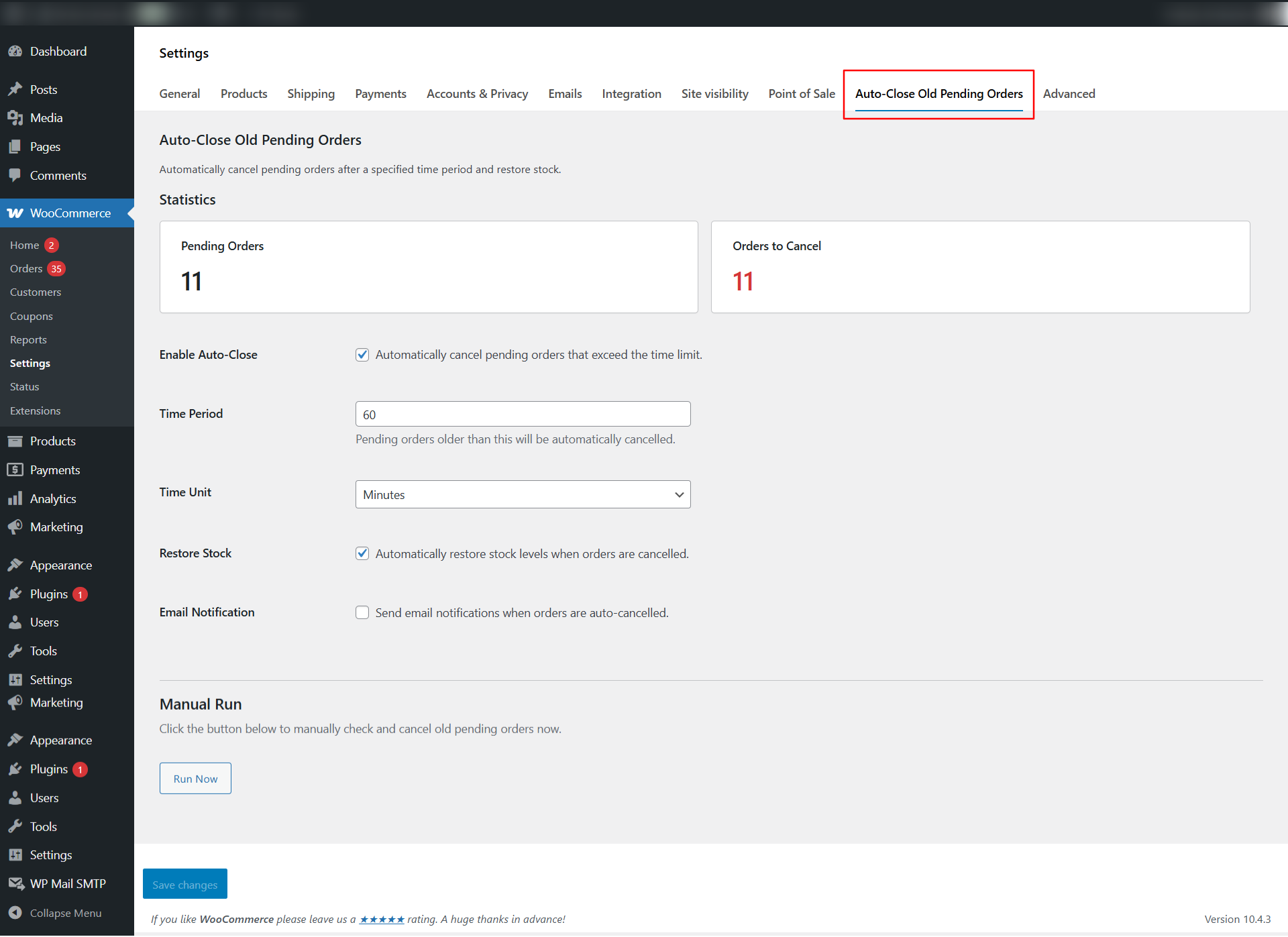
Installation
↑ Back to topTo start using a product from WooCommerce.com, you can use the “Add to store” functionality on the order confirmation page or the My subscriptions section in your account.
- Navigate to My subscriptions.
- Find the Add to store button next to the product you’re planning to install.
- Follow the instructions on the screen, and the product will be automatically added to your store.
Alternative options and more information at:
Managing WooCommerce.com subscriptions.

Activation & Initial Setup
↑ Back to topOnce activated:
- The plugin automatically registers a scheduled task (WP-Cron).
- No configuration is required to start, but settings should be reviewed.
Go to: WooCommerce → Settings → Auto-Close Old Pending Orders
Plugin Settings Explained
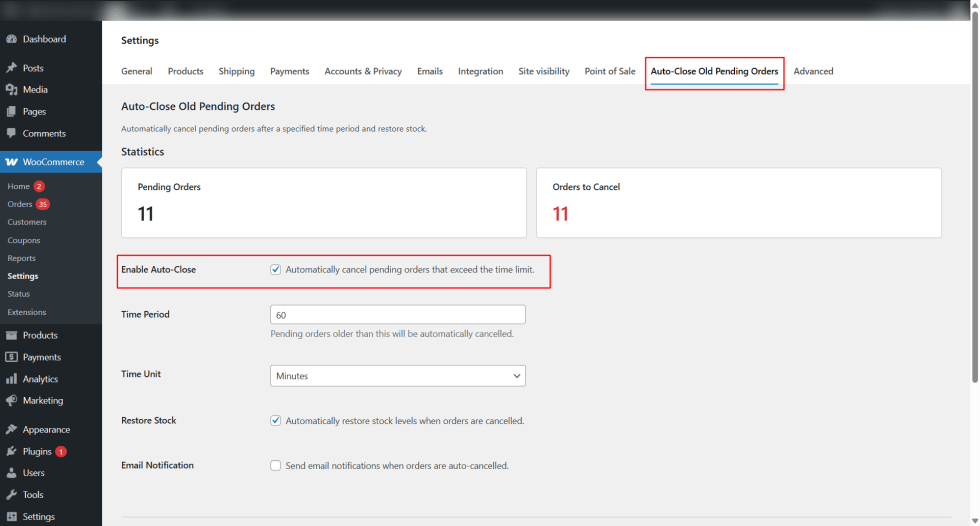
↑ Back to topEnable Auto-Close Pending Orders
↑ Back to topWhen disabled, no orders are processed.
Turns the plugin functionality ON or OFF.
Time Limit for Pending Orders
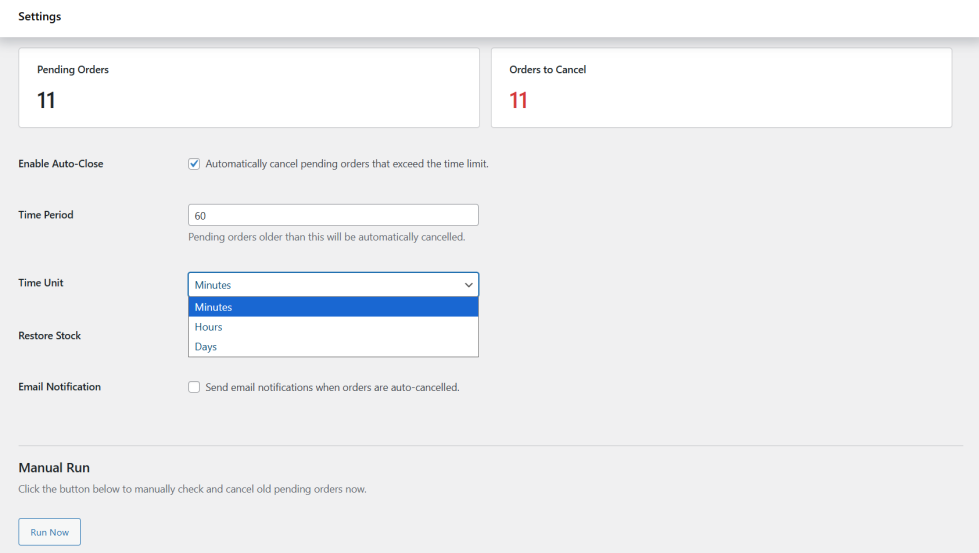
↑ Back to topDefines how long an order can remain in Pending Payment status.
You can choose:
- Minutes (e.g., 15, 30, 60)
- Hours (e.g. 1, 3, 12)
- Days (e.g. 1, 2, 7)
Orders older than this limit will be cancelled automatically.
Restore Product Stock
↑ Back to topPrevents false “Out of Stock” issues.
When enabled, stock is restored immediately after an order is cancelled.
Works with: Simple products | Variable products
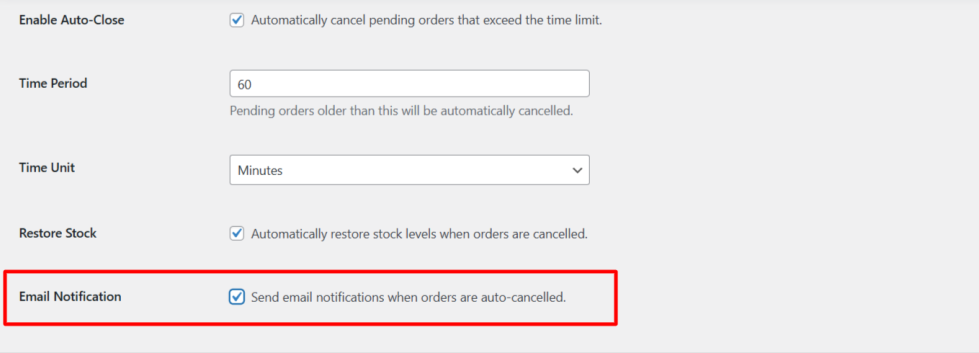
Email Notification
↑ Back to top- Sends an order cancellation email to the customer.
- Uses WooCommerce’s default email system.
- Optional and fully configurable.
Summary
↑ Back to topAuto-Close Old Pending Orders for WooCommerce is a must-have inventory protection tool that:
- Prevents stock locking
- Reduces lost sales
- Automates order cleanup
- Improves store performance

