
Best Seller Rankings allows your WooCommerce store to display top-selling products using category rankings, best seller badges, sales indicators, and marketplace-style product positioning.
The plugin automatically calculates product rankings based on real order data and lets you display them across your store using badges, widgets, sliders, and shortcodes.
Installation
↑ Back to topTo start using a product from WooCommerce.com, you can use the “Add to store” functionality on the order confirmation page or the My subscriptions section in your account.
- Navigate to My subscriptions.
- Find the Add to store button next to the product you’re planning to install.
- Follow the instructions on the screen, and the product will be automatically added to your store.
Alternative options and more information at:
Managing WooCommerce.com subscriptions.

Setup and Configuration
↑ Back to topGetting Started
↑ Back to topTo set up your store with Best Seller Rankings:
- Go to WooCommerce > Settings -> Best Seller Rankings.
- Tick the checkbox to Enable Best Seller Badge.
- Configure badge type and display settings.
- Save changes.
Once enabled, best seller badges and rankings will automatically appear based on your configuration.
Configuration Options
↑ Back to topGeneral Settings
↑ Back to topYou can control:
- The maximum number of best seller products.
- The time limit used for calculating best seller rankings.
This allows you to limit rankings to recent sales if needed.
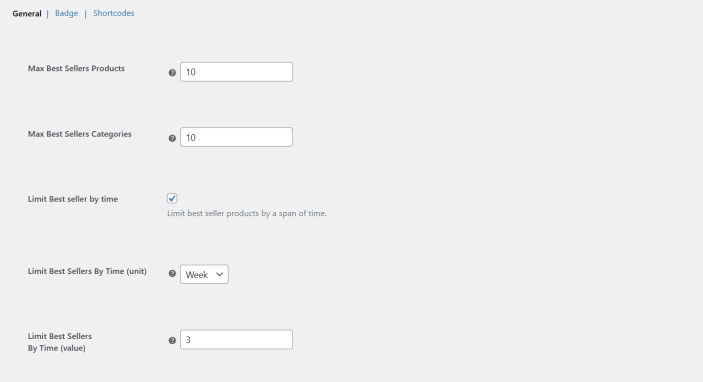
Badge Settings
↑ Back to topBest Seller Badge
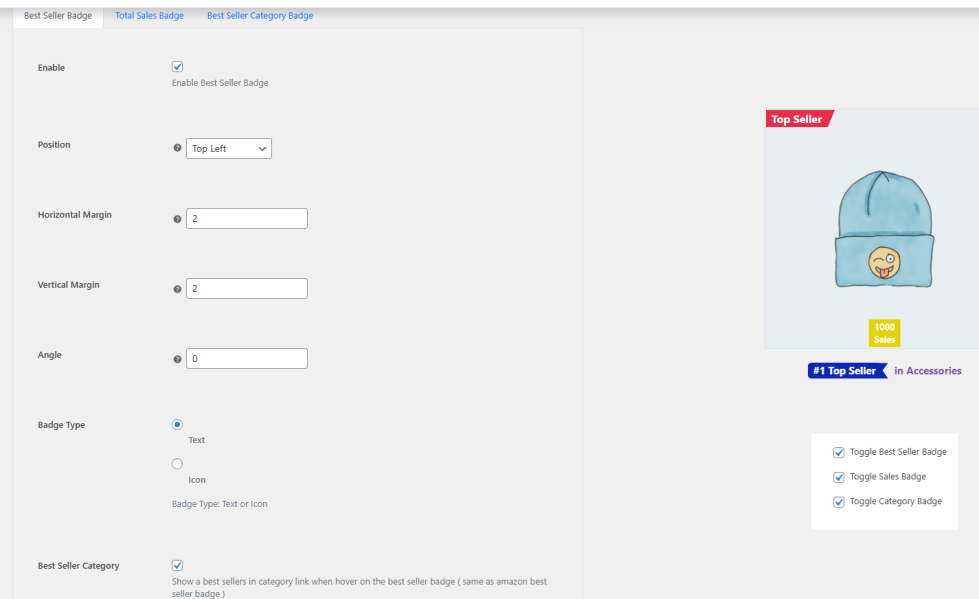
This tab controls the main Best Seller badge.
You can configure:
- Background color
- Badge position
- Horizontal and vertical margins
- Badge rotation angle
- Badge type (icon or text)
- Icon width and height
- Text content
- Font size
- Font weight and style
- Text color
Total Sale Badge
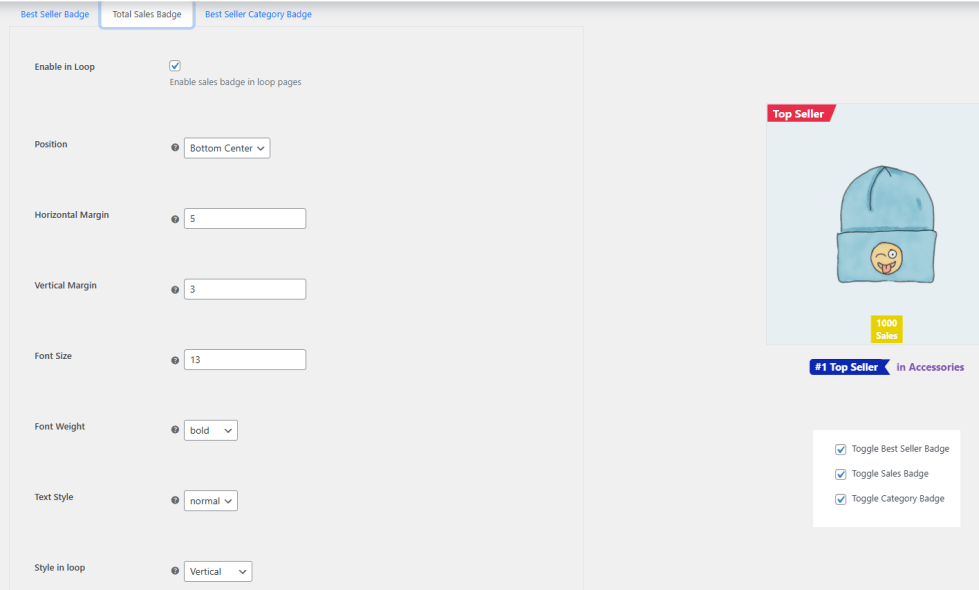
This badge displays the total number of product sales.
You can configure:
- Background color
- Display in product loops (shop/archive pages)
- Display on single product pages
- Badge corner position
- Badge margins
- Font size
- Font weight and style
- Text color
Best Seller Category Badge
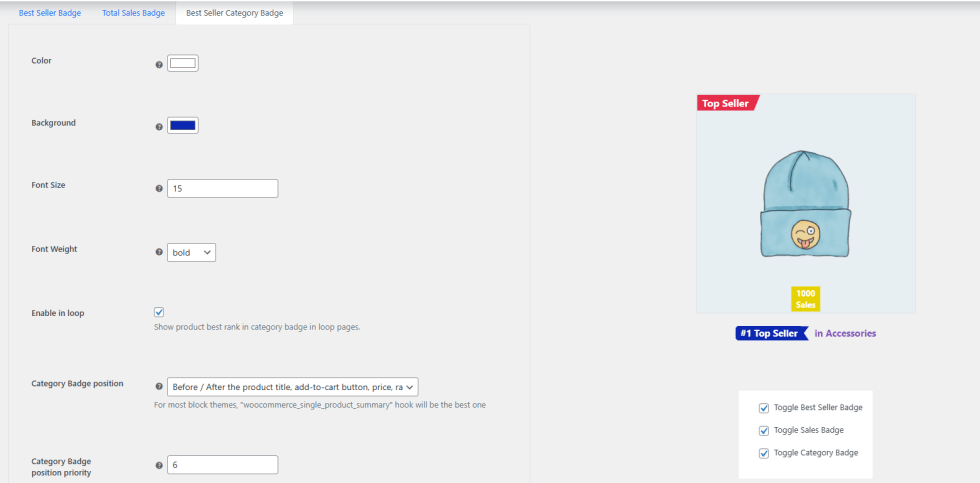
This badge shows the product’s ranking position within its category.
You can configure:
- Background color
- Badge position
- Font size
- Font weight
- Text color
Shortcodes and Sliders
↑ Back to topYou can display best seller products anywhere on your site using the available shortcodes and sliders.
General Best Seller Products
↑ Back to topDisplay the overall best seller products.
[gpls_wobtslr_best_sellers]
Slider version:
[gpls_wobtslr_best_sellers_slider ]
Best Seller Products in a Specific Category
↑ Back to topDisplay best sellers within a specific product category.
[gpls_wobtslr_best_sellers_in_category category="clothing"]
Slider version:
[gpls_wobtslr_best_sellers_in_category_slider category="clothing" ]
Best Sellers in All Best Seller Categories
↑ Back to topDisplay group of best sellers for all categories.
[gpls_wobtslr_best_sellers_in_all_categories]
Slider version:
[gpls_wobtslr_best_sellers_in_all_categories_slider]
Latest Best Sellers (Time-Based)
↑ Back to topDisplay best sellers for a maximum specific time period.
[gpls_wobtslr_latest_best_sellers time_unit="months" time_value="1" limit="10"]
Shortcode Examples
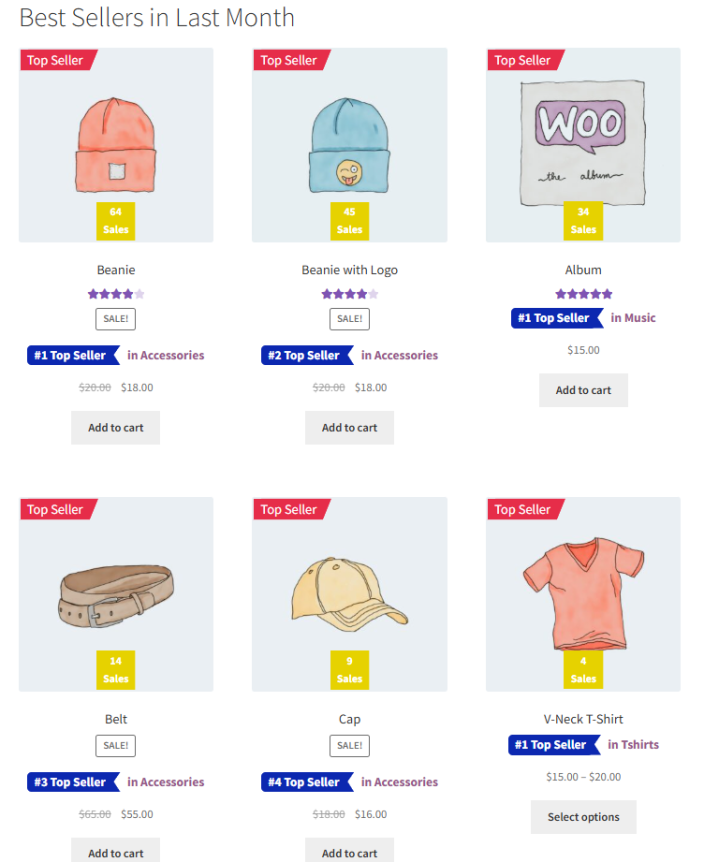
↑ Back to topBest Sellers in Last Month
[gpls_wobtslr_latest_best_sellers time_unit="months" time_value="1" limit="10" show_badge="yes" ]
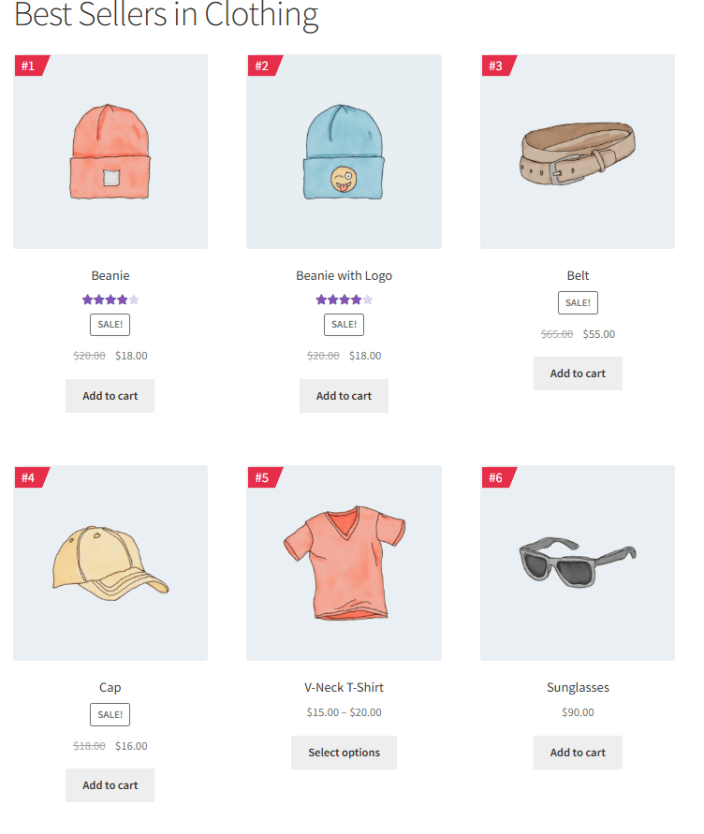
Best Sellers in Clothing Category
[gpls_wobtslr_best_sellers_in_category category="16" title_tag="h1" limit=5 show_sales_badge="no"]
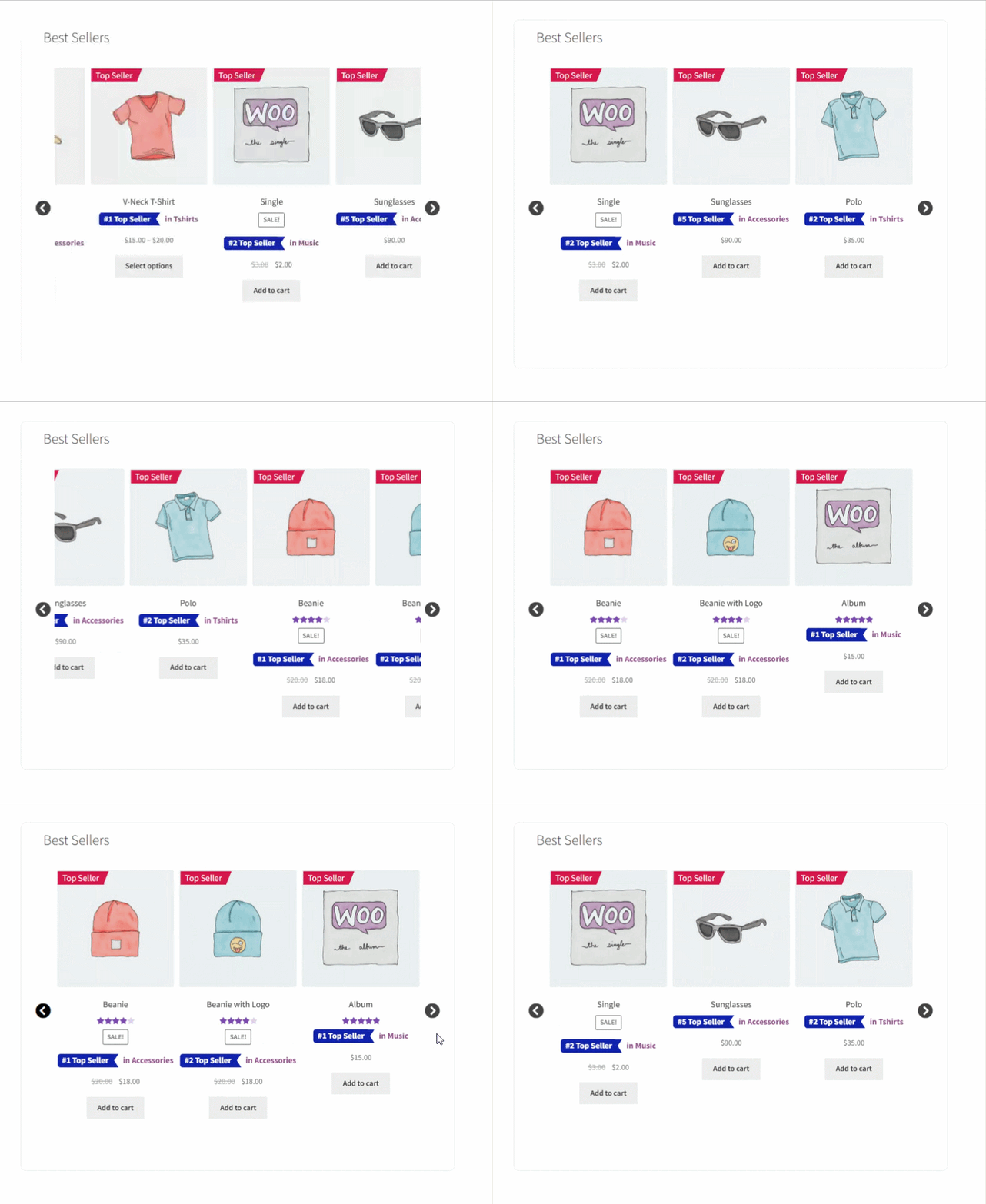
Best Sellers Slider
[gpls_wobtslr_best_sellers_slider show_sales_badge=no]
FAQs
↑ Back to topHelp customers by answering commonly asked questions.
How are best seller rankings calculated?
Products are ranked based on completed and processing orders. Rankings can be limited to a specific time period if configured.
Can I display best sellers in a specific category only?
Yes. You can use category-specific shortcodes or enable category rank badges.
Can I control where badges appear?
Yes. You can control position, styling, hook placement, and display conditions.

