
Installation
↑ Back to topTo start using a product from WooCommerce.com, you can use the “Add to store” functionality on the order confirmation page or the My subscriptions section in your account.
- Navigate to My subscriptions.
- Find the Add to store button next to the product you’re planning to install.
- Follow the instructions on the screen, and the product will be automatically added to your store.
Alternative options and more information at:
Managing WooCommerce.com subscriptions.
Settings
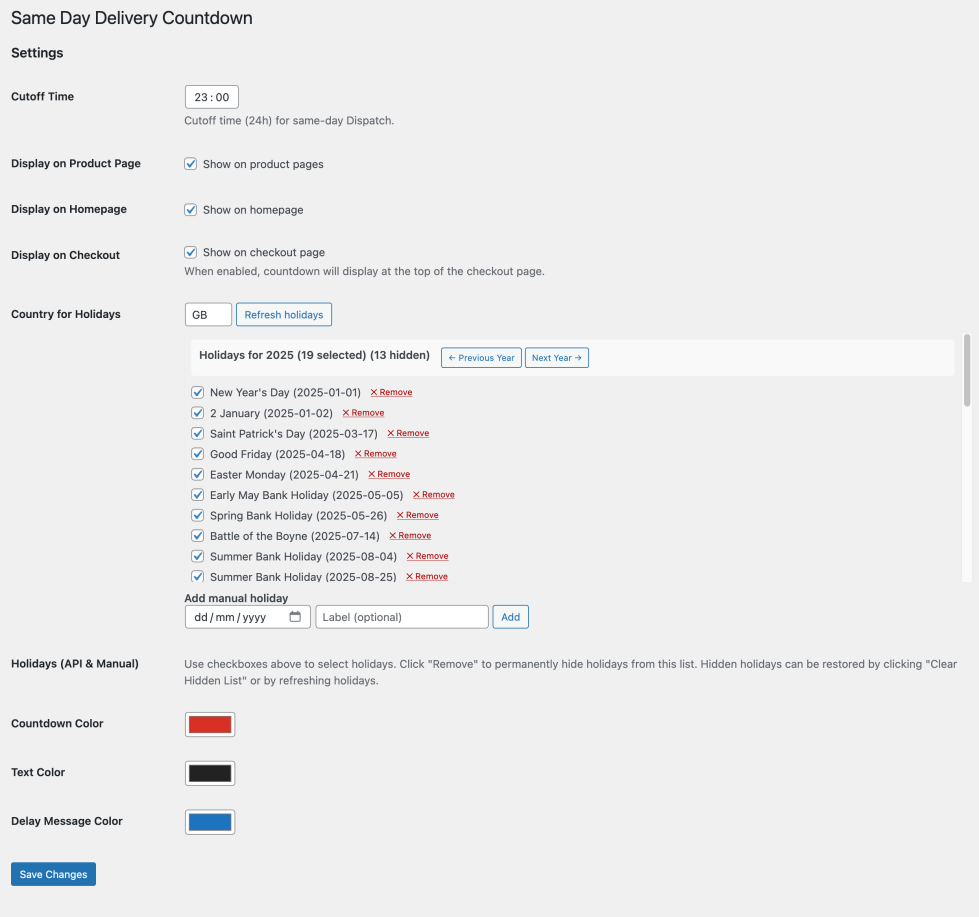
↑ Back to top- Settings tab “Same-Day Delivery Countdown” under WooCommerce > Settings tabs as below:
- Set cut off time in 24HR format
- Set to show on Product Page, Homepage, Checkoutpage.
- Control some basic colour settings
- Set some basic colour settings for Background, Text, and Border.
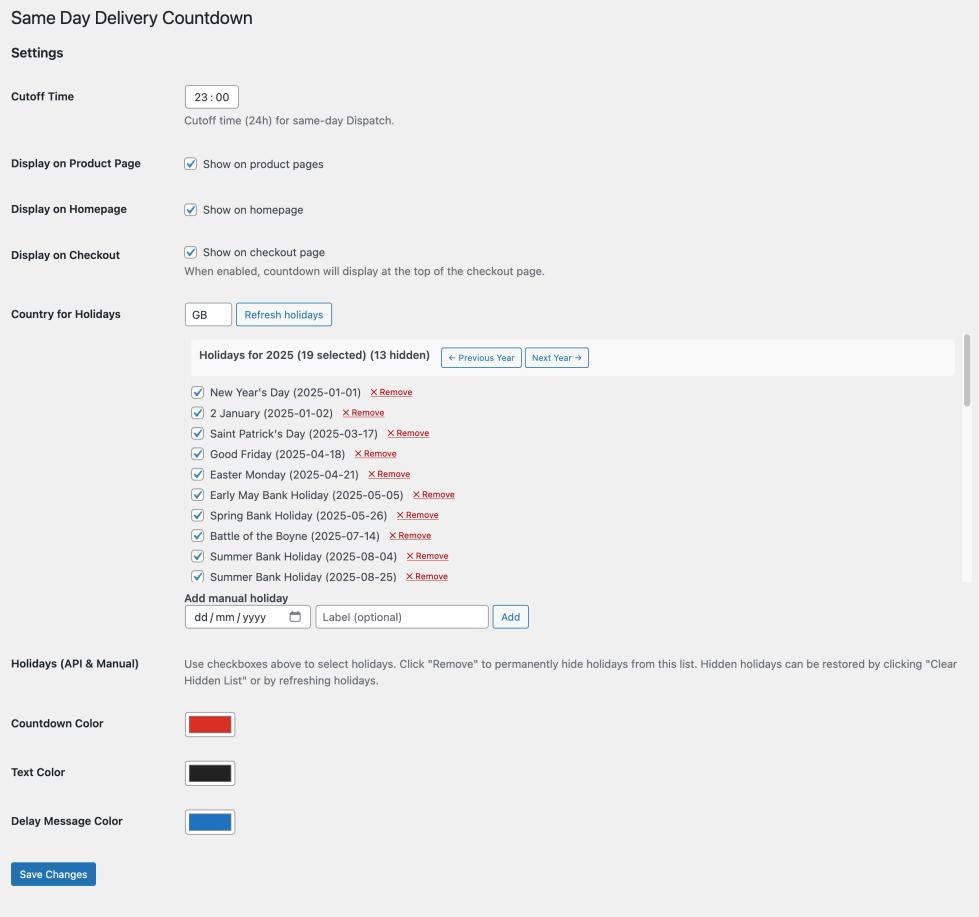
Adding Public Holidays.
Enter two digit country code
Example GB – United Kingdom , US – USA CA- Canada
Like Below It will pull the dates in from API
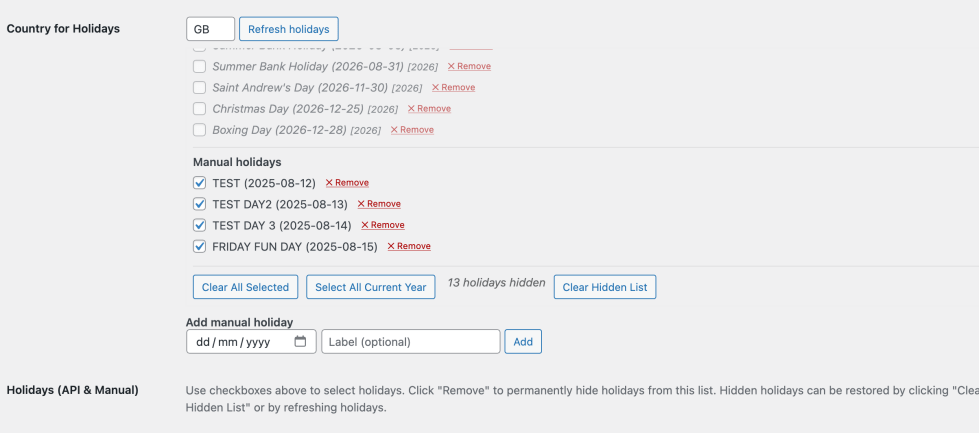
Add Custom Holidays:
- Scroll down you will see box for adding date use popup calander
- Label optional but is recommend as this will shown to your customers.
Remove Holidays
If you wish to remove holidays simply use remove at the right.
Important note Holidays with with a Tick are active and will be taken into account.